MigrateEmails

OneDrive Duplicate File Remover

  (Average rating of 4.7 by 600 Users)

The MigrateEmails OneDrive Duplicate File Remover is an advanced utility designed to quickly locate and remove duplicate files from your OneDrive account without risking data integrity. Whether you are using a personal or business OneDrive profile, the tool ensures accurate scanning, secure comparison, and complete protection of your original files. With smart preview options, fast processing, and optimized storage management, this OneDrive duplicate cleaner helps users regain valuable cloud space while maintaining a clean, organized, and clutter-free OneDrive environment.

   Windows |       Mac       Linux   
product-box

Feature Insights of the OneDrive Duplicate Finder

convert

Hands-Free Detection and Removal of Duplicates

The tool’s automatic feature streamlines the entire process by instantly identifying repeated files stored in your OneDrive account. Users can remove all detected duplicates with a single click, saving time and preventing unnecessary manual checks. This helps maintain a clutter-free, well-organized OneDrive space while ensuring your original files remain fully protected.

ics-to-gmail

Large-Scale Duplicate Cleanup in One Go

The tool offers mass removal of duplicates for faster cleanup, allowing users to clear large sets of duplicate files in a single operation. The batch-delete feature accelerates the entire cleanup process and helps reclaim OneDrive storage instantly. This functionality ensures quick, efficient, and hassle-free organization without any loss.

preview

Compatible with Both Personal and Business OneDrive Accounts

The OneDrive duplicate file finder is fully compatible with both personal and business OneDrive accounts, making it suitable for individual users, teams, and large organizations. The utility ensures smooth access and accurate scanning across all profiles. Business users can further benefit from features like impersonation for multi-user management, while personal users enjoy a simple and hassle-free cleanup experience.

multiple-file

Operates Fully Online Without Local Storage Usage

The OneDrive duplicate photo finder offers cloud-direct processing, allowing it to scan and remove duplicate files straight from your OneDrive account without downloading anything to your system. This ensures faster cleanup, saves local storage space, and eliminates the hassle of syncing large files. This not only speeds up the process but also keeps your device clutter-free while maintaining complete data security.

batch-process

Handle Multiple Business Users with Impersonation Access

The OneDrive duplicate file remove includes a powerful impersonation feature for managing multiple accounts. With impersonation enabled, administrators can scan, detect, and remove duplicates across all connected user accounts without needing individual login credentials. This ensures consistent cleanup across an entire organization. It enhances efficiency, reduces manual workload, and helps maintain clean, optimized storage for every employee account.

attachments

Storage Overview and File Preview Feature

The free OneDrive duplicate finder provides a preview panel that displays detailed information about your files and storage usage. Users can view duplicate important details. This feature allows you to make informed decisions before deleting or moving duplicates, ensuring that original files remain safe. By combining storage insights with file previews, the panel simplifies the cleanup process and helps maintain an organized, optimized OneDrive environment.

date-range-options

Smart Filters to Identify Duplicates Quickly

The OneDrive duplicate file finder comes with advanced filtering options that make duplicate detection fast and precise. These smart filters minimize manual effort, reduce the risk of accidental deletions, and ensure that only redundant files are flagged for cleanup. You can also streamline the process of maintaining a clutter-free OneDrive account while keeping all important files safe.

feature-pdf

Secure Duplicate Detection: Protecting Original Files

The OneDrive duplicate finder ensures safe duplicate scanning while fully protecting original files. During the detection process, only duplicate copies are flagged for removal or relocation, leaving the original files intact and secure. This feature is crucial for maintaining data integrity, particularly in business environments where file accuracy and reliability are essential.

save

Optimized for Windows Platforms

The OneDrive duplicate photo finder is designed specifically for Windows systems, ensuring smooth installation and seamless operation across all compatible versions of the OS. By focusing on Windows, the utility leverages the system’s full capabilities for faster processing and reliable results, making it an ideal choice for both personal and business users looking to optimize their OneDrive storage on a familiar platform.

windows

Free Version with Core Features

The OneDrive duplicate file remove comes with a free version that allows users to scan and preview duplicate files in their OneDrive account before committing to a full license. This edition provides access to essential features, enabling users to evaluate its effectiveness and understand how duplicates are identified and managed. The free edition is ideal for small-scale users who want to clean up storage efficiently without any upfront cost.

Download the Updated Version of OneDrive Duplicate File Remover

Download the updated MigrateEmails OneDrive Duplicate File Remover for better reliability, smooth performance, and improved productivity. It easily converts your XML data, keeps the data structure, and saves attachments in separate folders. Moreover, it supports all previous and latest Outlook versions. Also, it works well on Windows OS.


Useful links

Software Specification


Supported Operating Systems:
11, 10/8.1/8/7/, 2008/2012 (32 & 64 Bit), and other Windows versions.
Size:
158 MB
Version:
25.01
Disk Space:
Minimum Disk Space - 512 GB.
RAM Utilization:
8 GB of RAM (8 GB is recommended)
Processor:
Intel® Core™2 Duo E4600 Processor 2.40GHz
product-box

Comprehensive Guide for Using OneDrive Duplicate File Remover

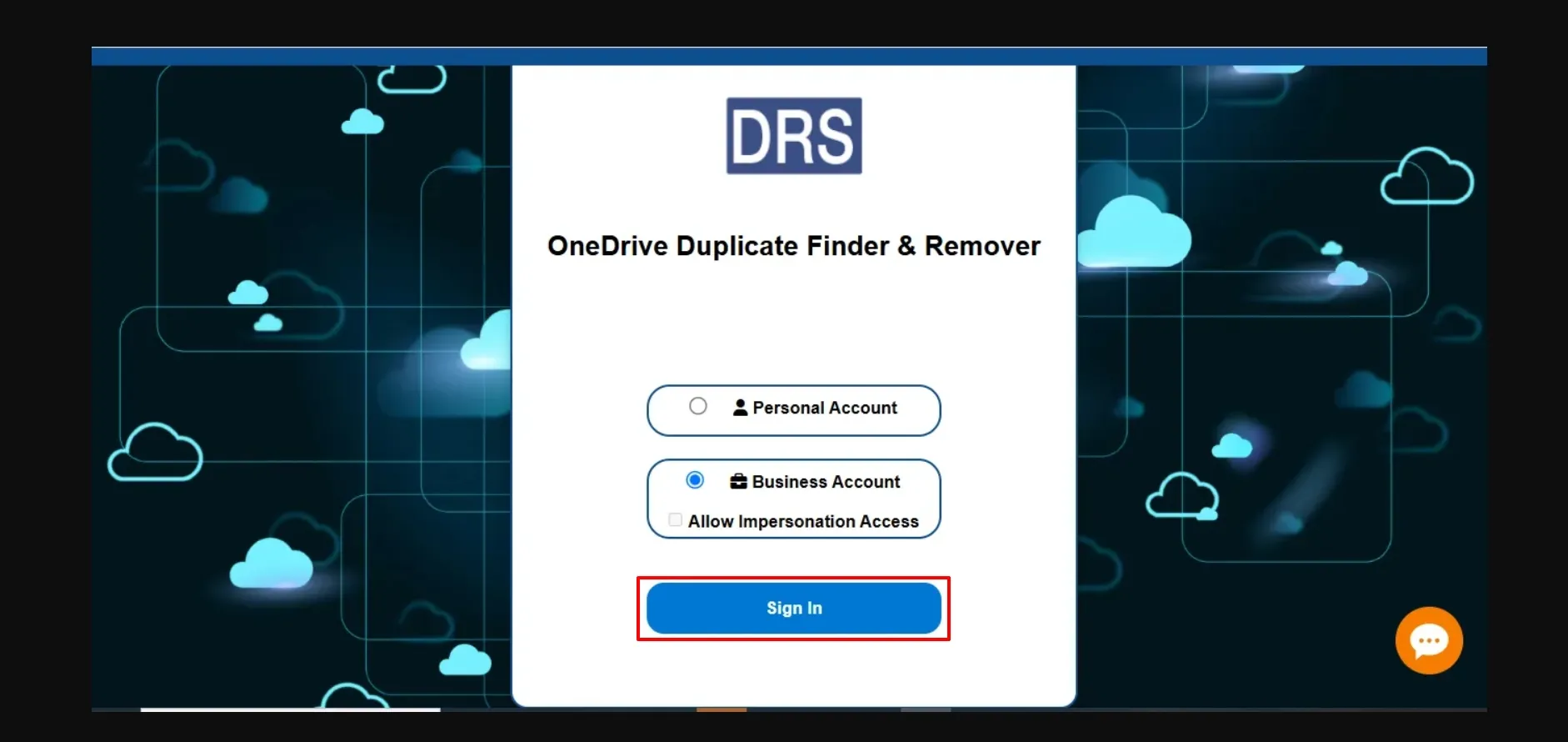
Step-1
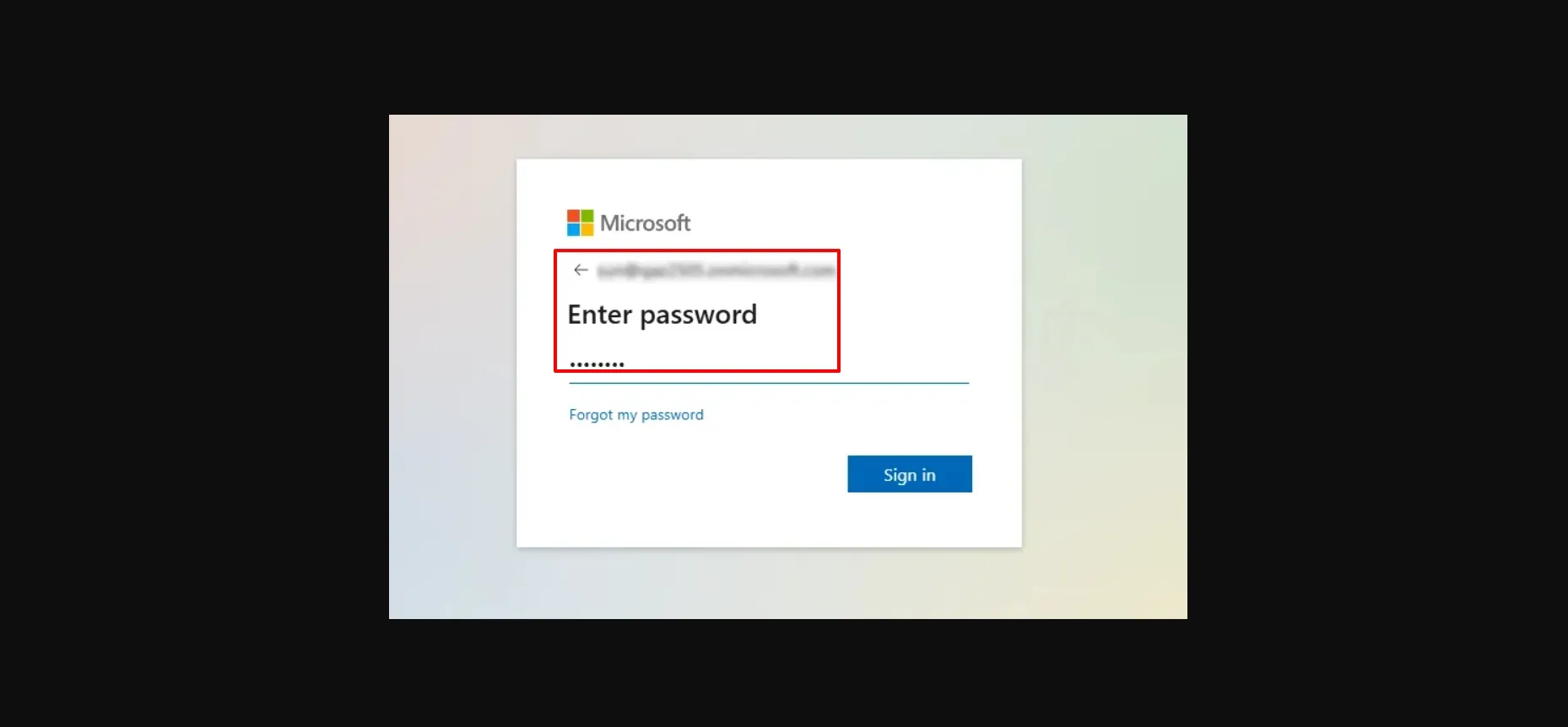
Step-2
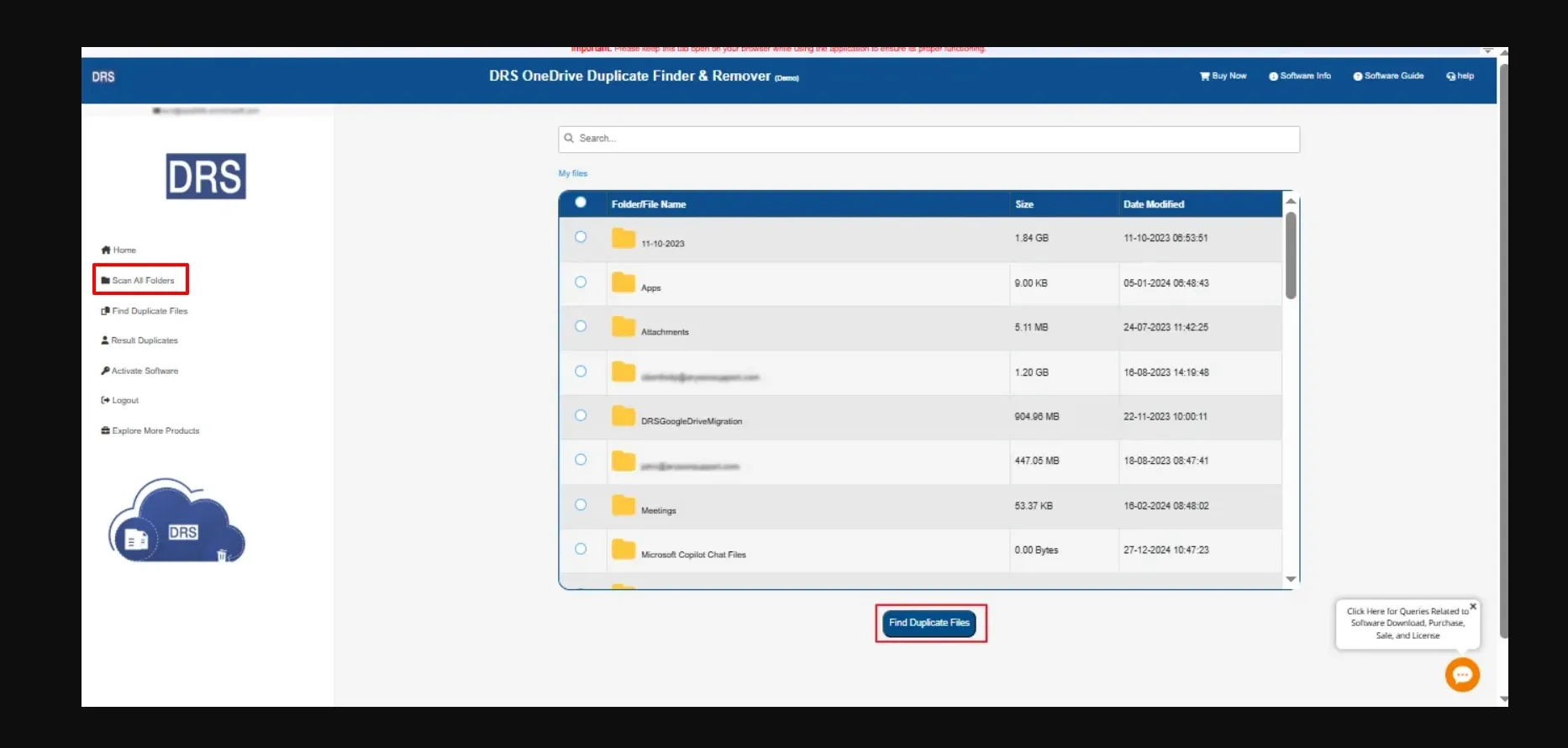
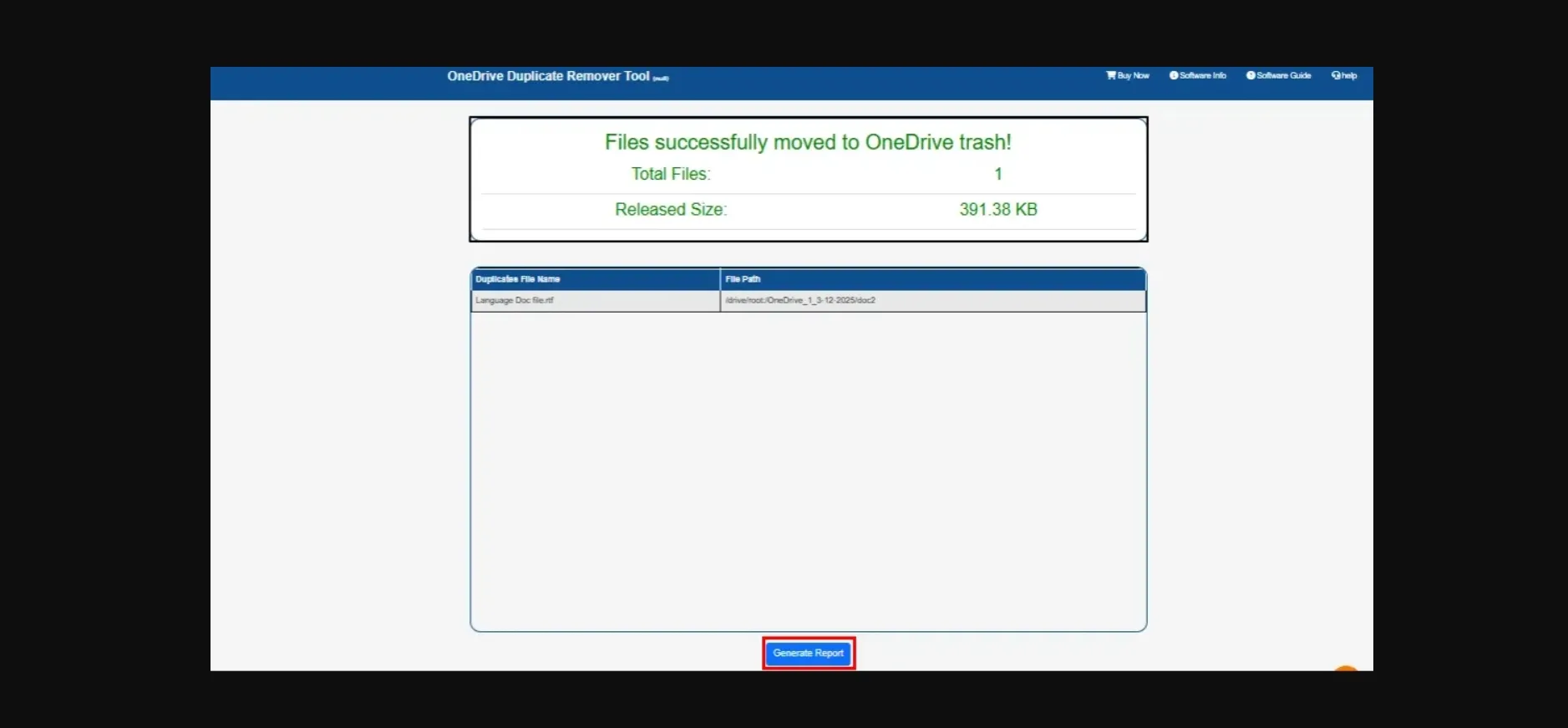
Step-3
Step-4
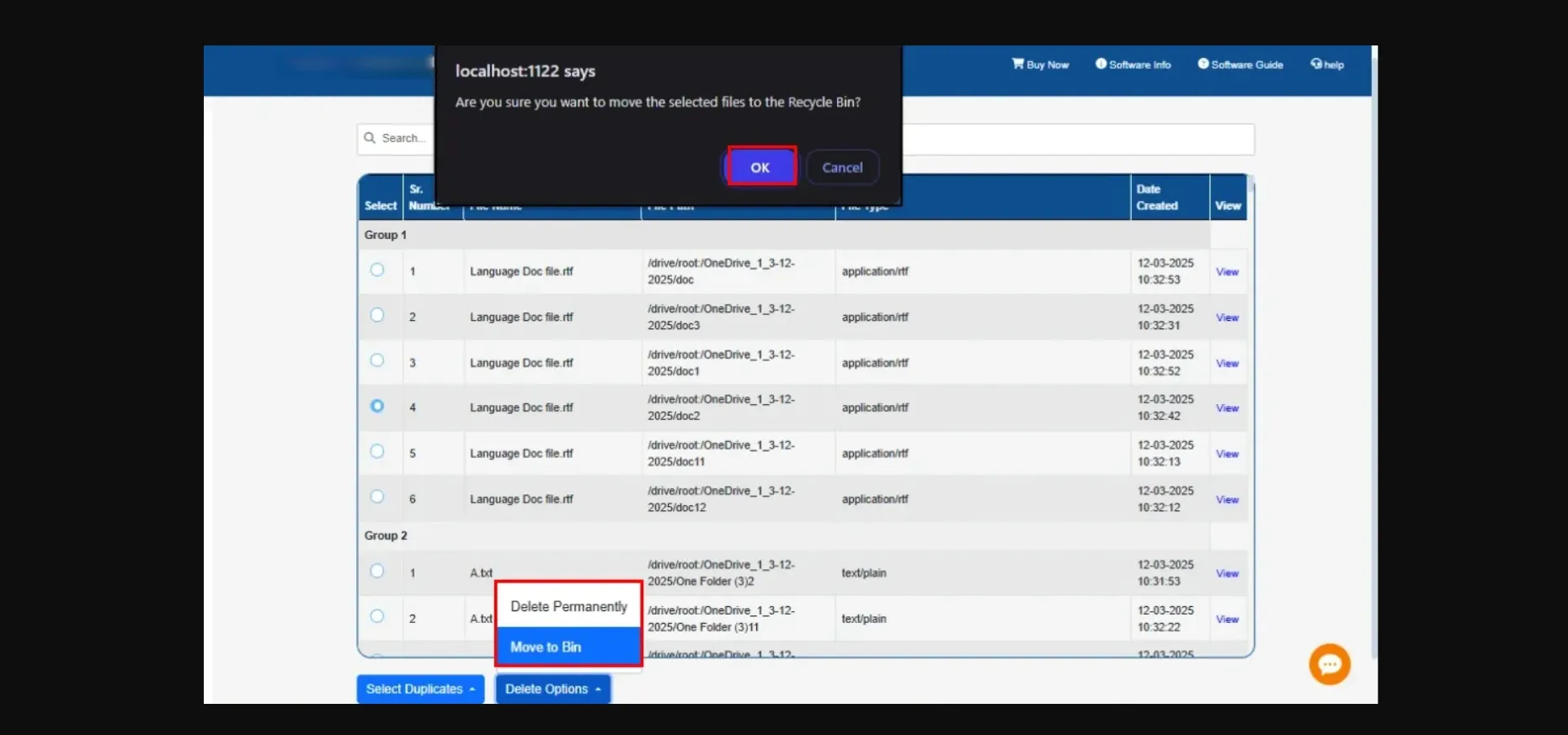
Step-5

Trail Limitations

The demo edition of the OneDrive Duplicate File Remover allows you to remove single or multiple duplicate files while maintaining data integrity. However, the converted output in the trial version contains a watermark

Frequently Asked Questions

Ans: The free OneDrive duplicate finder uses an advanced scanning algorithm that compares file names, sizes, metadata, and timestamps to accurately detect duplicate files stored in your OneDrive account. This ensures only true duplicates are identified while keeping all original files fully secure.
Ans: Yes. The MigrateEmails software supports bulk duplicate removal, allowing you to detect and delete large sets of duplicate files in a single operation. It saves time and optimizes storage quickly.
Ans: Absolutely. The OneDrive duplicate file finder supports both personal and business OneDrive accounts, and even includes an Impersonation feature to manage duplicates across multiple business user profiles without individual logins.
Ans: No. The MigrateEmails tool works directly in the cloud, scanning and identifying duplicate files in your OneDrive account without downloading or syncing them to your computer
Ans: No. The MigrateEmails OneDrive duplicate finder is designed with original file protection. It only removes confirmed duplicates and ensures your primary files remain unchanged and safe.
Ans: Yes. The utility includes a detailed preview panel where you can view file details, storage usage, timestamps, and folder locations before deciding to delete or move the duplicates.
Ans: Yes. The free edition allows you to scan and preview duplicate OneDrive files. To unlock features like auto-remove and impersonation, you can upgrade to the licensed version.
Ans: Yes. The OneDrive duplicate photo finder lists duplicate-containing folders, allowing you to pick specific folders or file groups for removal instead of scanning the entire OneDrive account.
Ans: Yes. The automated tool is fully optimized for Windows OS and runs smoothly across all current versions of Windows, making it suitable for both personal and enterprise environments.
Ans: No. The free OneDrive duplicate finder performs all scanning and deletion processes independently and does not interfere with OneDrive syncing or shared file permissions. Your shared files and links remain intact unless you choose to remove their duplicate copies manually.
Looking to open OneDrive Duplicate files on other platforms?
Get the premium version of the MigrateEmails OneDrive Duplicate File Remover and remove the repeated files without any limitations.

Comparison: Free vs Full OneDrive Duplicate File Remover

Product Features Free Version Full Version
Identify Duplicate Files in OneDrive Scan and Preview Only Scan & Delete Duplicates
Permanently Remove Duplicate Files Scan and Preview Only Scan & Delete Duplicates
Use Impersonation for Multi-User Account Cleanup Not Available Available
Permanently Remove Duplicate Files Scan and Preview Only
Detect Duplicates in Personal & Business OneDrive Accounts
Scan and Preview Duplicates
View OneDrive Storage Summary
Select Multiple OneDrive Files
Compatible with Windows OS
24*7 Technical support
Download and Purchase Download Purchase
What Our Clients Have to Say
safe
100%
Safe and Secure
safe
24 * 7
Chat Support
safe
20 K+
Users Globally
safe
30 Days
Refund Policy*