-
Written By Neeru Kuchhal
-
Approved By
Vikash Bajpai -
Updated on May 14th, 2026
Convert CDR to PSD – Step-by-Step Guide(Quick Methods in 2026)
User Query:“I need to convert multiple CDR files into PSD format for Photoshop editing. Is there an easy way to preserve layers and design quality?”
Introduction:- CDR files are usually created in CorelDRAW for making vectors, logos, & artwork. Meanwhile, PSD is the default format used in Adobe Photoshop for deep editing work. Because both formats don’t always work well together, designers often have to convert CDR to PSD to keep editing smoothly and easily without breaking the quality or structure of the file. Therefore, in this guide, we’ll look at both manual methods and an automated option using the MigrateEmails CDR Converter Tool.
What is the Purpose to Convert CDR File to PSD?
- It helps modify CDR graphics within Photoshop easily.
- Additionally, it helps in layered image editing.
- Moreover, it improves compatibility across design tools.
- It also supports professional graphic workflows.
- Furthermore, it enables easy file sharing with designers.
- Lastly, it preserves design quality during editing.
Why Convert? Key Differences Between CDR and PSD
| Feature | CDR File (.cdr) | PSD File (.psd) |
| Type | Vector Graphics Format | Layered Raster Format |
| Software | CorelDRAW | Adobe Photoshop |
| Editing | Vector-based editing | Layer + image editing |
| Compatibility | Limited | Widely supported |
| Use Case | Logo design, illustrations | Professional image editing |
Different Methods to Convert CDR to PSD
CDR files can be converted to PSD using different approaches depending on your needs. One method is manual and simple, while another is professional and more reliable for better accuracy and quality.
Way 1: Transfer CDR to PSD Using Manual Method
This is one of the simplest manual approaches for converting CDR files into Photoshop format.
- Firstly, open the CDR file in CorelDRAW.
- Next, export the file as PNG or TIFF format.
- Then, import the exported image into Adobe Photoshop.
- Finally, save the file as PSD (Photoshop Document).
Drawbacks of Manual Methods :
- Layers and vector elements may not be preserved properly.
- In some cases, image quality can be reduced during the conversion process.
- Also, it is not suitable for bulk CDR to PSD conversion.
- Moreover, it requires both CorelDRAW and Adobe Photoshop installations.
- Besides this, the process is time-consuming and involves multiple steps.
Way 2: Professional Method to Convert CDR to PSD
The MigrateEmails CDR Converter Tool makes it easy to convert CDR files into PSD format without losing design quality. In addition, it supports bulk conversion and keeps the original layout and structure intact. You can also convert CDR to BMP and other file formats if required. Furthermore, the tool ensures accurate results with preserved details and allows users to convert CDR files to PSD efficiently and safely.
Basic Steps to Save CDR to PSD:
- First, download and launch the CDR Converter Tool on your system.
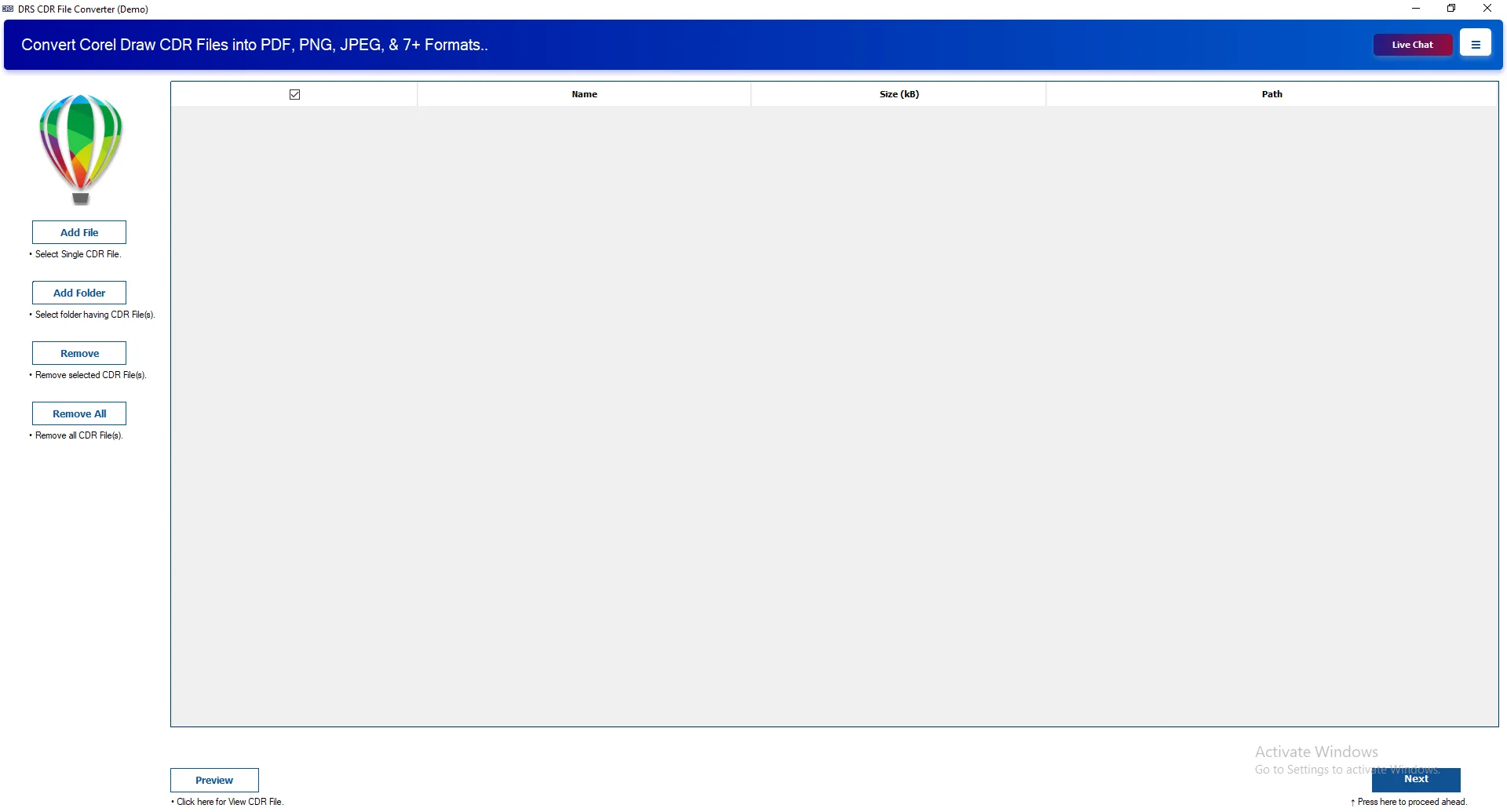
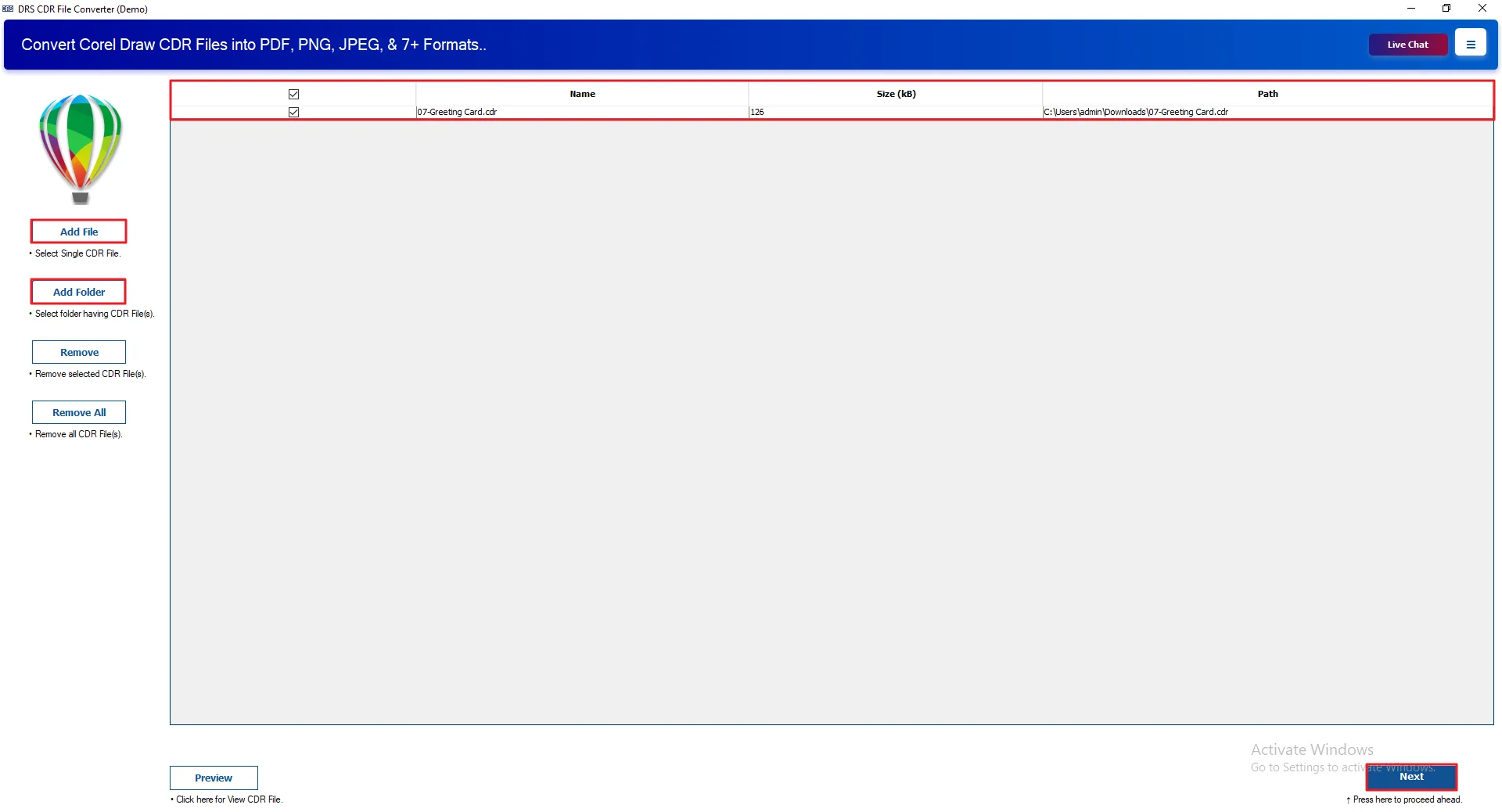
- Next, click on Add Files/Add Folder to upload the CDR files. Then, click Next.
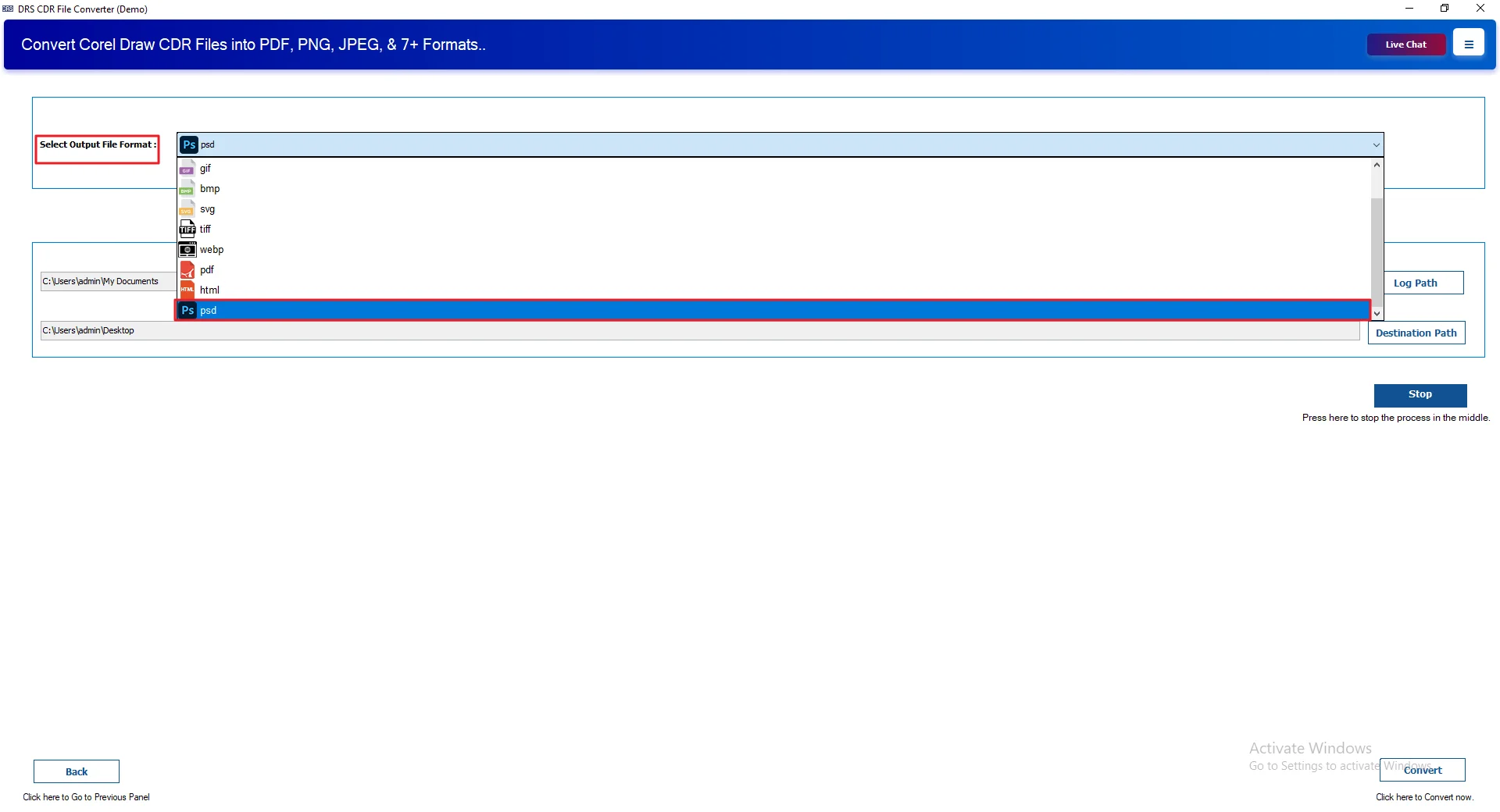
- After that, choose PSD as the saving format from the available options.
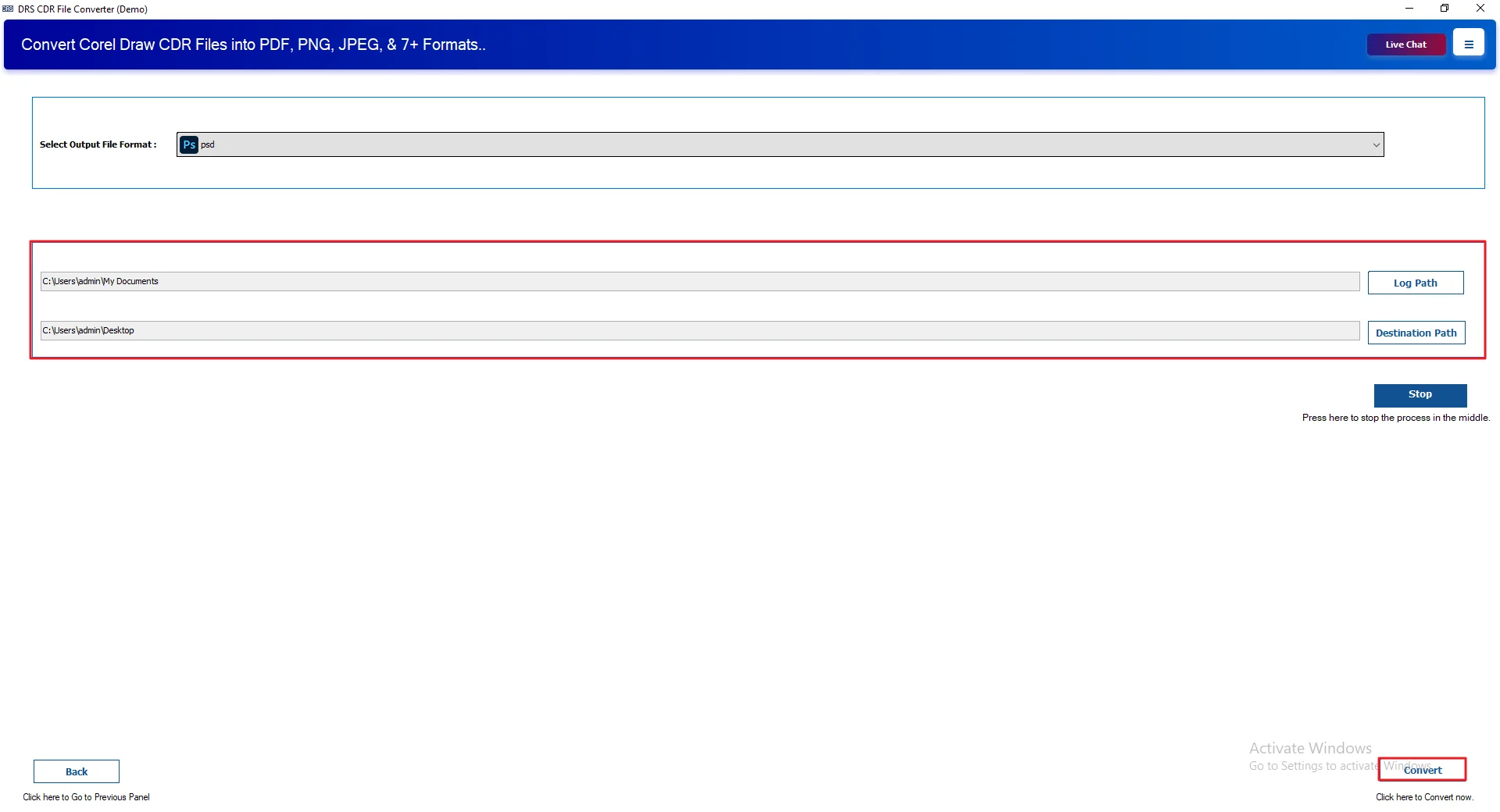
- Finally, apply the required settings and click Convert.
Real-Life Case Study: Convert CDR to PSD image Format
Client: A Graphic Design Agency
Problem:
The agency needed to edit multiple CDR files in Photoshop, but manual conversion was slow and affected image quality. Meanwhile, they also explored options to Convert CDR to SVG for better web compatibility.
Solution:
They used the MigrateEmails CDR Converter Tool to convert CDR files to PSD in bulk while maintaining the original design structure.
Result:
- Faster conversion process
- Better image quality
- Easy Photoshop editing
- Reduced manual effort
Pros of Using the Tool:
- Convert CDR to JPG, PNG, PDF, SVG, & other formats easily.
- Supports chat exports from Telegram, Skype, Teams, and similar platforms.
- Maintains timestamps, sender details, and attachments during conversion.
- Supports batch conversion of JSON files and folders efficiently.
- Runs without issues on Windows, Mac, and Linux devices.
- Offers a trial edition to check software performance.
Conclusion
In this article, we discussed different methods to convert CDR to PSD. Although manual methods may work for basic conversions, they often affect layers and design quality. Therefore, for bulk conversion and better accuracy, using a professional solution like the MigrateEmails CDR Converter Tool is a more reliable and time-saving option.
Frequently Asked Questions
Q1. What is the fastest way to convert CDR to PSD?
Ans. Using the MigrateEmails CDR Converter TOOL enables quick bulk conversion of CDR to PSD while preserving design quality and structure efficiently.
Q2. Are there free tools available for CDR to PSD conversion?
Ans. Some free tools exist online, though MigrateEmails CDR Converter TOOL delivers more reliable results with better accuracy and file quality control.
Q3. Can I convert a CDR File to PSD without CorelDRAW?
Ans. Yes, MigrateEmails CDR Converter TOOL works independently of CorelDRAW and allows direct conversion of CDR files into PSD format easily.
Q4. Is it Possible to convert CDR to PSD for Free?
Ans. Free options are available but limited; MigrateEmails CDR Converter TOOL provides a more stable and efficient conversion experience overall.
Q5. Do I need any technical knowledge to convert CDR File to PSD?
Ans. No technical skills are required since the MigrateEmails CDR Converter TOOL offers a simple interface for smooth CDR to PSD conversion.
Q6. What is the PSD File Format?
Ans. PSD is Adobe Photoshop’s layered format used for editing images; MigrateEmails CDR Converter TOOL helps convert CDR files into it seamlessly.
About The Author:

I am Neeru Kuchhal, a Technical Content Writer who focuses on turning complex ideas into clear, engaging, and impactful content. I combine creativity with strategy to write blogs, web content, and technical articles that connect with the right audience and support brand goals. I believe great content is not just written. It is thoughtfully created to inform, build trust, and drive action.
Related Post