-
Written By Neeru Kuchhal
-
Approved By
Vikash Bajpai -
Updated on May 12th, 2026
Convert CDR to SVG on Mac & Windows Without Losing Quality
Jonnathan Query:“I need to change a few CDR files into SVG for web use. The issue is that I don’t have CorelDRAW installed on my system. Is there a simple way to do this without it?”
Introduction:- Do you want to convert your CorelDRAW (CDR) files into SVG format for better compatibility and web use? Many users prefer to convert CDR to SVG because SVG files are scalable, lightweight, and supported across different platforms and browsers. However, not all tools provide a direct and easy way to perform this conversion. In this blog, we will cover reliable methods to convert CDR files to SVG, including a professional MigrateEmails CDR Converter Tool solution for smooth and accurate conversion.
Quick Method to Convert CDR File to SVG
- Install and open the CDR Converter Tool.
- Then, click Add File or Add Folder to add your CDR files.
- Choose SVG as the saving file format.
- Select the destination location and click Convert.
Why do users convert CDR to SVG?
Most users choose to export CorelDRAW(CDR) to SVG for better usability and flexibility. Some common reasons include:
- SVG files are scalable without losing quality.
- They are supported by all major web browsers.
- Easy to use in web design and development.
- File size is smaller compared to other formats.
- Suitable for sharing and editing across platforms.
Effective Ways to Export CorelDRAW to SVG
There are different ways to perform the conversion. Here, we will discuss two simple approaches:
- Manual Method
- Automated Solution
Way 01: Manual Method to Export CorelDRAW to SVG
CorelDRAW provides a simple way to convert CDR files. While it’s useful for small tasks, it may not be efficient if you have several files to process.
Steps to Convert CDR Files to SVG:
- First of all, launch CorelDRAW(CDR).
- Then, open your required CDR file.
- Afterward, click on File and select Export.
- Next, choose SVG as the saving format.
- Then, set the destination folder.
- In the end, click Export and finalize the settings.
Limitations of the Manual Method:
- It can take a lot of time when you convert multiple CDR files one by one.
- You need CorelDRAW installed to perform the conversion.
- Files usually have to be converted individually, which makes the process slow.
- Chances that some design elements may not convert properly.
- It may not be convenient when working with a large number of files.
Way 02: Top-Notch Solution to Convert CDR to SVG
The MigrateEmails CDR Converter Tool is used to change CDR files into SVG without doing everything manually. You can add more than one file at a time, which saves time. Moreover, this tool keeps the design and layout mostly the same. It’s useful if you have a lot of files to convert. It also lets you convert CDR to JPG if needed.
Quick Steps: Open CDR File in SVG
- Firstly, download, install, and open the CDR Converter Tool.
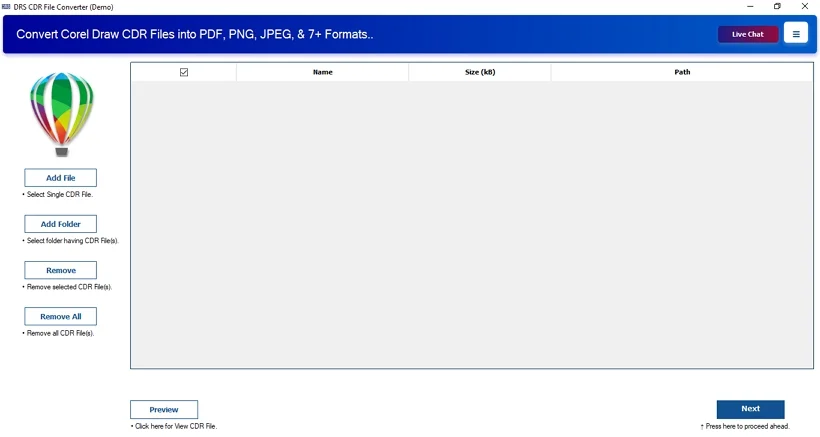
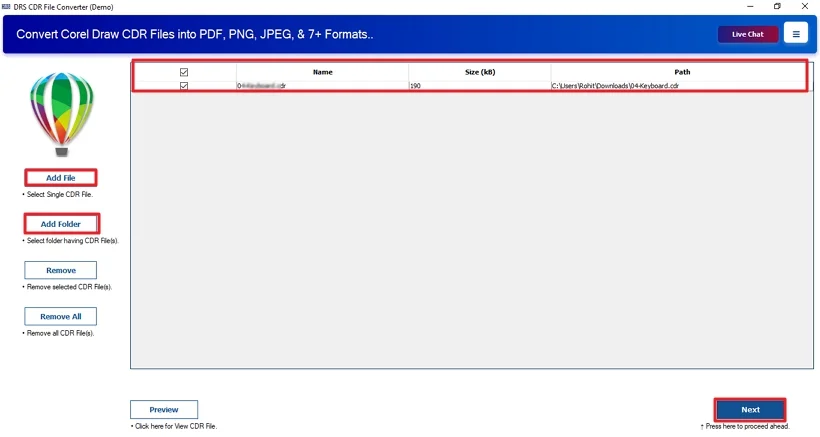
- Then, click Select File or Select Folder to add your CDR files. Click Next.
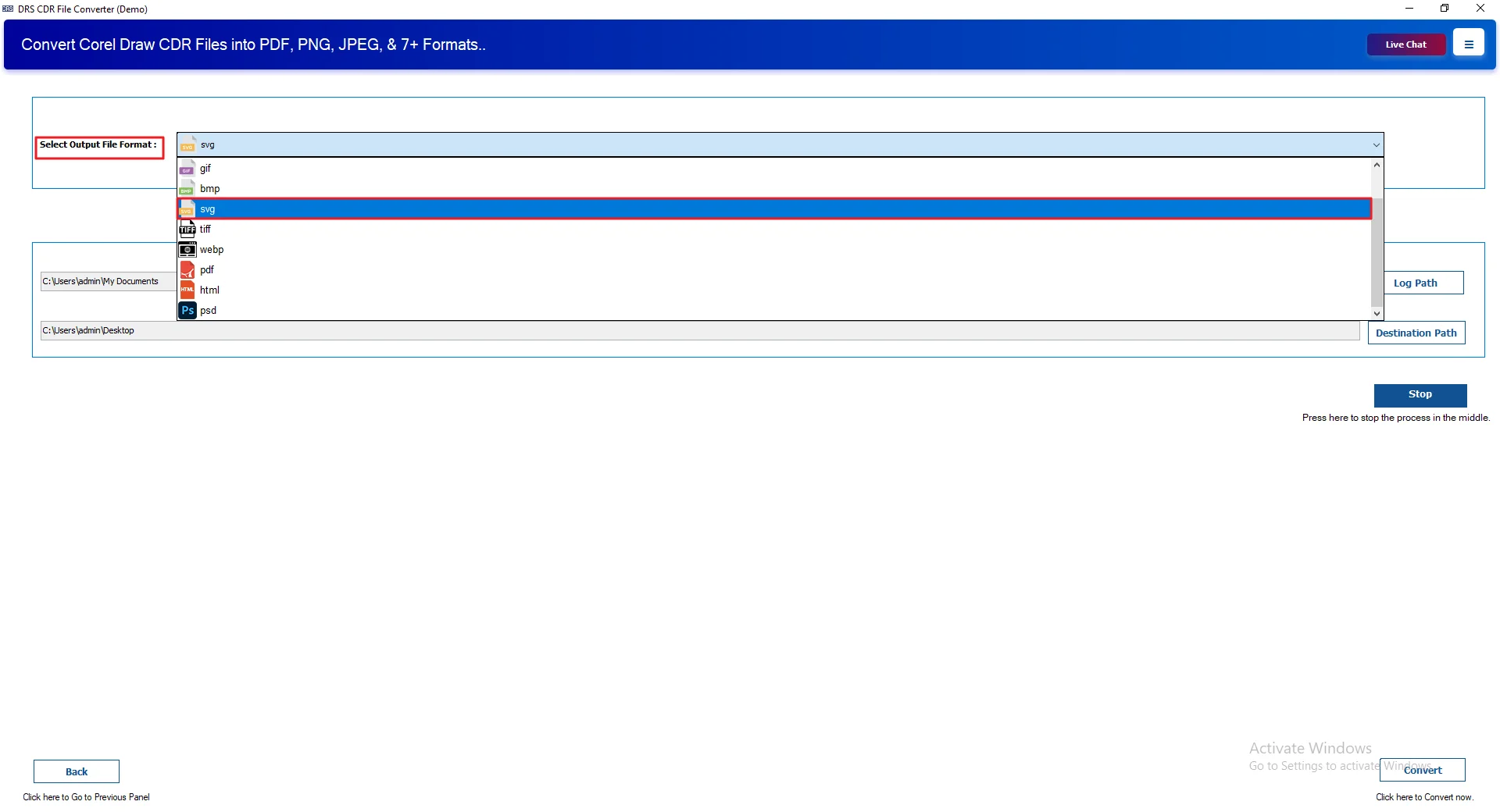
- After that, choose SVG as the output format.
- Next, click on Path to Save and select the destination location.
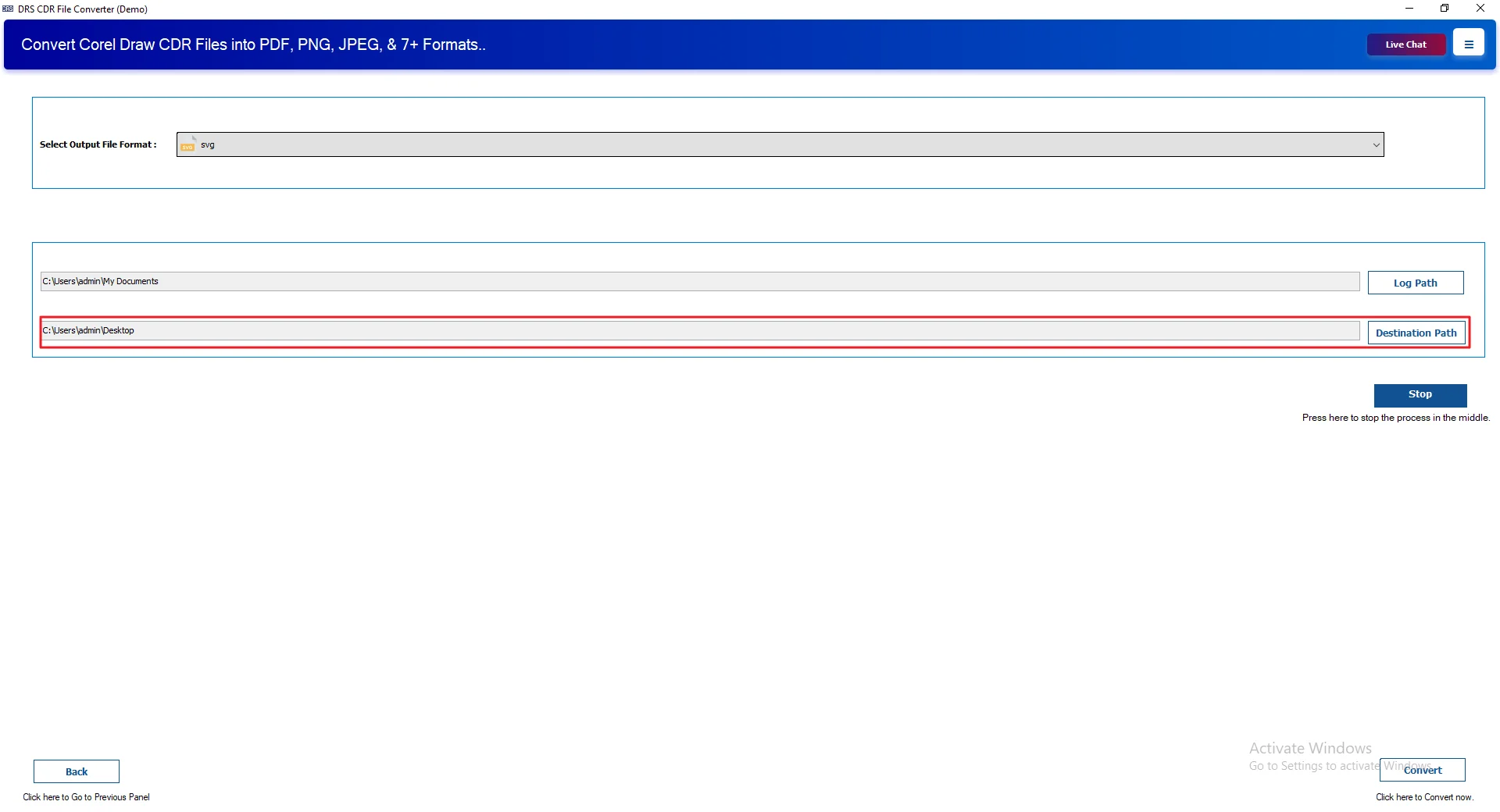
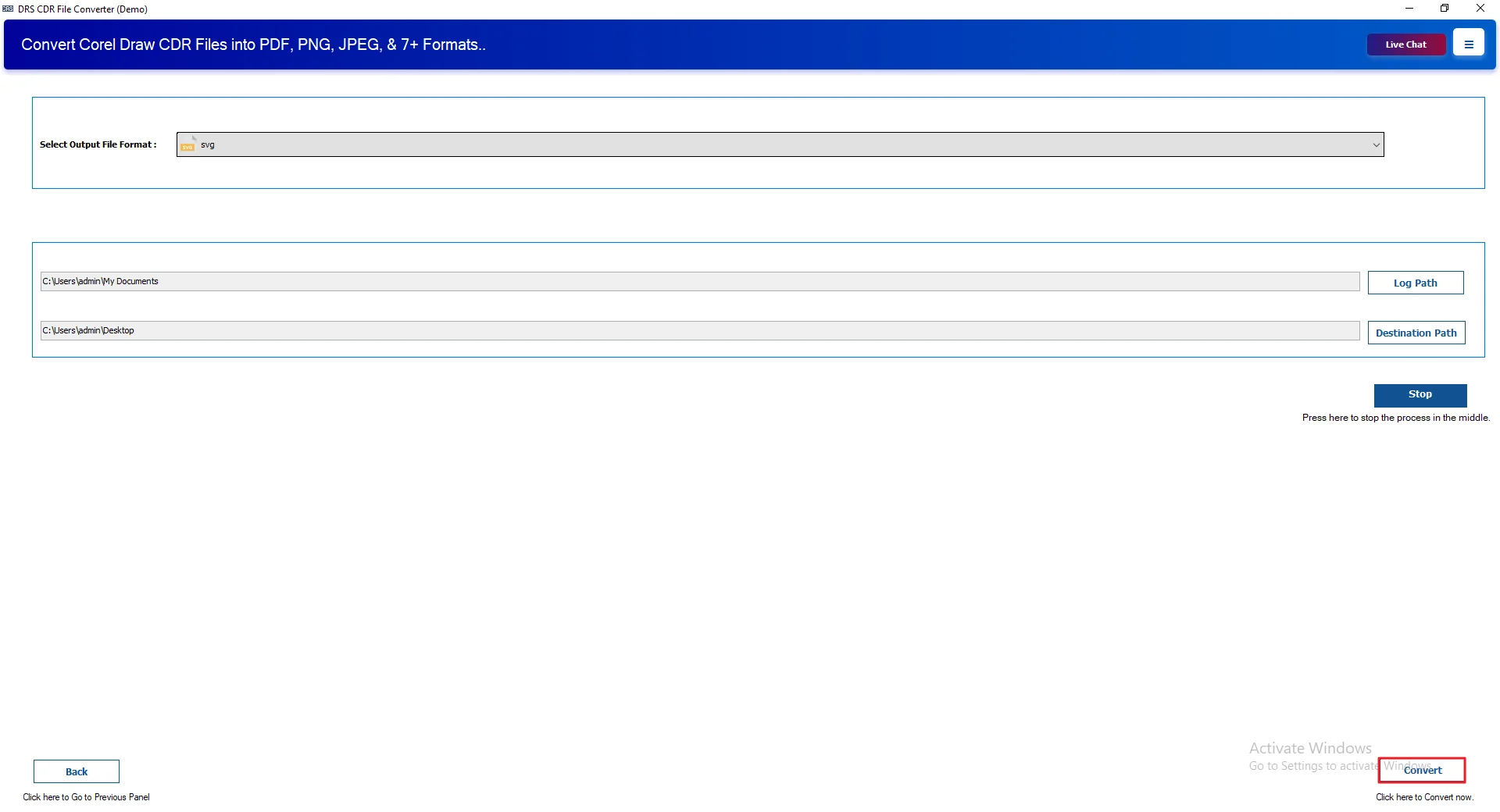
- Finally, click Convert to start converting CDR files to SVG.
Real-Life Scenario:
Working with a bunch of CDR files started to feel like a hassle. Opening them wasn’t always easy, and sharing them without CorelDRAW was confusing. Doing the conversion manually also took time, especially when there were multiple files.
So I tried the MigrateEmails CDR Converter Tool. It made things simpler. Converting CDR files to SVG became simple. I didn’t need to do everything manually, and even with several files, the process was smooth and quick.
The results looked fine. No missing elements, no layout issues. Everything stayed as it was, and the process felt pretty easy overall.
Why Choose This Professional Method?
- You can convert CDR to PDF and other formats easily.
- You can handle multiple files at once, which saves time.
- Large files don’t slow things down too much.
- It works fine with files from different CorelDRAW versions.
- The design stays the same after conversion. Nothing breaks.
- Users can try it first before deciding to use it fully.
- The interface is simple, so it’s easy to use without confusion.
Conclusion
To sum up, the process to convert CDR to SVG helps you to use your designs more easily across different platforms. We went through a few ways to do it. The manual option works if you have just a couple of files, but it can take time. For larger sets, a tool makes things quicker and easier. If anything goes wrong, you can always ask for help.
Frequently Asked Questions
Q.1 Can I batch convert multiple CDR files to SVG at once?
Ans. Yes, you can convert multiple files together. Tools like MigrateEmails CDR Converter Tool let you add many CDR files at once and convert them in a single go, which saves time.
Q.2 Is it possible to convert complex gradients and transparency effects from CDR to SVG?
Ans. In most cases, yes. A reliable tool such as MigrateEmails CDR Converter Tool keeps design elements like gradients and transparency as close as possible to the original.
Q.3 Can I safely convert CDR files to SVG format?
Ans. Yes, it is safe if you use a trusted solution. MigrateEmails CDR Converter Tool helps keep your design, layout, and elements intact during conversion.
Q.4 Can I convert CDR to SVG without technical skills?
Ans. Yes, you don’t need much technical knowledge. With tools like MigrateEmails CDR Converter Tool, the process is simple—just add files, choose SVG, and start the conversion.
About The Author:

I am Neeru Kuchhal, a Technical Content Writer who focuses on turning complex ideas into clear, engaging, and impactful content. I combine creativity with strategy to write blogs, web content, and technical articles that connect with the right audience and support brand goals. I believe great content is not just written. It is thoughtfully created to inform, build trust, and drive action.
Related Post