-
Written By Kiran Sharma
-
Approved By
Vikash Bajpai -
Updated on May 20th, 2026
How to Convert CDR to PDF Without CorelDRAW — 3 Methods
Jacob’s Query:-“I have several CorelDRAW files that I need to share and print in PDF format. Since I don’t have CorelDRAW installed, I’m looking for an easy way to convert CDR to PDF without losing design quality.”
Introduction:- CDR files are commonly used in CorelDRAW for creating vector graphics, logos, brochures, & other design work. But things get a bit difficult when CorelDRAW isn’t installed, especially if you just need to share or print the file. To make it easier, many users convert CDR files into PDF since it works on almost any device without compatibility issues. In this guide, you’ll see simple ways to convert CDR to PDF, including a manual method and a MigrateEmails CDR Converter Tool for handling multiple files at once.
Why Users Convert CorelDRAW to PDF?
There are several situations where users need to save a CDR file as a PDF, such as:
- Share design files with clients without any trouble.
- Print good-quality vector graphics easily.
- Open files even if CorelDRAW is not installed.
- Keep the same layout on different devices.
- Store design work safely for later use.
- Use files in presentations without issues.
- Convert many CDR files to PDF at once when needed.
Which is Better for Design Access: CDR or PDF?
| Feature | CDR File | PDF File |
| Main Purpose | CorelDRAW design file | Universal document format |
| Software Requirement | Requires CorelDRAW | No special software needed |
| Compatibility | Limited to design tools | Works on all platforms |
| Sharing | Difficult without CorelDRAW | Easy to share and open |
| Editing | Fully editable in CorelDRAW | Limited editing support |
| File Usage | Graphic designing | Printing and document sharing |
How to Save CDR File as PDF?
There are basically three ways to convert CDR to PDF. One is using CorelDRAW in the normal way. Another is a free option with Inkscape, though it needs a bit of extra setup. And the last one is using a professional tool if you want faster batch conversion or don’t want to deal with software at all.
Way 01: Manual Method to Export CDR to PDF (Using CorelDRAW)
If you already have CorelDRAW on your system, you can simply export the CDR file as a PDF without much effort.
Quick Steps to Change CDR to PDF :
- Firstly, open the CorelDRAW application
- Next, load your CDR file you want to convert
- Then, click on File > Print
- After that, select Microsoft Print to PDF (or any PDF printer)
- Now, adjust the page settings if needed
- Finally, click Print and save the file as a PDF
Way 02: Using Inkscape Software [Free Alternative Method]
If you don’t have CorelDRAW, you can use Inkscape as a free alternative.
But since it doesn’t fully support CDR files, you may need to convert them to SVG first before using it.
- Firstly, install & open the Inkscape application on your PC
- Next, convert the CDR file into SVG format
- Then, open the converted SVG file in Inkscape
- After that, open the File tab. Click Save As
- Now, choose the file name and destination folder
- Then, select PDF format as output
- Finally, click Save to export the file
Limitations of the Manual Method:
- Requires CorelDRAW or additional tools like Inkscape installed on the system
- Cannot handle batch conversion of multiple CDR files at once.
- Formatting and layout may slightly change during conversion.
- Not suitable for large or complex design files.
- An extra conversion step is needed in Inkscape.
- May not work properly with corrupted or older CDR files.
Way 03: Professional Method to Convert CDR to PDF
If you’re looking for a simple way to convert CDR to PDF, the manual methods can feel a bit slow and confusing. They often require extra steps and may not always give consistent results. Instead, you can use the MigrateEmails CDR Converter Tool for a quicker and smoother process. It supports bulk conversion and helps keep your design quality intact. Likewise, it also lets you convert CDR to JPG without any hassle.
Steps to convert CDR to PDF without CorelDRAW installed:
- First, download & open the CDR Converter Tool.
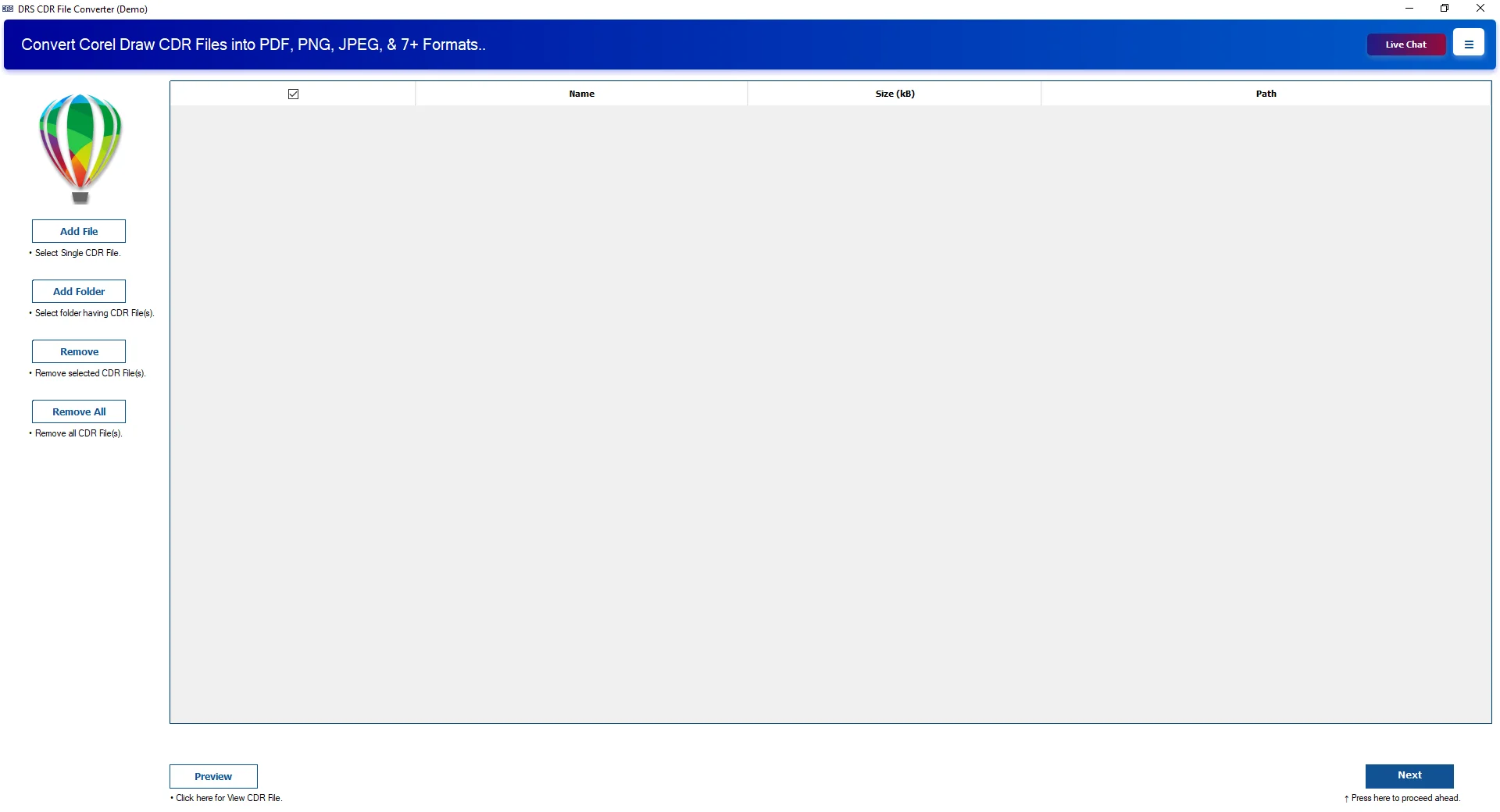
- Next, click Add Files/Add Folder to load your CDR files. Click Next.
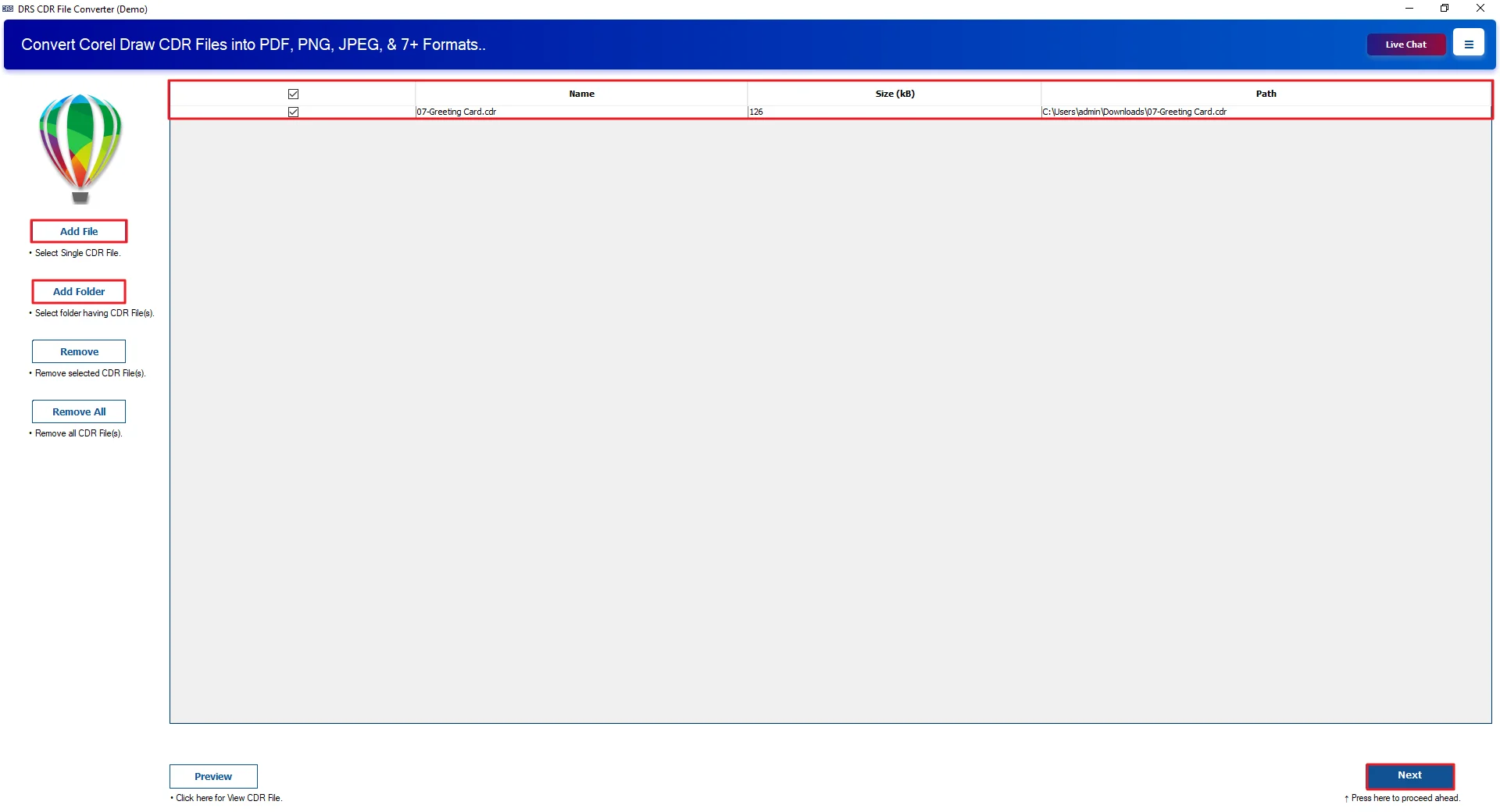
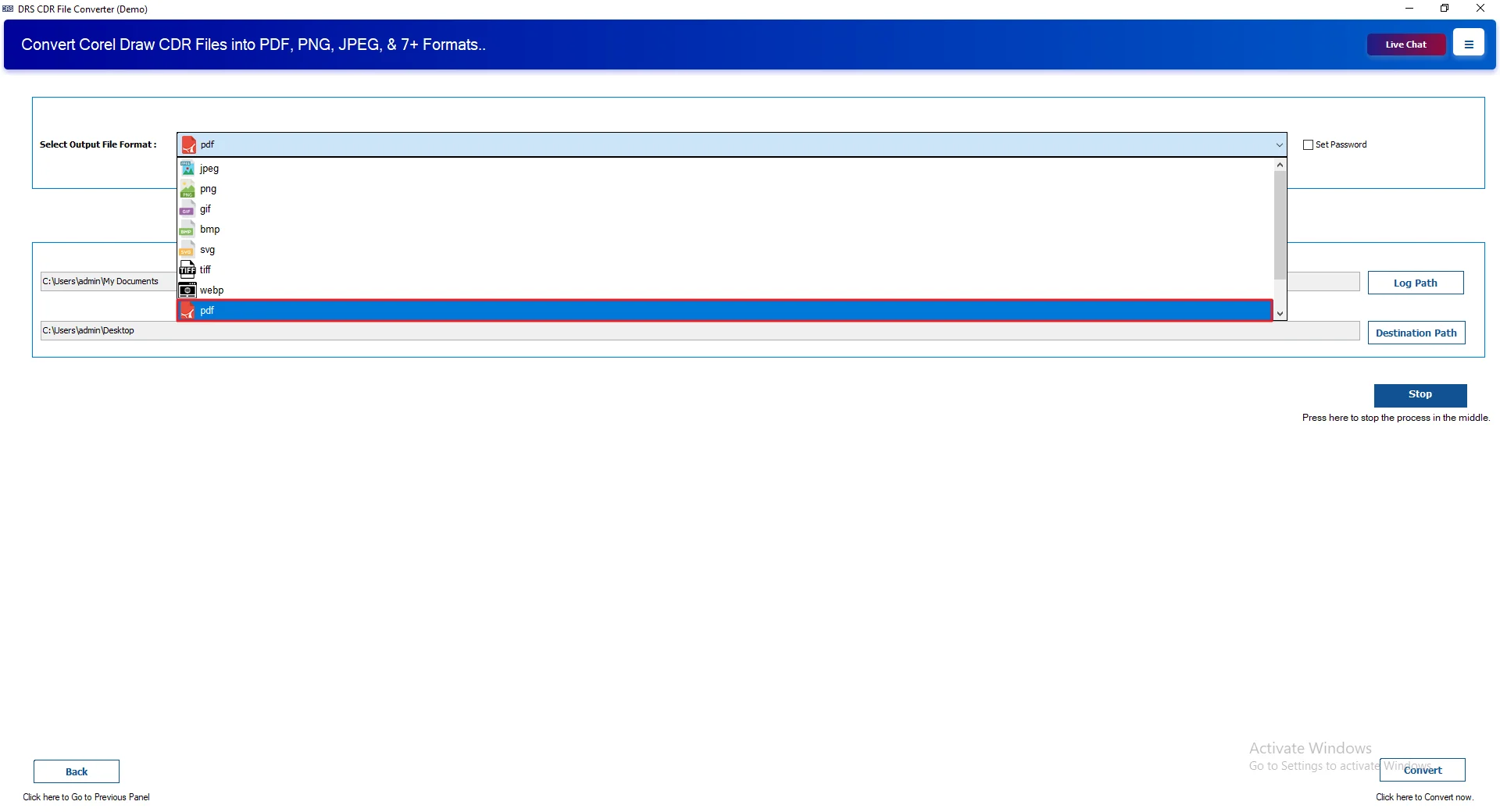
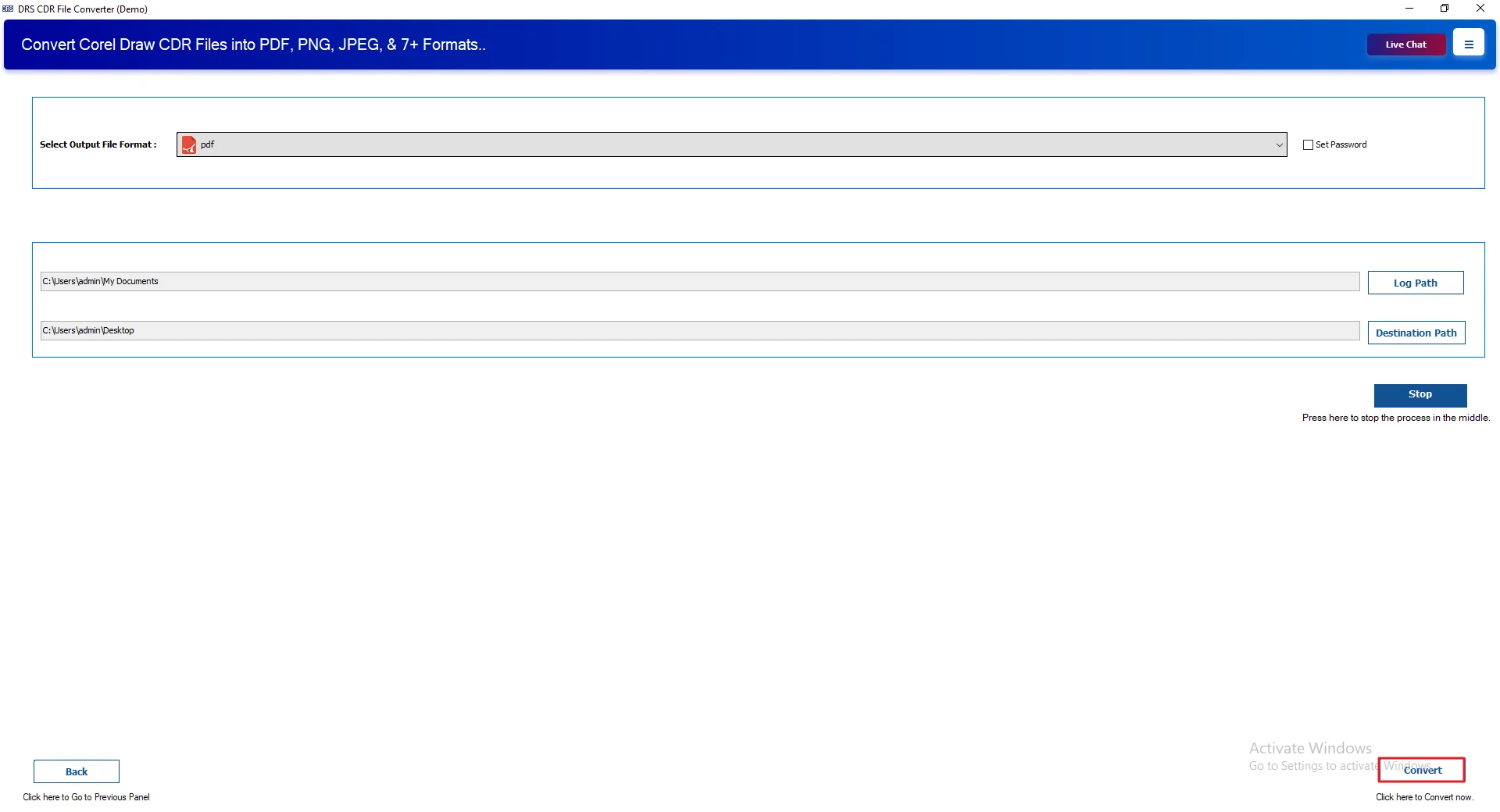
- Then, select PDF as the output file format.
- After that, choose the destination folder to save the files.
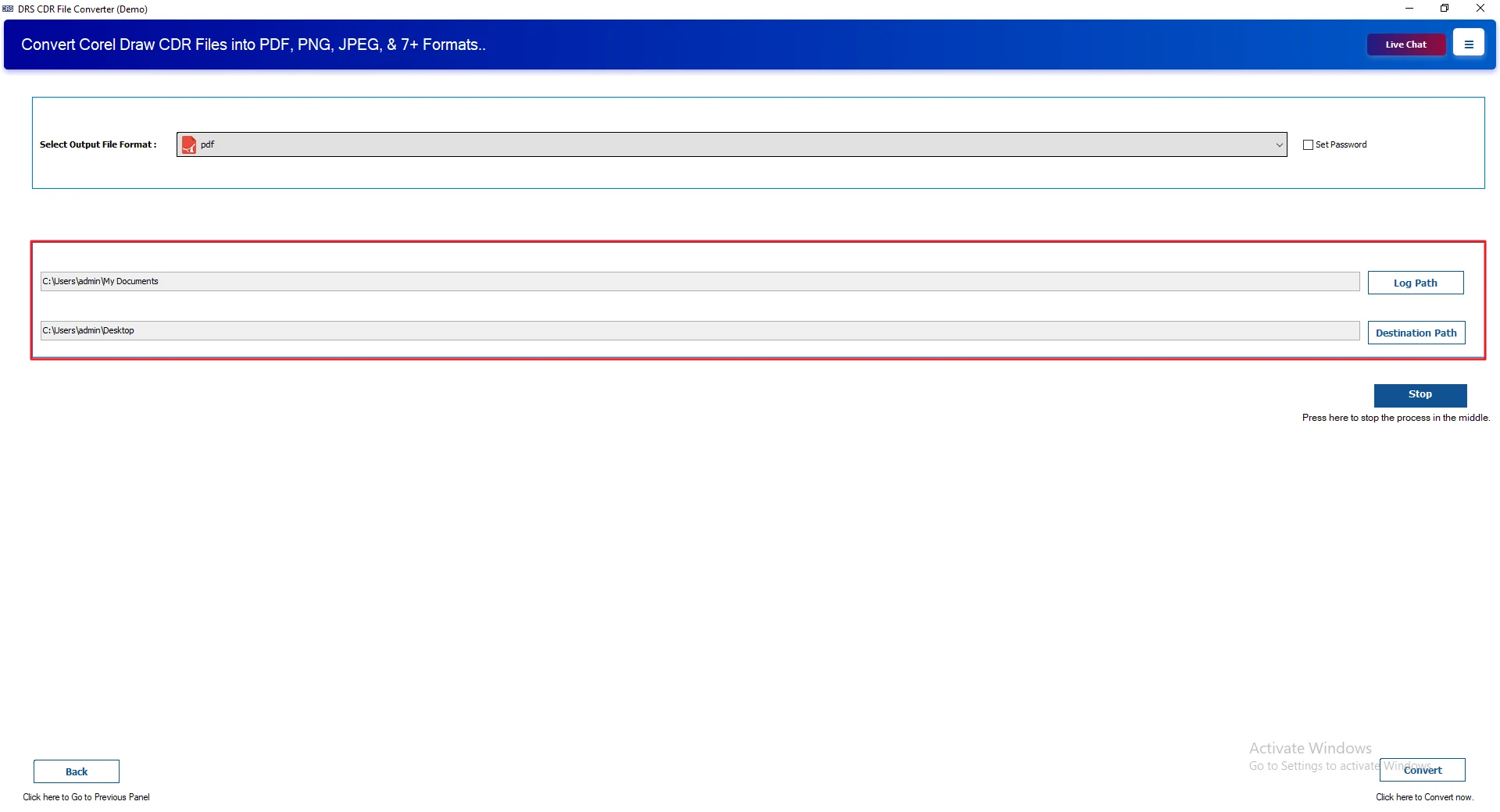
- Finally, click Convert to start the process.
Real-Life Case Study: Batch convert multiple CDR files to PDF
Client: A Marketing Design Agency
Problem:
The agency had hundreds of CorelDRAW design files that needed to be converted into PDF for client approvals and printing. They did not want to install CorelDRAW on every system.
Challenge:
- A large number of files
- Different design versions
- No CorelDRAW available on multiple machines
Solution:
They used a professional tool to convert CorelDRAW to PDF in batch mode without installing CorelDRAW. You can also explore other format options, like Convert CDR File to BMP
Result:
- Successfully converted all files
- Maintained design quality and layout
- Reduced manual effort significantly
- Improved workflow efficiency
Advantages: Open CDR File as PDF
- It allows users to convert CDR to PSD and other formats.
- Works without CorelDRAW installation.
- Maintains original design quality.
- Fast and secure conversion.
- Compatible with all CDR versions.
- Easy and user-friendly interface.
- Handles large files efficiently.
Conclusion
This blog covered different ways to convert CDR to PDF. The manual methods work fine for basic use but come with some limitations. A professional tool like MigrateEmails CDR Converter Tool is a better option for batch conversion. It keeps design quality safe, is easy to use, & doesn’t require technical skills. User can also try the demo version before deciding to buy it.
Frequently Asked Questions
Q1. Can I save a CDR file as a PDF for free?
Ans. Yes, CDR files can be saved as PDF for free using CorelDRAW or MigrateEmails CDR Converter Tool while keeping design quality intact.
Q2. Is it possible to batch convert multiple CDR files to PDF at once?
Ans. Multiple CDR files can be converted together using MigrateEmails CDR Converter Tool, making batch processing fast and simple.
Q3. Can I export CDR to PDF on both Windows and Mac?
Ans. On both Windows and Mac, CDR files can be exported to PDF using compatible software or MigrateEmails CDR Converter Tool.
Q4. What is CDR File?
Ans. A CDR file is a CorelDRAW format used for vector graphics like logos, brochures, and illustrations in design work.
Q5. Fastest method to convert CorelDRAW designs into PDF documents?
Ans. The quickest way is using MigrateEmails CDR Converter Tool, which converts CorelDRAW files into PDF with minimal effort.
Q6. Will converting CorelDRAW to PDF reduce image quality?
Ans. Image quality generally remains unchanged when using the MigrateEmails CDR Converter Tool for accurate and lossless conversion.
Q7. Is it safe to use third-party tools to change CDR to PDF?
Ans. Trusted solutions like MigrateEmails CDR Converter Tool are safe and maintain data integrity during the conversion process.
Q8. Does converting CDR to PDF reduce design or print quality?
Ans. Design and print quality are preserved when conversion is done through the MigrateEmails CDR Converter Tool.
About The Author:

I am Kiran Sharma, a Technical Expert in Content writing. I have technical expertise in the field of Email Backup, Data Recovery, and Email Migration, and resolve technical queries related to Cloud Backup or Email Migration for individuals and businesses.
Related Post