-
Written By Neeru Kuchhal
-
Approved By
Vikash Bajpai -
Updated on April 3rd, 2026
Easy Ways to Convert OneNote to Excel: Step-by-Step Guide
Sophia’s Query:-
“I have OneNote files that contain multiple types of data in them. I want to save them in Excel format for data analysis, reporting, etc. However, there is no straightforward method to convert OneNote to Excel. Can you suggest any solution to complete this task without losing anything?”
“I have OneNote files that contain multiple types of data in them. I want to save them in Excel format for data analysis, reporting, etc. However, there is no straightforward method to convert OneNote to Excel. Can you suggest any solution to complete this task without losing anything?”
Introduction:- In today’s era, Microsoft OneNote is the most powerful tool used by students, professionals, businesses, etc. It allows users to store all data in a structured format. On the other side, MS Excel is created for managing structured data. However, OneNote does not support Excel format directly. To solve this, in this guide, we will explore the various ways to export OneNote to Excel. Also, using the MigrateEmails OneNote Converter Tool: MigrateEmails OneNote Converter efficiently.
Understanding the Distinctions Between OneNote and Excel
| Important Points | Microsoft OneNote | Microsoft Excel |
| Type | Digital Notebook | Spreadsheet Application |
| Data Structure | Unstructured/ Semi-structured | Highly structured (rows & columns) |
| Editability | Free-form editing | Cell-based editing |
| Data Analysis | Not supported | Advanced formulas & analytics |
| Compatibility | Requires OneNote | Widely supported across platforms |
| Best Use Case | Note-taking & brainstorming | Data management & reporting |
The Strategic Benefits of Exporting OneNote to Excel
There are many reasons users need to convert OneNote to Excel:
- Better Organization: Excel arranges data in rows and columns for easy reading.
- Smart Analysis: Use formulas, pivot tables, and charts to get deeper insights quickly.
- Professional Reports: Create clean, structured spreadsheets perfect for reports and presentations.
- Easy Collaboration: Also, share and edit Excel files effortlessly with your team.
A Hands-On Approach: Convert OneNote files to Excel Manually
Since there is no direct option to complete this task. You can use the manual workaround without any hesitation. It should be noted that this method will only work for limited data.
Approach 1. Copy-Paste Tables into Excel
- Firstly, open your OneNote page.
- Select the table or content.
- Now, copy (Ctrl + C).
- Then, open Excel.
- Paste (Ctrl + V) into a worksheet.
- Lastly, adjust formatting as needed.
Approach 2. Export OneNote to Word, then Excel
- First of all, open OneNote Desktop.
- Now, go to File and then Export.
- Export as Word Document (.doc).
- After that, open the Word file.
- Copy the table/data.
- In the end, paste it into Excel.
Approach 3. Convert via PDF
- Export OneNote as PDF.
- Further, open the PDF using Excel (Excel supports PDF import).
- Extract tables into spreadsheet format.
Limitations: Convert OneNote to Excel
- It does not support bulk conversion.
- Sometimes tables may break or misalign.
- It is a very time-consuming process.
- There might be a risk of losing data.
- Moreover, it requires manual configurations.
A Professional-Grade Approach: Transfer OneNote to Excel
For a practical solution, use the MigrateEmails OneNote Converter Software. This helps users to keep all data organized in one place. It enables users to convert OneNote to TIFF and more supported formats and email platforms. This software maintains the table and structured formatting. In addition, it makes it ideal for large datasets.
The “One-and-Done” Conversion Advantage
:
:
If you don’t want to handle the process yourself, you can use the one-time benefit option. Just get in touch with our support team and share the files. They securely complete the process using the OneNote Converter Tool without any loss. It guarantees complete data integrity and delivers quick and accurate results.
Complete Implementation Guide: Convert OneNote to Excel
- Firstly, start getting the MigrateEmails OneNote Converter Tool.
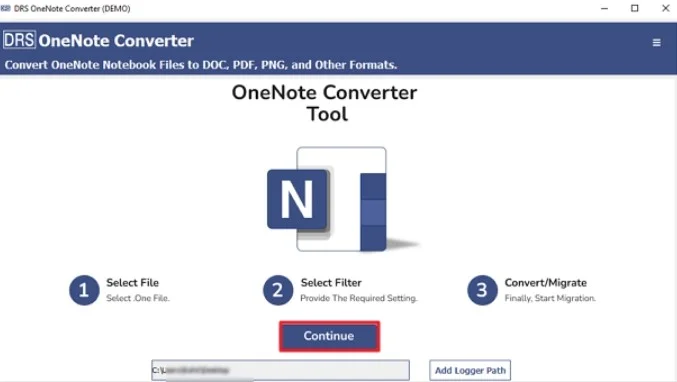
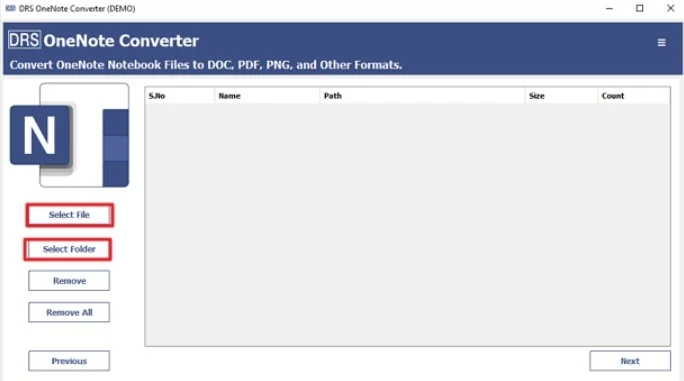
- Select the Files or Folders to add the OneNote file, and click Next.
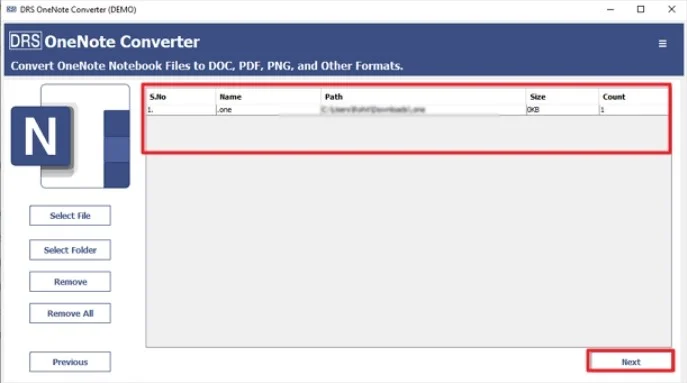
- Now, choose the OneNote file that you want to convert, and click Next
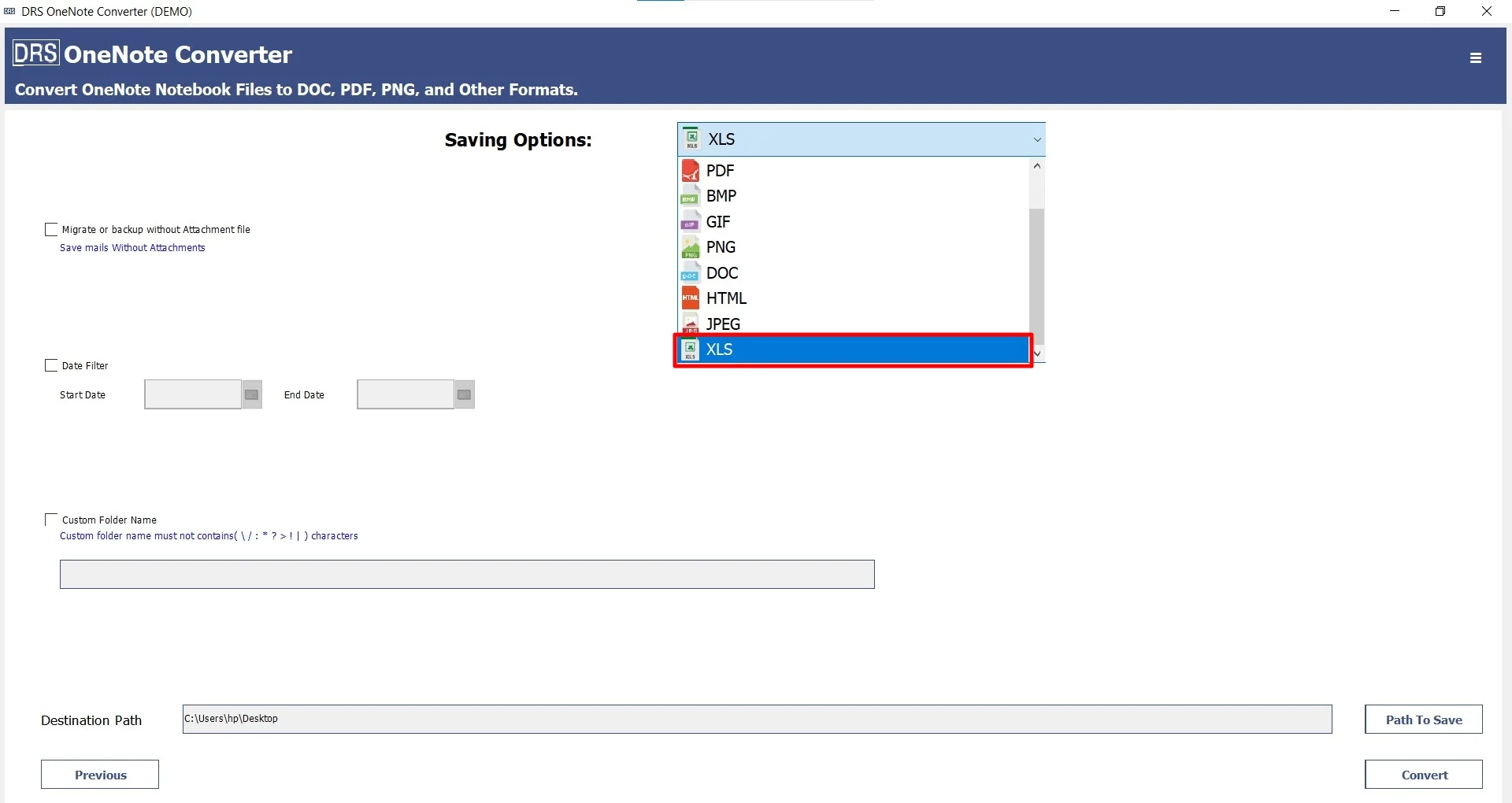
- Afterwards, choose XLS as the saving file format.
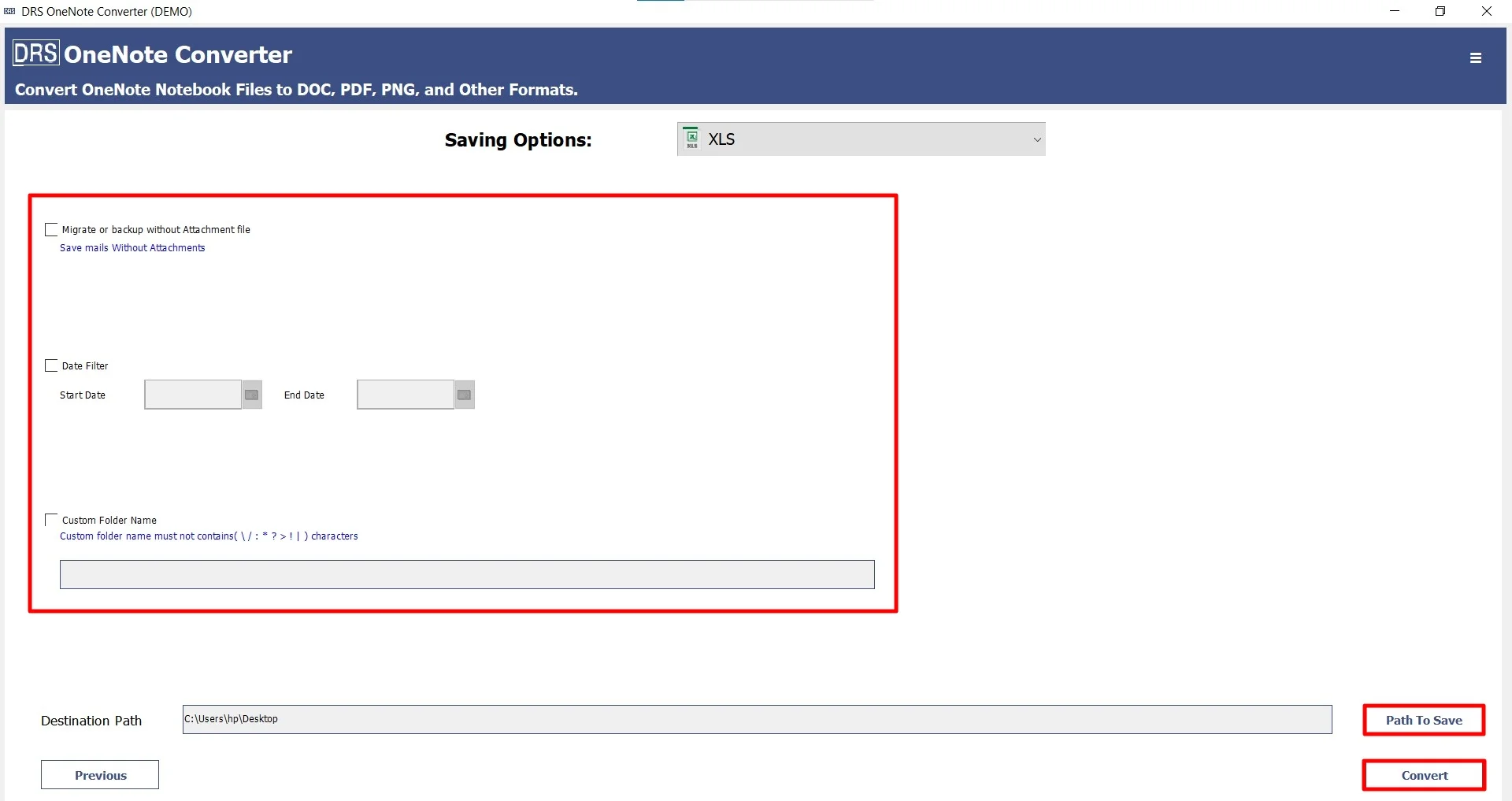
- Finally, apply the filters, set the location, and click Convert to start the process.
Top Benefits of the Tool to Convert OneNote Folder to Excel
- It converts multiple OneNote files simultaneously.
- Preserves every detail and formatting intact.
- Designed with a user-friendly interface suitable for everyone.
- Convert OneNote to PNG with zero data loss.
- Moreover, it saves a lot of time and effort.
A Real-Life Case Study: A Financial Consulting Firm:
Problem: The firm stored a lot of data. They needed to save this data in Excel for various purposes. However, the manual copy-pasting method resulted in formatting issues and is very time-consuming.
Solution: Afterwards, they used the MigrateEmails OneNote Converter Tool to complete this task effortlessly.
Result: The tool successfully completed the task with zero data loss. It preserves every detail accurately, and also reduces the manual effort.
Read More: Convert OneNote to PDF
Conclusion
In this blog, converting OneNote to Excel can be very difficult due to the lack of direct conversions. There are manual methods available, but they are useful for small tasks. Hence, they are not efficient for large datasets. For that, using a OneNote Converter Tool offers a hassle-free conversion to convert OneNote to Excel. Alternatively, you can also use the one-time conversion service option. Additionally, if you face any issues, you can directly connect with our support team.
Frequently Asked Questions
Q1. What is the best method to convert OneNote to Excel?
Ans. The best method is to use the MigrateEmails OneNote Converter Tool. It ensures accurate conversion, preserves table structure, and supports bulk processing without data loss.
Q2. Is it safe to transfer OneNote to Excel?
Ans. Yes, it is completely safe when using a reliable OneNote converter tool, as it maintains data integrity, formatting, and structure, ensuring your information remains unchanged during conversion.
Q3. Can I export OneNote to Excel without installing software?
Ans. Yes, but only partially. You can use manual methods like copy-paste or exporting to Word/PDF, then moving data into Excel. However, these methods are not suitable for bulk conversion and may require manual adjustments.
Q4. Are there any free tools available to convert OneNote files to Excel format?
Ans. There are limited free methods available, such as manual techniques. However, they come with limitations like no bulk support, formatting issues, and time consumption. For better accuracy, a professional MigrateEmails tool is recommended.
Q5. Is it possible to transfer OneNote to Excel without losing data?
Ans. Yes, it is possible when using a reliable OneNote converter tool. It ensures complete data preservation, including tables, text, and formatting, without any loss.
Q6. Can I export OneNote to Excel without technical skills?
Ans. Absolutely. The MigrateEmails OneNote converter tool is designed with a simple and user-friendly interface, allowing even non-technical users to perform the conversion easily.
Q7. Is one-time service available?
Ans. Yes, a one-time conversion service is available. You can contact the support team, and they will handle the entire process for you, ensuring accurate and secure conversion without any hassle.
About The Author:

I am Neeru Kuchhal, a Technical Content Writer who focuses on turning complex ideas into clear, engaging, and impactful content. I combine creativity with strategy to write blogs, web content, and technical articles that connect with the right audience and support brand goals. I believe great content is not just written. It is thoughtfully created to inform, build trust, and drive action.
Related Post