-
Written By Kiran Sharma
-
Approved By
Vikash Bajpai -
Updated on June 2nd, 2026
Migrate Roundcube to Office 365 – Step-by-Step Guide 2026
User Query : “I am migrating my enterprise webmail from Roundcube to Office 365. I have years of emails and contacts across multiple user accounts. What is the most reliable method to migrate Roundcube to Office 365 without any data loss?”
— Robert, Florida
Introduction:- Roundcube is a webmail client that operates on the IMAP protocol. It is widely used by small to mid-sized enterprises for its browser-based email management and server-side infrastructure. Microsoft Office 365 is a cloud-native productivity suite for enterprises. Additionally, it combines Exchange Online, Teams, SharePoint, and OneDrive within a centralized admin environment backed by advanced security controls. The distinction between these two platforms requires organizations to implement a structured, methodology-driven migration strategy. This guide outlines the most reliable and scalable methods for Roundcube to Microsoft 365 migration. We will also introduce the MigrateEmails IMAP Backup Tool for an error-free migration.
Built-in Approach to Migrate Roundcube to Office 365
Microsoft Outlook functions as an intermediary platform to transfer your Roundcube mailbox data to Office 365. This native approach involves configuring both accounts within Outlook, extracting Roundcube data into a PST file, and subsequently importing it into the designated Office 365 mailbox.
You can follow the given steps to export emails from Roundcube to Outlook 365. Users looking to transfer IMAP mailbox data to an alternative enterprise platform can follow our comprehensive guide on how to migrate emails from IMAP to Zoho Mail.
Stage 01: Export Roundcube Data to PST
- Launch Outlook >> File, then tap Add Account to begin account setup.
- Enter your Roundcube IMAP credentials to establish the account connection within Outlook.
- Once connected, head to File >> Open and Export >> Import/Export.
- Select Export to a File from the listed options and press Next to proceed.
- Choose Outlook Data File (.pst) as the target export format and click Next.
- Mark the intended Roundcube mailbox folders for export and hit Next.
- Set the destination path for the output PST file >> Finish.
Stage 02: Import PST into Office 365
- Now, navigate again to File >> Add Account and configure your Office 365 account within Outlook.
- Navigate to File >> Open and Export >> Import/Export to begin the import sequence.
- You need to simply select Import from Another Program or File from the available options & press Next.
- Pick the Outlook Data File (.pst) as the designated import source and simply click Next.
- Browse and identify the previously extracted PST file from your local system directory.
- Set your Office 365 mailbox as the target destination & click Finish to complete the migration.
Limitations of the Manual Method:
- Requires Microsoft Outlook installation on the local system.
- This approach supports only one user account migration at a time.
- IMAP credential errors can disrupt mailbox connections and data extraction.
- Large mailbox exports to PST may require extended processing durations.
- Unsuitable for multi-tenant or cross-domain Office 365 environments.
- No real-time migration progress tracking or error reporting available.
Simplified Method to Migrate Roundcube to Office 365
The MigrateEmails IMAP Backup Tool is a professional-grade utility to transfer IMAP-enabled mailbox data directly into Office 365 with complete metadata integrity. The tool supports concurrent batch migration across multiple IMAP accounts through an integrated CSV import mechanism.
It provides you with a built-in date range filter for selective data migration alongside an automated duplicate elimination module to maintain mailbox consistency. Furthermore, this utility is purpose-built to accommodate both individual user migrations and large-scale enterprise-level deployments with precision & operational efficiency.
Users seeking to export IMAP calendar entries into a cloud native productivity suite can follow our comprehensive guide on migrate IMAP calendar to Office 365.
Quick Steps to Migrate from Roundcube to Office 365:
- Launch the MigrateEmails IMAP Backup Tool on your system.
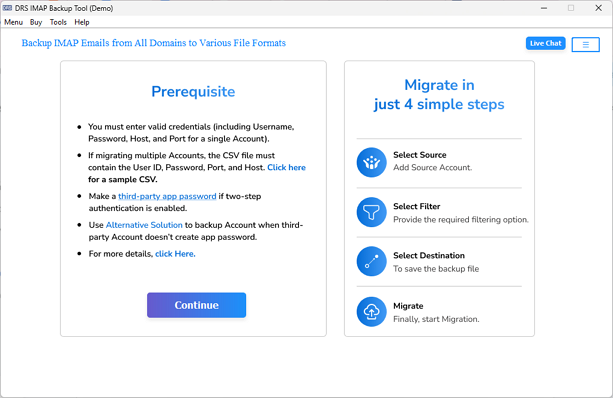
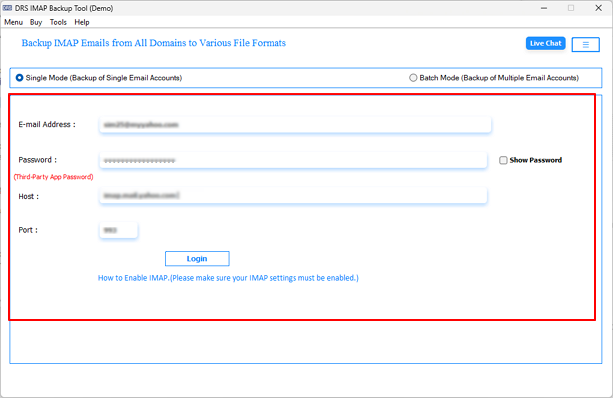
- Input your Roundcube IMAP server credentials to authenticate the account.
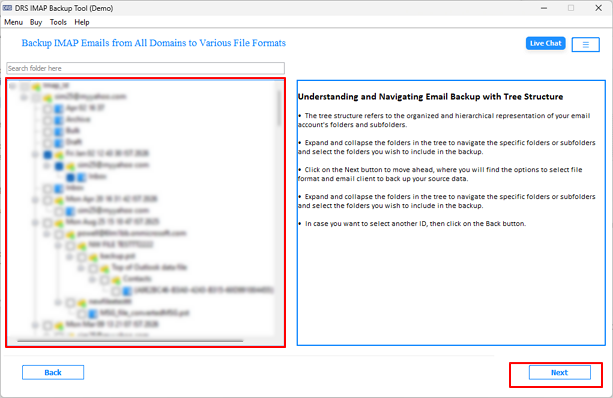
- Access the mailbox preview panel & pick the required folders for migration.
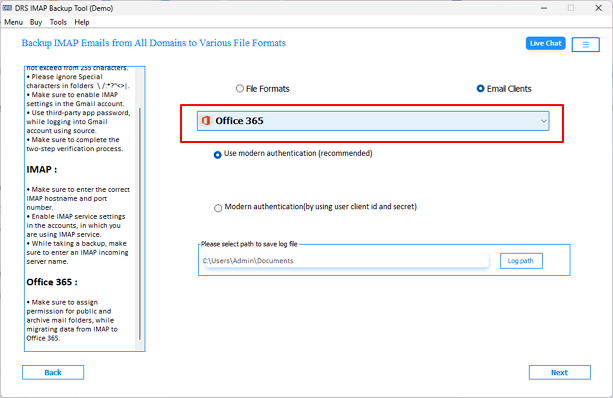
- Select Office 365 as the target destination from the Save/Migrate As field.
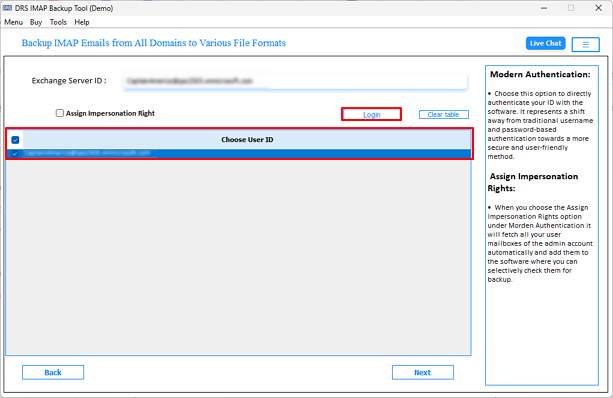
- You need to press Login >> input credentials to connect to the target account.
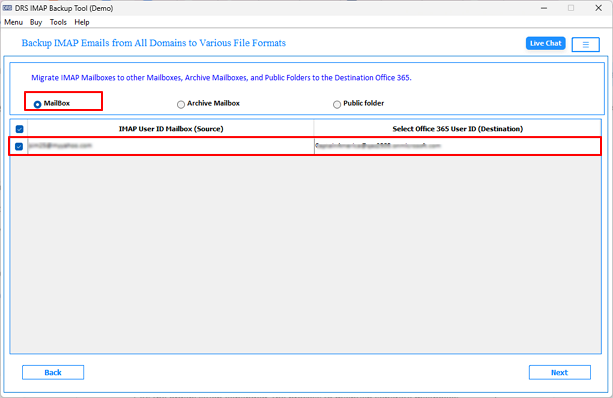
- In this step, pick the preferred Office 365 mailbox as the designated target location.
- Configure date range filters or duplicate elimination parameters as per migration requirements.
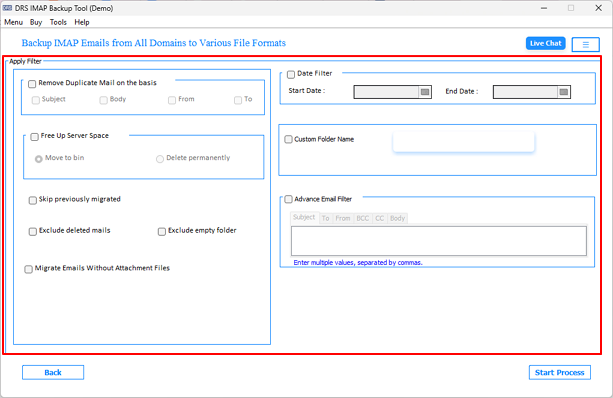
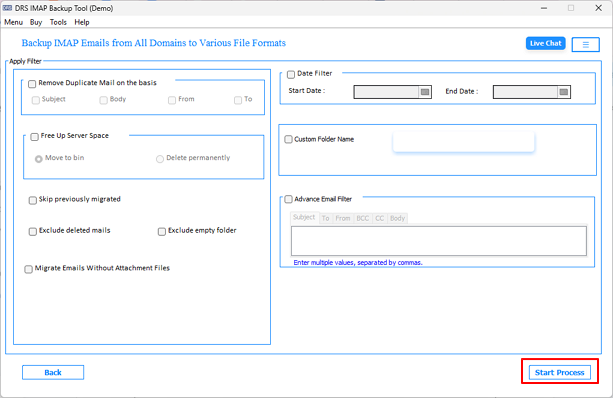
- Finally, you need to simply click Convert to migrate Roundcube emails to Office 365.
Key Features of MigrateEmails IMAP Backup Tool
- Concurrent batch migration of multiple IMAP accounts via CSV import.
- Built-in mailbox preview panel to inspect data before migration.
- Users can easily migrate Roundcube emails to new server via this utility.
- Supports export to PST, MBOX, EML, MSG, PDF, DOC, DOCX, and CSV.
- Migration with or without attachments based on enterprise requirements.
- Demo version facilitates migration of up to 50 emails per folder for evaluation.
Real-Life Scenario
James, an IT Administrator at a Texas-based legal firm, was assigned to transfer RoundCube emails to Office 365. The native Outlook-based methodology proved technically inadequate for the volume of multi-user mailbox data involved.
He used the MigrateEmails IMAP Backup Tool, executed concurrent batch migration across all user accounts, and completed conversion with zero data loss.
Compare Solutions to Move from Roundcube to Outlook 365
| Parameter | Manual Approach | IMAP Backup Tool |
| Migration Speed | Processes one account at a time | Concurrent batch migration across multiple accounts |
| User Expertise | Requires advanced technical proficiency | Accessible to both technical and nontechnical users |
| Bulk Migration Support | Single account processing only | Fully supported via an integrated CSV import mechanism |
| Folder Hierarchy Preservation | Requires manual administrative verification | Automatically retained throughout the migration lifecycle |
| Multi-Tenant Support | Single-tenant environment only | Fully supported across enterprise-level deployments |
| Error Reporting | Structured error reporting unavailable | Detailed migration log and error report auto-generated |
| Demo Version | Unavailable | Facilitates migration of up to 50 emails per folder |
End Note
In the above blog, we have outlined the most dependable approaches to migrate Roundcube to Office 365. For limited, single-user transfers, the native method works but seems time-consuming. For bulk migration, the MigrateEmails IMAP Backup Tool delivers more scalability, operational precision & complete metadata integrity. Evaluate your migration scope thoroughly and implement the method that best aligns with your organizational objectives and IT environment.
Frequently Asked Questions
Q1. What is the best way to migrate Roundcube to Microsoft 365?
Ans. For small migrations, the manual Outlook method can work. However, for bulk or enterprise-level migration, using the MigrateEmails IMAP Backup Tool is more efficient, secure, and scalable.
Q2. How do enterprises prevent email loss during migration?
Ans. Enterprises prevent email loss by creating backups, validating mailbox data, and using a professional migration tool that preserves emails, attachments, and folder hierarchy.
Q3. Does IMAP migration from Roundcube to Office 365 include contacts and calendars?
Ans. No, IMAP migration transfers only email data and mailbox folders. Contacts and calendars require separate migration methods.
Q4. Can I migrate Roundcube emails directly to Office 365?
Ans. Yes, Roundcube emails can be directly migrated to Office 365 using an IMAP-based migration solution or a professional migration tool.
Q5. Does IMAP migration transfer contacts and calendars?
Ans. No, the IMAP protocol supports only email migration and does not transfer contacts, calendars, or tasks.
Q6. How do I migrate multiple Roundcube mailboxes to Microsoft 365?
Ans. You can migrate multiple mailboxes simultaneously using a professional IMAP migration tool with CSV-based batch migration support.
Q7. What are the risks during Roundcube to Microsoft 365 migration?
Ans. Common risks include data loss, duplicate emails, authentication errors, incomplete migration, and mailbox synchronization issues, especially with manual methods.
About The Author:

I am Kiran Sharma, a Technical Expert in Content writing. I have technical expertise in the field of Email Backup, Data Recovery, and Email Migration, and resolve technical queries related to Cloud Backup or Email Migration for individuals and businesses.
Related Post