-
Written By Kiran Sharma
-
Approved By
Vikash Bajpai -
Updated on April 15th, 2026
Easy Ways to Convert JSON file to Word: A Complete Solution
Lauren’s Query: “I have several JSON files containing structured data and reports. I need to convert them into Word documents for editing and sharing purposes. However, JSON files are not readable in MS Word. Is there an easy way to convert JSON file to Word without losing formatting?”
Introduction:- In today’s digital world, JSON is used for storing and exchanging structured data. However, JSON files are not designed for direct reading or editing. On the other hand, Microsoft Word is a popular format for documentation, editing, and sharing information. Converting JSON files into Word format helps users present, edit, and manage data more effectively. That’s why this guide provides the manual and professional ways to convert JSON to Word. Apart from that, it also covers the MigrateEmails JSON File Converter Tool .
The Key Values of Exporting JSON to Word
The following are the various ways in which users choose to convert JSON file to Word
- It makes JSON data easy to read and edit.
- Converts structured data into document format.
- For helping in creating professional reports.
- Enables easy sharing and collaboration.
- Improves presentation with formatting.
- Also, it simplifies data interpretation.
Bridging the Gap: How JSON and Microsoft Word Compare
| Main Features | JSON File (.json) | Word File (.doc/.docx) |
| Type | Data Storage Format | Document Format |
| Readability | Machine-readable | Human-readable |
| Structure | Key-value pairs | Paragraphs, tables, formatting |
| Compatibility | Requires tools/editors | Opens in MS Word |
| Best Use Case | APIs & storage | Documentations and reports |
| Editing | Difficult | Easy editing |
The Best Manual Technique to Transfer JSON File to Word
Tired of installing external software? Don’t worry. You can use the manual path to complete your task. But make sure that this method is compatible only with small datasets.
Method 1: Copy-Paste into Word
- Firstly, open the JSON file in a text editor.
- Now, copy the content.
- Paste it into Microsoft Word.
- Lastly, format the content manually.
Method 2: Convert JSON to HTML, then Word
- Firstly, convert a JSON file into HTML format.
- Open the HTML file in a browser.
- After that, copy the content into Word.
- In the end, save as DOC/DOCX.
Downfalls: Manually Convert JSON File to Word
- Not suitable for large data due to a lack of bulk conversion.
- Requires technical knowledge and manual formatting.
- Sometimes, the data structure may break during conversion.
- Involves multiple steps, making it time-consuming.
- Moreover, some tools may expose sensitive data.
Instant Results: High-Speed Techniques to Export JSON file to Word
However, the manual methods are not reliable for small-scale conversions. For multiple conversions, using the MigrateEmails JSON Converter Tool is the most dedicated solution. This software allows you to save your JSON files in Word format instantly. It maintains the originality of metadata, structure, and formatting intact with zero data loss. Furthermore, it enables users to convert JSON to HTML and other formats as well. Along with this, it has a user–friendlyinterface suitable for everyone.
How to Convert JSON File to Word: A Detailed Walkthrough
- Firstly, start accessing the MigrateEmails JSON Converter Tool.
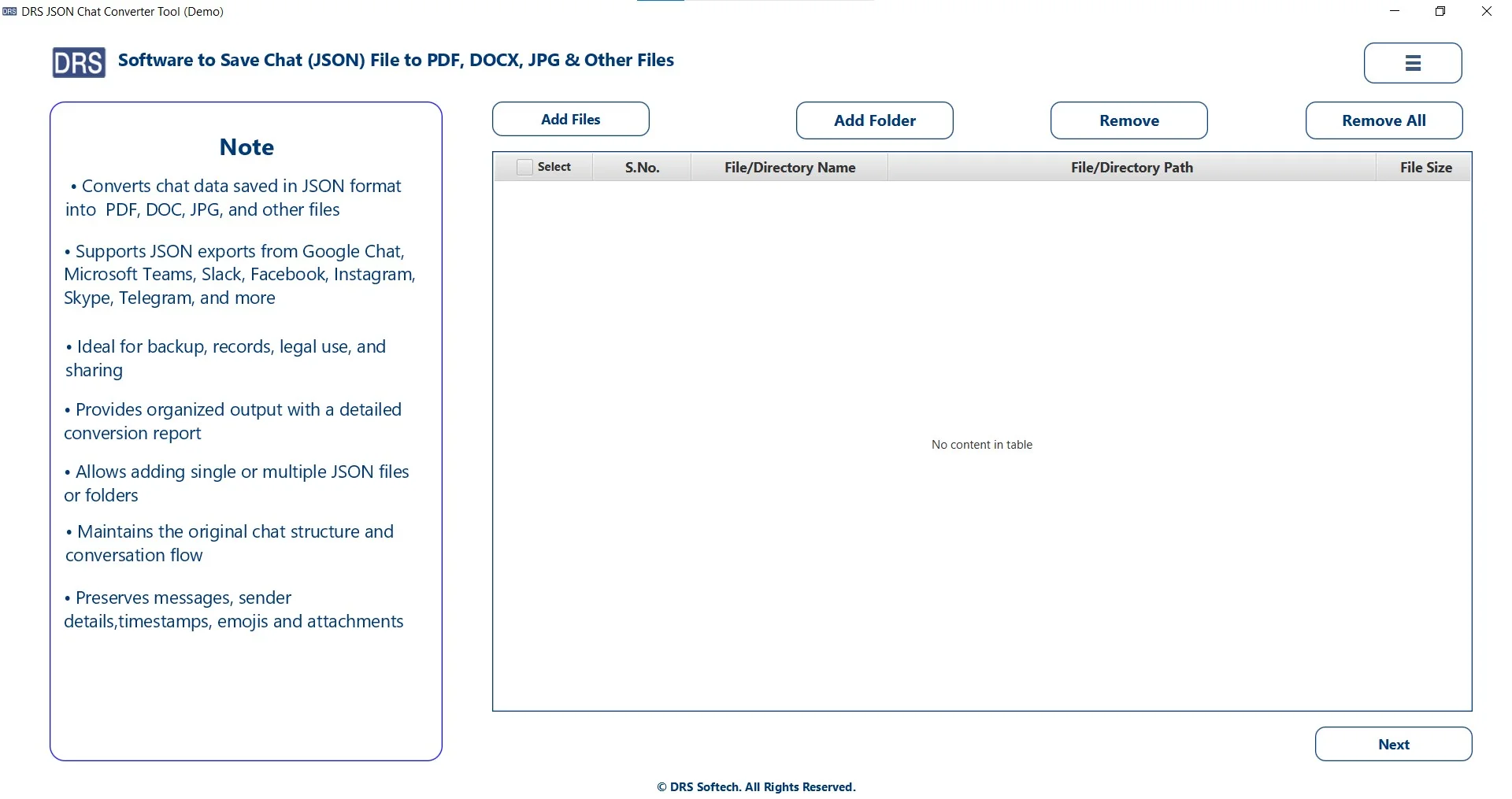
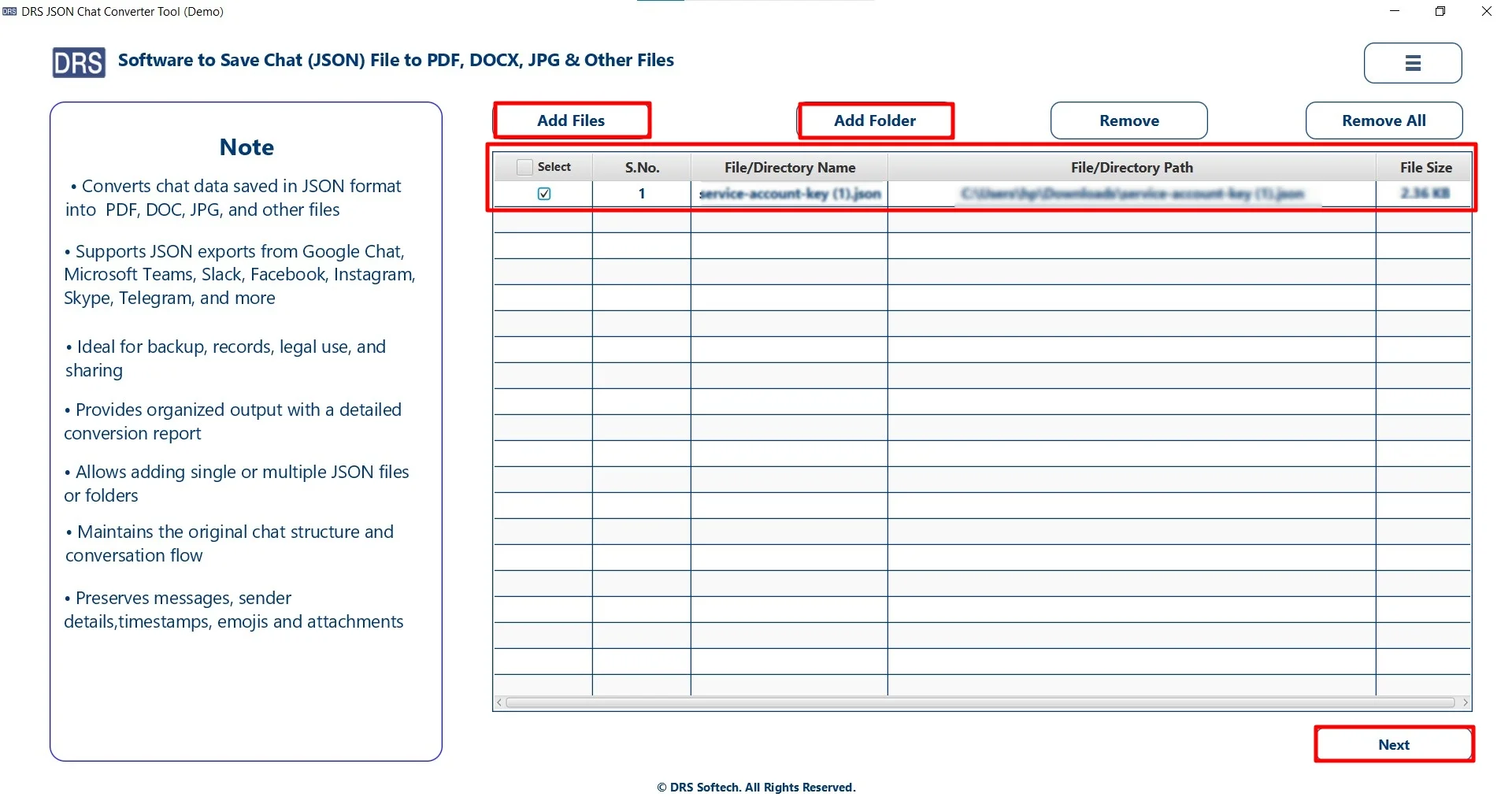
- Add Files/Folders to upload the JSON file that you want to convert, and click Next.
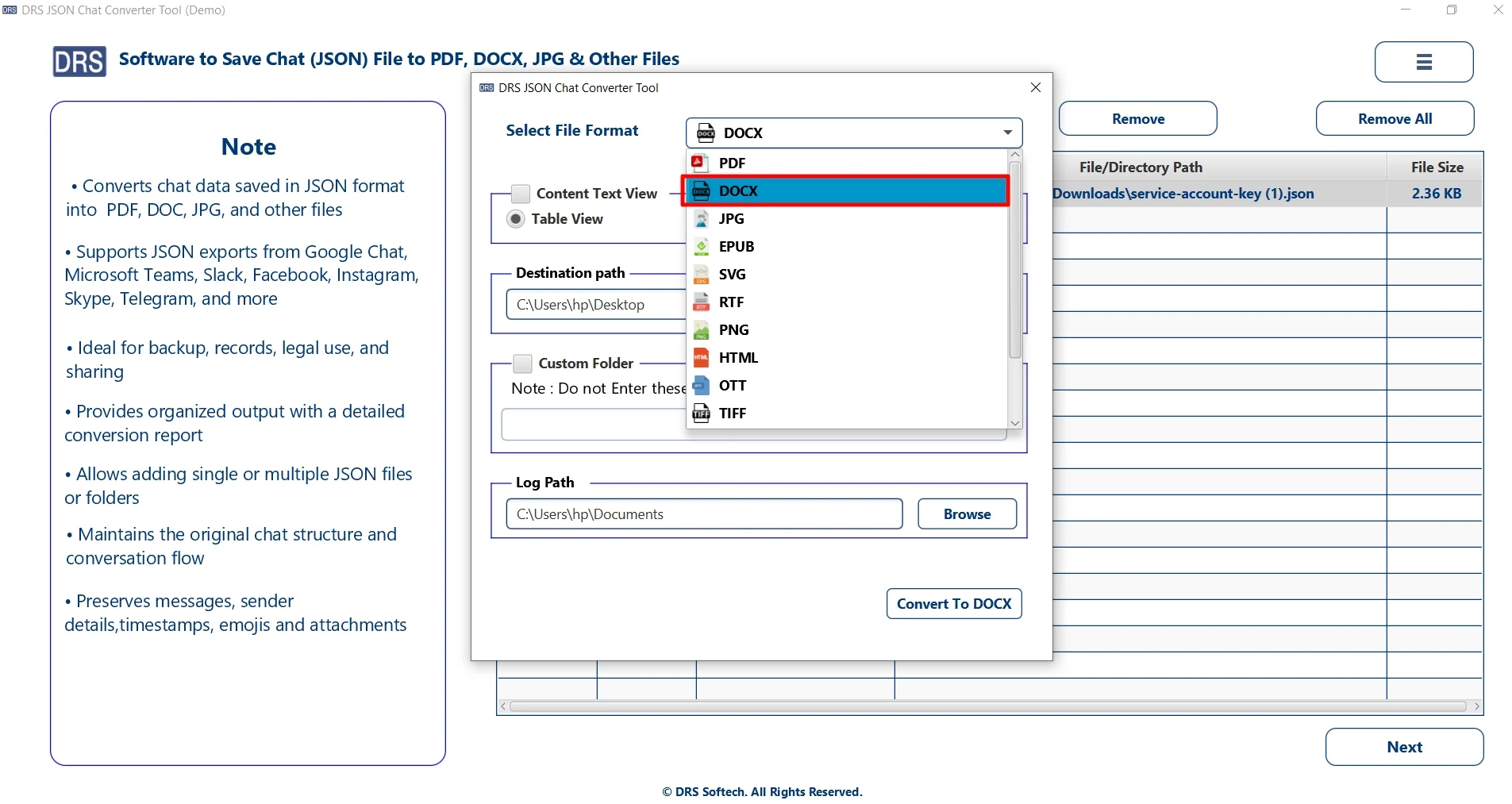
- After that, choose DOCX as the saving file format.
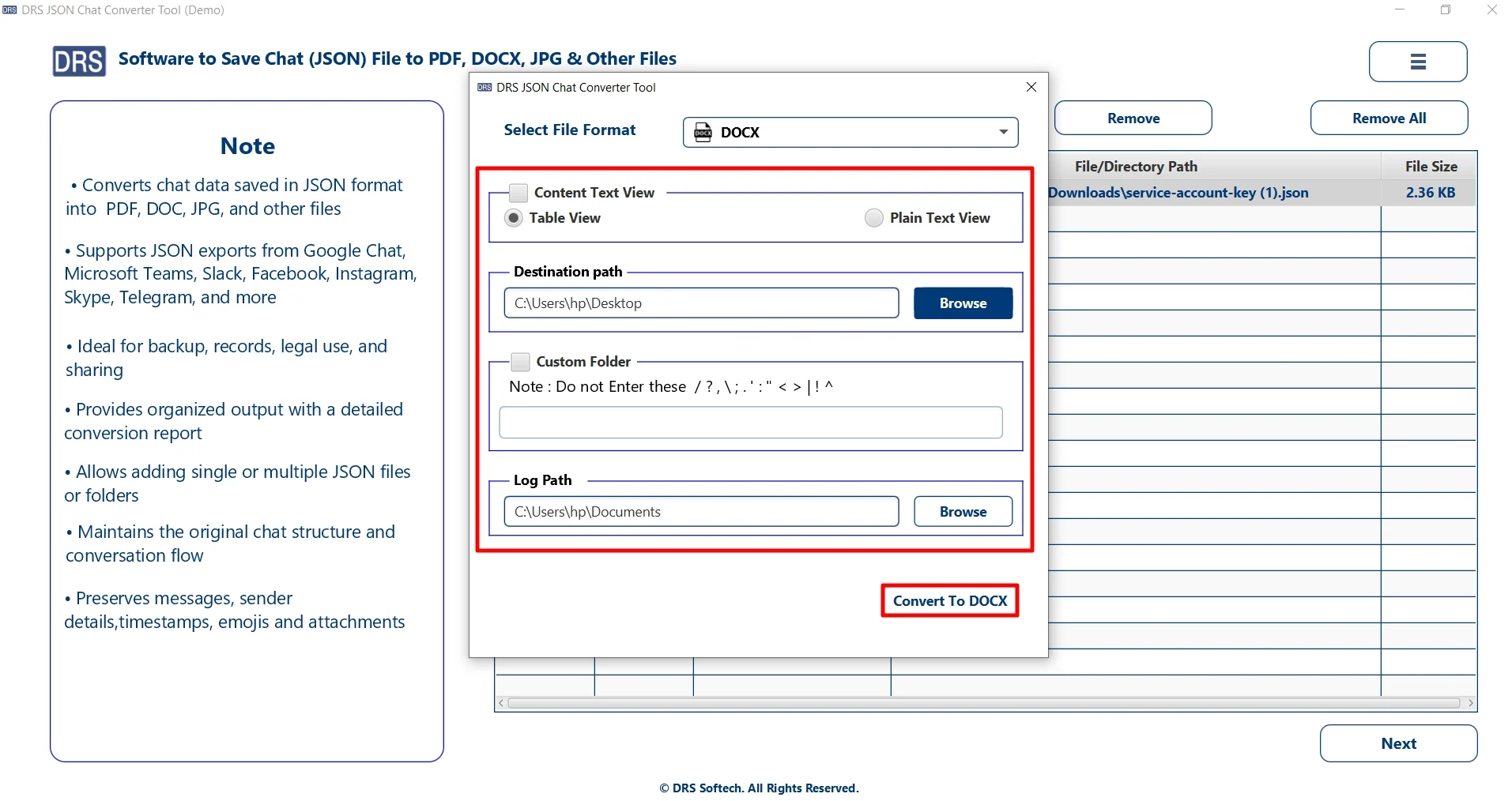
- Finally, set filters, path to save the file, and click Convert to DOCX.
Maximize Efficiency with the MigrateEmails JSON Converter
- Convert JSON file to Word Online without any limitations.
- Preserves the original key-value hierarchy and data structure.
- Easy-to-use interface suitable for all types of users.
- Supports users to convert JSON file to PDF for flexible conversion.
- Saves time and effort with fast processing speed.
- Moreover, it provides complete data safety during the conversion.
The Quick-Fix: One-Time JSON to Word Conversion-
If you prefer not to perform the conversion manually, you can opt for a one-time conversion service. This option is ideal for users who want a quick and hassle–free solution without any technical steps.
With this service, our support team handles the entire process on your behalf. They will securely convert them into Word format while maintaining data accuracy, structure, and formatting.
Additionally, this option ensures:
- Complete data confidentiality throughout the process.
- Accurate conversion with no data loss or alteration.
- Support for large and complex JSON files.
- Delivery within a quick turnaround time.
- No requirement for technical knowledge or software installation.
This is a perfect choice for users dealing with bulk data.
A Real-Life Case Study: A Business Analyst
Problem: He needed to convert JSON-based data into readable reports. The manual methods were time-consuming and complex. Also, it didn’t give results with large datasets.
Solution: They used the MigrateEmails JSON Converter Tool to complete their task.
Result: The tool converted bulk files quickly. Therefore, it maintained formatting and structure. Also, it created professional reports and gave accurate results while saving time and effort.
Conclusion
In this article, we have seen that converting JSON data into Word format is necessary for editing and is easily accessible across devices. There are various methods to convert JSON file to Word. The manual methods are highly suitable for small-scale data, but are very time-consuming and prone to errors. Meanwhile, an efficient JSON converter tool is highly recommended for large-scale data. Alternatively, there is a one-time conversion service option for better conversion.
Frequently Asked Questions
Q1. Is my data safe when converting a JSON file to Word?
Ans. Yes, your data is safe if you use a reliable and secure solution. The MigarteEmails JSON converter tool ensures data integrity, privacy, and no data loss during the conversion process.
Q2. Can I transfer a JSON file to Word for free?
Ans. Yes, you can use manual methods like copy-paste or online converters for free. However, they may require manual formatting and may not be suitable for large files.
Q3. Suggest the best way to export a JSON file to Word?
Ans. The best way is to use a dedicated JSON Converter Tool, which provides accurate and fast conversion while maintaining structure.
Q4. What is the safest method to convert a JSON file to Word?
Ans. The safest method is using an offline automated tool, as it avoids data exposure and ensures complete security during the conversion.
Q5. Can I export large JSON files to Word?
Ans. Yes, large JSON files can be exported using a reliable tool that supports bulk and large file conversion without performance issues.
Q6. Best tool to convert JSON to Word?
Ans. The MigarteEmails JSON Converter Tool is one of the best options as it offers bulk conversion, data accuracy, a user-friendly interface, and secure processing.
About The Author:

I am Kiran Sharma, a Technical Expert in Content writing. I have technical expertise in the field of Email Backup, Data Recovery, and Email Migration, and resolve technical queries related to Cloud Backup or Email Migration for individuals and businesses.
Related Post