-
Written By Kiran Sharma
-
Approved By
Vikash Bajpai -
Updated on May 6th, 2026
Top Solution to Convert CDR to GIF: Step-by-Step Guide
User Query:“I have several CDR files that I need to convert to GIF for web use and sharing. The manual method is taking too much time. Is there an easier way to do this without losing image quality?”
Introduction:- CorelDRAW (CDR) files are excellent for designing high-quality graphics, but they are not always simple to share or open across different platforms. Meanwhile, GIF files are lightweight, broadly supported, and ideal for web use. That is why many users search for a dependable way to convert CDR to GIF today online. In this blog, we will discuss the manual method and a professional MigrateEmails CDR Converter Tool for a hassle-free process.
Key Reasons to Convert CDR File to GIF
- GIF files can be uploaded and viewed directly in browsers without extra tools.
- GIF images display smoothly in slides and email clients.
- Helps reduce loading time and improves performance on websites.
- Works on almost any device without any trouble.
- Simple format that just works everywhere
- No need to install CorelDRAW just to view your files.
Two Manual Methods to Convert CDR to GIF
You can convert CDR to GIF using simple manual methods without extra tools. One uses CorelDRAW’s export option, while the other uses a quick screenshot method for basic designs.
Way 01: Export CDR to GIF Using CorelDRAW
In this approach, CorelDRAW helps you export your CDR file in GIF format.
- First, open CorelDRAW on your pc.
- Next, click File → Open and select your .cdr file.
- Then, after opening the file, >> File & click Export.
- Now, in the “Save as type” option, select GIF (*.gif).
- After that, select the location where you want to save the file. Click Export.
- Here, a settings window will appear — choose:
- Resolution: 72 DPI
- Color Mode: RGB (8-bit)
- Palette: Optimized
- Finally, click OK to finish the process.
Way 02: Use Screenshot Method to Change CDR to GIF
This is a quick workaround where you capture the design as a screenshot and save it as a GIF.
- First, open the CDR file in CorelDRAW.
- Next, adjust the design on your screen properly.
- Then, take a screenshot using Snipping Tool or Print Screen.
- After that, open the screenshot in Paint.
- Now, click File → Save As.
- Then, choose GIF format from the list.
- Finally, select a location and click Save.
Drawback of Using the Manual Method:
- Quality may drop, especially with screenshots.
- Limited control over output settings.
- Not suitable for complex or large designs.
- Risk of errors during manual steps.
- Needs CorelDRAW for proper conversion.
- The screenshot method gives low-quality results.
Expert Choice to Convert CDR to GIF
Looking for a free way to convert CDR to GIF? There isn’t a perfect manual method for this. The process can be slow and a bit tricky. Instead, you can use the MigrateEmails CDR Converter Tool for faster and smoother results. It supports bulk conversion without data loss and keeps your design structure intact. It also comes with useful features to make the process simple. Moreover, using this tool, you can also convert CDR to TIFF without any hassle.
Convert CDR to GIF online Using Professional Steps:
- Firstly, download and launch the CDR Converter Tool.
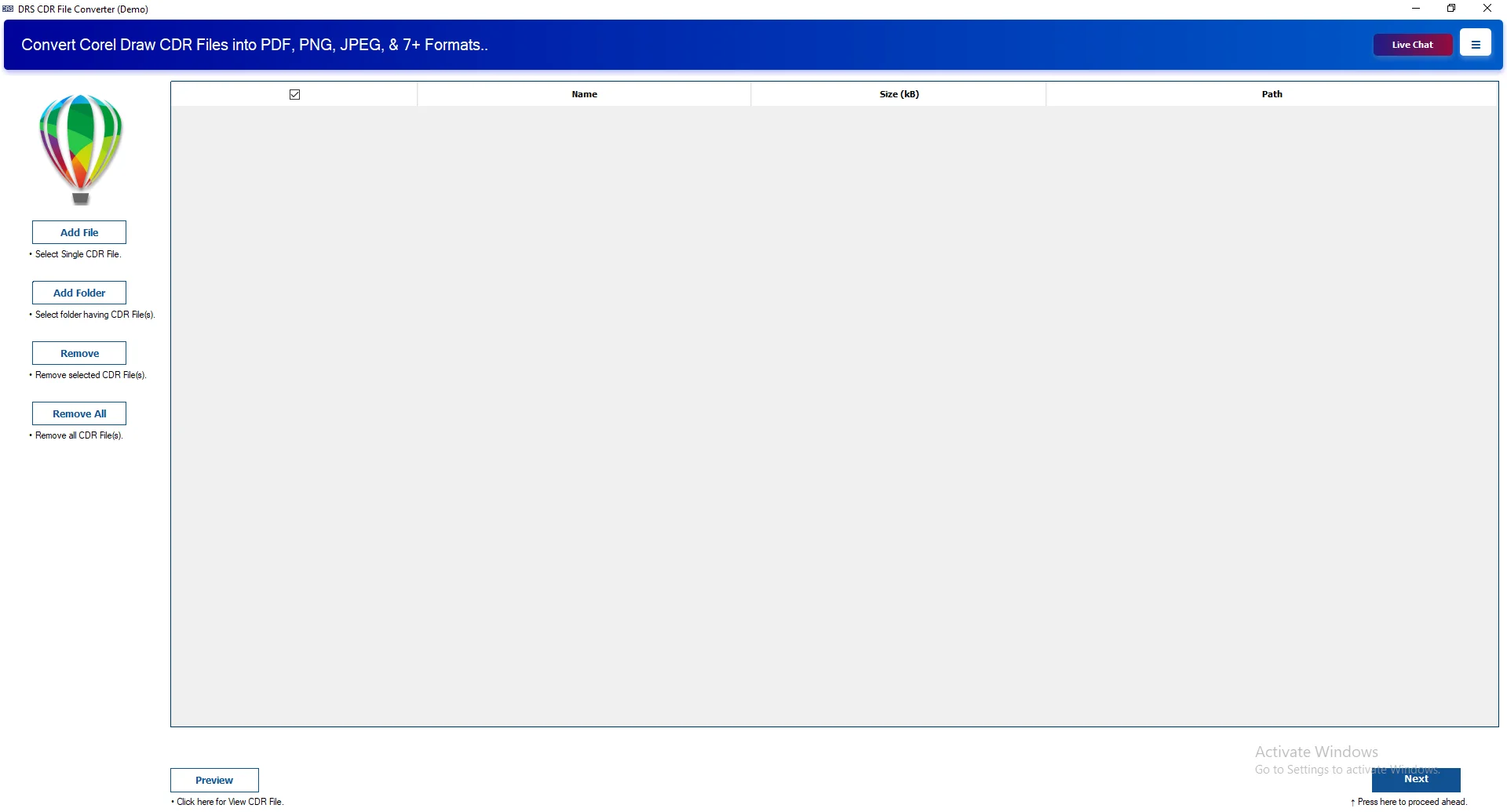
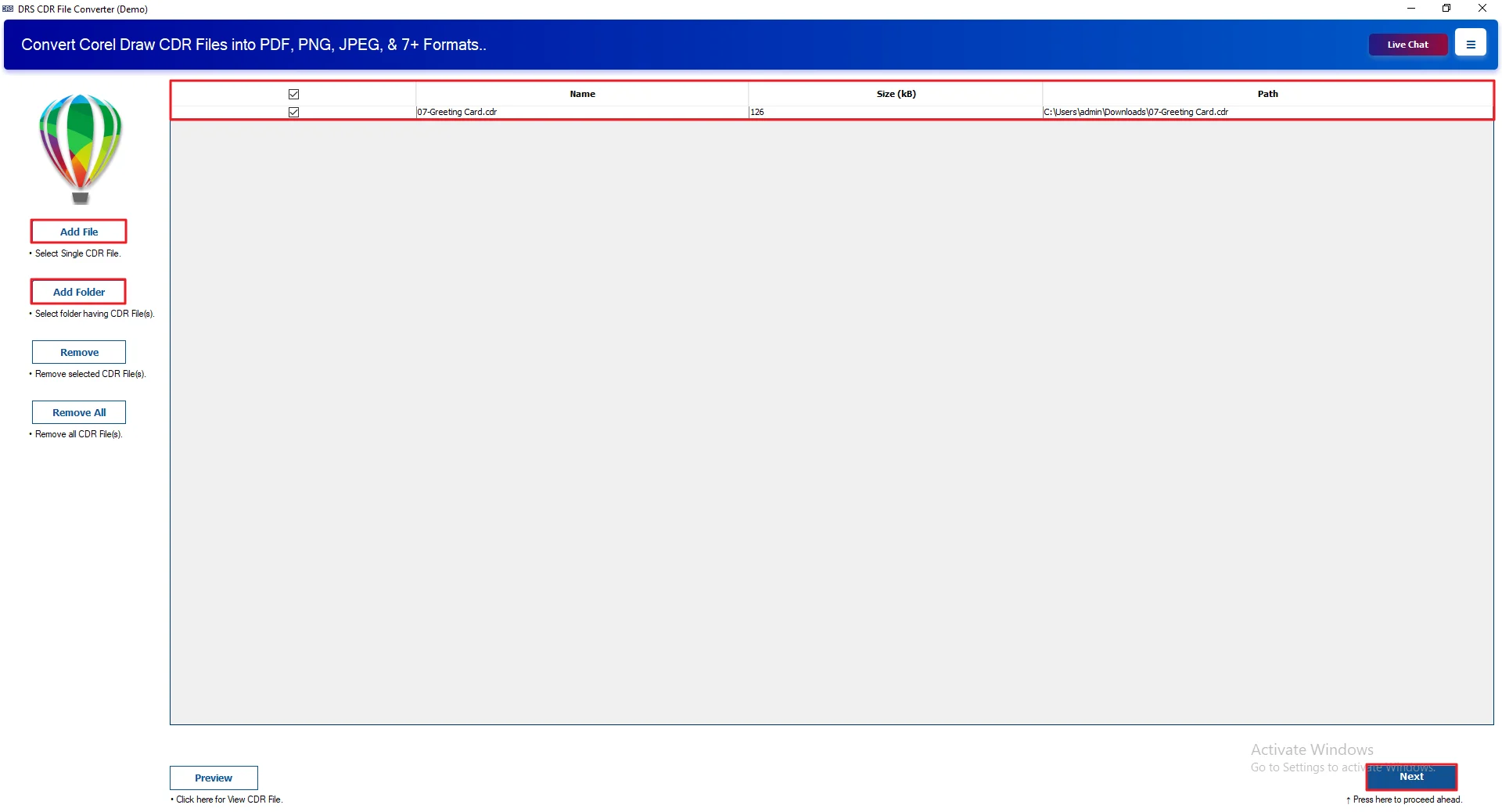
- Afterwards, click Add Files or Add Folder to add the CDR files. Click Next
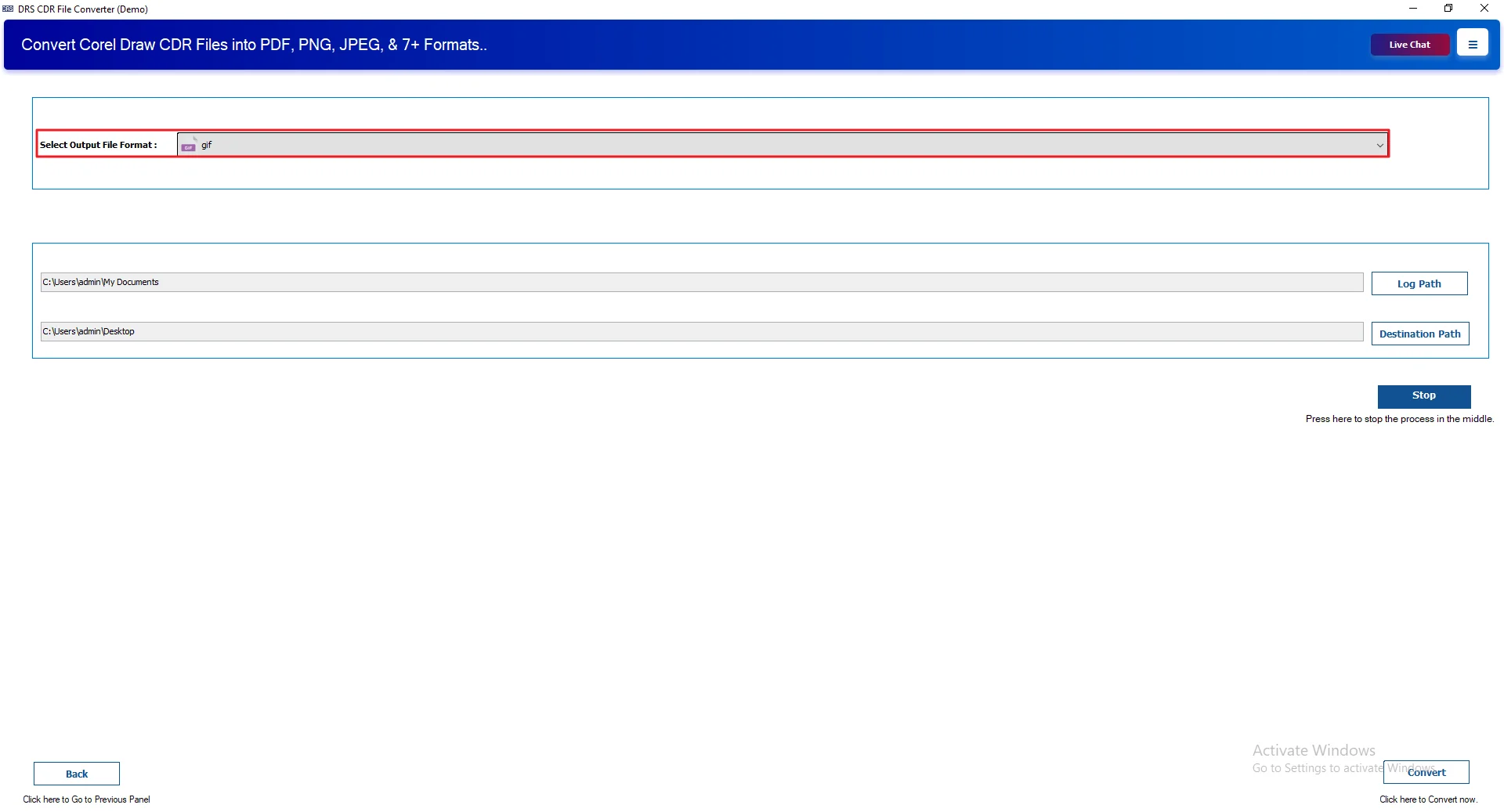
- Then, select the output file format as GIF.
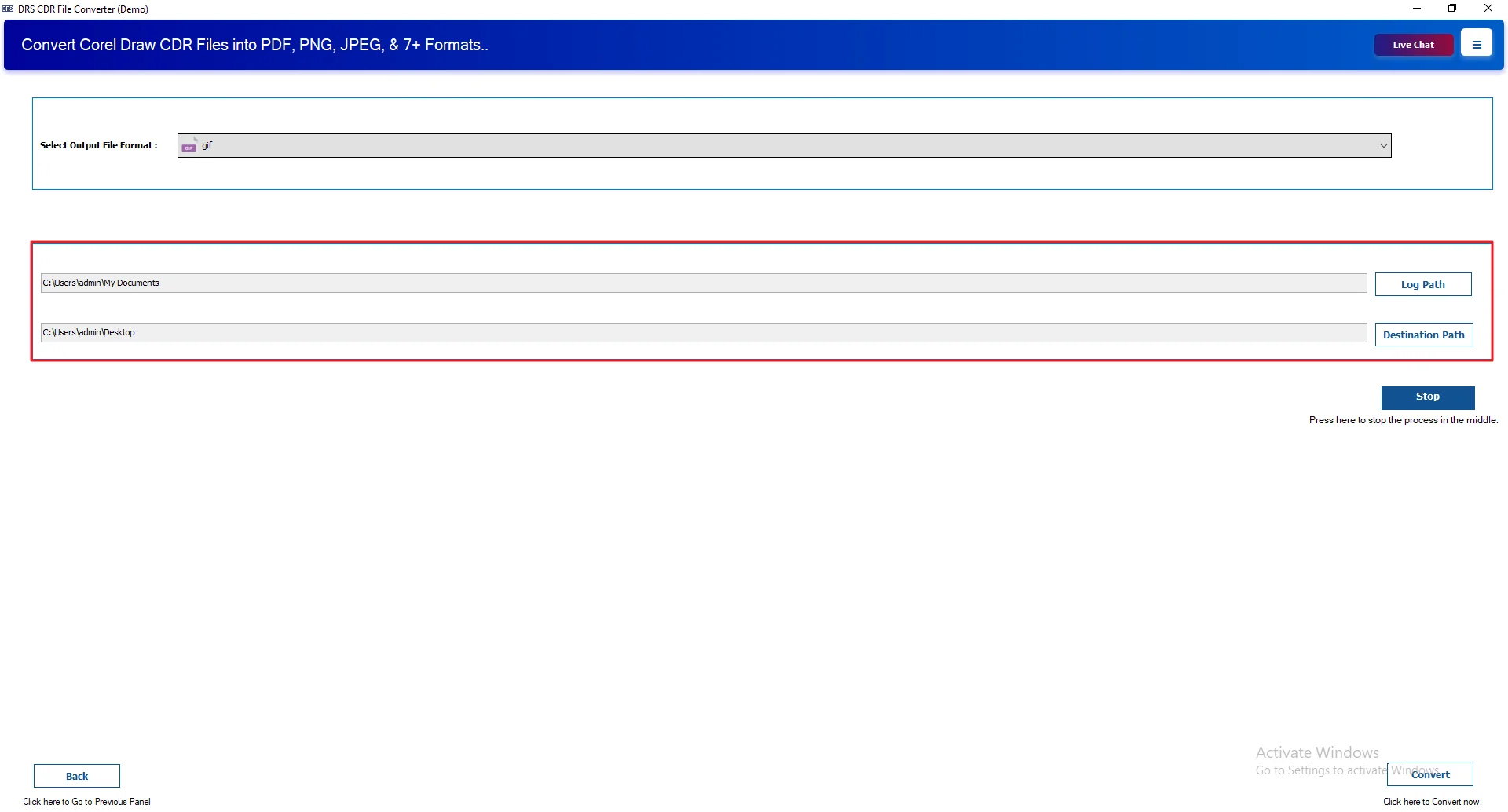
- After that, choose the log and destination folders for saving files.
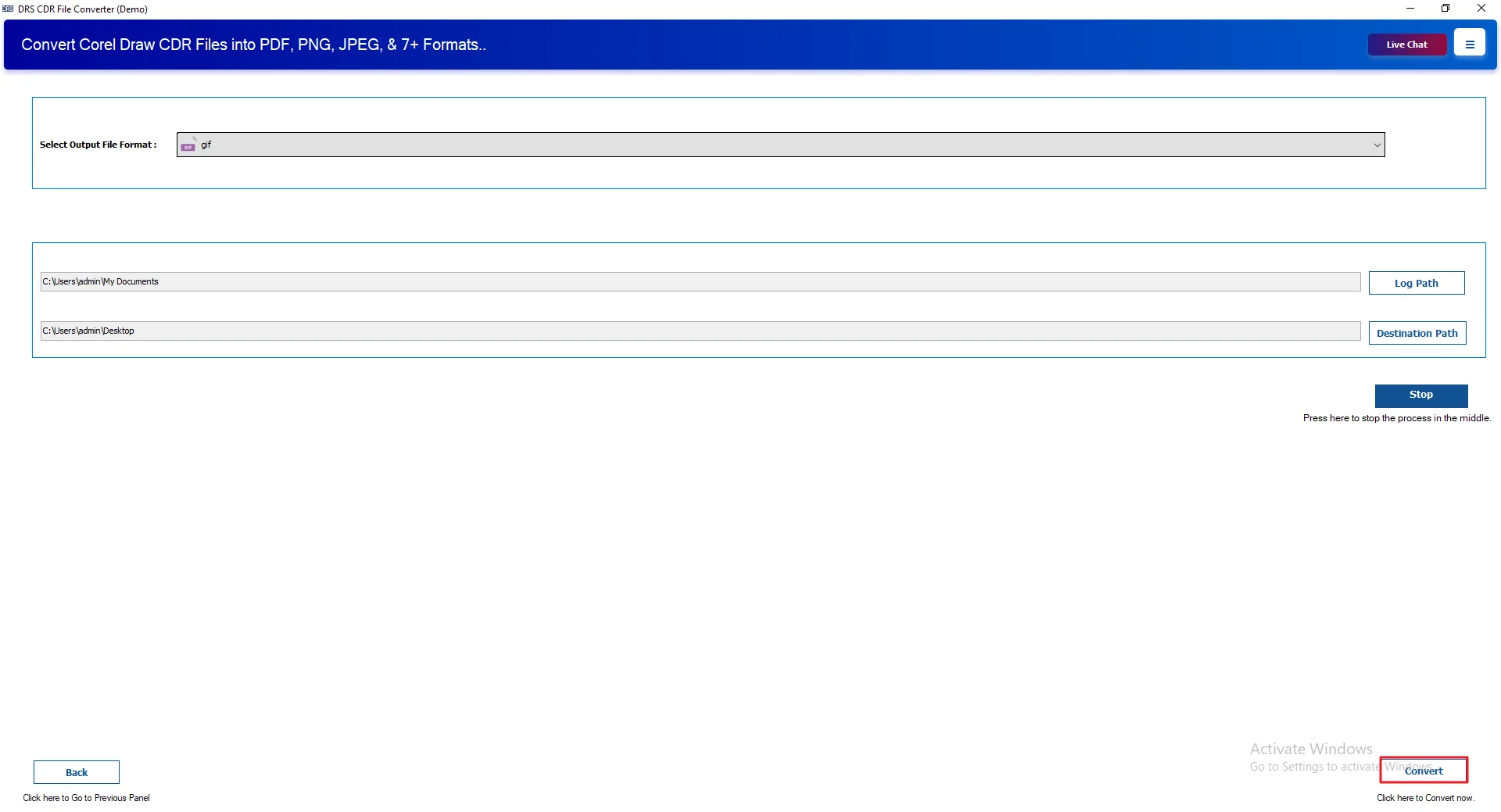
- Lastly, click Convert to start the process.
Case Study: CDR to GIF Conversion
Client Background
A design agency needed to share CDR files easily in GIF format. They also explored options to convert CDR to JPG for broader compatibility.
Challenges Faced
- Hard to share CDR files
- Clients couldn’t open without CorelDRAW
- The manual process was slow
- Quality loss risk
Solution Provided
Used the MigrateEmails CDR Converter Tool for quick and smooth conversion.
Results Achieved
- Easy file sharing
- No CorelDRAW needed
- Faster bulk conversion
- Quality remained intact
Advantages: Convert CDR File to GIF
- Convert CDR File to BMP and other formats at once.
- Handles large files without slowing down.
- Supports all CorelDRAW file versions.
- Keeps your data safe during conversion.
- You can try it first with a trial version.
- Simple layout, easy to understand.
- Runs fine on all Windows systems.
Conclusion
This blog covered two methods to convert CDR to GIF. The manual method works for a few files but has some limits. A professional tool is a better option. It supports bulk conversion, keeps data safe, and is easy to use without technical skills. You can also try the demo version before purchasing the tool.
Frequently Asked Questions
Q1. Are there any free tools to convert CDR to GIF?
Ans. Yes, free online tools exist, but they have limits. For better safety and results, try the MigrateEmails CDR Converter Tool for smooth conversion.
Q2. Which software is best to convert CDR to GIF safely?
Ans. MigrateEmails CDR Converter Tool is a safe choice. It keeps data secure and maintains quality while converting CDR files into GIF format.
Q3. Do I need technical skills to convert CDR File to GIF?
Ans. No, technical skills are not required. MigrateEmails CDR Converter Tool is easy to use and helps users convert files without complexity or confusion.
Q4. Is it possible to convert CDR to GIF without CorelDRAW?
Ans. Yes, you can convert without CorelDRAW using online tools or the MigrateEmails CDR Converter Tool for a simple and quick conversion process.
Q5. Can I Export CDR to GIF on Windows and Mac?
Ans. Yes, it works on both systems. MigrateEmails CDR Converter Tool supports Windows and helps convert files without compatibility problems or errors.
Q6. What is GIF File?
Ans. A GIF file is a simple image format with limited colors. You can easily create it using the MigrateEmails CDR Converter Tool for sharing.
Q7. Can I convert multiple CDR files to GIF in bulk?
Ans. Yes, bulk conversion is possible. MigrateEmails CDR Converter Tool allows users to convert multiple CDR files to GIF at once, saving time.
Q8. Is it safe to use third-party tools to convert CDR to GIF?
Ans. It depends on the tool. MigrateEmails CDR Converter Tool is trusted and ensures safe conversion without data loss or privacy issues.
About The Author:

I am Kiran Sharma, a Technical Expert in Content writing. I have technical expertise in the field of Email Backup, Data Recovery, and Email Migration, and resolve technical queries related to Cloud Backup or Email Migration for individuals and businesses.
Related Post