-
Written By Kiran Sharma
-
Approved By
Vikash Bajpai -
Updated on May 12th, 2026
Quick and Secure Way to Convert PDF to EML Without Data Loss
Alex Query:-
“I have several PDF files that contain email data, and I need to open them in my email client. I want to convert PDF files to EML without losing attachments or email details. What’s the easiest and safest way to do this?”
“I have several PDF files that contain email data, and I need to open them in my email client. I want to convert PDF files to EML without losing attachments or email details. What’s the easiest and safest way to do this?”
Introduction: Working with email content stored as PDF files can be difficult, mainly when you want to use it in an email client. Because PDFs aren’t supported directly, converting them into EML format is often needed for smooth access. This blog explains the manual method for small files and a professional MigrateEmails PDF Converter Tool to convert PDF to EML. Each method gives you a secure, efficient, and accurate result.
PDF vs EML File Format – Key Differences
| Feature | EML | |
| File Type | Document file format | Email message file format |
| Primary Use | Storing and sharing documents | Storing and sharing documents |
| Compatibility | Opens in PDF readers (Adobe Reader, browsers) | Opens in email clients (Outlook Express, Thunderbird, Windows Mail) |
| Editability | Limited editing without tools | Editable in email clients |
| Bulk Handling | Requires tools for batch processing | Easily handled in bulk by email clients/tools |
Why Users Transform PDF to EML?
Here are a few reasons why users should convert PDF files to EML:
- PDFs don’t work inside email apps, so you can’t reply, forward, or manage them properly.
- EML keeps original email details like sender, subject, and date intact.
- It makes searching easier using filters in email clients.
- Attachments stay linked with the email instead of getting lost.
- Useful when moving emails to another platform or account.
- Needed in audits or legal cases where the original email structure matters.
Basic Approach to Convert PDF to EML
This manual approach is only practical when you have a small number of PDF files and don’t mind doing things step by step. It also depends on the email tool you’re using and comes with a few limitations.
Verified Steps to Convert PDF File to EML:
- First, open your PDF and copy the email content.
- Next, log in to Gmail & click Compose.
- Then, paste the copied content into the email body.
- After that, add the subject & recipient details, then send it to yourself.
- Now, open the email from your Inbox or Sent folder.
- Finally, click the three-dot menu and choose Download message to save it as an EML file.
Drawbacks: Save PDF to EML Manually
- The process gets slow if you have more than a few PDFs.
- Doing it by hand increases the chances of mistakes.
- Details like sender or date don’t stay the same.
- Attachments don’t come along automatically, which is annoying.
- The formatting can look off after you paste it.
- Doesn’t really work if you have a lot of PDFs to handle.
- Also depends on tools like Gmail, so the results aren’t always consistent.
Expert Solution to Convert PDF to EML
TheMigrateEmails PDF Converter Tool is built to turn PDF files into proper EML email files without losing important data. It also supports converting PDFs into other useful formats and lets you handle multiple files at once. The tool keeps things simple, works smoothly across Windows systems, and even gives options to convert PDF to XML when needed.
Easy Steps to Convert PDF to EML in Bulk:
- Firstly, download, install, and launch the PDF Converter Tool.
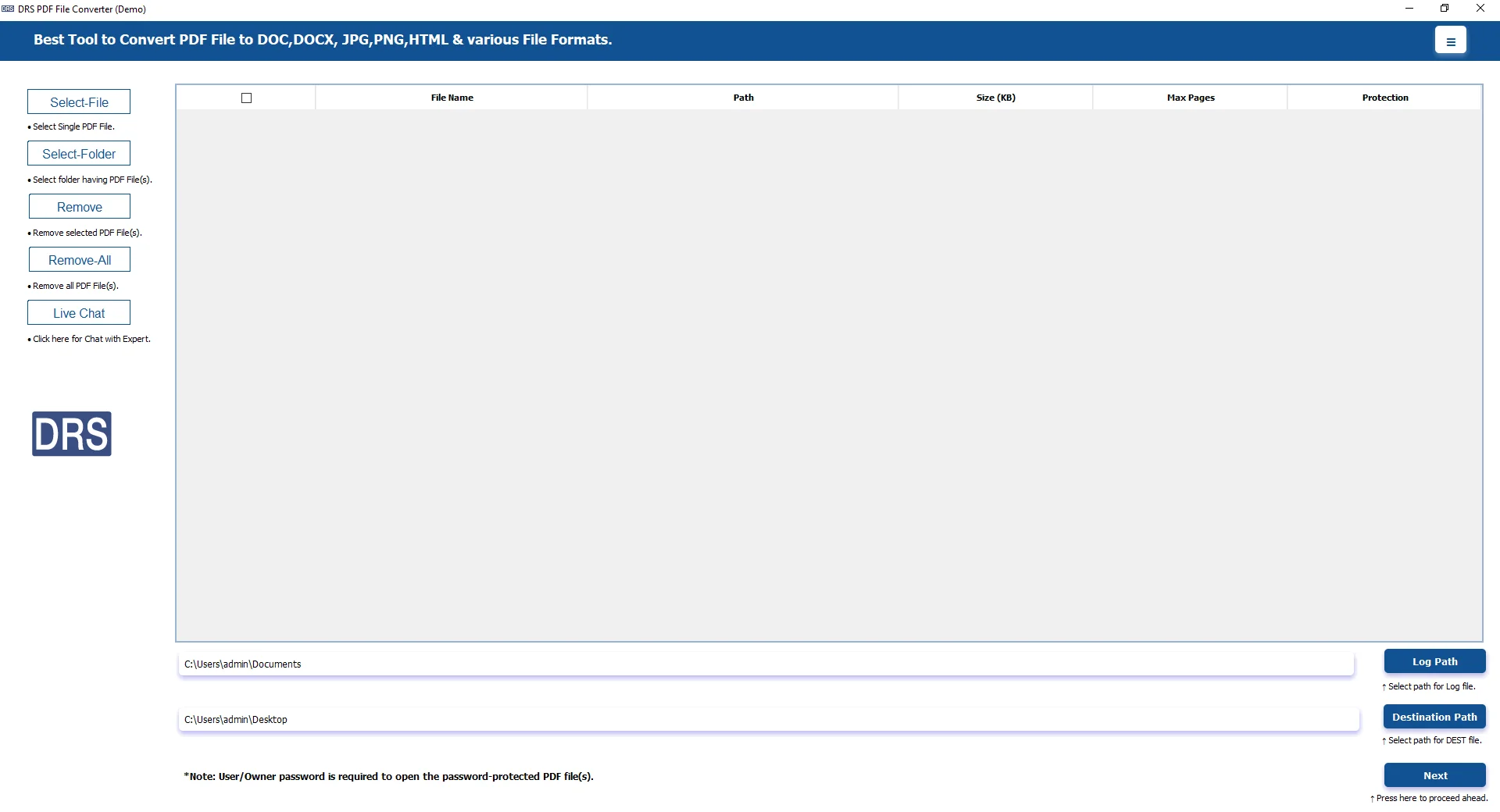
- Then, click Add Files/Add Folder to load the PDF files and press Next.
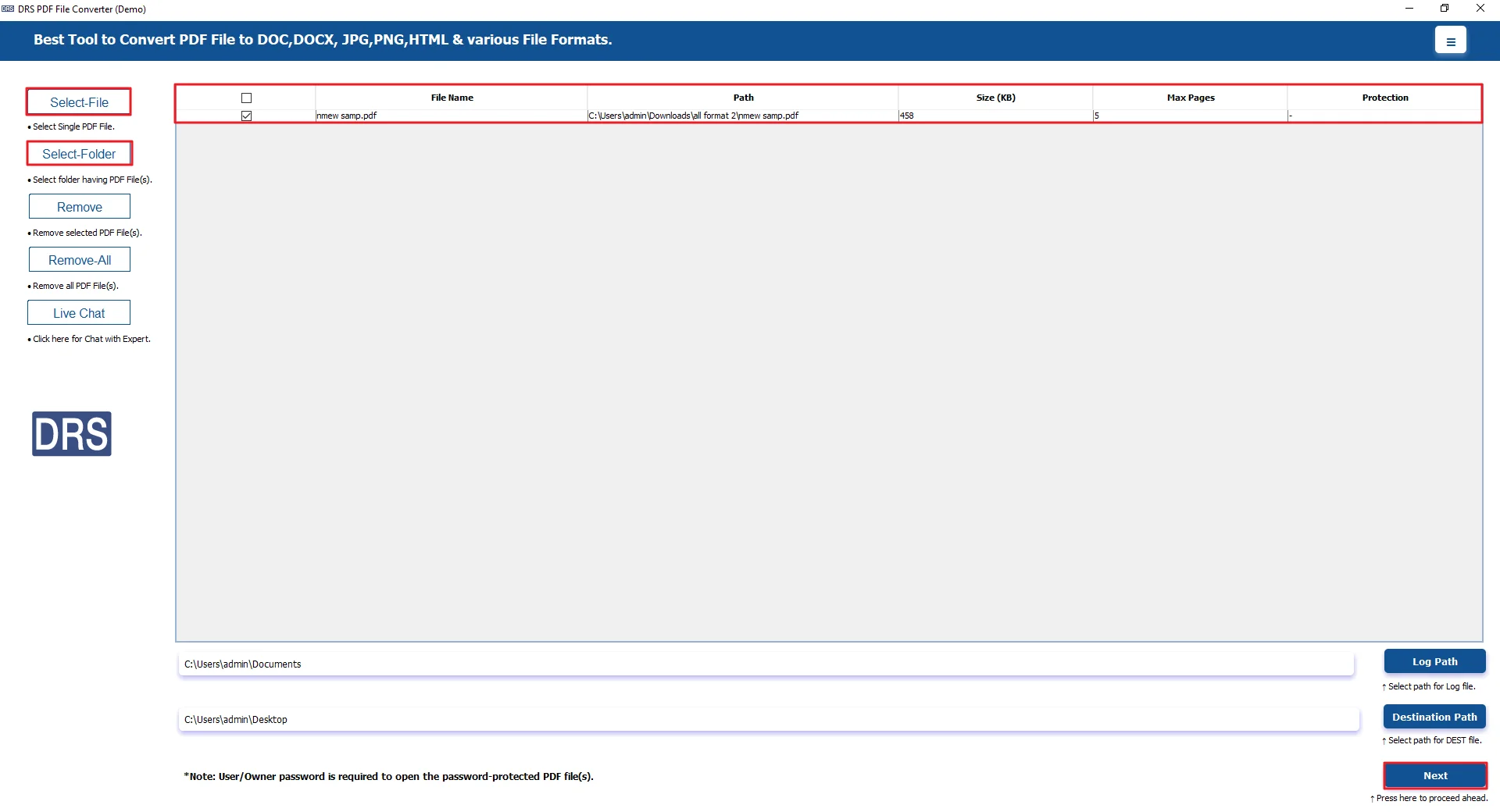
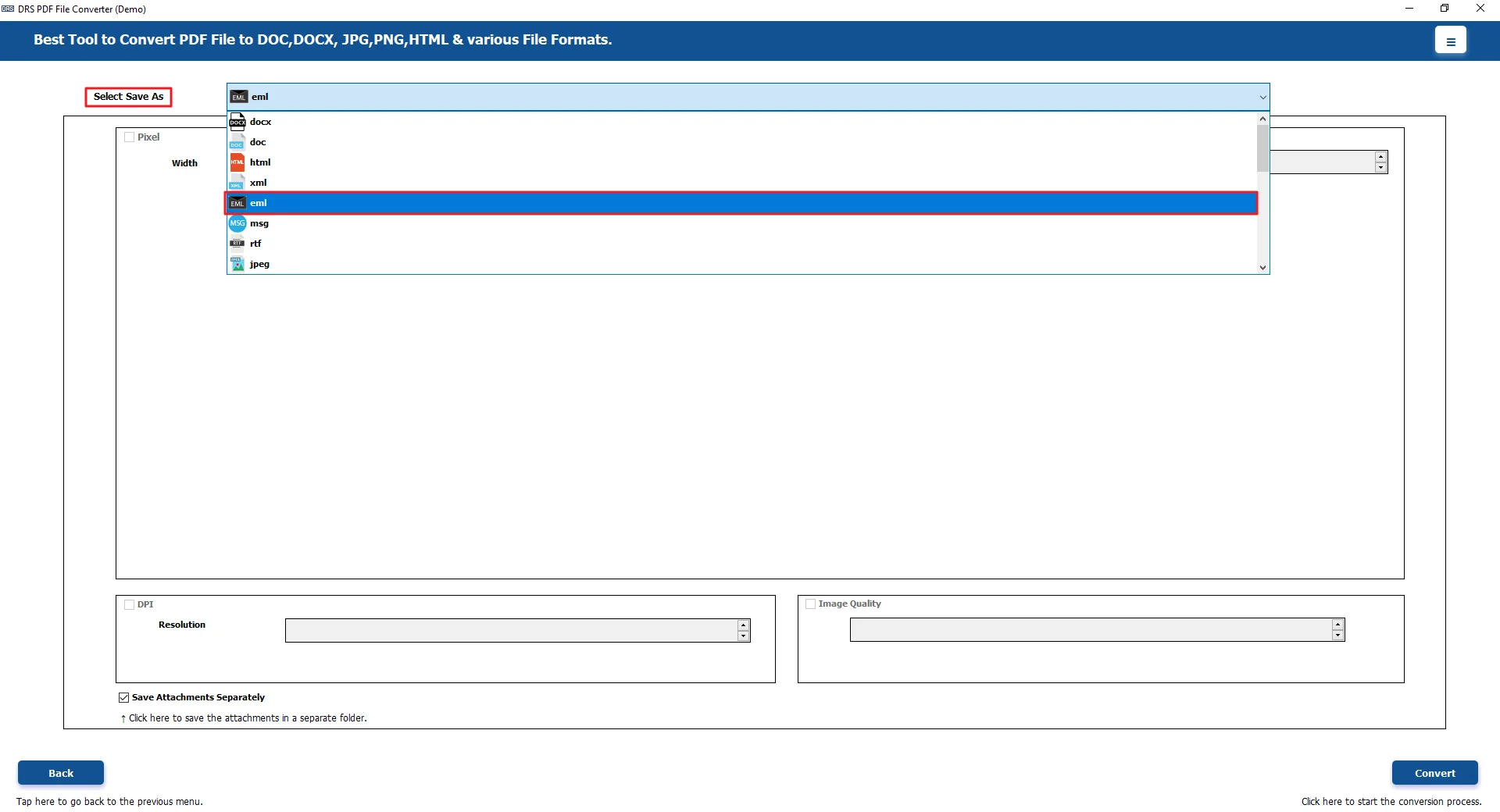
- Now, from the select save as, choose EML file format.
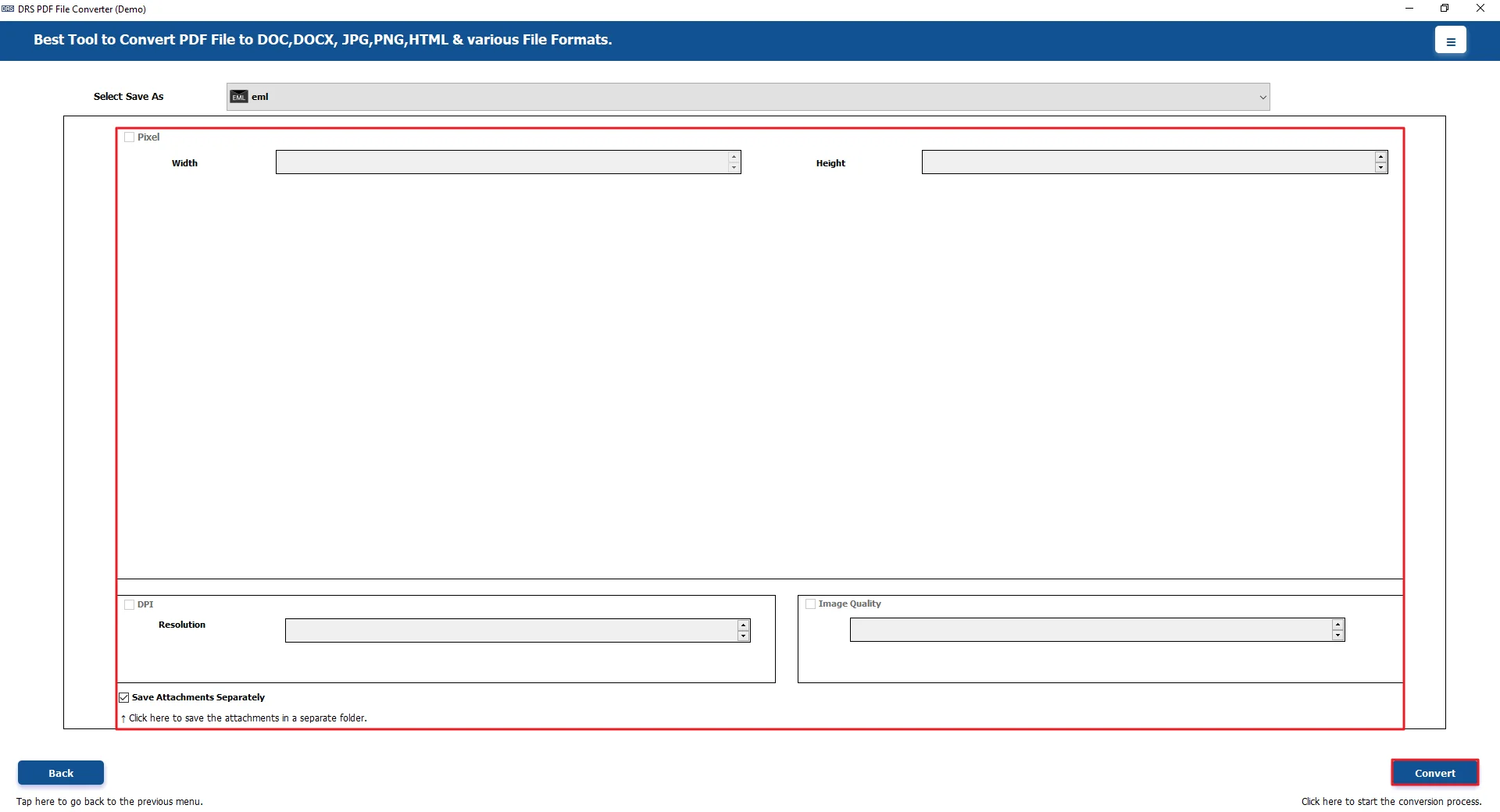
- At last, apply additional features/filters and click Convert.
Real-Life Scenario: Convert PDF to EML
David had a bunch of email records saved as PDFs. Over time, they just kept adding up. He needed a way to open them in his email client, but doing it manually wasn’t great. It was slow. And doing one file at a time got annoying quickly. He even explored options like Convert PDF to TXT to extract data, but it still didn’t solve his main problem.
Later on, he tried the MigrateEmails PDF Converter tool. After that, things got a lot easier. He could handle multiple files at once, and the emails looked the way they should.
Advantages: Convert PDF File to EML:
- It allows you to convert PDF to PNG and other formats pretty easily.
- Also lets you create clean PDFs from files like Word or Excel.
- Users can handle multiple or even large files at once, which saves time.
- Supports saving content as images like PNG, TIFF, or BMP, too.
- The layout, images, and links usually stay the same after conversion.
- You can also pull out attachments from the PDF without much hassle.
Conclusion
Doing it manually is slow and a bit frustrating. A simple tool to convert PDF to EML makes things much easier and keeps your data safe. It works fine for both personal use and everyday work. In the end, it just helps you open and manage emails without hassle. If you get stuck, you can reach out for help.
Frequently Asked Questions
Q1. Suggest the free ways to convert PDF to EML?
Ans. You can use manual methods like Gmail, but they are slow. MigrateEmails PDF Converter Tool gives a simpler and more reliable option.
Q2. Do I need technical knowledge to transform PDF to EML?
Ans. No, you don’t need technical knowledge. MigrateEmails PDF Converter Tool is easy to use and works well even for beginners.
Q3. Is it possible to convert PDF to EML on both Windows and Mac?
Ans. Yes, conversion is possible on both systems. MigrateEmails PDF Converter Tool works smoothly on Windows, and similar tools are available for Mac.
Q4. What is PDF File Converter?
Ans. A PDF File Converter is a tool that converts PDFs into formats like EML, Word, or Excel. MigrateEmails PDF Converter Tool is one example.
Q5. Can I open EML files after converting from PDF easily?
Ans. Yes, EML files open easily in apps like Mozilla Thunderbird. MigrateEmails PDF Converter Tool keeps files accessible after conversion.
Q6. Best way to convert PDF file to EML?
Ans. The best way is to use a reliable tool. MigrateEmails PDF Converter Tool saves time and keeps formatting better than manual methods.
Q7. How can I convert PDF to EML with attachments intact?
Ans. Manual methods may lose attachments. MigrateEmails PDF Converter Tool helps keep attachments properly linked with the converted email.
Q8. Does converting PDF to EML affect email formatting?
Ans. Formatting can change in manual methods. MigrateEmails PDF Converter Tool helps maintain layout and structure during conversion.
Q9. Can I convert PDF to EML online without installation?
Ans. Yes, online tools exist, but they have limits. MigrateEmails PDF Converter Tool offers a more secure and stable offline solution.
About The Author:

I am Kiran Sharma, a Technical Expert in Content writing. I have technical expertise in the field of Email Backup, Data Recovery, and Email Migration, and resolve technical queries related to Cloud Backup or Email Migration for individuals and businesses.
Related Post