-
Written By Kiran Sharma
-
Approved By
Vikash Bajpai -
Updated on October 14th, 2025
Migrate Emails from IMAP to Zoho Mail in a Few Clicks
User Query:-
“I’ve been using an IMAP email service for years, but now my team has switched to Zoho Mail for better collaboration. Therefore, is there a quick and secure way to migrate IMAP to Zoho Mail, without any data loss?”
“I’ve been using an IMAP email service for years, but now my team has switched to Zoho Mail for better collaboration. Therefore, is there a quick and secure way to migrate IMAP to Zoho Mail, without any data loss?”
Introduction: Converting emails from an IMAP server to Zoho Mail can seem complex. However, Zoho Mail supports IMAP configuration, which makes migration easier. On the other hand, manual methods can still be time-consuming. In this blog, we’ll discuss verified manuals and the MigrateEmails IMAP Backup Tool to migrate Emails from IMAP to Zoho Mail efficiently.
Overview of IMAP and Zoho Mail
|
Feature |
IMAP Server |
Zoho Mail |
|
Synchronizes emails between clients and servers |
Cloud-based business email platform |
|
Emails stored on the mail server |
Hosted and synced in Zoho Cloud |
|
Requires an IMAP-supported email client |
Webmail & IMAP/POP/ActiveSync access |
|
Emails, attachments, folders |
Emails, contacts, calendars, tasks |
|
Depends on the service provider |
Built-in data encryption & multi-layer security |
Switch Smart: Why Transfer Emails from IMAP to Zoho Mail?
There are several reasons why users prefer Zoho Mail over traditional IMAP servers:
- All-in-one Management: Manage all team emails under one Zoho admin console.
- Enhanced Security: End-to-end encryption and advanced privacy controls.
- Better Collaboration: Integration with Zoho Workplace, CRM, and Cliq, etc.
- Cloud Access: Access all migrated emails anytime and anywhere.
- Moreover, Cost Efficiency: Affordable subscription plans for professional users and enterprises.
Hands-On Guide: Migrate Emails from IMAP to Zoho Mail
Follow these steps to manually convert IMAP emails to Zoho Mail using the Zoho Mail Admin Console. Therefore, keep in mind that this manual conversion will take a lot of time, and there is are chance of data loss. Let’s explore how:
The following is the process to move IMAP data into Zoho account:
- Firstly, Log in to your Zoho Mail Admin Console → Go to Data Migration.
- Now, click Add Migration → Select IMAP as the source.
- After that, enter the IMAP server details and credentials.
- Subsequently, add user accounts for import using a CSV file.
- Further, choose the folders or date range for migration.
- Lastly, click Start Migration to begin transferring emails to Zoho Mail.
Limitations to Migrate Emails from IMAP to Zoho Mail
- Firstly, there is a complex configuration process for non-technical users.
- There are high chances of migration interruption due to server timeouts.
- Therefore, the process is very time-consuming for multiple accounts.
- The manual guide contains limited error recovery options during the transfer.
- Sometimes, it may not preserve metadata or attachments if improperly configured.
Advanced Technique: Use IMAP to Zoho Mail Migration Tool
The easiest and most reliable way to import IMAP emails to Zoho Mail is by using the MigrateEmails IMAP Backup Tool. This tool automates the process with 100% accuracy and security without any loss. Moreover, it also supports batch account migration and allows users to export IMAP to PST as well. Therefore, this highly efficient software is compatible with both Windows and macOS systems.
One-Time Conversion Service:
If you prefer a hands-free experience, MigrateEmails offers a One-Time Conversion Service, where certified experts handle the entire process for you. This service ensures:
- Secure and verified conversion of all IMAP emails to Zoho Mail.
- No downtime or disruption to ongoing business activities.
- Complete post-migration verification and data integrity check.
It’s the perfect choice for organizations or individuals to migrate Emails from IMAP to Zoho Mail.
Here’s a Step-by-Step Guide to Using the Professional IMAP Backup Tool:
- Firstly, download & install the MigrateEmails IMAP Backup Tool → Continue.
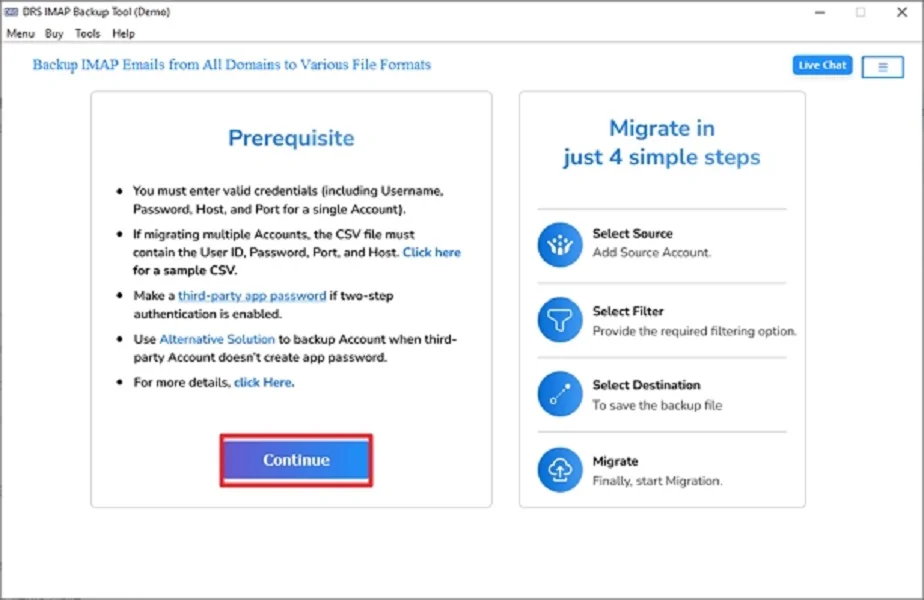
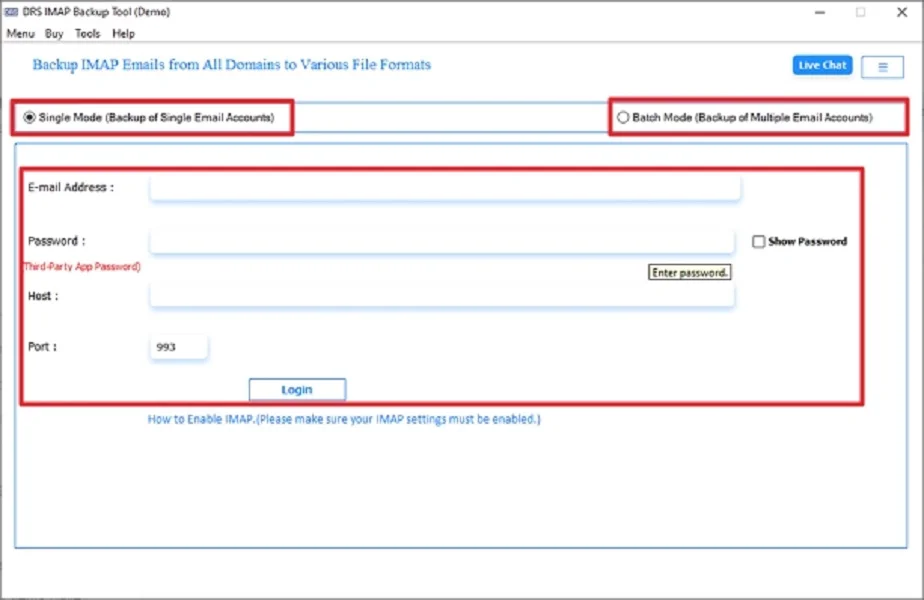
- Now, select SingleMode/Batch Mode → Login using the IMAP account credentials.
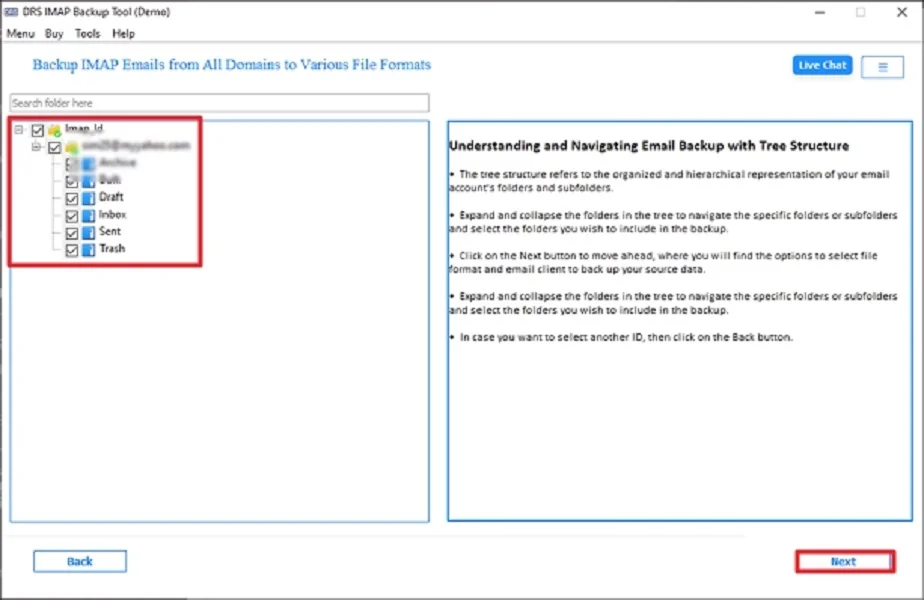
- After that, expand the tree structure → Preview the data → Next.
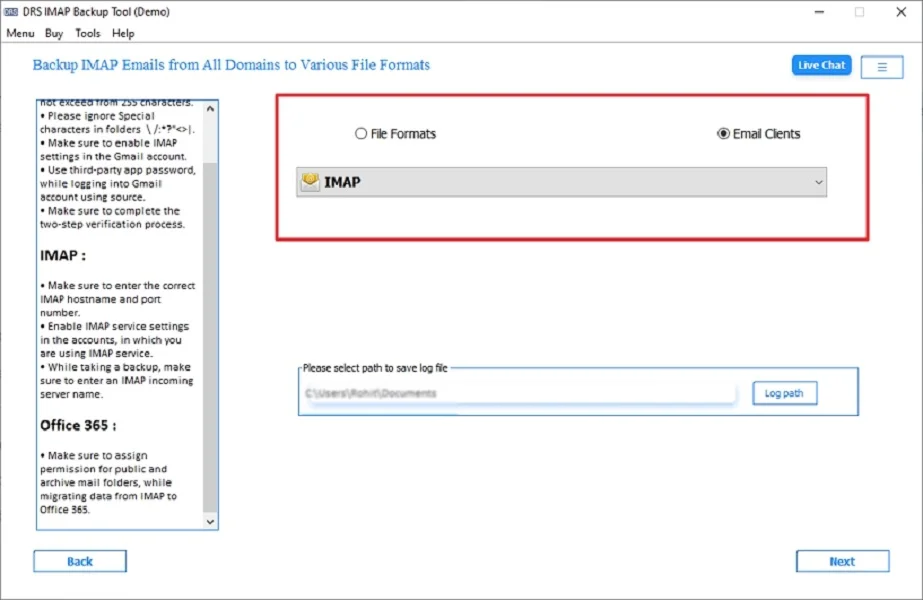
- Subsequently, choose IMAP as the saving format.
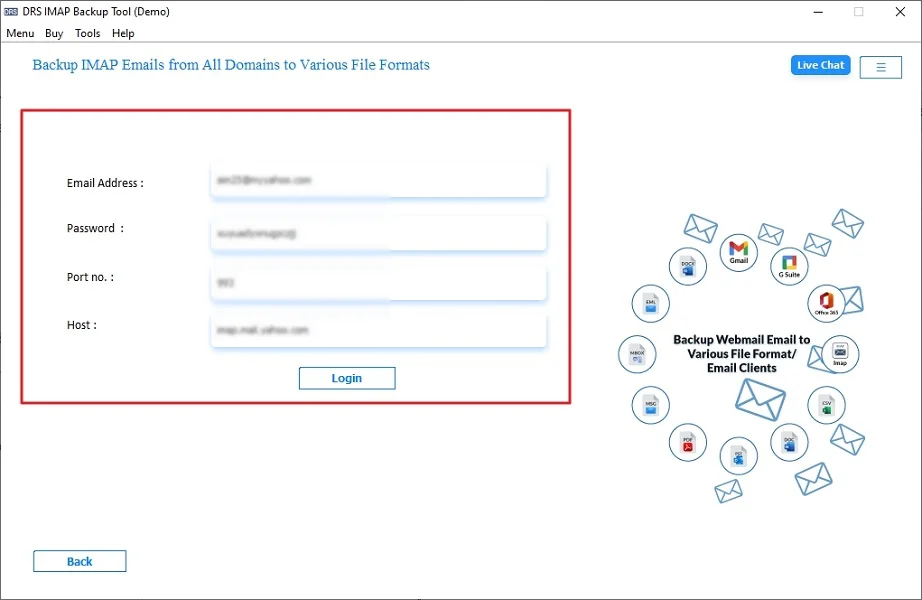
- Further, log in using the Zoho Mail Account credentials.
- Lastly, apply the built-in filters → Start Process to begin with the conversion.
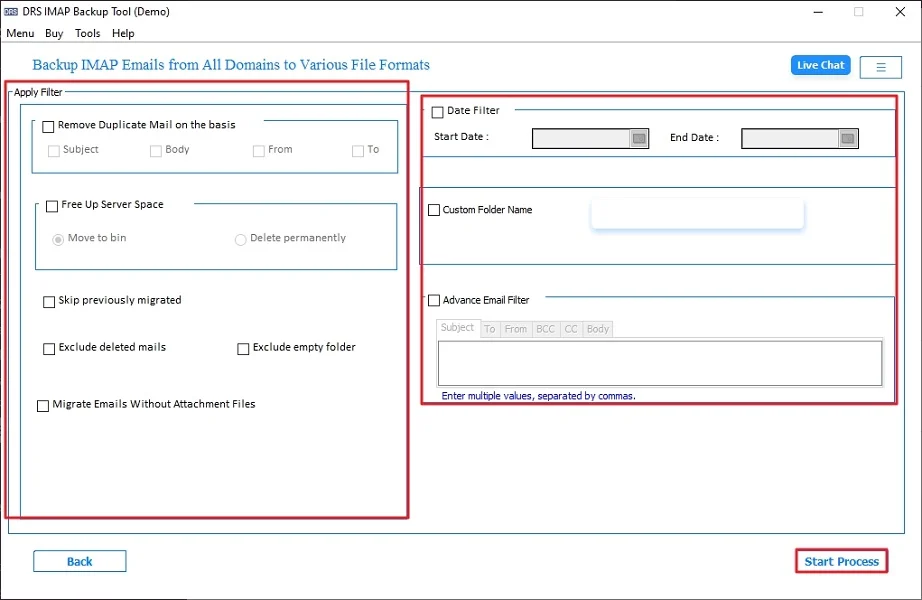
Advantages of Using the Tool to Migrate Emails from IMAP to Zoho Mail
- First of all, it converts IMAP to Zoho Mail in just a few clicks.
- This tool keeps the attachments, folder structure, and formatting intact.
- Moreover, it supports the users to migrate IMAP Emails to Office 365 and many more.
- The software provides real-time progress tracking and detailed reports.
- Also, allows date and folder filters for selective migration.
Real-World Scenario:
Sophia, a marketing manager, had multiple email accounts hosted on a local IMAP server. Her team switched to Zoho Mail for improved collaboration. Using the MigrateEmails IMAP Backup Tool, she successfully migrated all user emails to Zoho Mail in a single day.
Conclusion
In short, migrating emails from IMAP can be complex if done manually, but with the IMAP Backup Tool, the process becomes completely secure. Whether for personal or business use, the tool ensures accurate migration with zero data loss. Therefore, this conversion guaranteed success; consider opting for the One-Time Migration Service. Also, ensures to migrate emails from IMAP to Zoho Mail with 100% accuracy and high-end security.
Frequently Asked Questions
Q1. Can I migrate IMAP emails to Zoho Mail in bulk?
Ans. Yes. Using a professional utility like the MigrateEmails IMAP Backup Tool, you can easily migrate IMAP to Zoho Mail in bulk. The tool supports batch migration, allowing users or organizations to transfer all their mailboxes simultaneously without data duplication or loss.
Q2. Do I need technical skills to migrate IMAP to Zoho Mail successfully?
Ans. No, you don’t need any technical expertise. The IMAP Backup Tool is designed with a user-friendly interface. Even beginners can follow the simple on-screen instructions and complete the migration within minutes without any command-line operations or manual configuration.
Q3. Which tool is best to transfer emails from IMAP to Zoho Mail instantly?
Ans. The MigrateEmails IMAP Backup is considered the most efficient and reliable software to transfer Emails from IMAP to Zoho Mail. It ensures instant, secure, and error-free migration with full preservation of attachments, folder structure, and email properties.
Q4. Which tool can move IMAP data into a Zoho account using automated, user-friendly features?
About The Author:

I am Kiran Sharma, a Technical Expert in Content writing. I have technical expertise in the field of Email Backup, Data Recovery, and Email Migration, and resolve technical queries related to Cloud Backup or Email Migration for individuals and businesses.
Related Post