-
Written By Kiran Sharma
-
Approved By
Vikash Bajpai -
Updated on May 14th, 2026
Migrate Bluehost Email to Google Workspace in Bulk: 2026 Guide
User Query:“I’ve been using Bluehost email for a long time and now want to move all my emails to Google Workspace. What’s the easiest and most reliable way to migrate everything without losing emails, folders, or attachments?”
Introduction:- Many businesses start with Bluehost email hosting because it comes bundled with website plans and works fine for basic communication. But as teams grow, managing emails through Bluehost can start feeling limited. Users often face issues with storage, collaboration features, syncing, and email accessibility across devices.
That’s why many companies now prefer to migrate Bluehost Email to Google Workspace. It provides better email management and collaboration features. In this guide, you’ll learn about the manual and professional
MigrateEmails IMap Backup Tool.
That’s why many companies now prefer to migrate Bluehost Email to Google Workspace. It provides better email management and collaboration features. In this guide, you’ll learn about the manual and professional
MigrateEmails IMap Backup Tool.
Why Move Emails from Bluehost to Google Workspace?
There are several clear benefits of switching:
- Access emails easily across multiple devices
- Get better storage and team collaboration features
- Connect smoothly with Google apps and services
- Improve email security and spam protection
- Manage business communication more efficiently
- Access cloud-based emails anytime from anywhere
Quick Answer: Migrate Bluehost Email to Google Workspace
You can migrate Bluehost emails manually with IMAP settings. Users can also use a professional tool. The manual process works for smaller mailboxes, but it often becomes difficult with bulk email data. Many users prefer the MigrateEmails IMAP Backup Tool because it keeps attachments, metadata, and mailbox folders properly maintained during migration.
Solution 01: Manual Method for Migrating from Bluehost to Google Workspace
The manual method uses IMAP settings to connect Bluehost email accounts with Google Workspace.
Step 01: Enable IMAP in Bluehost
- First, log in to your Bluehost webmail account.
- Then, verify that IMAP access is enabled for the mailbox.
Step 02: Prepare Google Workspace Account
- Now, log in to your Google Workspace admin account.
- After that, enable email migration permissions.
Step 03: Configure Migration
- Next, open Google Workspace Data Migration Service.
- Then, enter the Bluehost IMAP server details and login credentials.
- Finally, start the migration process and wait for completion.
Limitations of the Manual Method:
- Bulk migration can take a lot of time
- Chances of missing emails or folders
- Requires manual IMAP setup and configuration
- Large mailboxes may transfer slowly
- No advanced filter options are available
- Users need to monitor the migration manually
Solution 02: Professional Method to Migrate Bluehost Email to Google Workspace
The MigrateEmails IMAP Backup Tool provides a reliable solution for migrating Bluehost to Google Workspace in bulk. The tool transfers emails safely. It keeps attachments, folders, metadata, and email formatting properly organized. The tool also helps users convert IMAP to MSG and supports migration between multiple email services. Users can easily Move Emails from Bluehost without complicated technical steps. It comes with a simple interface suitable for both technical and non-technical users.
Quick Steps to Transfer Bluehost Emails to Google Workspace:
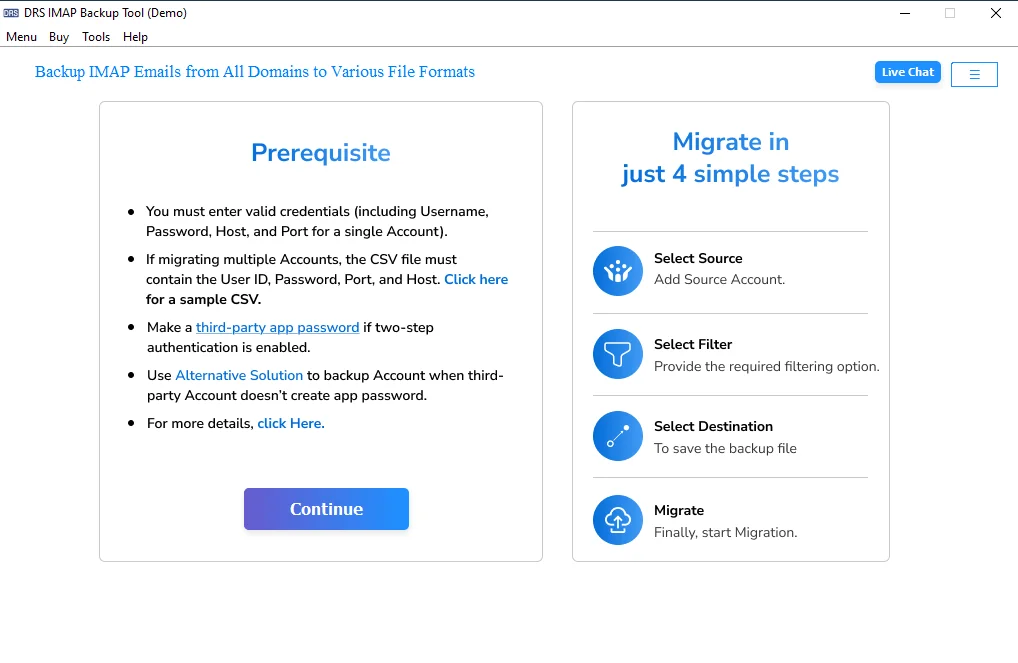
- First, download and install the MigrateEmails IMAP Backup Tool.
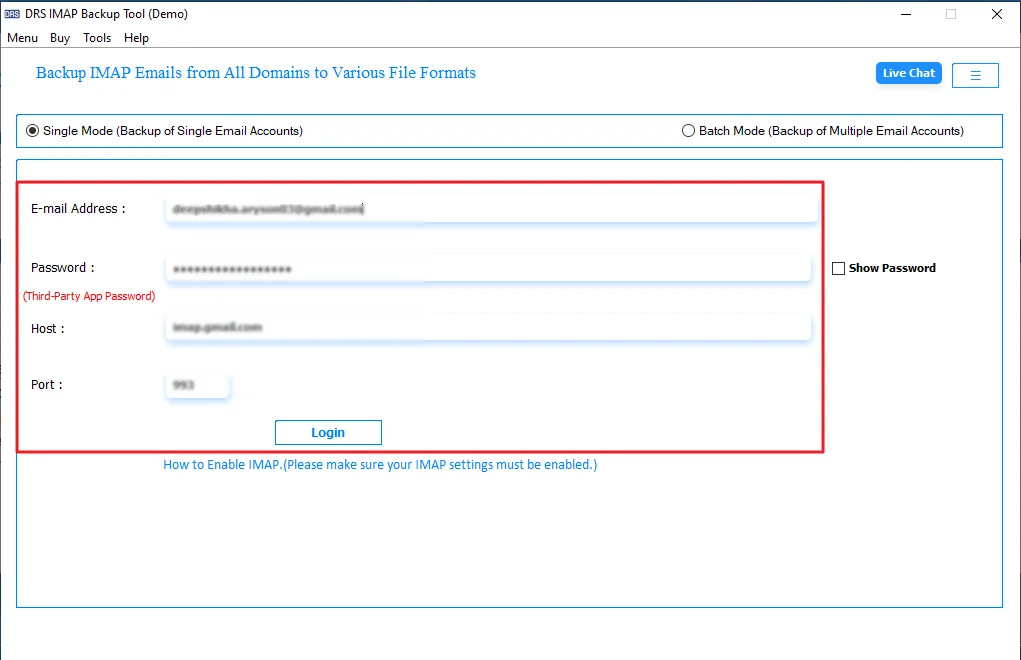
- Then, enter your Bluehost email credentials and click Login.
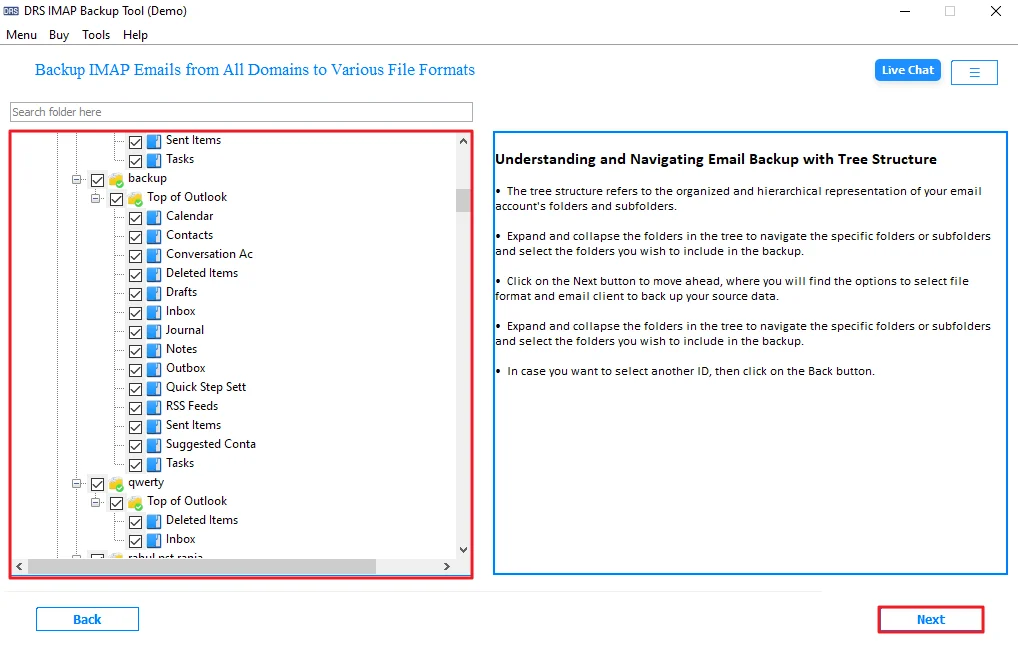
- Now, preview all mailbox folders and click Next.
- After that, choose Google Workspace as the email client.
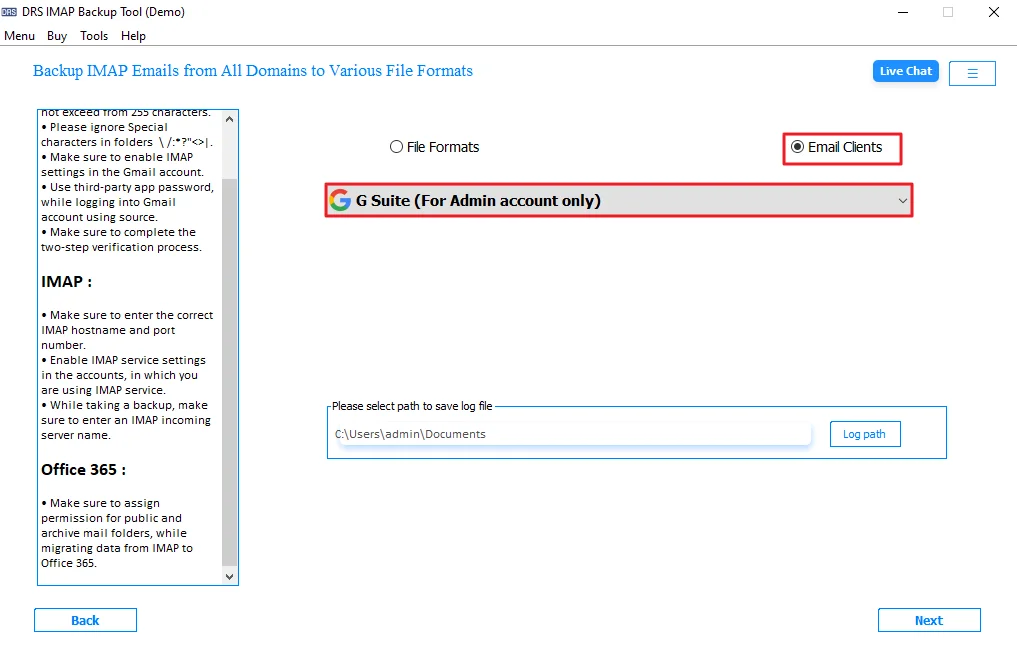
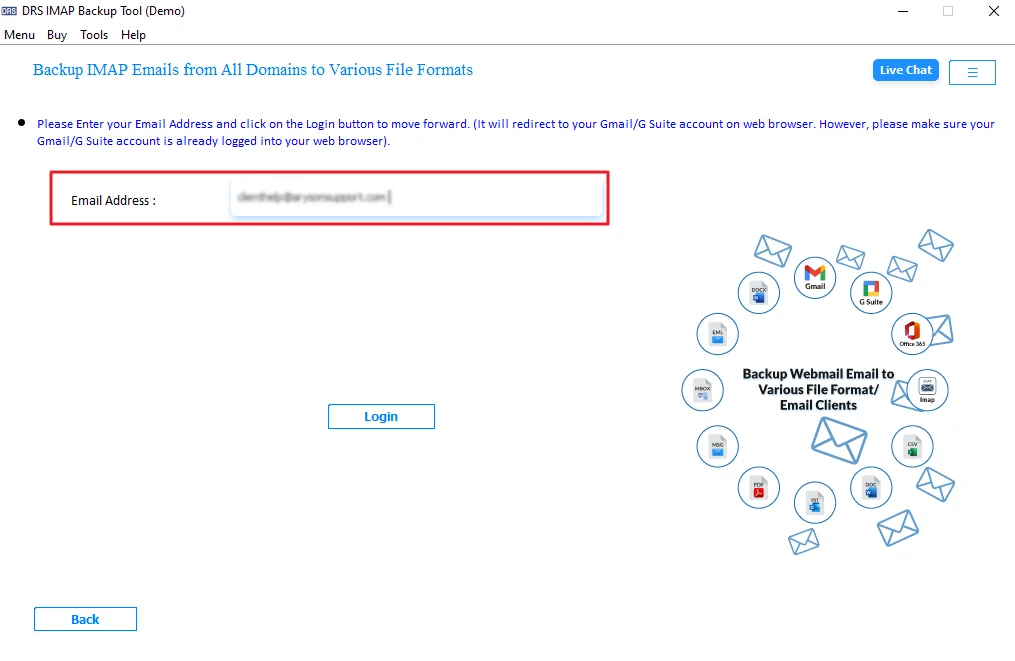
- Next, provide Google Workspace credentials. Click Login.
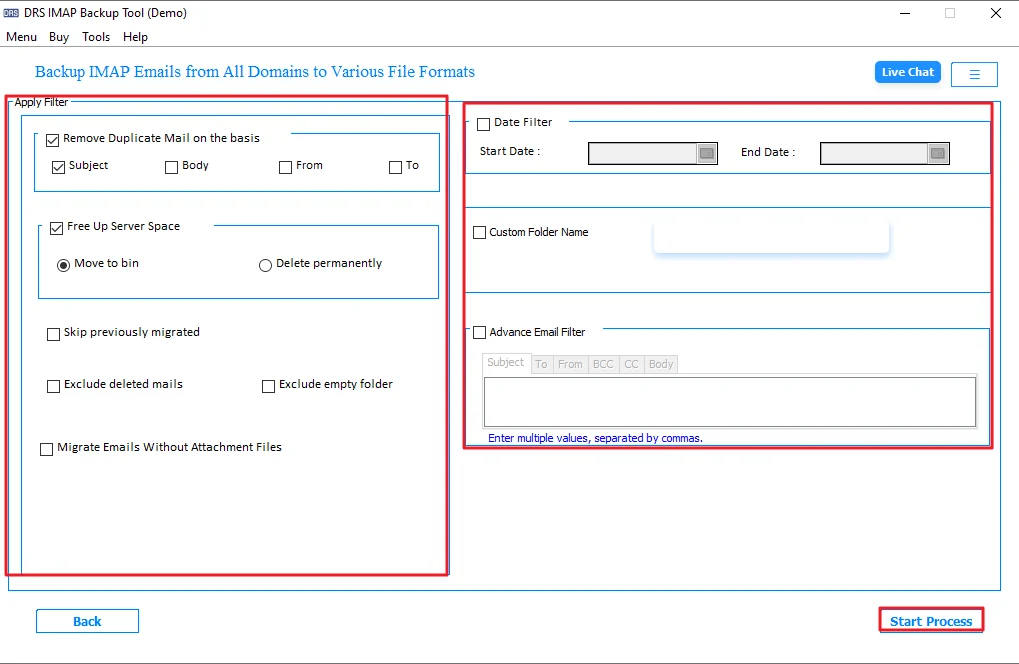
- Lastly, apply filters if needed and start the migration process.
Real-Life Scenario: Migrate Bluehost Email to Google Workspace for Free
A small business was using Bluehost email hosting for daily communication and team management. As the company grew, employees started facing storage issues and difficulty accessing emails across different devices. So, they decided to outgrow and move to Google Workspace, which offers free 15 GB shared storage. The IT team first tried manual IMAP migration methods, but the process became slow while handling multiple mailboxes.
Later, they used the MigrateEmails IMAP Backup Tool to batch migrate your Bluehost Email to Google Workspace. Within a short time, all emails, attachments, and folders were transferred successfully without affecting the original mailbox structure. It’s Demo Version allowed migration of 50 emails per folder for free. This helped the company improve collaboration and manage business emails more efficiently.
Advantages of the MigrateEmails IMAP Backup Tool:
- Transfer Bluehost emails to Google Workspace in bulk.
- Preserves attachments, metadata, and folder hierarchy.
- It helps users convert IMAP to PST and other formats.
- Includes selective email migration filter options.
- Preview mailbox data before starting migration.
- Simple interface with a secure migration process.
Conclusion
In this blog, we discussed different ways to migrate Bluehost Email to Google Workspace. The manual IMAP method can work for small mailbox transfers, but it often becomes slow and difficult for larger email accounts. A migration tool makes the process easier. It also supports bulk email transfer without a difficult setup.” It also helps keep emails, attachments, and folders properly organized during migration. Users can first try the free demo version to understand how the tool works before starting the complete migration process.
Frequently Asked Questions
Q1. Can I Migrate Bluehost Email to Google Workspace on both Windows and Mac?
Ans. The MigrateEmails IMAP Backup Tool supports both Windows and Mac systems and helps users migrate Bluehost emails without affecting attachments or mailbox structure.
Q2. What is the easiest way to Move Emails from Bluehost to Google Workspace?
Ans. Many users prefer the MigrateEmails IMAP Backup Tool because it simplifies the Bluehost to Google Workspace migration and securely transfers emails, folders, attachments, and metadata properly.
Q3. Do I need technical knowledge to migrate from Bluehost to Google Workspace?
Ans. No, the MigrateEmails IMAP Backup Tool comes with a simple interface that helps non-technical users complete email migration easily.
Q4. Can I migrate Bluehost email to Gmail directly?
Ans. The MigrateEmails IMAP Backup Tool allows users to migrate Bluehost emails directly to Gmail and Google Workspace accounts without complicated manual IMAP configuration steps.
Q5. Which is the best tool to migrate Bluehost email to Google Workspace?
Ans. Many users choose the MigrateEmails IMAP Backup Tool for bulk Bluehost email migration because it preserves folders, attachments, metadata, and formatting accurately.
About The Author:

I am Kiran Sharma, a Technical Expert in Content writing. I have technical expertise in the field of Email Backup, Data Recovery, and Email Migration, and resolve technical queries related to Cloud Backup or Email Migration for individuals and businesses.
Related Post