-
Written By Neeru Kuchhal
-
Approved By
Vikash Bajpai -
Updated on May 12th, 2026
Convert XML to HTML: Fast and Secure Methods in 2026
Liam’s Query:-
“I need to transform multiple XML files into HTML for website viewing and reporting purposes. Is there any simple method to convert XML to HTML in bulk?”
“I need to transform multiple XML files into HTML for website viewing and reporting purposes. Is there any simple method to convert XML to HTML in bulk?”
Introduction: XML files are widely used to store and organize structured data, but they are not easy to read directly in a web browser. That’s why many users look for ways to convert XML to HTML for better readability, sharing, and website display. HTML files make XML content easier to view in a properly formatted webpage layout. In this blog, we will explain free manual methods and a professional solution to convert XML files to HTML without losing formatting or data structure. We will also discuss why users prefer HTML format using the MigrateEmails XML Converter Tool.
Convert XML File to HTML: Why?
There are several reasons why users need to convert XML files to HTML:
- HTML files are easier to read in web browsers.
- XML data becomes visually organized after conversion.
- HTML files can be shared easily with others.
- Users can publish XML content directly on websites.
- HTML supports better formatting and page design.
- Browsers display HTML more smoothly than raw XML files.
- HTML files are easier to print and archive.
Different Manual Methods to Convert XML to HTML
There are a few free manual ways to transform XML files into HTML format. They are mainly suitable for basic and limited conversion needs.
Method 01: Open XML in Browser and Save as HTML
- First, locate the XML file on your system.
- Then, right-click the file and open it using a web browser.
- After that, the XML content will appear in a structured format.
- Next, press Ctrl + P to open the print settings.
- Now, choose the Save as PDF or webpage options depending on the browser.
- Finally, save the file in HTML-supported format if available.
Method 02: Use Notepad or Text Editor to Transform XML to HTML
- Open the XML file in Notepad or any text editor.
- Then, manually add HTML tags around the XML content.
- After that, save the file with the .html extension.
- Finally, open the file in a browser to view the HTML page.
Drawbacks: Export XML to HTML Manually
- Manual conversion takes a lot of time for large XML files.
- Users need technical knowledge to edit HTML tags manually.
- Formatting and structure may break during conversion.
- It is difficult to convert XML files to HTML in bulk manually.
- Large XML files may become hard to manage.
- There is a higher chance of data modification errors.
Expert Choice to Convert XML to HTML
Converting XML files manually can become difficult when dealing with large or multiple files. The MigrateEmails XML Converter Tool helps users convert XML files to HTML without complicated manual steps. It supports both technical and non-technical users and allows users to convert XML to JPG, PDF, DOC, CSV, and other formats. The tool maintains the original data structure and formatting during the conversion process. Additionally, it works smoothly on all Windows versions and also provides a demo version for testing the software features.
One-Time Conversion Service Available
If users do not want to download any software, they can use a one-time conversion service for XML to HTML conversion with support assistance. This option is useful for users with urgent or large-scale conversion requirements.
Why Choose MigrateEmails XML Converter Tool?
- It allows users to convert XML to CSV and other file formats easily.
- Supports bulk XML to HTML conversion without affecting the original data.
- Maintains the file structure and formatting during the conversion process.
- The tool lets users view XML content before starting conversion.
- It works efficiently on both Mac and Windows platforms.
- Provides a secure and reliable XML conversion process.
Simple Steps to Convert XML to HTML in Bulk:
- First, download and install the MigrateEmails XML Converter Tool.
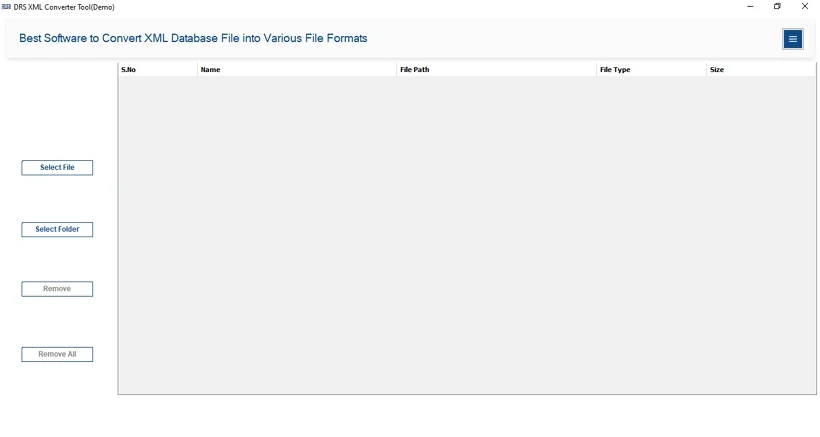
- After that, click Select File/Select Folder to add the XML files. Click Next.
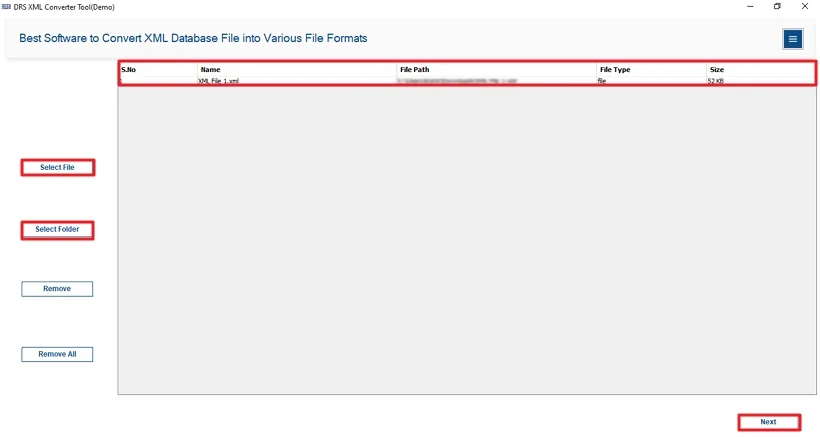
- Next, preview the selected XML data.
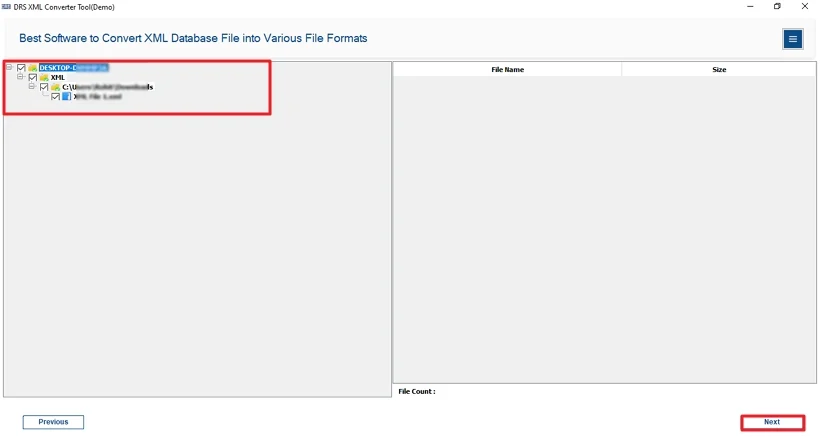
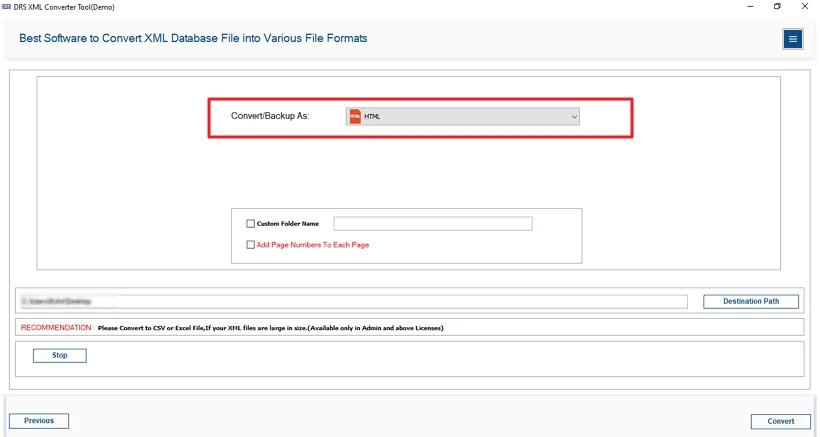
- Subsequently, choose HTML as the saving format.
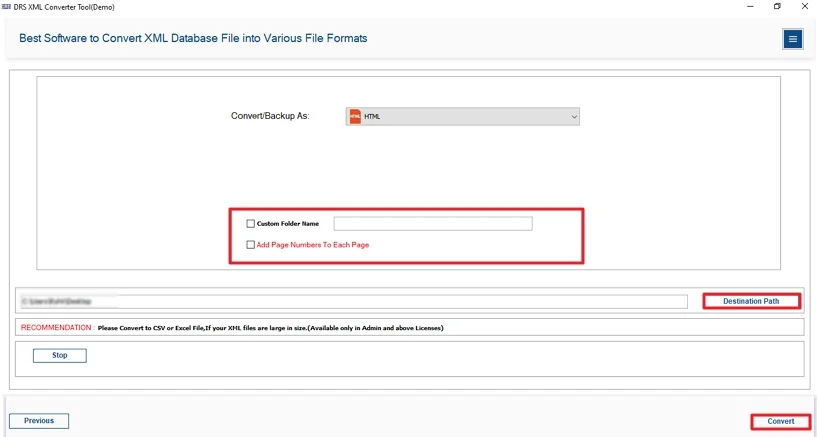
- Finally, apply additional filters/features if needed. Click Convert.
Real-Life Scenario
Daniel worked with XML invoice files daily in his office. Reading raw XML data became difficult whenever he needed to share reports with clients. He wanted a simple way to make XML files readable in a browser format. At one point, he also needed to convert XML to PNG for sharing image-based reports with his team.
After trying manual methods, he used the MigrateEmails XML Converter Tool to convert XML files into HTML pages. The tool helped him save time and kept the original data structure properly organized.
Conclusion
In this blog, we discussed different ways to convert XML to HTML. You can use manual methods for basic XML conversion, but they become difficult for bulk files. An XML Converter Tool helps reduce manual effort and saves time. It helps keep the original formatting and file structure the same during conversion. Users can also convert multiple XML files and save them in different formats when needed.
Frequently Asked Questions
Q1. Is it Possible to batch convert XML to HTML?
Ans. Yes, you can batch convert XML to HTML using the MigrateEmails XML Converter Tool. It allows users to convert multiple XML files together without changing formatting or structure.
Q2. What is the easiest way to convert XML Files to HTML?
Ans. The easiest way is to use an automated XML Converter Tool. It simplifies the conversion process and helps users save XML files directly into HTML format quickly.
Q3. Can I transform XML to HTML on both Windows and Mac?
Ans. Yes, many XML conversion applications support both Windows and Mac operating systems, allowing users to convert XML files into HTML without compatibility problems.
Q4. Do I need any technical knowledge to convert XML to HTML?
Ans. No, tools like the MigrateEmails XML Converter Tool provide a simple interface, so users can convert XML files without requiring technical knowledge or coding skills.
Q5. What is XML File Converter?
Ans. An XML File Converter is software that helps users convert XML files into different formats like HTML, PDF, DOC, TXT, CSV, and other supported formats easily.
Q6. Is XML to HTML conversion safe?
Ans. Yes, XML to HTML conversion is generally safe when using trusted software because it maintains original file data, formatting, and structure during the conversion process.
Q7. How to Export XML to HTML?
Ans. You can export XML to HTML by selecting the XML file in the converter tool, choosing HTML format, and starting the conversion process on your system.
About The Author:

I am Neeru Kuchhal, a Technical Content Writer who focuses on turning complex ideas into clear, engaging, and impactful content. I combine creativity with strategy to write blogs, web content, and technical articles that connect with the right audience and support brand goals. I believe great content is not just written. It is thoughtfully created to inform, build trust, and drive action.
Related Post