-
Written By Kiran Sharma
-
Approved By
Vikash Bajpai -
Updated on May 12th, 2026
Quick Solution to Convert VCF to PDF Format Safely
Daniel Query: ““I have multiple VCF files with client contact details saved from my phone. Now I need to share them with my team in a readable format. What’s the easiest way to convert VCF files to PDF without losing any contact information?””
Introduction:- vCard files help users save contact information in one place, including names and phone numbers. However, these files are not always easy to open, print, or share clearly. That’s why many users convert VCF to PDF. PDF files are easier to open, manage, print, and share across different devices without changing the contact information. In this guide, we’ll explain both manual and professional MigrateEmails VCF to CSV Converter Tool methods to convert VCF files into PDF format without affecting contact details or formatting.
Why Do Users Convert VCF File to PDF?
There are several reasons why users prefer saving vCard contacts as PDF documents:
- Easy to print whenever needed.
- You can share PDF files without any hassle.
- Works fine on Windows, Mac, and mobile phones.
- Good for sending contact lists to teams or clients.
- Also useful for keeping contact records safe.
Quick Steps to Save VCF to PDF
- First, download and install the VCF Converter Tool.
- Click the VCF option to upload VCF files.
- After that, preview & select the contacts.
- Next, choose PDF as the saving format.
- Finally, apply filters if needed and click Convert.
Native Method to Convert VCF to PDF
If you only need to convert a few contacts, the manual method can work. You can save VCF files as PDF without using any professional tool.
Steps to Transfer VCF to PDF Manually :
- First, open the VCF file in the Contacts app or Outlook.
- Then, check the contact details properly.
- After that, click on the Print option.
- Next, choose “Microsoft Print to PDF” as the printer.
- Finally, select thedestination location & save the file as aPDF.
Loopholes of The Manual Method:
- Suitable only for a small number of contacts.
- No batch conversion option available.
- Formatting may vary in some cases.
- Time-consuming for multiple VCF files.
Expert Choice to Convert VCF to PDF
If you have multiple VCF files or need a quicker solution, using a professional tool is a better option. Tools like the MigrateEmails VCF to PDF Converter help users convert contacts accurately without changing formatting or losing data. It also supports batch conversion and features like Convert VCF to CSV for better contact management and file compatibility.
One-Time Conversion Service Option-
If you don’t want to install any software or do the conversion manually, you can simply share your VCF files with the support team. They will convert the files into PDF format for you quickly and securely.
Working Guide to Convert VCF to PDF in Batch:
- Launch the installed VCF to CSV Converter Tool.
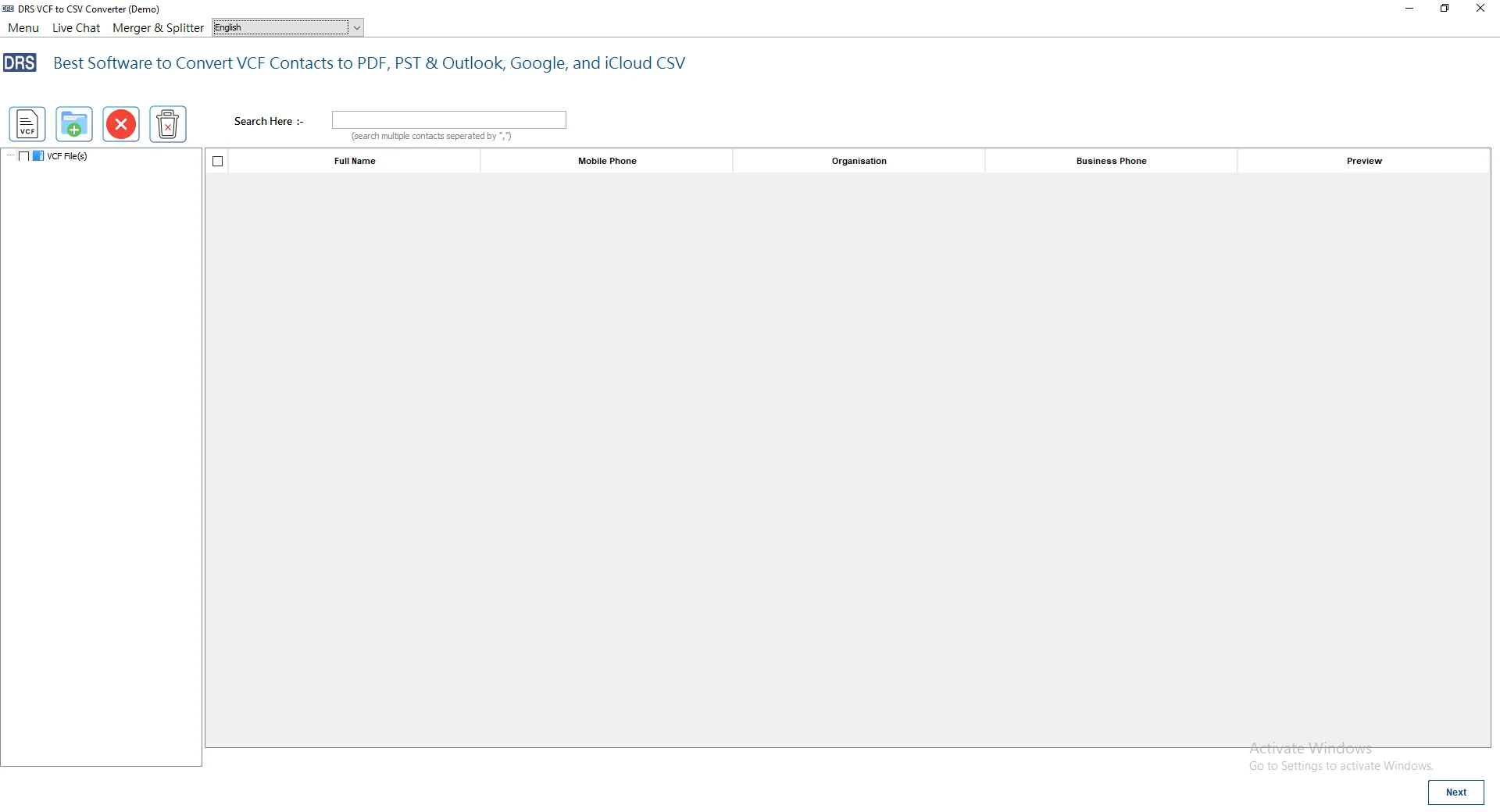
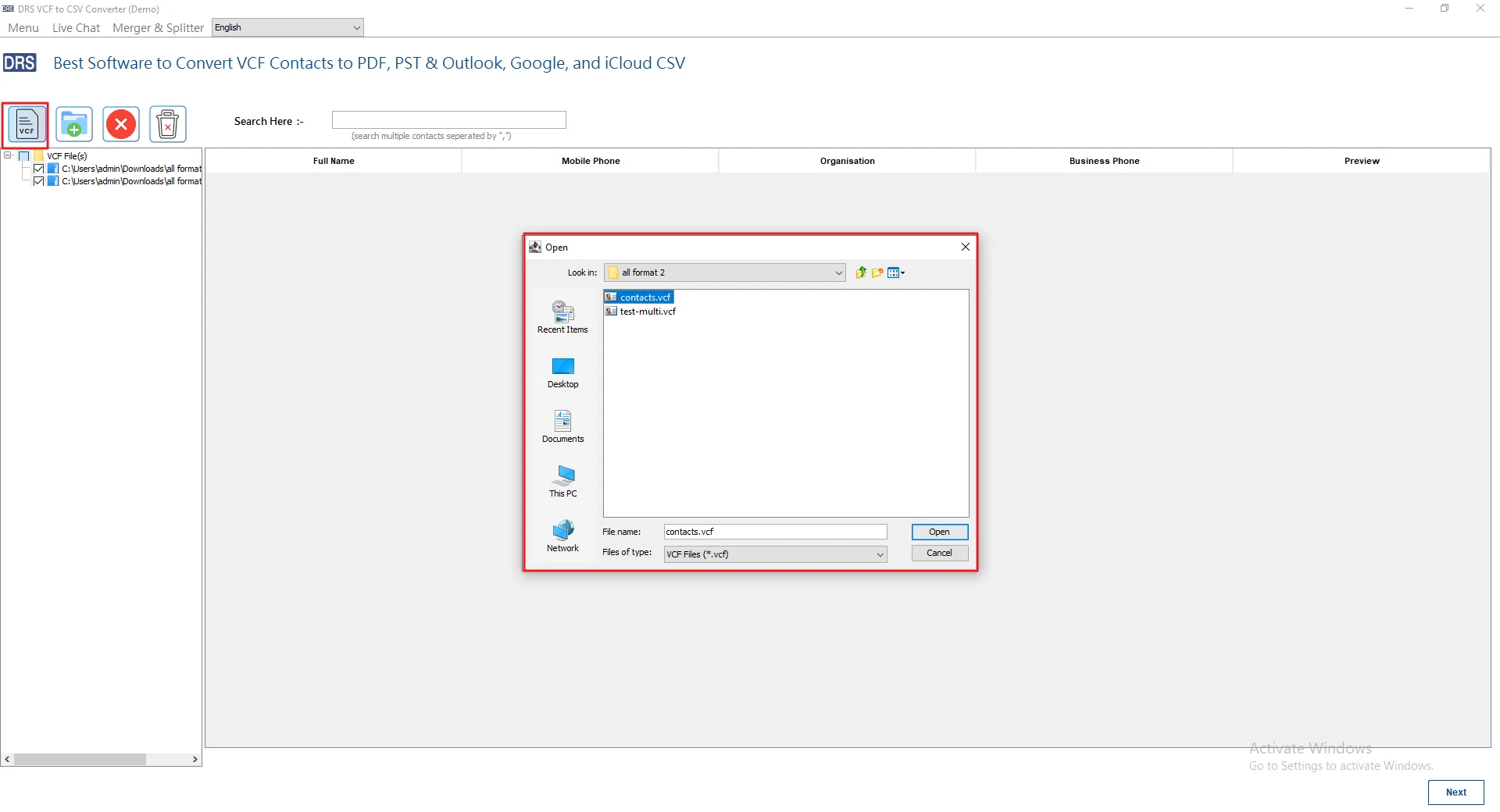
- After that, click the VCF icon and select the contact file you want to add.
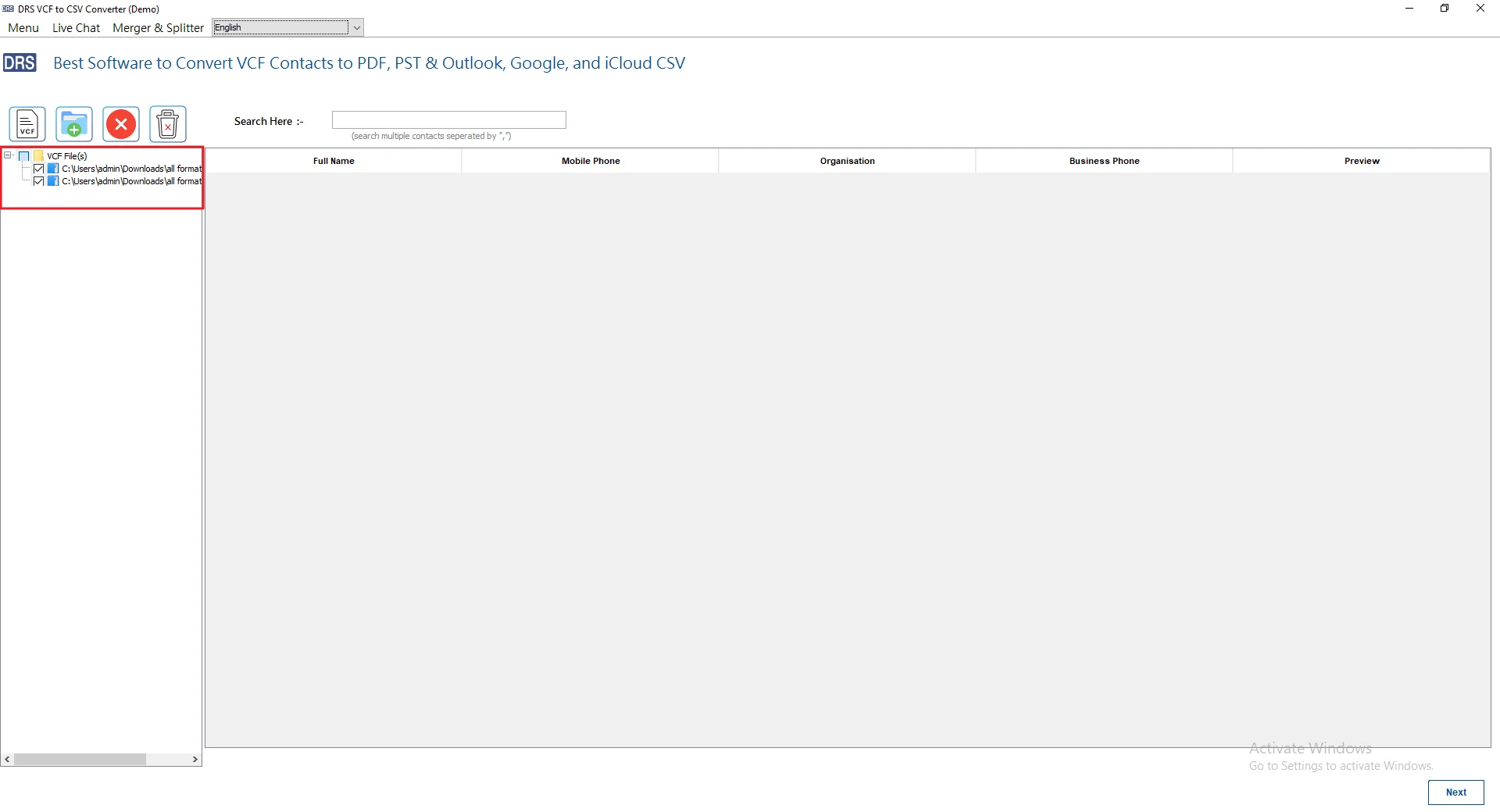
- Afterwards, preview & select the added contacts before conversion.
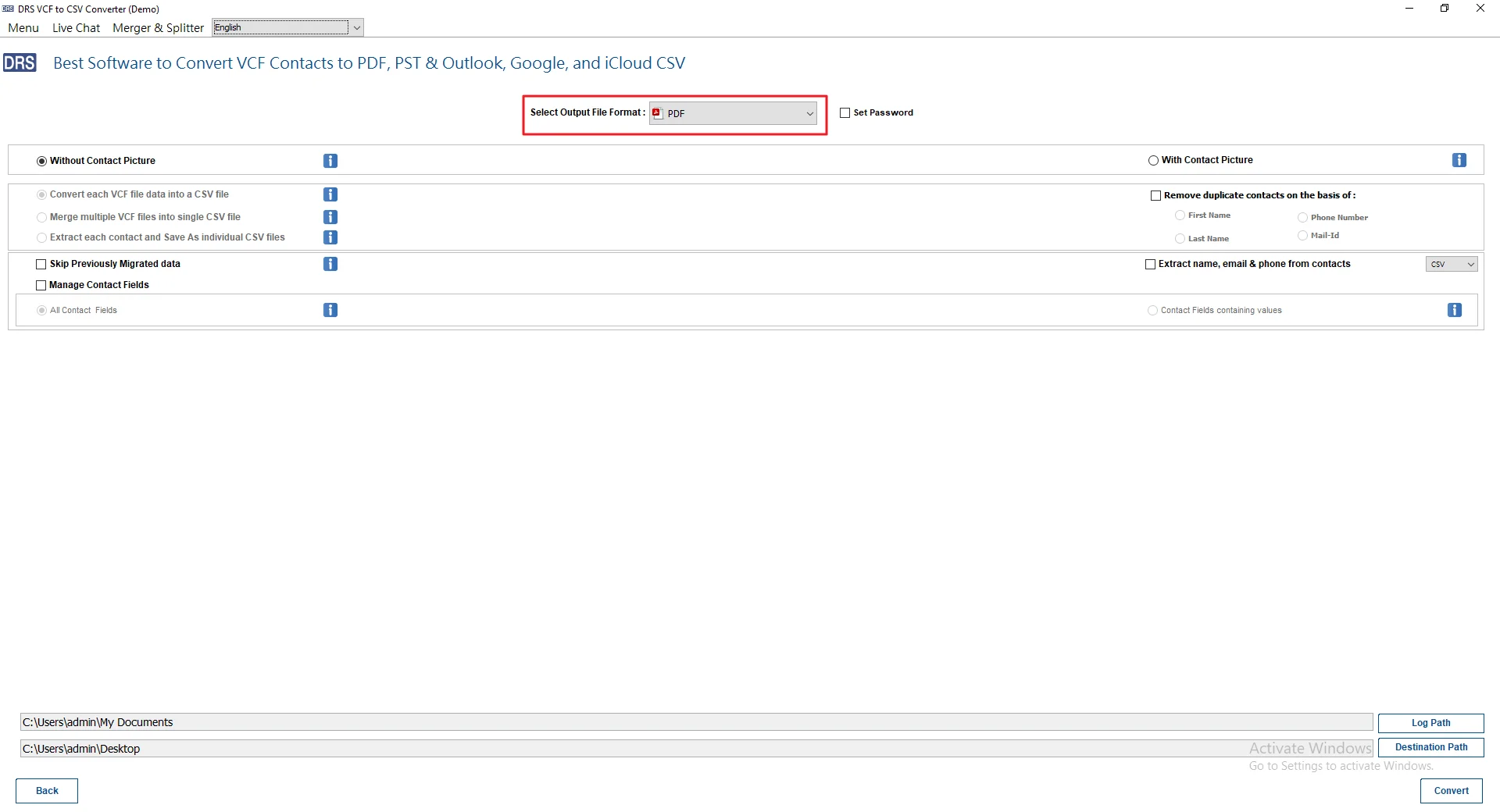
- Next, select PDF from the available saving formats.
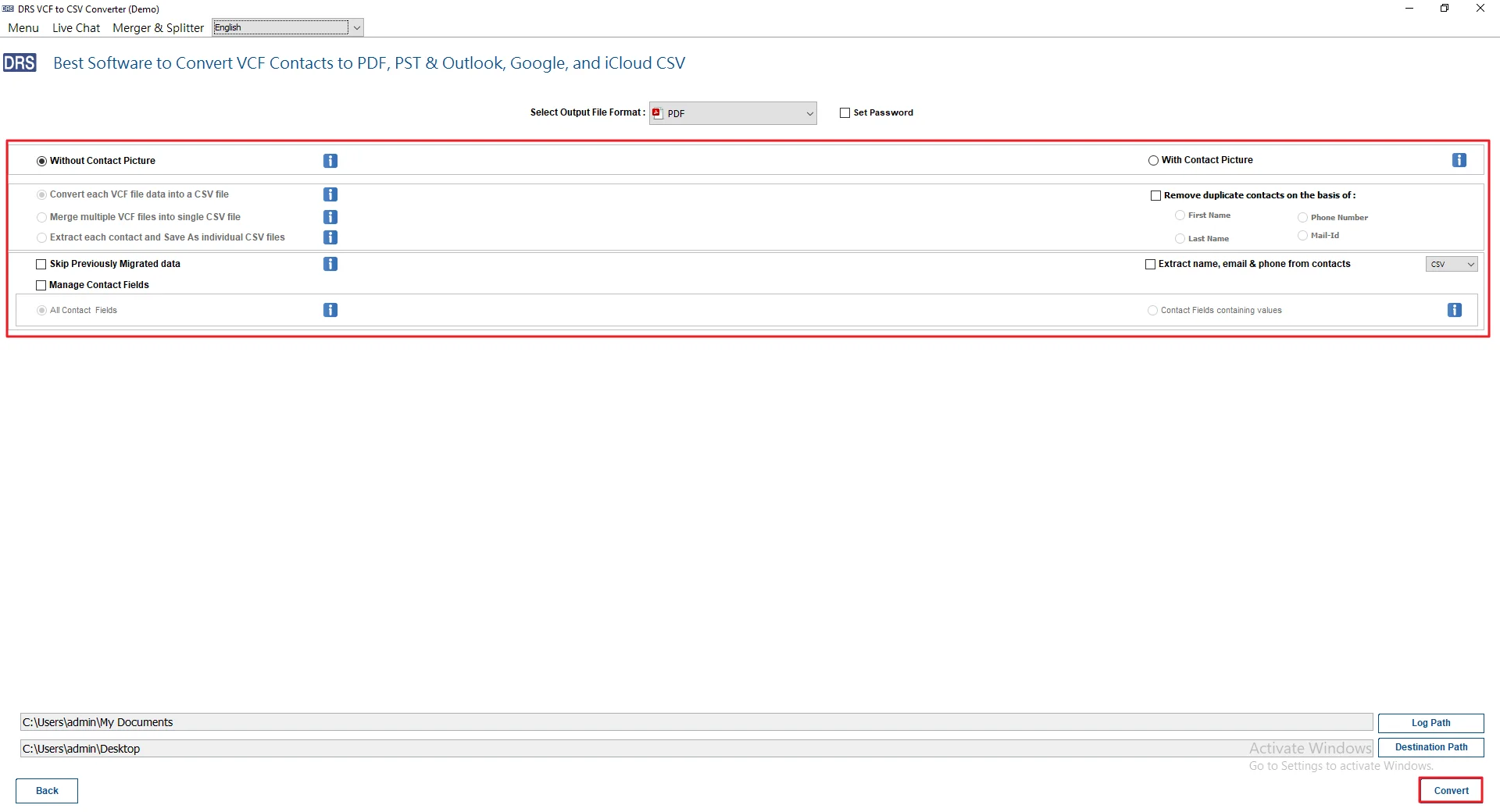
- Finally, use additional features if needed and click Convert.
Real-Life Scenario: Convert vCard to PDF
Ozen works as a sales executive at a marketing company. He regularly saves client details from his phone as VCF files after meetings and campaigns. During team discussions, sharing raw VCF files became difficult because not everyone could open them properly.
To make things easier, he converted all the vCard contacts into a single PDF document. Now, the team can quickly view, print, and share contact lists without needing any technical setup.
Why Choose MigrateEmails VCF Converter Tool?
- Convert VCF files into PDF without changing contact details.
- Add and convert multiple vCard files in one process.
- SupportsConvert VCF to Word and other useful file formats.
- Keeps names, emails, phone numbers, and addresses properly formatted.
- Simple interface that’s easy for any user to handle.
- Free demo version available to check the tool features.
Conclusion
Sharing large VCF files can become confusing, especially when different devices don’t open them properly. Saving them as PDF keeps everything easier to read, print, and manage. Manual conversion is okay for a few files only. A professional tool helps convert VCF to PDF more easily and keeps the contact details properly arranged.
Frequently Asked Questions
Q1. Can I convert multiple VCF files to PDF?
Ans. Yes, you can convert multiple VCF files into PDF format using professional tools that support batch conversion and preserve all contact details properly.
Q2. How can I convert VCF to PDF manually?
Ans. Open the VCF file in Contacts or Outlook, choose the Print option, and save the contact file using Microsoft Print to PDF feature.
Q3. Is it possible to convert VCF File to PDF online?
Ans. Yes, the MigrateEmails VCF to CSV Converter helps users manage and convert VCF files safely while maintaining contact details and original formatting properly.
Q4. Do I need technical knowledge to save VCF to PDF?
Ans. No, most VCF converter tools provide a simple interface that helps users convert contacts into PDF format without any technical knowledge or experience.
Q5. Is converting VCF to PDF safe?
Ans. Yes, converting VCF files to PDF is safe when using trusted software or secure offline tools that do not upload personal contacts online.
Q6. Suggest the best way to convert VCF to PDF?
Ans. The MigrateEmails VCF to CSV Converter also supports other formats and provides an easy way to manage and convert VCF contact files accurately.
Q7. Can I convert VCF to PDF without installing software?
Ans. Yes, you can use manual methods or online converters to save VCF files as PDF without downloading or installing additional software programs.
Q8. What is VCF File?
Ans. A VCF file, also called vCard, is a contact file format used to store names, phone numbers, email addresses, and other details.
Q9. Are there any file size limitations when converting VCF to PDF?
Ans. File size limitations depend on the tool being used. Professional software usually supports large VCF files without affecting contact information or formatting.
Q10. Is it Possible to transfer VCF to PDF on both Windows and Mac?
Ans. Yes, users can convert VCF files to PDF format on both Windows and Mac systems using manual methods or professional conversion software easily.
About The Author:

I am Kiran Sharma, a Technical Expert in Content writing. I have technical expertise in the field of Email Backup, Data Recovery, and Email Migration, and resolve technical queries related to Cloud Backup or Email Migration for individuals and businesses.
Related Post