-
Written By Kiran Sharma
-
Approved By
Vikash Bajpai -
Updated on January 15th, 2026
How to Import EML to Yandex Mail: Simple & Safe Methods
User Query:-
“I have EML files saved on my system, and I want to import EML to Yandex Mail without losing data. What is the easiest and most reliable method to do this?”
“I have EML files saved on my system, and I want to import EML to Yandex Mail without losing data. What is the easiest and most reliable method to do this?”
Introduction:- EML files are commonly used to store individual email messages, but Yandex Mail does not allow direct EML files. This creates a challenge for users who want to move their converted emails into Yandex Mail. In this guide, we explain simple and safe methods to import EML Files to Yandex Mail. Additionally, it explains the professional MigrateEmails EML Converter Tool, allowing you to choose the best option without any data loss.
Understanding the Difference Between the Two Formats
| Features Aspects | EML File | Yandex Mail |
|
Single email file | Cloud-based email service |
|
Local system | Online mailbox |
|
Embedded inside the file | Stored with emails |
|
Supported in email clients | Not supported |
|
Backup & archiving | Daily email usage |
Why Import EML to Yandex Mail?
- Accessing old emails directly in Yandex Mail.
- Centralizing archived and live emails.
- Preserves attachments and formatting.
- Avoid switching between email clients.
- Moreover, enable cloud-based email access.
Manual Method to Transfer EML to Yandex Mail
If you don’t want to download any third-party software, you can use the manual method instead. Although this method does not provide a direct option to export EML files. Still, you can use an email client like Mozilla Thunderbird as a bridge.
User Manual to Follow the Step-by-Step Solution
- Firstly, install Mozilla Thunderbird.
- Now, configure your Yandex Mail account using IMAP.
- Then, install the ImportExportTools NG add-on.
- After that, create a local folder and import EML files.
- Drag imported emails to the Yandex IMAP folder.
- Lastly, wait for synchronization to complete.
Limitations to Manually Import EML to Yandex Mail
- It is time-consuming for large EML files.
- Risk of sync failure with big attachments.
- This method requires technical setup.
- There is no duplicate email filtering.
- Also, manual errors may cause missing emails.
Professional Tool to Open EML File in Yandex Mail
A professional EML converter tool offers a safer and faster solution. The tool directly adds EML files to Yandex Mail using secure IMAP authentication. The software allows users to convert EML to DOC with zero data loss. It offers complete accuracy and full security along with preservation. Also, it has a beginner-friendly interface suitable for non-tech users. Some of the key advantages are:
- Multiple EML conversion without size limits.
- Preserves attachments, headers, and formatting.
- There is no email client required.
- It has a user-friendly interface.
- Enables users to convert EML to MSG.
- Furthermore, it prevents duplicate emails.
One-Time Migration Service to Import EML to Yandex Mail:-
For users who don’t want to handle the process themselves, a one-time migration service is ideal. Just connect with our team. The experts convert all EML files into Yandex Mail securely. Also, guarantees zero data loss and minimal downtime without any effect.
For users who don’t want to handle the process themselves, a one-time migration service is ideal. Just connect with our team. The experts convert all EML files into Yandex Mail securely. Also, guarantees zero data loss and minimal downtime without any effect.
Step-by-Step Guide Using an Automated Tool
- Firstly, launch the MigrateEmails EML Converter Utility and click Next.
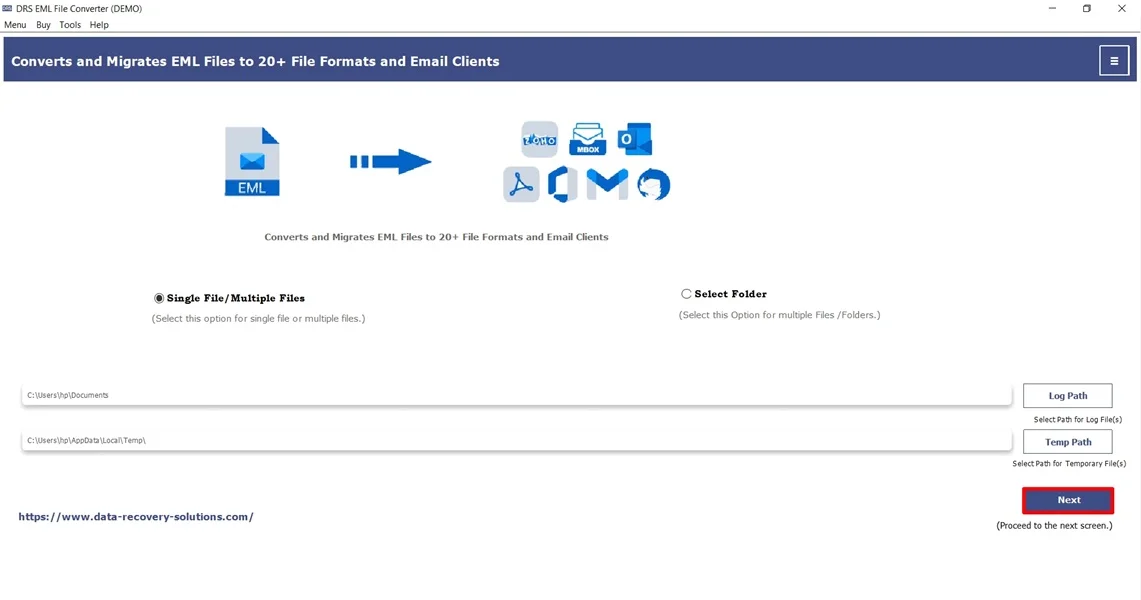
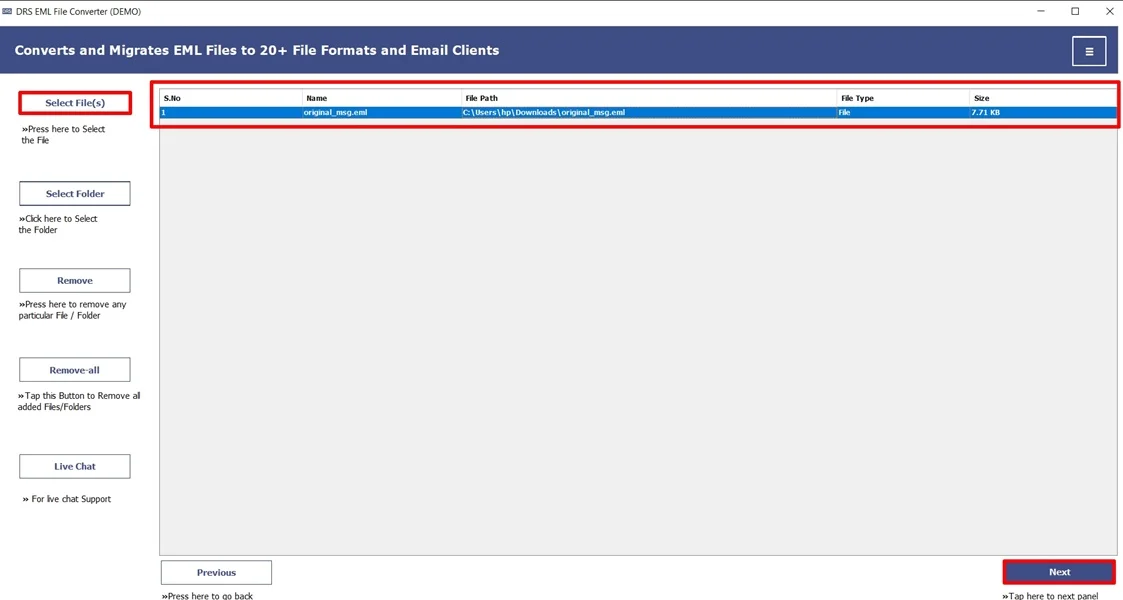
- Now, Select File(s)/Folders, add the EML file that you want to convert, and click Next.
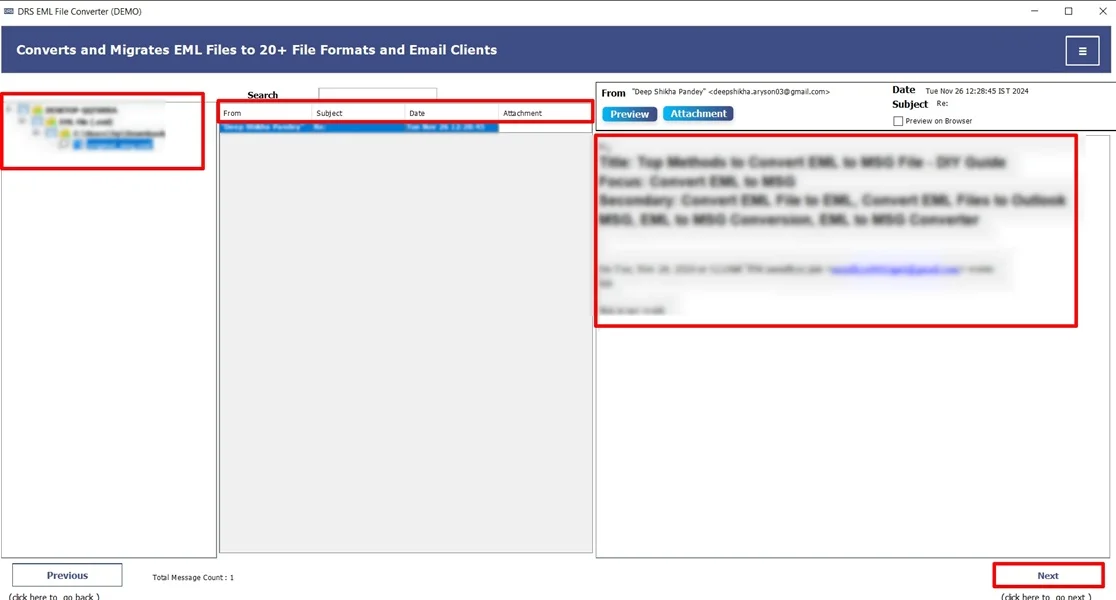
- Afterwards, drag the structure, preview the details in the mailbox, and click Next.
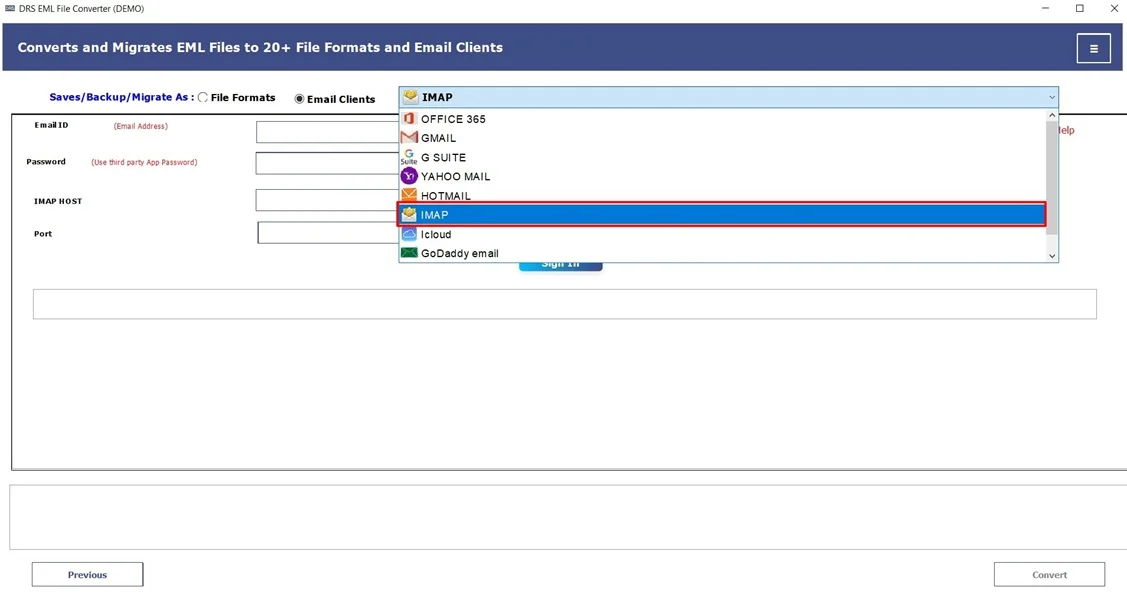
- Furthermore, choose IMAP as the saving email platform.
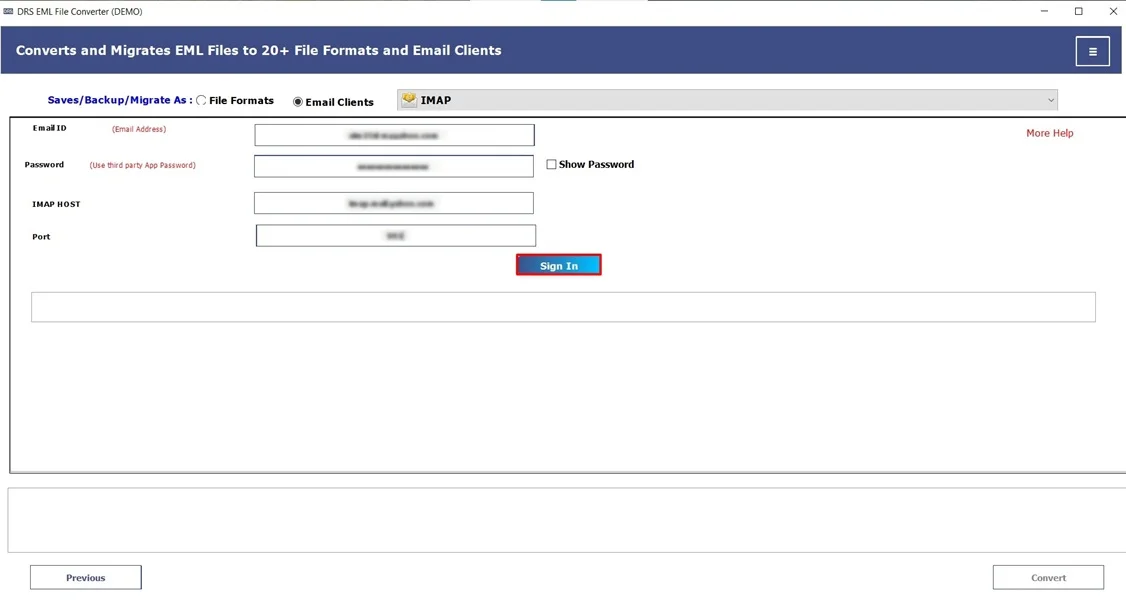
- Subsequently, sign in using the IMAP account credentials.
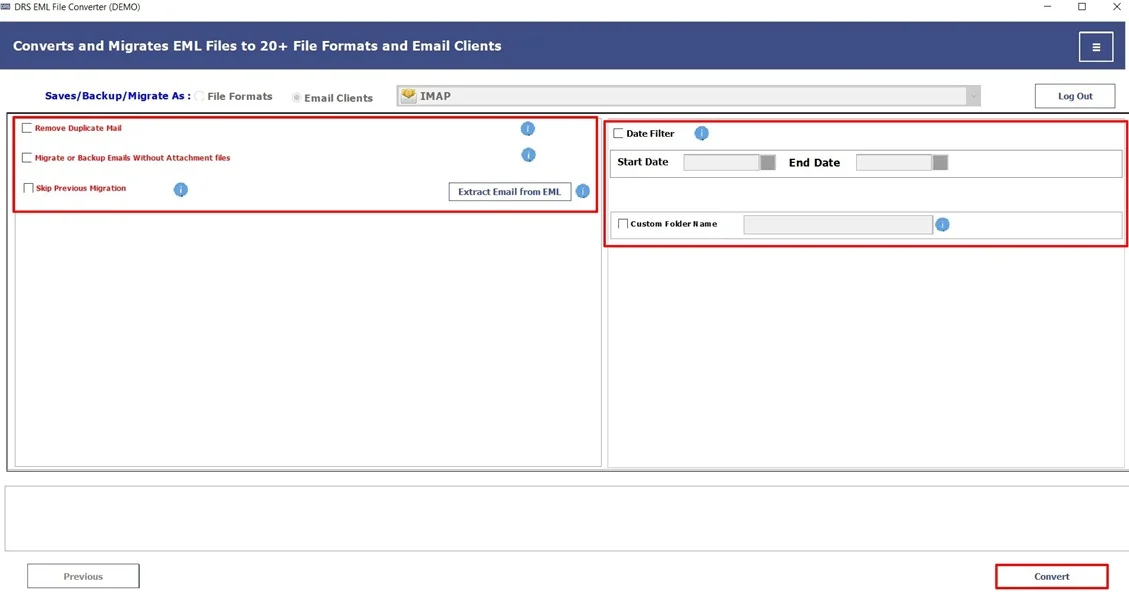
- In the end, apply the filters if required and click Convert to begin the conversion.
Top Features of a Professional Tool to Import EML to Yandex Mail
- It supports multiple EML files simultaneously.
- Maintains folder hierarchy and structure intact.
- Preserves attachments & metadata with zero data loss.
- The tool comes with secure IMAP authentication.
- Additionally, it is compatible with Windows & macOS.
Real-Life Example:-
A legal consultant had years of client communication saved as EML files on a local system. To access these emails remotely and keep everything managed, they needed to import multiple EML files to Yandex Mail. Using an automated EML converter tool, they successfully transferred all emails with attachments intact. They saved several hours of manual work and made sure the data was securely available in their Yandex mailbox.
A legal consultant had years of client communication saved as EML files on a local system. To access these emails remotely and keep everything managed, they needed to import multiple EML files to Yandex Mail. Using an automated EML converter tool, they successfully transferred all emails with attachments intact. They saved several hours of manual work and made sure the data was securely available in their Yandex mailbox.
Conclusion
To conclude, migrating EML files into Yandex Mail requires the right approach since direct conversion is not supported. The manual method is also available, but it works for small tasks. It comes with limitations. For a secure, multiple, and error-free process to import EML to Yandex Mail, an automated EML converter tool is the most reliable choice. Furthermore, you can also go for our one-time service for seamless, fast, and secure conversion. In case you face any problem, feel free to reach out to our support team.
Frequently Asked Questions
Q.1 What is the easiest and safest way to import EML files into Yandex Mail without losing email data?
Ans. The safest and easiest way is to use a professional MigrateEmails EML to Yandex Mail migration tool. It securely transfers emails using IMAP and preserves email content, formatting, and metadata without any data loss.
Q.2 Can I import multiple EML files into Yandex Mail at once?
Ans. Yes, you can import multiple EML files in bulk using an automated EML Converter tool. Manual methods support limited conversions, but professional software handles large EML batches efficiently.
Q.3 How can I transfer EML emails to Yandex Mail with attachments intact?
Ans. To ensure attachments remain intact, use an automated MigrateEmails EML converter solution. It is designed for EML migration. It keeps attachments, inline images, and headers exactly as they appear in the original emails.
Q.4 Can I open an EML file in Yandex Mail easily without any technical knowledge?
Ans. Yandex Mail does not support direct EML file opening. However, with a user-friendly MigrateEmails tool, even non-technical users can easily import and access EML emails in Yandex Mail without manual configuration
About The Author:

I am Kiran Sharma, a Technical Expert in Content writing. I have technical expertise in the field of Email Backup, Data Recovery, and Email Migration, and resolve technical queries related to Cloud Backup or Email Migration for individuals and businesses.
Related Post