-
Written By Kiran Sharma
-
Approved By
Vikash Bajpai -
Updated on January 12th, 2026
Outlook Error 0x800ccc0f: Causes and How to Fix It Easily
User Query:-
“I am getting an Outlook Error 0x800ccc0f while sending or receiving emails. Outlook keeps disconnecting from the mail server. How can I fix this error quickly without losing my emails?”
“I am getting an Outlook Error 0x800ccc0f while sending or receiving emails. Outlook keeps disconnecting from the mail server. How can I fix this error quickly without losing my emails?”
Introduction:- 0x800ccc0f is a common send/receive error that interrupts email communication. It usually occurs due to unstable internet connections, antivirus conflicts, corrupted PST files, or incorrect server settings. Therefore, fixing this error prevents your files from getting corrupted. This blog explains the manual methods to repair MS Outlook error 0x800ccc0f. Also, a DRS OST Recovery Tool to fix it safely, even for non-technical users.
Understanding the Problem
The error typically appears when Outlook fails to establish a stable connection with the mail server. It may display messages like:
“The connection to the server was interrupted.”
Or
“Task failed due to an unexpected error.”
The following are the common symptoms of Outlook Error 0x800ccc0f:
- Outlook is stuck on send/receive.
- Emails remain in the Outbox.
- Repeated error pop-ups.
- Outlook freezing or crashing.
Some Error Message Variations Users Mostly See
When an Error occurs, users may encounter different error messages depending on the Outlook version, server settings, or network conditions.
Below are the most commonly reported variations of this error:
|
“The connection to the server was interrupted.”
This usually appears when Outlook loses connection with the mail server due to network instability. |
“The connection to the server was lost.”
It is often triggered by oversized emails, timeout issues, or overloaded mail servers. |
“An unknown error has occurred: 0x800ccc0f.”
A generic error message is usually linked to PST corruption or abrupt Outlook shutdowns. |
|
“Task ‘Incoming Mail Server (POP3)’ reported error (0x800ccc0f).”
This indicates a failure while receiving emails, often caused by incorrect POP3 settings or a corrupted PST file. |
“Task ‘SMTP Server’ reported error (0x800ccc0f).”
Occurs during email sending and typically relates to incorrect SMTP configuration or antivirus blocking. |
“Outlook cannot connect to the outgoing (SMTP) server.”
This is commonly seen when port numbers or encryption settings are misconfigured. |
Understanding these variations helps users identify the exact cause faster.
Importance of Fixing Outlook Error 0x800ccc0f
Resolving this error helps users to:
- Restore smooth email communication.
- Prevent data sync issues.
- Avoid repeated Outlook disconnections.
- Guarantees uninterrupted access to mailbox data.
- Also, maintains Outlook performance and stability.
Manual Approach to Repair Outlook 0x800ccc0f error
If you are facing any problem in launching third-party applications, you can use the manual methods to move forward.
The following are the instructions to use the manual technique.
Step 1. Check Internet Connection
- Firstly, ensure your internet is stable.
- Restart your router or switch networks.
- Then, try opening Outlook again.
Step 2. Verify Mail Server Settings
- Now, open Outlook and go to account settings.
- Check incoming and outgoing server details.
- Confirm port numbers and encryption type.
- After that, save settings and restart Outlook.
Step 3. Disable Antivirus or Firewall Temporarily
- Temporarily disable antivirus email scanning.
- Further, turn off the firewall and test Outlook.
- If resolved, add Outlook to the trusted list.
Step 4. Reduce Mailbox Size
- Delete unwanted emails.
- Empty Deleted Items folder.
- Lastly, archive old emails to reduce load.
Disadvantages of the Manual Method to Resolve Outlook Error 0x800ccc0f
- May not fix corruption-related issues.
- It requires repeated troubleshooting.
- There is a risk of error reappearing.
- Time-consuming for non-technical users.
- Also, it is not effective if the PST/the OST file is damaged.
Advanced Approach to Repair Microsoft error 0x800ccc0f
If the error continues, it may be caused by a corrupt PST or OST file. In such cases, using a professional OST Recovery Tool is the safest approach. This tool repairs mailbox corruption and restores Outlook functionality without data loss. You can also download Scanpst.exe with zero data loss. Moreover, it can repair multiple files simultaneously with complete accuracy and security.
Top Benefits to Resolve Outlook Error 0x800ccc0f
- Fixes severe PST/OST corruption.
- Recovers emails, attachments, contacts, and calendars.
- Restores Outlook connectivity.
- There are no technical skills required.
- Also, it consists of a safe and accurate recovery.
One-Time 0x800ccc0f Outlook Error Fixing Service:-
If you prefer not to manage the process yourself, a One-Time Outlook Repair Service is available. Just connect with our experts. They will recognize the error, repair mailbox files, and restore Outlook connectivity securely and quickly. In addition, it makes sure the conversion is completed with complete accuracy.
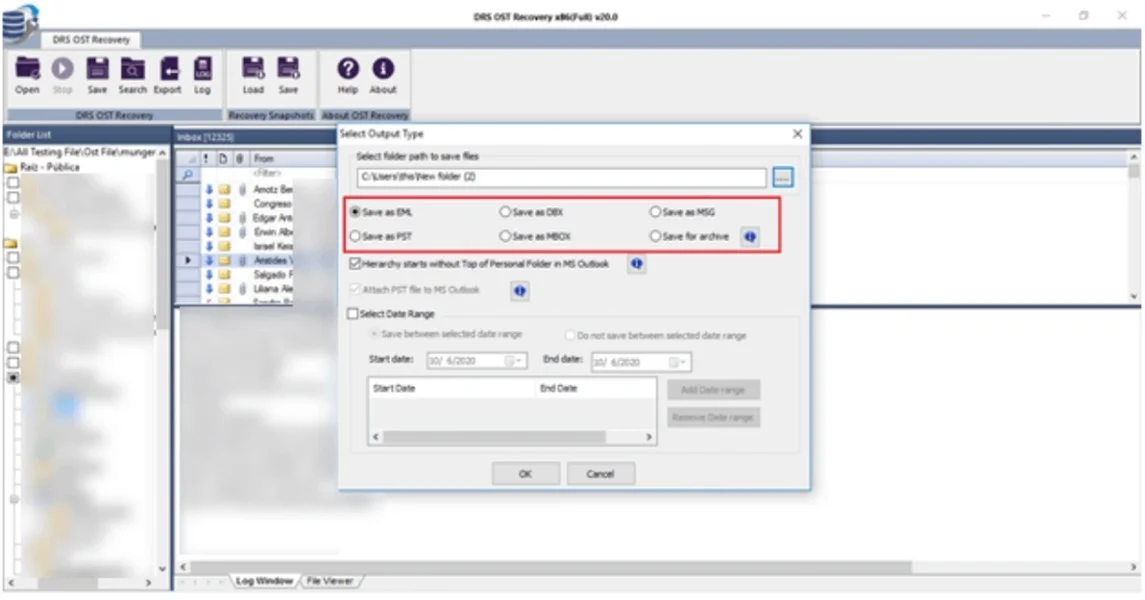
Step-by-Step: Fix Outlook error code 0x800ccc0f Using a Tool
- Firstly, download the DRS OST Recovery Tool.
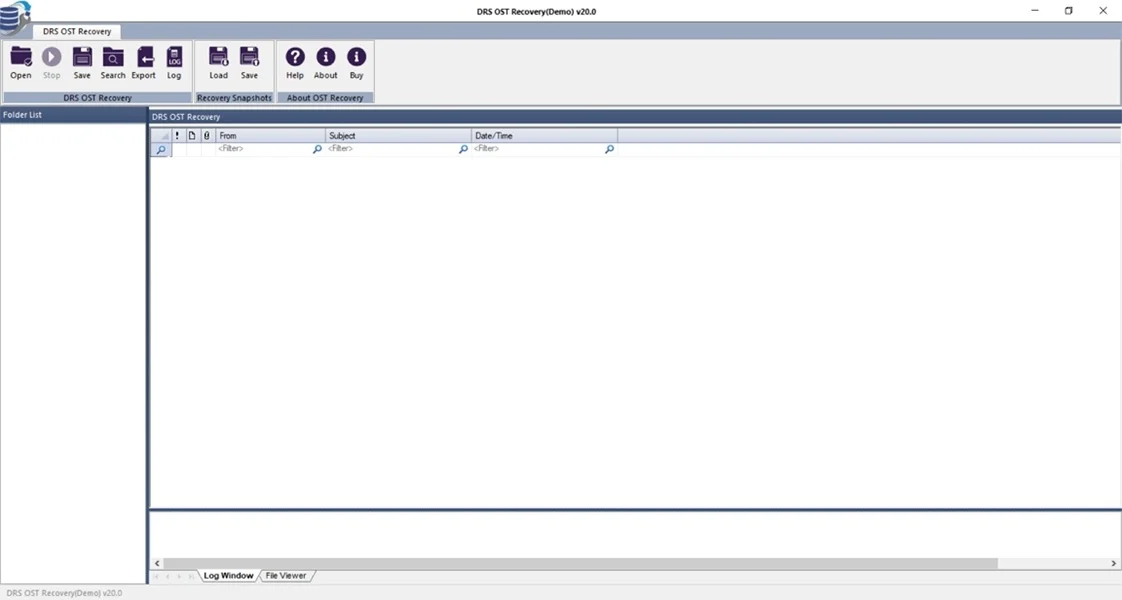
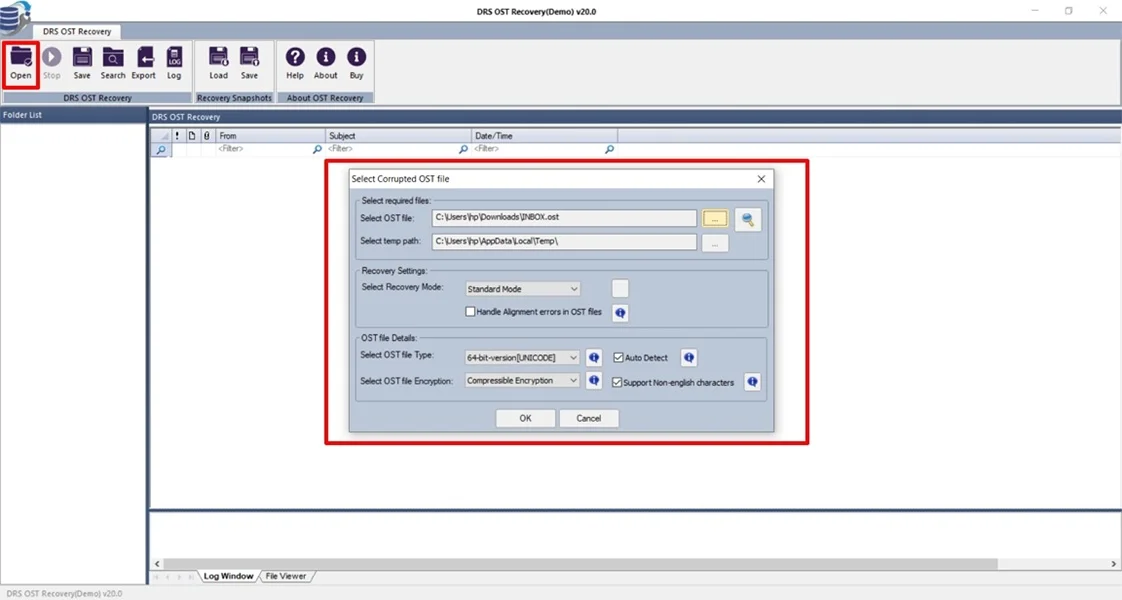
- Now, click open, add the corrupted OST file, and click OK.
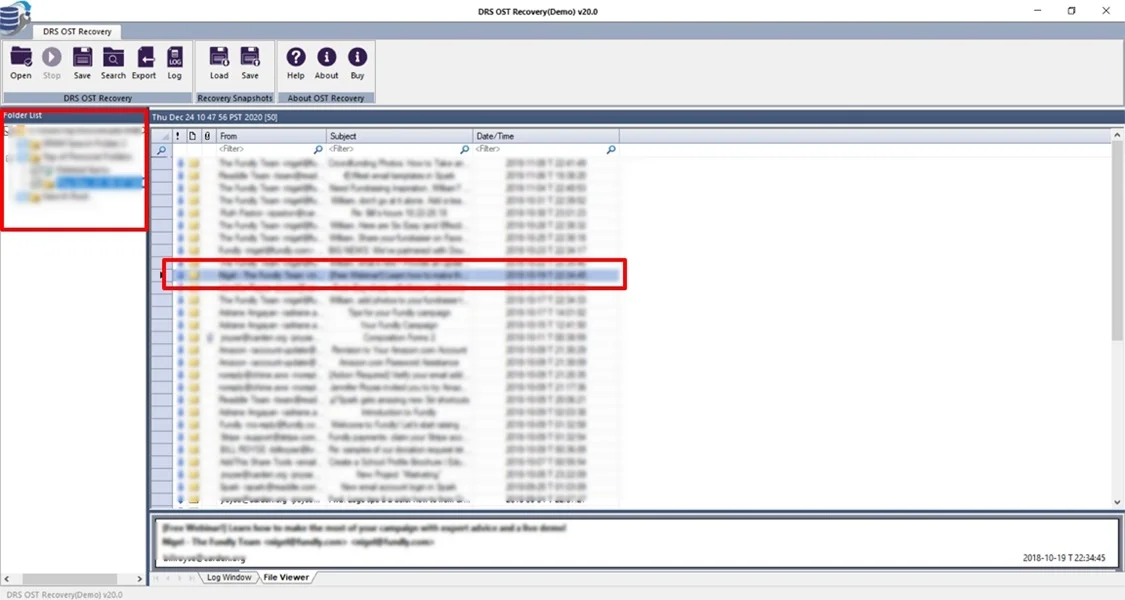
- After that, preview the entire mailbox to verify and click Next.
- At last, select the saving output format and click OK.
Real-Life Example:-
A finance professional experienced Error 0x800ccc0f during peak working hours. Manual fixes failed due to a corrupted PST file. Using an automated OST repair tool, the mailbox was repaired within minutes, and Outlook started working normally without any email loss.
A finance professional experienced Error 0x800ccc0f during peak working hours. Manual fixes failed due to a corrupted PST file. Using an automated OST repair tool, the mailbox was repaired within minutes, and Outlook started working normally without any email loss.
Conclusion
In short, Outlook Error 0x800ccc0f is a common but fix facilitation issue that can interrupt email communication. While the manual method works in some cases, it may not resolve issues caused by mailbox corruption. For a quick, reliable, and data-safe fix, using a professional OST repair solution or opting for a one-time service is the best approach.
Frequently Asked Questions
Q.1 What is the best tool to fix Outlook Error 0x800ccc0f?
Ans. A professional Outlook OST Repair Tool is the most reliable solution for fixing this error caused by data corruption.
Q.2 Is it safe to fix MS Outlook Error 0x800ccc0f?
Ans. Yes, when using a trusted OST repair tool, the process is completely safe and secure with no data loss.
Q.3 Can the Outlook 0x800ccc0f error be fixed without technical skills?
Ans. Yes, an automated OST repair tool offers user-friendly interfaces that allow even non-technical users to resolve the error easily.
About The Author:

I am Kiran Sharma, a Technical Expert in Content writing. I have technical expertise in the field of Email Backup, Data Recovery, and Email Migration, and resolve technical queries related to Cloud Backup or Email Migration for individuals and businesses.
Related Post