-
Written By Kiran Sharma
-
Approved By
Vikash Bajpai -
Updated on October 23rd, 2025
Convert XML to PNG Quickly Without Losing Any Data
User Query:-
“I have multiple XML files containing important visual and structured data. I need to convert them into PNG format for easy viewing and presentation purposes. What’s the safest and quickest way to convert XML to PNG blog online without losing any data?”
“I have multiple XML files containing important visual and structured data. I need to convert them into PNG format for easy viewing and presentation purposes. What’s the safest and quickest way to convert XML to PNG blog online without losing any data?”
Introduction: XML files are primarily used for storing and transferring structured information, whereas PNG files are image formats used for easy viewing, sharing, and presentation. Converting XML to PNG allows users to visualize XML data in a more readable format and share it conveniently across platforms. However, performing this conversion manually can be challenging, especially if you need to retain formatting, colors, and structure. That’s why users prefer using a MigrateEmails XML Converter Tool to convert XML to PNG effortlessly without losing any data or design integrity.
Comparison Between XML and PNG Formats
|
XML (Extensible Markup Language) |
PNG (Portable Network Graphics) |
|
|
|
|
|
|
|
|
|
|
Why Convert XML File to PNG?
- Firstly, to create visual representations of structured XML data.
- Also, it makes data easier to share and view without any technical tools.
- Therefore, the conversion helps in presenting reports, charts, or structured visuals directly from XML.
- The PNG provides high-quality and lossless image output.
- Moreover, it is ideal for embedding visuals into presentations, web pages, or documents.
Convert XML to PNG Manually
Currently, there is no direct manual method to save XML files into PNG. However, you can use a web browser and a screenshot approach to achieve a basic conversion.
Let’s follow the step-by-step process:
- First of all, open your XML file in any web browser (e.g., Chrome, Edge, or Firefox).
- Now, press Ctrl + P (Windows) or Cmd + P (Mac) to open the Print dialog.
- After that, choose Save as PDF → Save.
- Further, open the saved PDF in any image converter or viewer.
- Finally, export or save the PDF as PNG.
Limitations to Convert XML Image to PNG Manually
- Firstly, it is very time-consuming and requires multiple steps.
- There is no batch conversion support for multiple XML files.
- Also, there is a risk of data or format distortion during conversion.
- Therefore, attachments or embedded visuals may not appear properly.
- This conversion doesn’t guarantee high-quality PNG output.
An Expert Solution to Convert XML to PNG
To avoid these limitations, it’s best to use a professional MigrateEmails XML Converter Tool. This advanced tool allows users to convert XML to CSV in just a few clicks. Therefore, it ensures complete data preservation, maintains layout, and supports batch conversion. With this automated approach, even large XML files can be easily transformed without any technical effort.
One-Time Service Option:-
If you don’t want to purchase the tool, you can use the one-time conversion service offered by professionals. This service ensures to change XML to PNG
with accuracy, privacy, and no manual setup required.
Step-by-Step Instructions to Migrate XML to PNG Using the Automated Tool:
- Firstly, download and install the MigrateEmails XML Converter Tool.
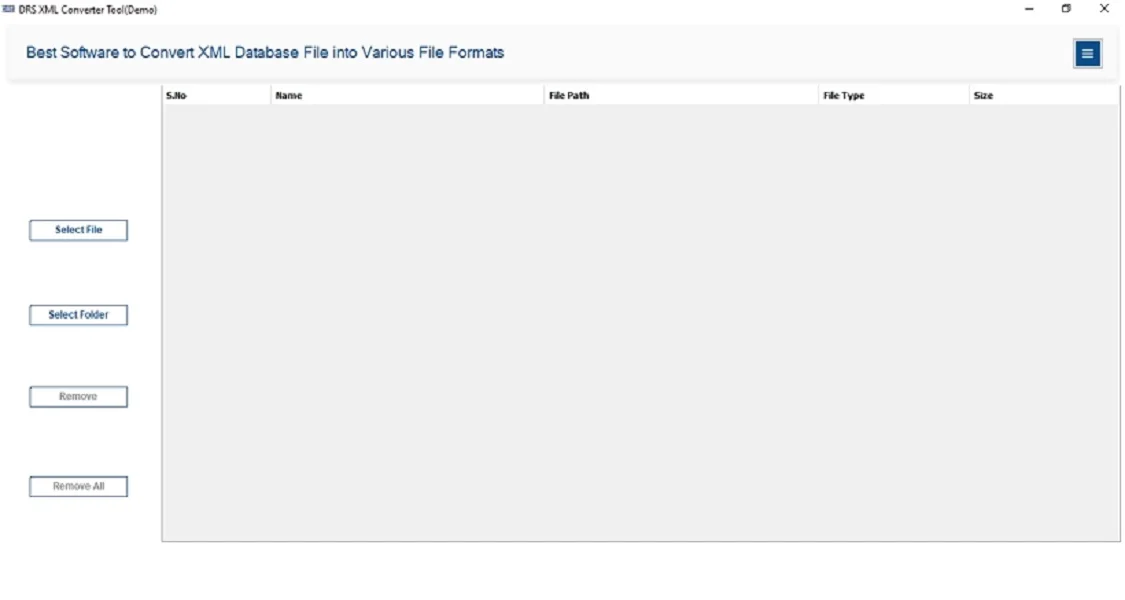
- After that, select Files/Folders → Add the XML file that you want to convert → Next.
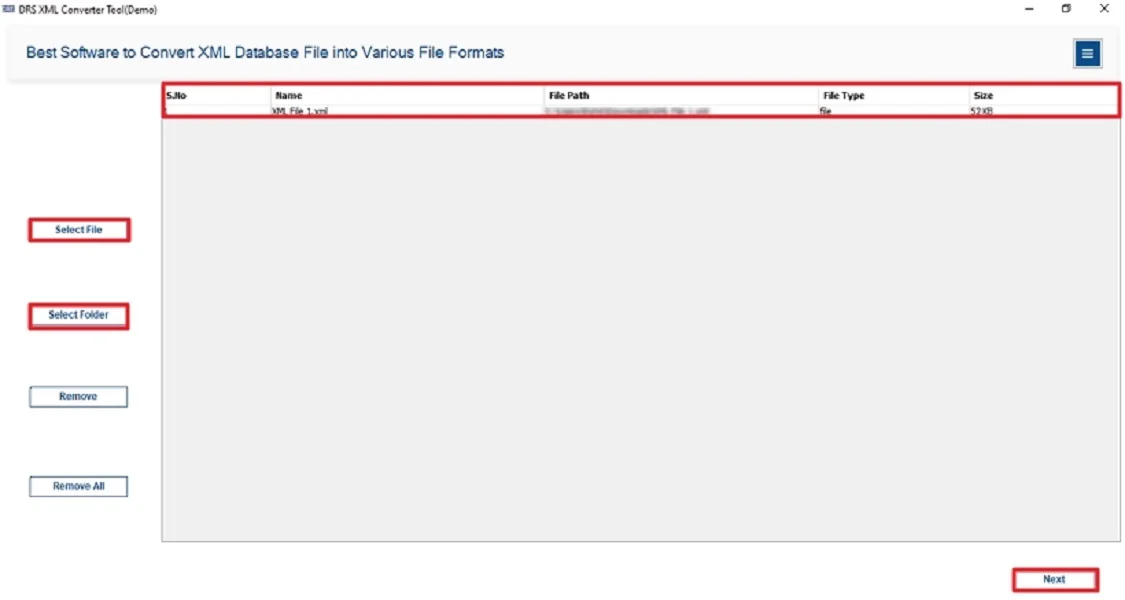
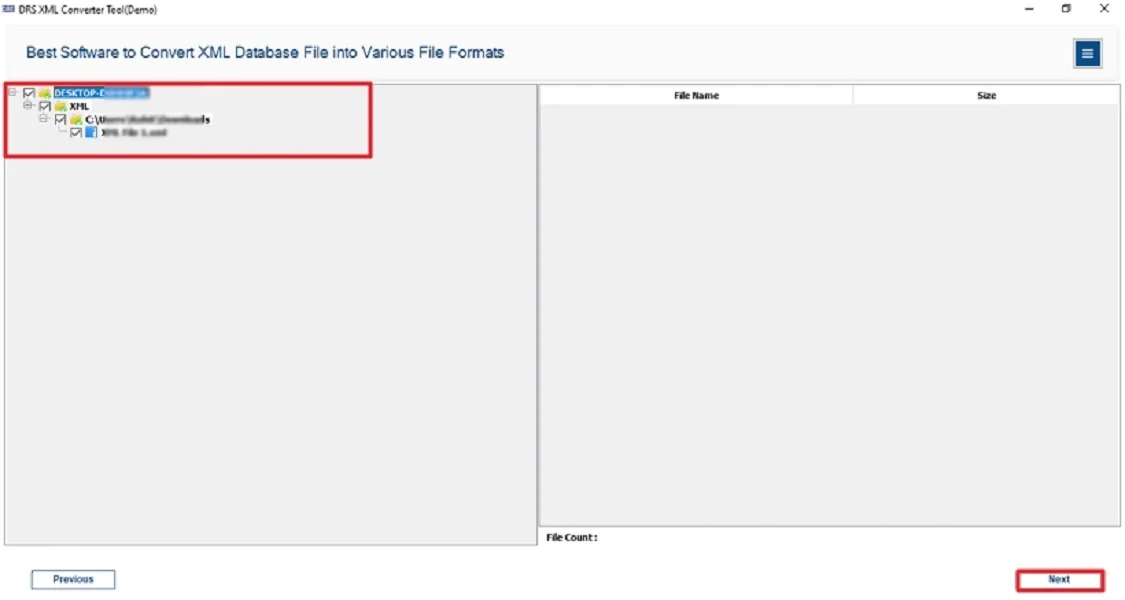
- Now, expand the tree structure → Preview → Next.
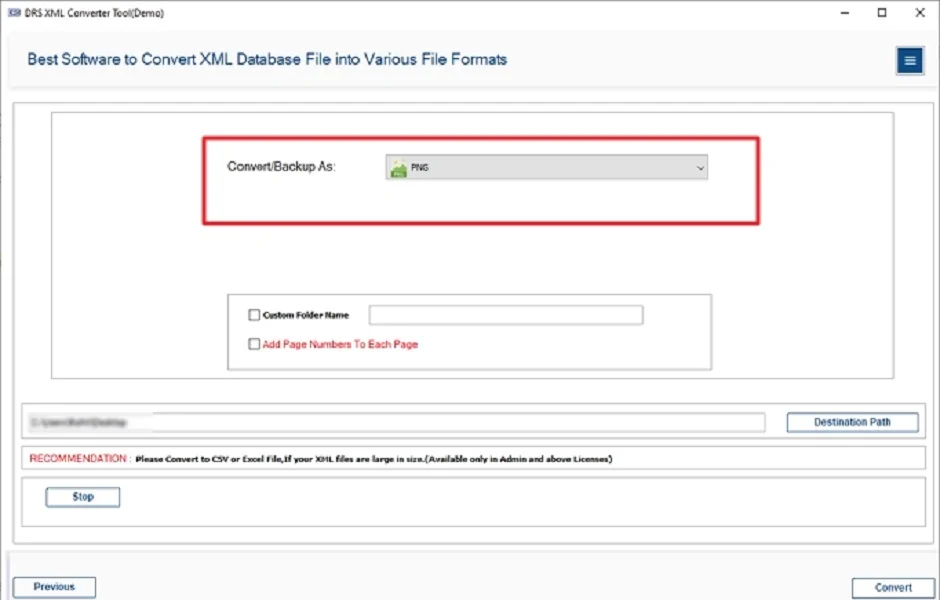
- Subsequently, choose PNG as the saving file format.
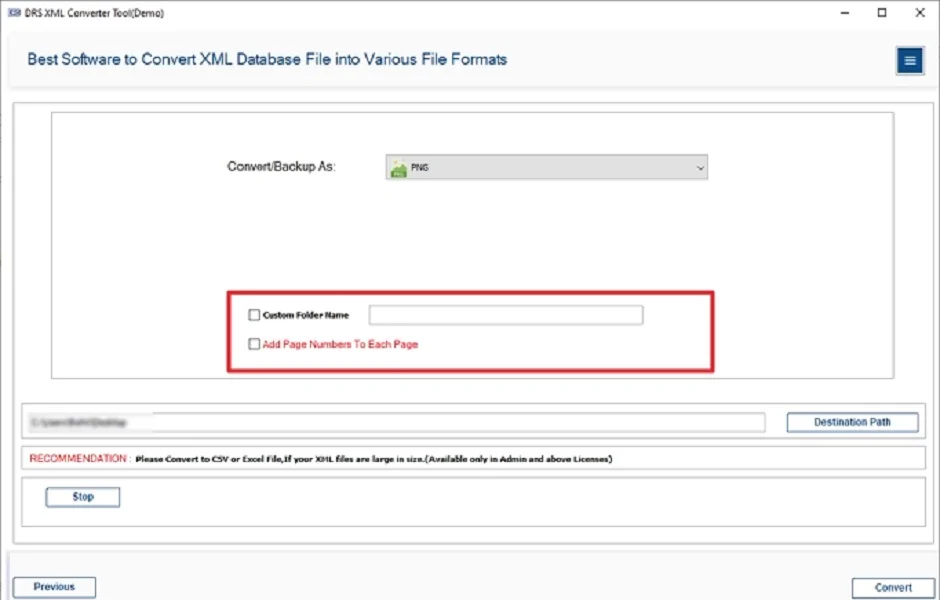
- Finally, apply the additional filters if necessary → Convert to start the process.
Key Features of the Automated Tool to Convert XML to PNG
- First of all, it converts multiple XML files to PNG in one go.
- This simple tool maintains original formatting, color, and structure.
- It supports the users to convert XML to PDF.
- Moreover, it offers a preview option before final export.
- This conversion provides data integrity and a 100% safe conversion.
- Therefore, it is compatible with all Windows OS versions (11, 10, 8, 7).
Real-World Scenario:
Lisa, a data analyst, had hundreds of XML files containing business reports. She needed to share them in a visually appealing format. Manual conversion was taking too much time and causing data loss. Therefore, she switched to the MigrateEmails XML Converter Tool. Though she successfully converted to PNG within minutes, with zero data loss.
Conclusion
To sum up, converting XML helps in transforming complex structured data into easy-to-view images. While manual methods exist, they are inefficient and error-prone for bulk conversions. Therefore, using the XML Converter Tool is the most reliable and efficient solution to convert XML to PNG. Moreover, it ensures secure conversion while preserving data quality and design elements.
Frequently Asked Questions
Q.1 How to Convert XML to PNG Quickly and Easily?
Ans. You can use the MigrateEmails XML Converter Tool to save XML to PNG files automatically without losing data.
Q.2 Do I need technical skills to convert XML files to PNG?
Ans. No. The highly recommended tool features an intuitive and user-friendly interface designed for both beginners and professionals.
Q.3 Which Tool Helps Convert XML Image to PNG Efficiently in Bulk?
Ans. The MigrateEmails XML Converter Software efficiently converts multiple XML files to PNG simultaneously without any loss.
Q.4 What Are the Best Methods to Securely Change XML to PNG?
Ans. For secure and lossless conversion, use a professional tool instead of manual decoding or online converters.
About The Author:

I am Kiran Sharma, a Technical Expert in Content writing. I have technical expertise in the field of Email Backup, Data Recovery, and Email Migration, and resolve technical queries related to Cloud Backup or Email Migration for individuals and businesses.
Related Post