-
Written By Kiran Sharma
-
Approved By
Vikash Bajpai -
Updated on May 16th, 2026
Simple Methods to Convert OST to MBOX
David Brown Query:-
“I have some old Outlook OST files from my previous job. Now, I’ve moved to Thunderbird on a new system. Since OST files won’t open in Thunderbird, I’m looking for a safe and easy way to convert OST to MBOX without losing my emails, attachments, or folder structure. What are the best methods to do this?”
“I have some old Outlook OST files from my previous job. Now, I’ve moved to Thunderbird on a new system. Since OST files won’t open in Thunderbird, I’m looking for a safe and easy way to convert OST to MBOX without losing my emails, attachments, or folder structure. What are the best methods to do this?”
Introduction:
This is a common situation many users face when shifting from Microsoft Outlook to an MBOX-supported email client like Mozilla Thunderbird, Apple Mail, or Eudora. So, if you’ve switched systems or email platforms, all you need transfer OST to MBOX to gain access to your old emails. But here’s the challenge: Outlook doesn’t provide a direct way to export OST to MBOX. That’s why in this blog, we’ll cover the best manual and automated methods to convert OST File to MBOX. We’ll also introduce you to the OST to PST Converter Tool, a reliable utility that simplifies this process and ensures 100% secure migration.
Brief About the OST & MBOX
OST (Offline Storage Table) files are tied to specific Outlook profiles and Exchange accounts, which means they’re inaccessible once disconnected.
On the other hand, MBOX is a flexible format supported by a wide range of email applications across different platforms.
Simplest Steps to Convert OST to MBOX
- Primarily, launch the MigrateEmails OST to PST Converter on your system.
- Next, add the OST file and preview it. Click Next.
- After that, choose the Saving format as MBOX.
- Lastly, use advanced filters and click Convert.
Proficient Key Reasons to Convert OST File to MBOX
Here are the main benefits, especially if you’re no longer using Microsoft Outlook:
- MBOX files work with many email clients like Thunderbird, Apple Mail, and Eudora.
- Moreover, you don’t need Outlook or Exchange Server to access MBOX files.
- In addition, converting OST to MBOX helps when switching to a different email platform.
- Also, MBOX is a good option for creating easy-to-manage email backups.
- Furthermore, this conversion helps recover data from damaged or orphaned OST files.
- Along with that, MBOX files are lightweight and easier to share across devices.
Now, you know how the conversion process can be helpful for you while you are switching email platforms.
Method 01: Using MS Outlook to Export OST File to MBOX
Although there’s no built-in option in Outlook to convert OST to MBOX directly, you can follow this two-step process:
Step 1: Convert OST to PST using Microsoft Outlook
- Open Outlook connected to the original Exchange account.
- Then, go to File>>Open & Export>>Import/Export.
- Now, pick Export to a file and click Outlook Data File (.pst).
- Select the folders you want to export and complete the process.
Step 2: Export OST to MBOX Format Directly
Once you have the PST file, convert PST to MBOX to get the OST data.
Important Note: This method is long and may not work if your OST file is orphaned or corrupt.
Method 02: Convert OST to MBOX Free Via Mozilla Thunderbird
Another most common indirect method is to convert your OST file to MBOX, using Mozilla Thunderbird. It involves Thunderbird with the ImportExportTools NG add-on to save the data as MBOX.
- Launch Mozilla Thunderbird and click the menu icon (☰).
- Go to Tools>>Import>>Import from Outlook and click Next.
- Select the data you want to import (like emails), then click Start Import.
- Now, your Outlook data will appear inside Thunderbird.
- Thereafter, open Thunderbird again and click the menu icon.
- After that, go to Add-ons and Themes.
- Search for ImportExportTools NG and click Add to Thunderbird to install it.
- In the next step, right-click on the folder you want to export.
- Now, hover over ImportExportTools NG >> Export folder.
- Choose Export as MBOX file or zipped MBOX, depending on your need.
- Lastly, select a destination folder and click OK to save the MBOX file.
You’ve now successfully converted your OST data to MBOX for free using Thunderbird.
Downsides of Converting OST to MBOX Manually
Manual ways to change OST to MBOX may look easy and free, but they have many limitations. Here are some important things to know before you try this method:
- First of all, you must have Outlook installed to access and export OST files.
- Next, there is no direct way to convert OST to MBOX without using multiple tools.
- Along with that, manual methods do not support converting multiple OST files at once.
- Moreover, manual methods won’t work if the OST file is damaged or orphaned.
- Also, you might lose attachments, email formatting, or folder structure during the process.
- In addition, the steps take time and can be confusing for non-technical users.
Because of these cons pointers, most users prefer an automated tool for a direct OST to MBOX conversion.
Method 03: All-in-One Solution to Convert OST to MBOX Format
When dealing with critical email data, it’s best to rely on a trusted and tested solution. In such cases, use MigrateEmails OST to PST Converter to simplify the conversion process. There is no need of Outlook or any complex manual steps to change OST to MBOX. As a result, you can perform direct and secure conversions in just a few clicks. Along with that, you can convert OST to HTML and other formats.
Step-by-Step Guide to Convert OST to MBOX Online
This step-by-step guide will show you how to perform a conversion using this reliable tool:
- Download the MigrateEmails OST to PST Converter and run it on your Windows system.
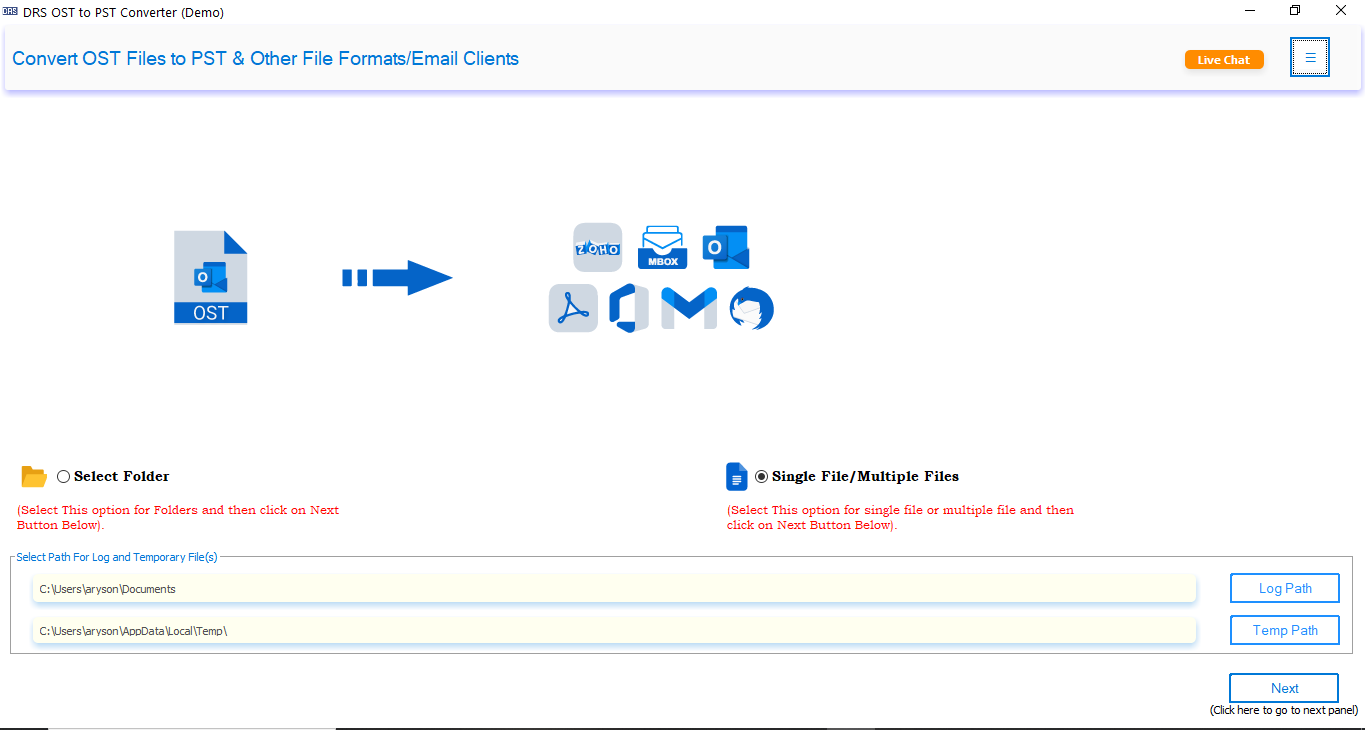
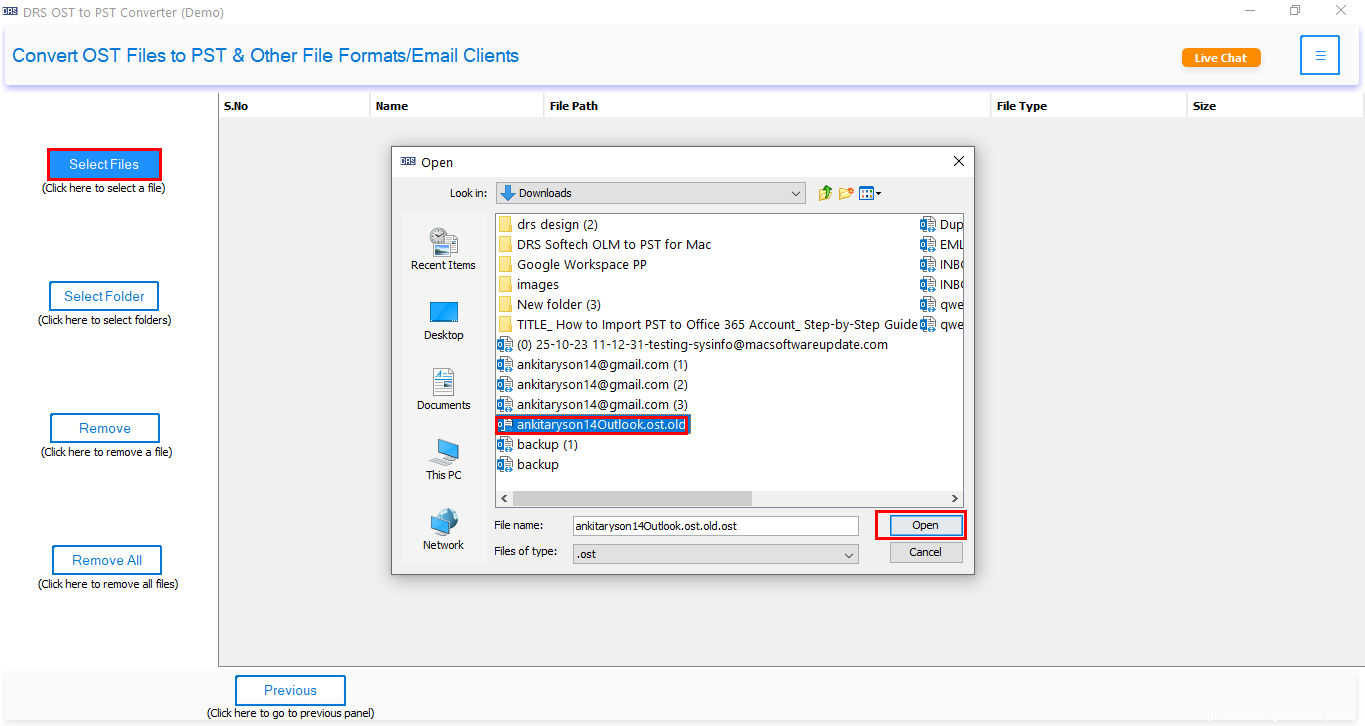
- Next, click on the Select Files or Select Folder button and pick the desired OST file.
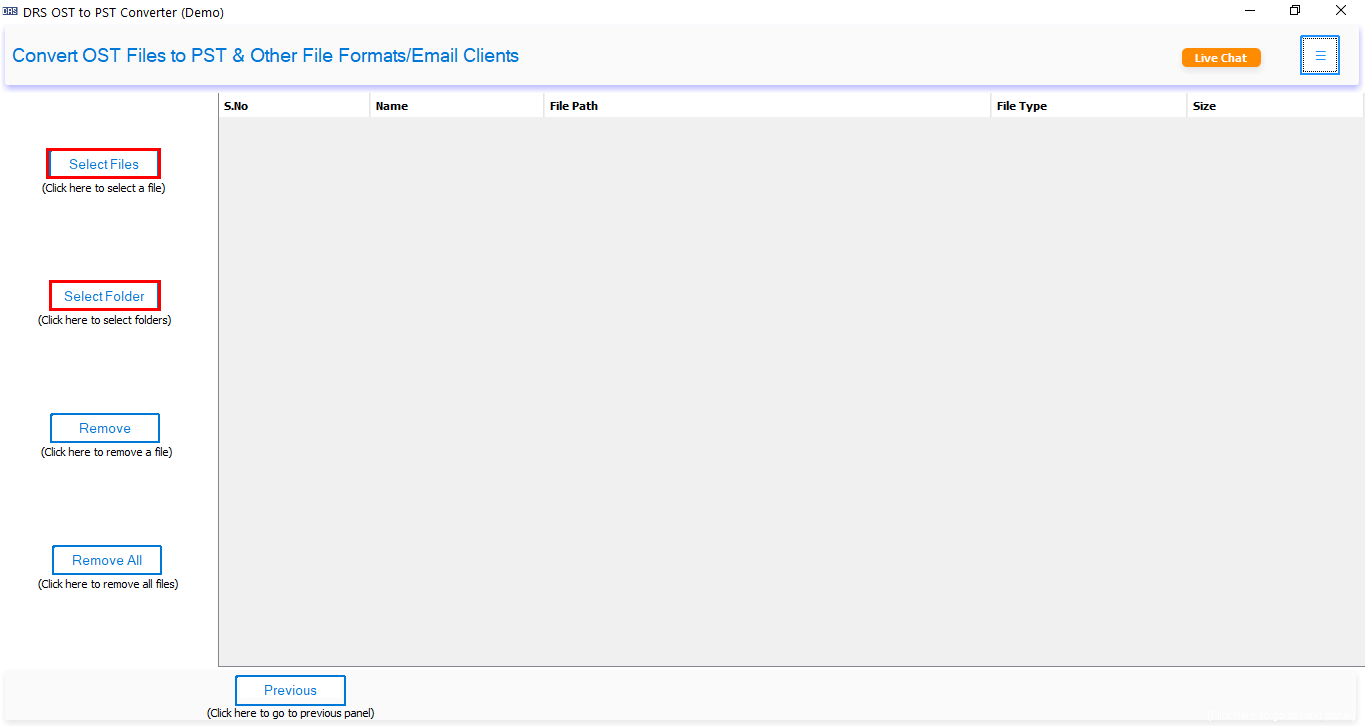
- Now, click Open to browse your system to locate the OST file(s) you want to convert.
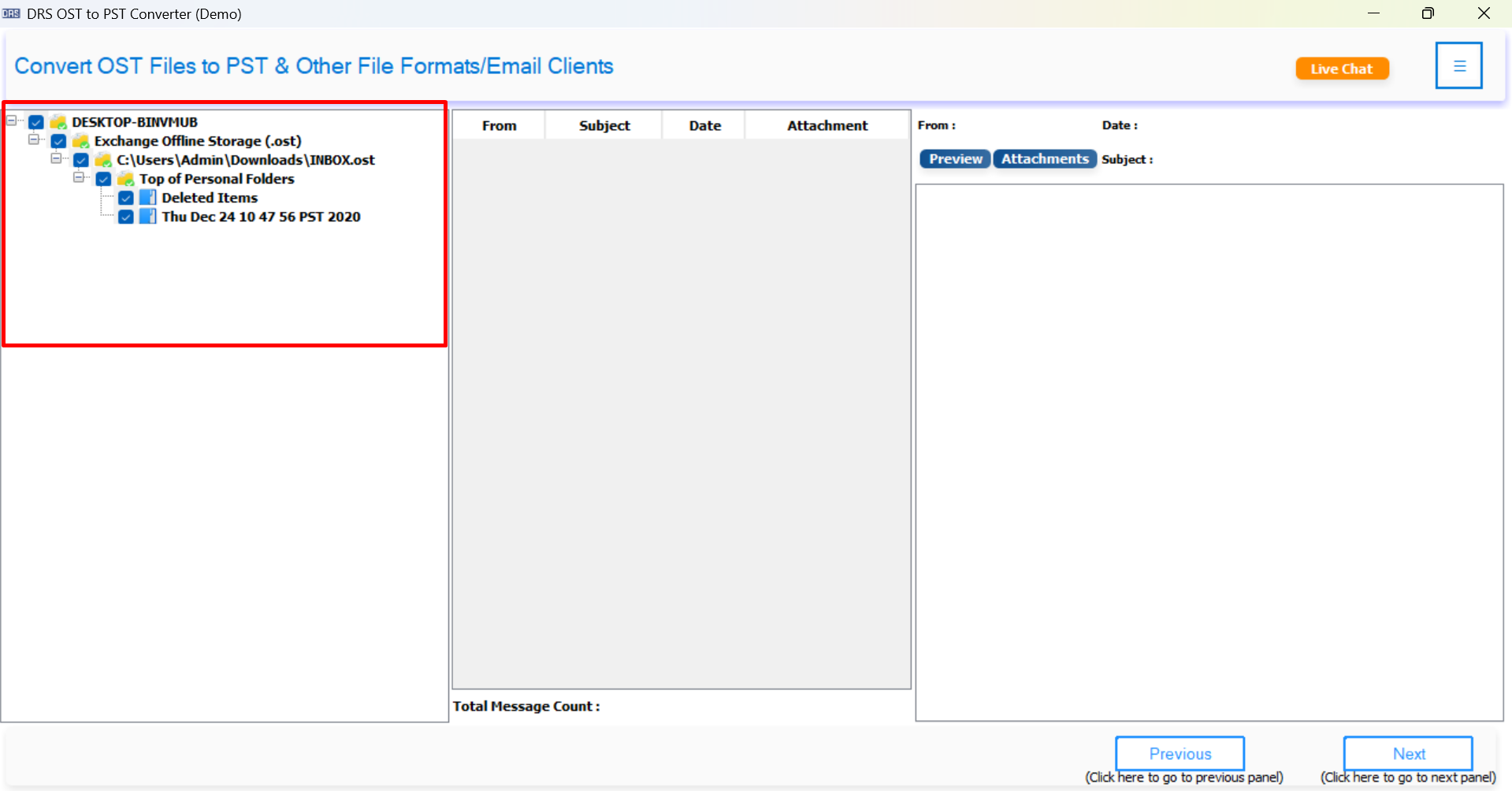
- Here, you can click on emails, calendars, contacts, and other folders to view content before conversion.
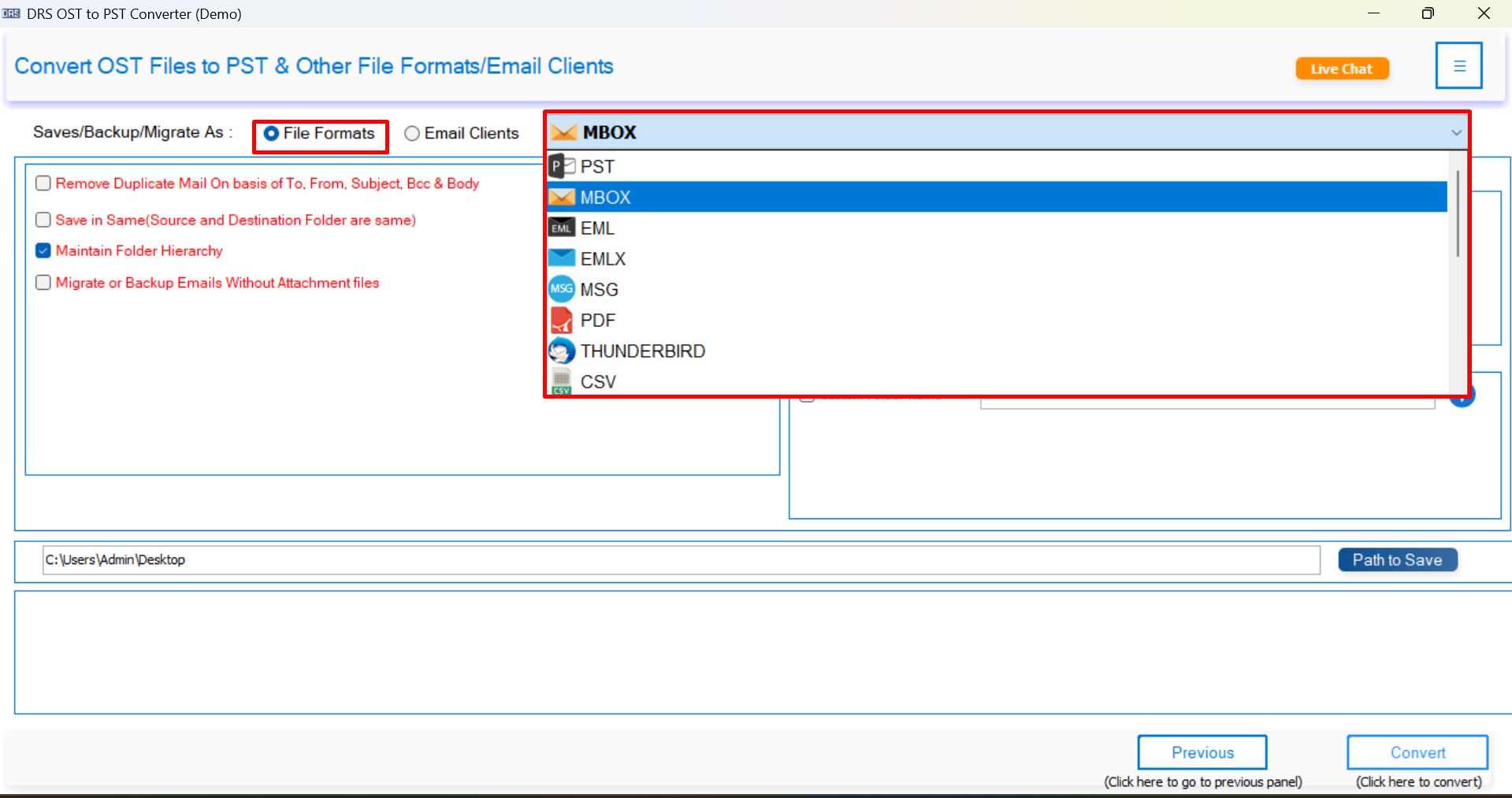
- In the list of available output formats, select MBOX.
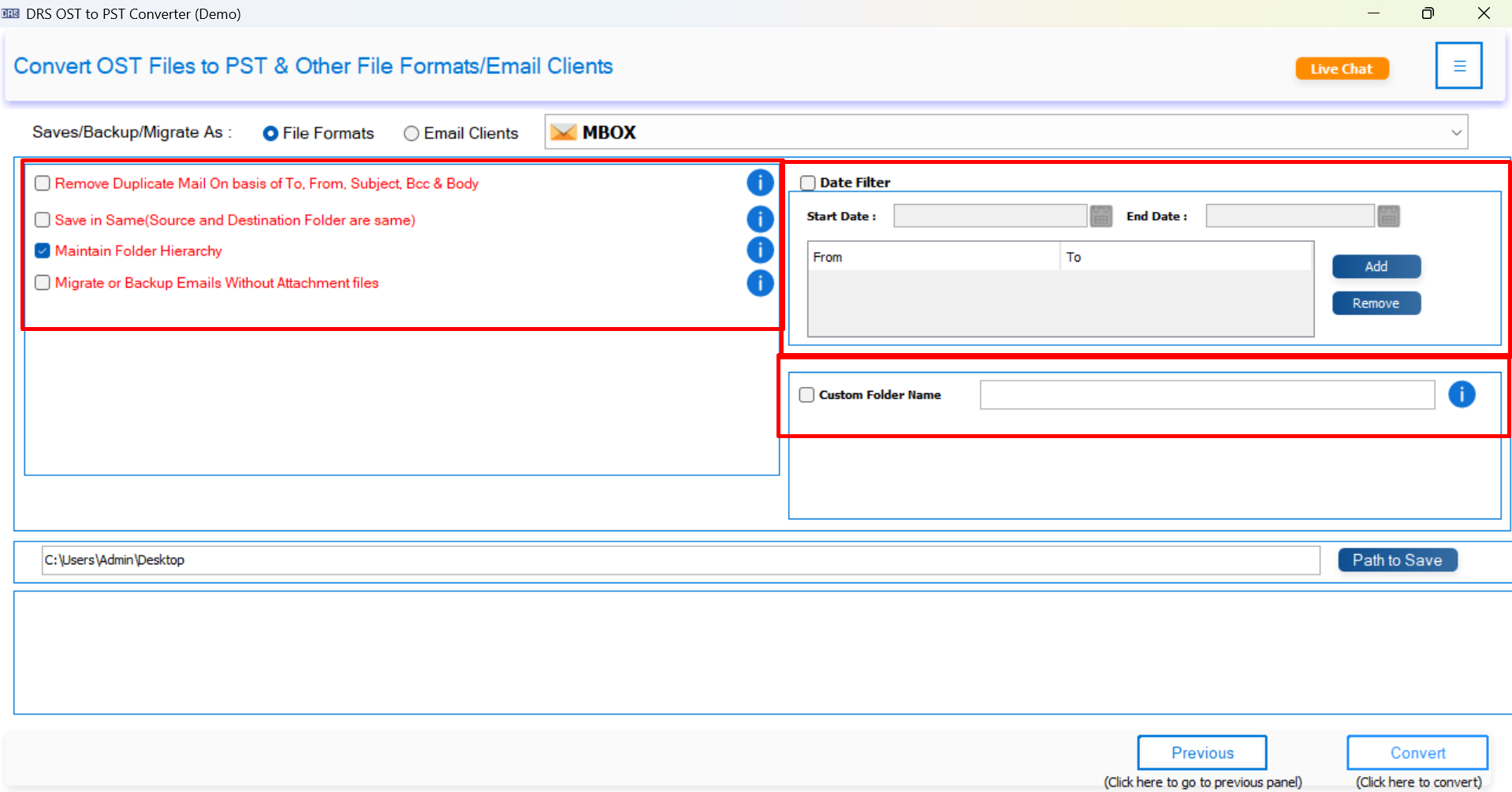
- Also, you can use filters to refine your conversion process and get better outcomes.
- Click Path to Save and assign a location to save the resultant MBOX File data.
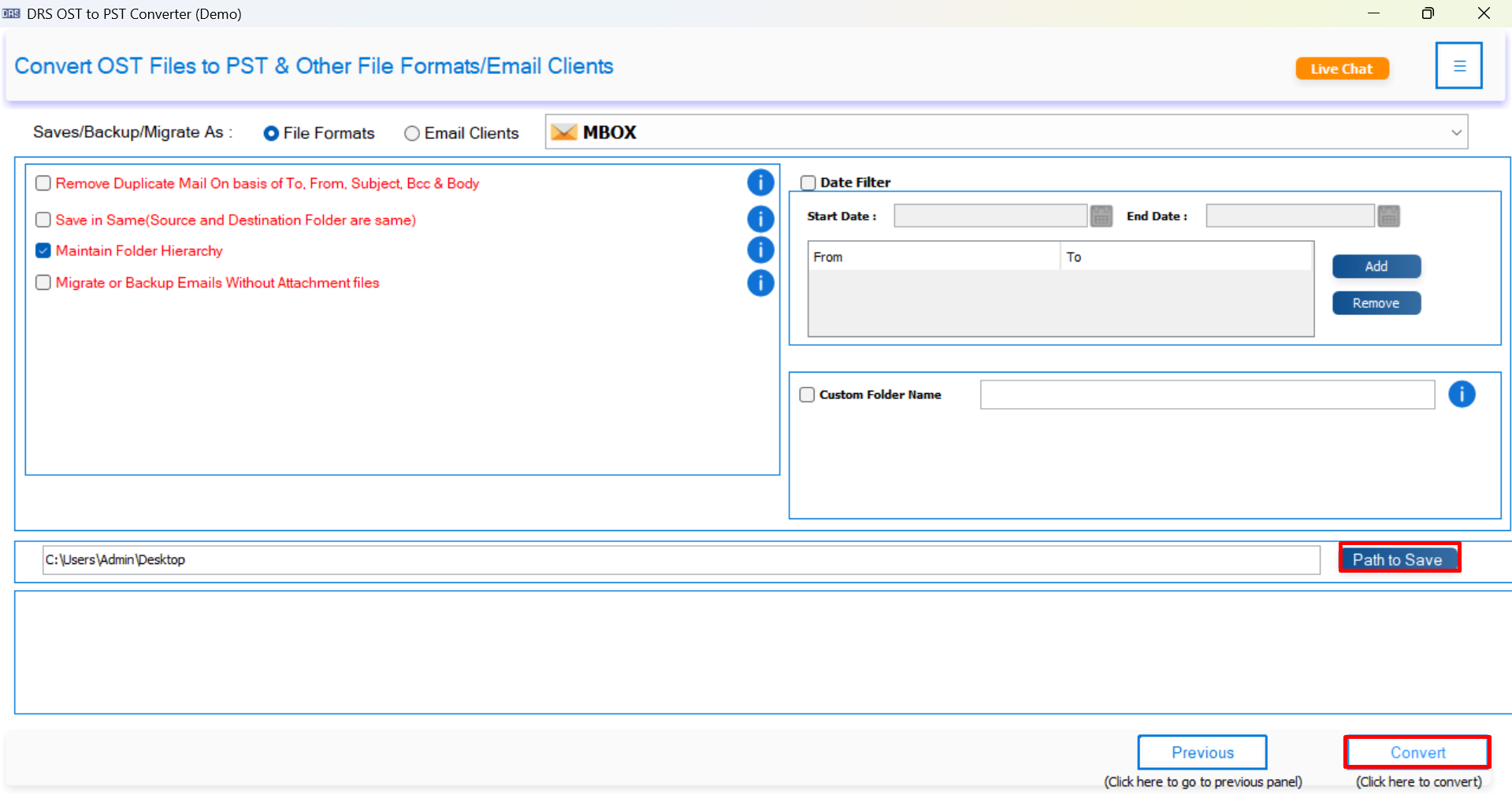
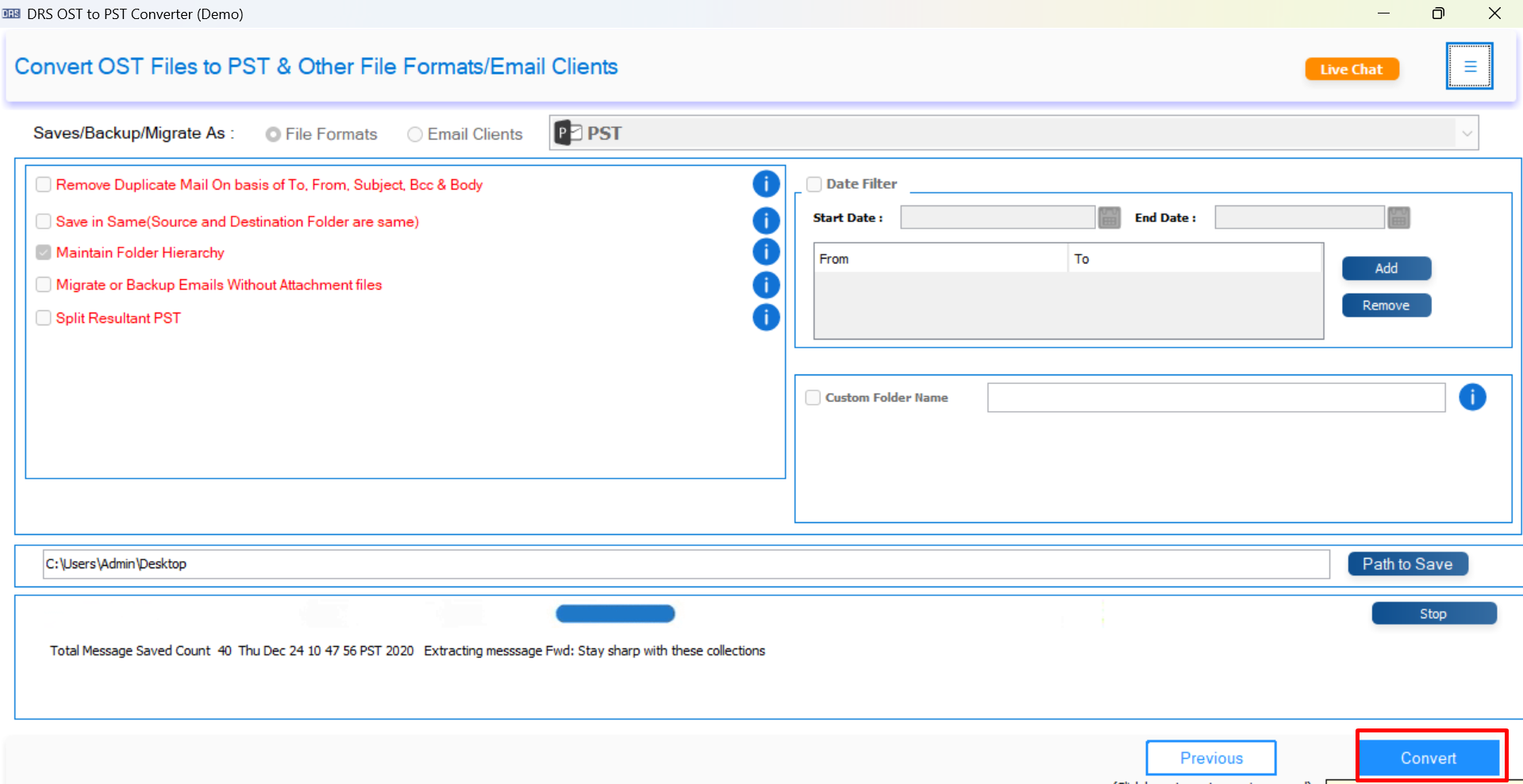
- Finally, click on the Convert button to convert your OST File into MBOX format.
Conclusion
In this complete blog, we explored both manual and automated ways to convert OST to MBOX. While the manual process works in limited cases, using a professional tool is a quick and more reliable option for smooth and secure conversion. So, if you want a smooth, error-free OST to MBOX conversion, use the above-mentioned trusted utility to accomplish the task.
Frequently Asked Questions
Q1. What is the best way to convert OST to MBOX?
Ans: The best way to convert OST to MBOX is by using a professional MigrateEmails OST to MBOX converter tool. It helps export emails safely while preserving attachments, folder hierarchy, formatting, and metadata. Manual methods are usually time-consuming and suitable only for limited mailbox conversion.
Q2. Is there a free OST to MBOX converter available?
Ans: Yes, some manual methods and free trial versions of professional tools are available for OST to MBOX conversion. However, free solutions often come with limitations like restricted email conversion, slow processing, or a lack of advanced features.
Q.3 Can I batch convert multiple OST files to MBOX?
Ans: Yes. Professional OST to MBOX converter software supports batch conversion, allowing users to export multiple OST files into MBOX format in a single process. This feature is useful for business users and IT administrators.
Q.4 Is OST to MBOX conversion safe?
Ans: Yes. OST to MBOX conversion is safe when performed using a reliable and trusted solution. A professional tool keeps email properties, attachments, and mailbox structure unchanged during the conversion process.
Q5. Do I need technical knowledge to convert OST to MBOX?
Ans: No, MigrateEmails OST Converter Tool comes with a simple interface that allows both technical and non-technical users to perform the conversion easily.
Q6. How do I export multiple OST files to MBOX?
Ans: You can export multiple OST files to MBOX using a batch conversion feature available in the professional tool. Simply add multiple OST files, choose MBOX as the output format, and start the conversion process.
Q7. How to convert OST to MBOX format safely?
Ans: To convert OST to MBOX safely:
Use a trusted OST to MBOX converter tool.
Keep a backup copy of the original OST file.
Verify mailbox data before conversion.
Avoid interrupting the conversion process.
Q8. What is an OST File?
Ans: An OST (Offline Storage Table) file is a mailbox data file created by Microsoft Outlook. It stores a synchronized offline copy of emails, contacts, calendars, and other mailbox items from Exchange Server, Office 365, or IMAP accounts.
Q9. Can I convert selective Outlook emails from OST to MBOX?
Ans: Yes, MigrateEmails OST to MBOX Converter allows users to export selective emails, folders, or mailbox items using filters like date range, folder selection, and email category.
Q10. Is it Possible to convert OST to MBOX on both Windows and Mac?
Ans: Yes, an advanced OST to MBOX converter tool supports both Windows and Mac operating systems, allowing users to perform mailbox conversion on different platforms easily.
About The Author:

I am Kiran Sharma, a Technical Expert in Content writing. I have technical expertise in the field of Email Backup, Data Recovery, and Email Migration, and resolve technical queries related to Cloud Backup or Email Migration for individuals and businesses.
Related Post