-
Written By Kiran Sharma
-
Approved By
Vikash Bajpai -
Updated on May 12th, 2026
Convert PST to MBOX: A Quick and Easy Guide in 2026
User Query:“I have a PST file from MS Outlook. I’m trying to open it in something like Mozilla Thunderbird. Not really sure what the easiest way is to convert it to MBOX. I just want to make sure nothing gets lost, especially emails and attachments.”
Introduction:- PST is the file Outlook uses to store emails, contacts, and other data. The problem is, a lot of other email apps don’t support it. On the other hand, MBOX is a widely accepted format used by applications like Thunderbird, Apple Mail, and others. Many users switch platforms and need to convert PST to MBOX for better compatibility. Here, you will learn a manual method as well as a professional MigrateEmails PST File Converter Tool. All steps are explained simply and clearly.
Reasons to Convert PST File to MBOX
Converting PST files to MBOX gives you more flexibility and easy access to your emails.
- Access Outlook emails in different email clients.
- Move data easily between platforms.
- Open emails on Mac without compatibility issues.
- Keep a backup in a widely supported format.
- Manage emails in a simple way.
- No need to depend only on Outlook.
Conventional Method to Convert PST to MBOX
Since there’s no direct way to convert your PST to MBOX, you need to use both Microsoft Outlook and Mozilla Thunderbird with IMAP syncing.
Step 01: Add a Gmail Account in Outlook
- Open Outlook
- After that, go to File → Add Account
- Then, enter your Gmail ID
- Afterwards, sign in and allow permissions
- This connects Gmail with Outlook via IMAP
Step 02: Import PST File into Outlook
- Now, go to File → Open & Export → Import/Export option
- Choose Import from another program or file
- Select Outlook Data File (.pst)
- Browse and import your PST file
Step 03: Move PST Emails to Gmail
- In Outlook, open the imported PST folders
- Drag and drop emails into your Gmail mailbox (inside Outlook)
- Wait for syncing (emails upload to Gmail)
Step 04: Configure Gmail in Thunderbird
- Open Thunderbird
- Add your Gmail account
- Lastly, let it sync all emails
Step 05: Export Emails to MBOX
- Install the ImportExportTools NG add-on in Thunderbird
- Right-click the Gmail folder
- Choose ImportExportTools NG → Export folder (MBOX)
- Select location and save
Loopholes: Transfer PST to MBOX
- Users have to follow a lot of processes.
- It can feel confusing if you haven’t done this before.
- Takes more time when the files are big.
- Some emails may not come through properly.
- Your folders might not stay the same.
- You need to set up MS Outlook and Thunderbird first.
Professional Method to Convert PST to MBOX
If you have multiple PST files, then the MigrateEmails PST File Converter Tool is a good option. It can convert multiple files in one go without losing any data. Your emails, attachments, and folder structure stay the same during the process. It keeps everything accurate and secure. Also, it makes it easy to convert PST to EML and other formats without much effort.
Verified Steps to Change PST to MBOX:
- First, download, install, and open the PST File Converter Tool. Click Next.
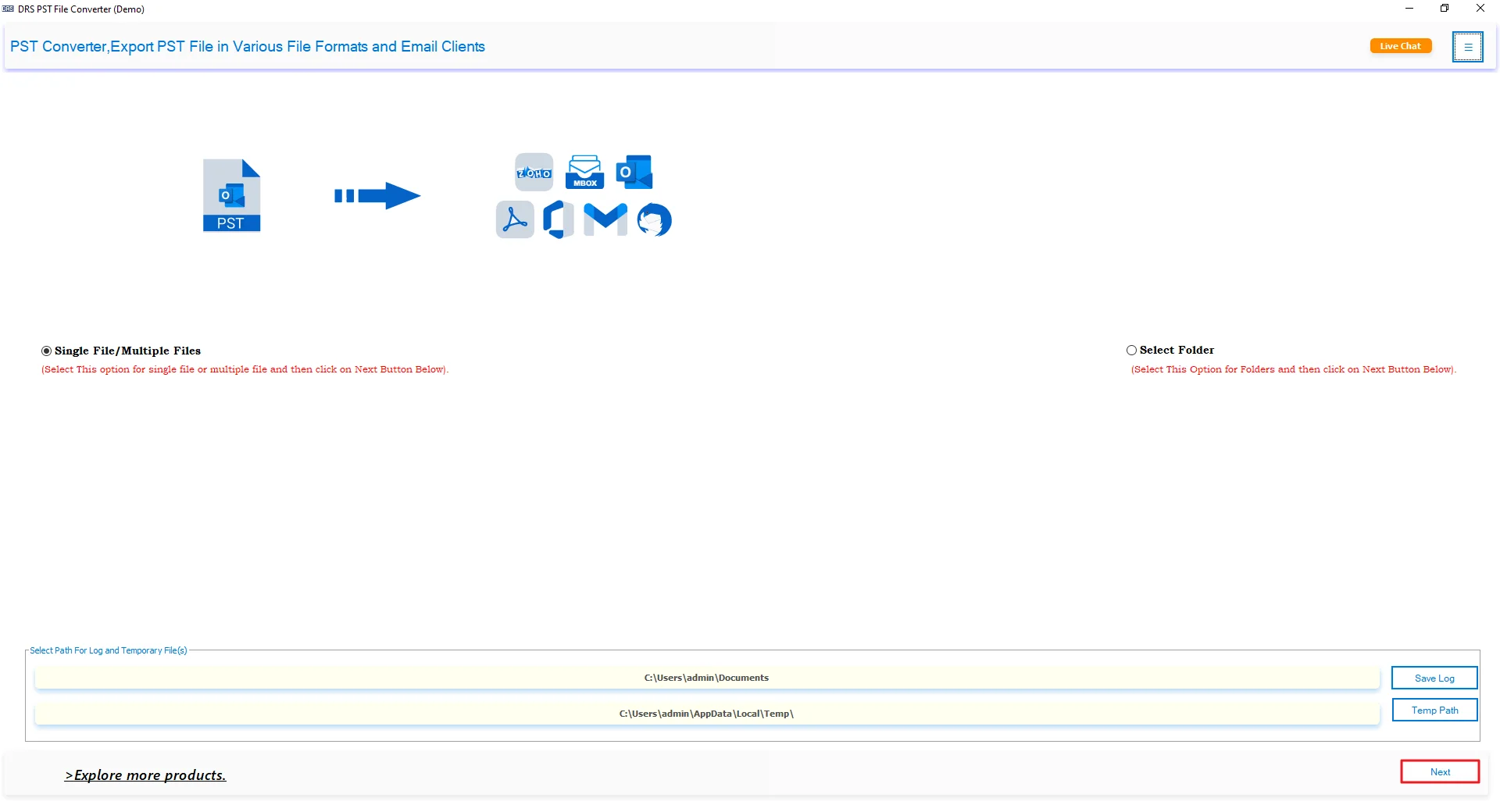
- After that, click Select File or Select Folder to add the PST Files and press Next.
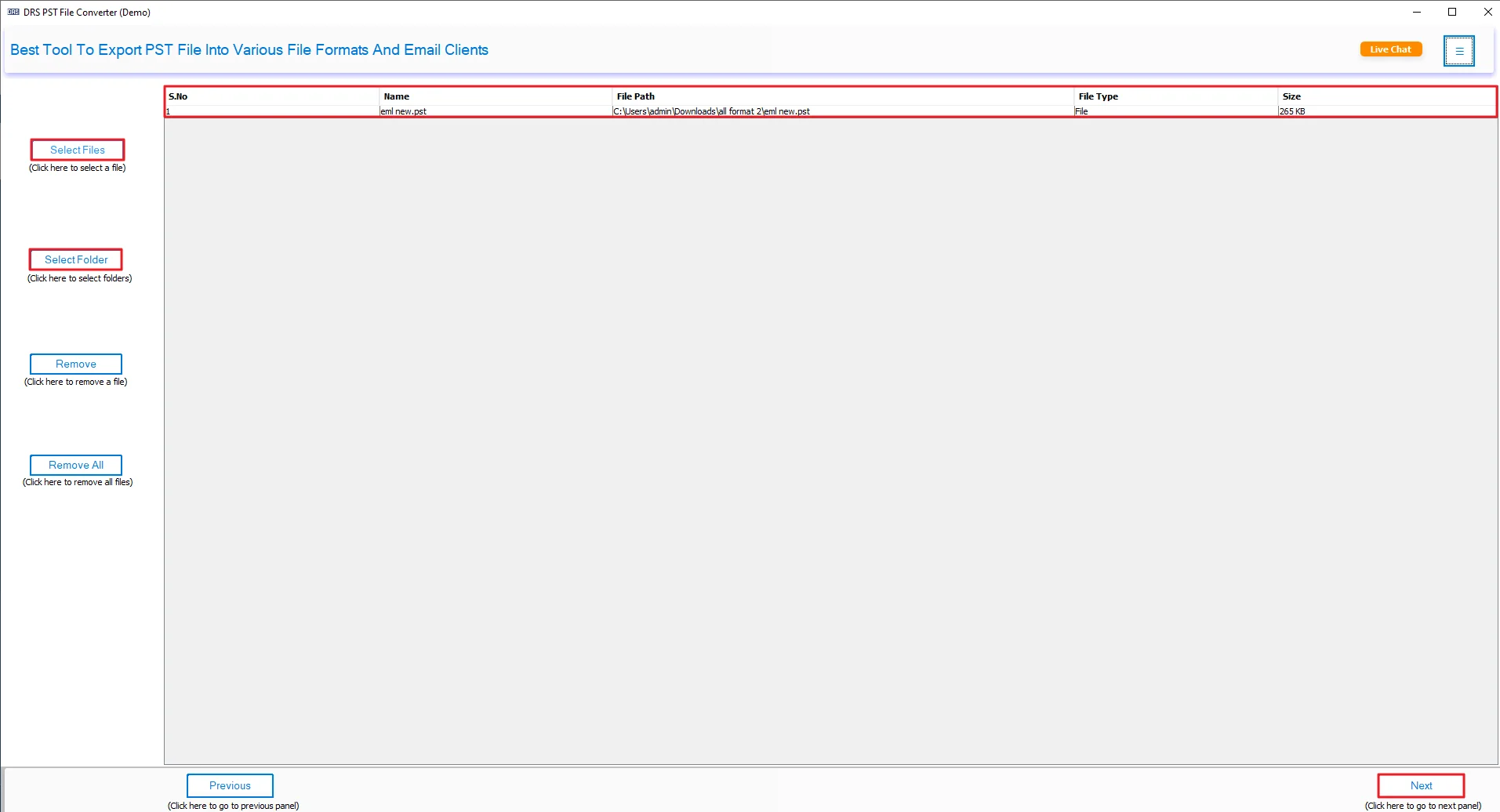
- Afterwards, preview and select the PST files and press Next.
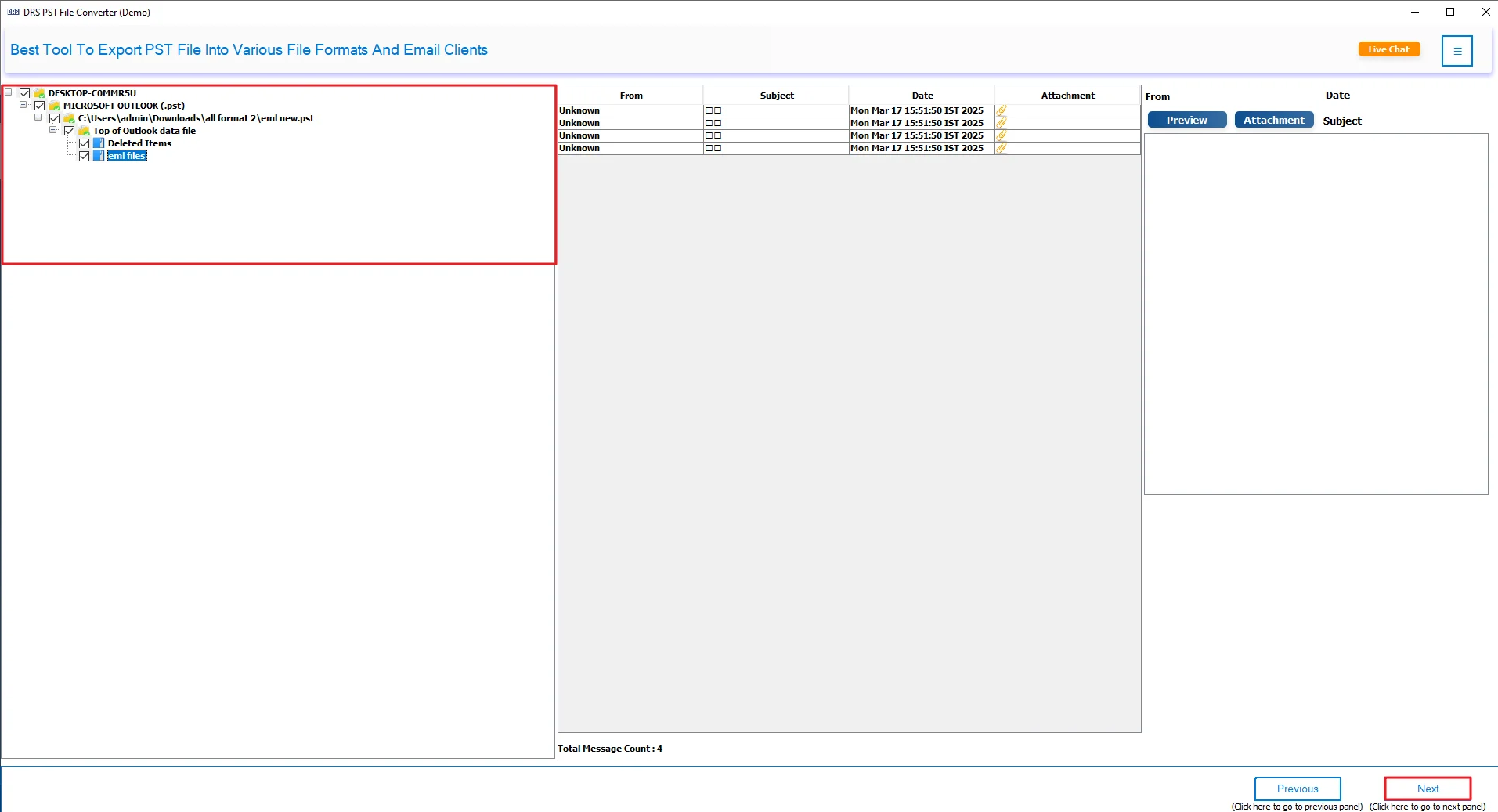
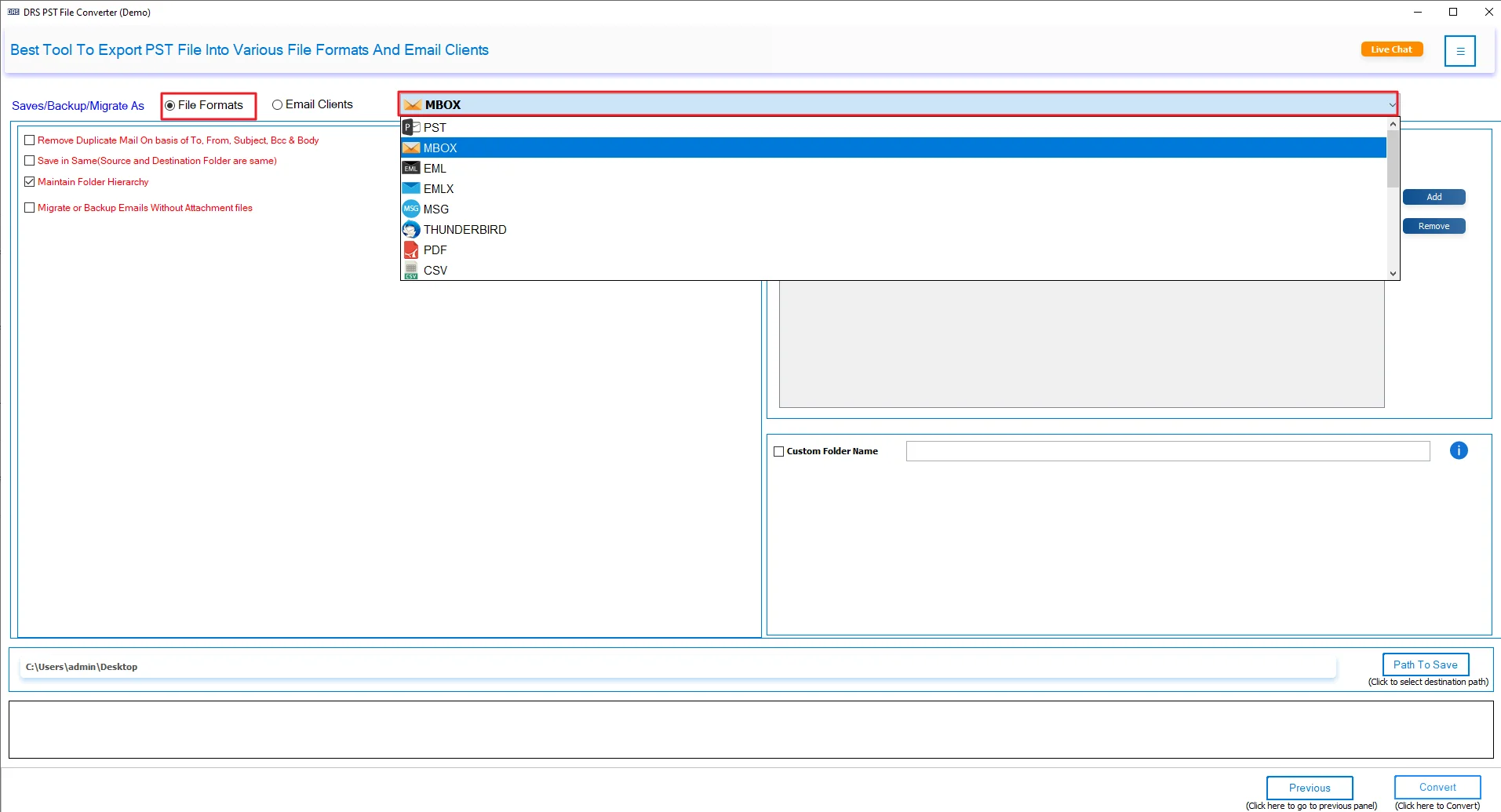
- Thereafter, choose MBOX as the saving file format.
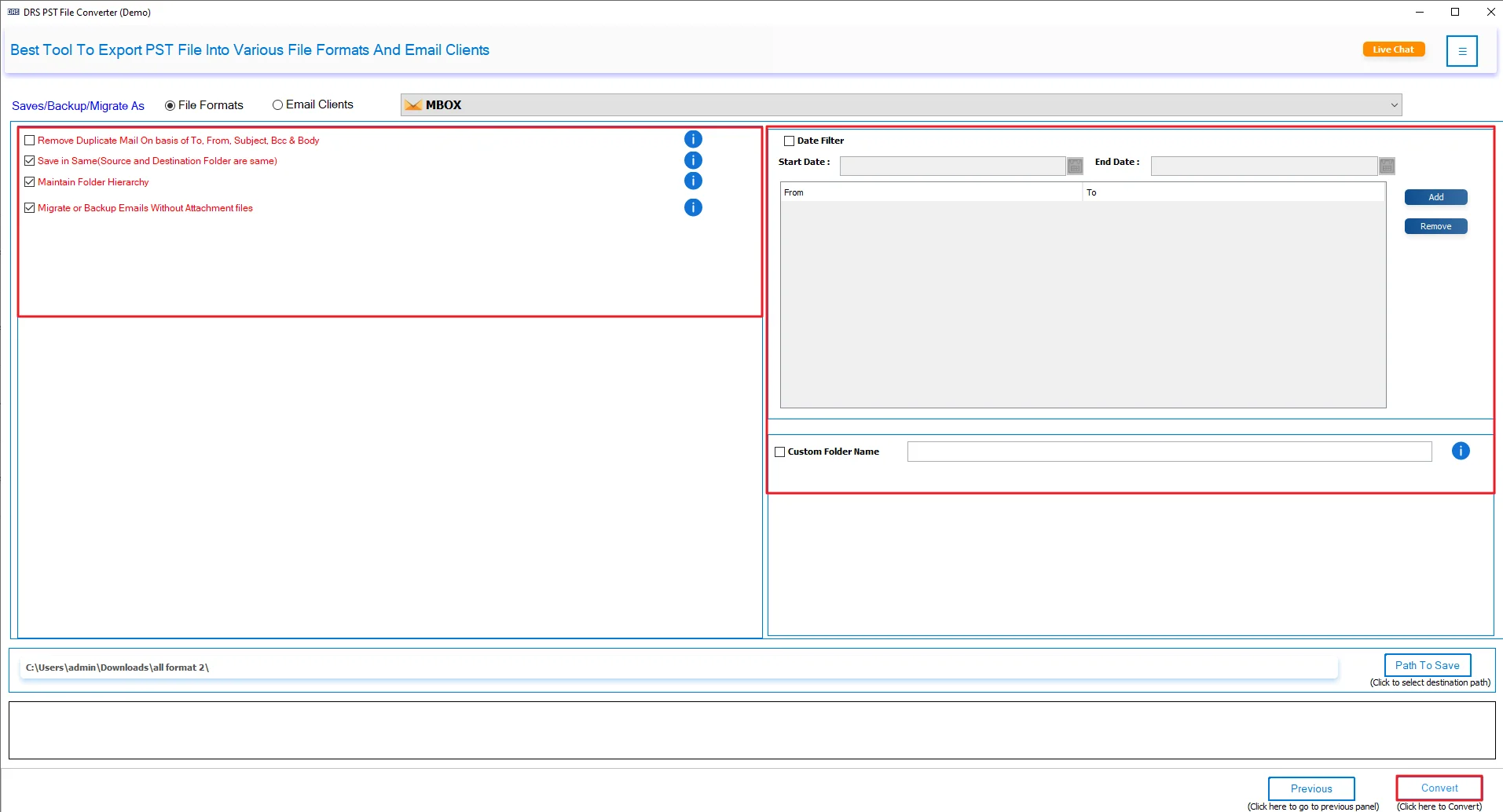
- Lastly, apply additional filters/features and click Convert.
Real-Life Scenario:
Rahul had years of emails saved in Microsoft Outlook. He wanted to open them in Mozilla Thunderbird, but the process wasn’t straightforward. His first attempt was manual, and it felt slow and confusing.
Later, he used a PST File Converter tool. That made things easier. The emails moved quickly, and everything was there. No missing data. Now he can open all his emails in Thunderbird without any trouble.
For other needs, like saving emails as images, he also looked into options like convert PST to JPG.
Advantages: Convert PST file to MBOX on Mac
- You can convert PST to ICS and other formats like MBOX, PDF, or EML.
- It lets you move emails to services like Gmail, Yahoo, or Office 365.
- You can export all folders, like inbox, sent, drafts, and more.
- It works with multiple PST files at the same time.
- You can preview your emails before converting them.
- It helps remove duplicate emails, so things stay clean.
- You can save attachments separately or skip them if needed.
- You can choose specific emails using filters like date range.
Final Wording
In this post, we looked at a few ways to convert PST to MBOX. The manual method can work if you don’t have much data. But honestly, it’s slow and can get messy. It takes time, and it’s easy to get confused while doing it. Using the MigrateEmails PST File Converter Tool makes things a lot easier. The whole process is quicker and much easier to handle. You can test the demo version before deciding.
Frequently Asked Questions
Q1. Can I convert PST to MBOX at once?
Ans. Yes, you can convert multiple PST files at once using the MigrateEmails PST File Converter Tool. It supports bulk conversion and saves time.
Q2. Do I need any technical skills to convert PST file to MBOX?
Ans. No, you don’t need technical skills. The MigrateEmails PST Converter has a simple interface that anyone can use easily.
Q3. Are there any free tools available to transfer PST to MBOX?
Ans. There are manual methods, but they are slow and complicated. A tool like MigrateEmails PST Converter is easier and more reliable.
Q4. What is the best way to convert PST file to MBOX?
Ans. The easiest way is to use the MigrateEmails PST File Converter Tool. It converts data quickly without losing emails or attachments.
Q5. Can I transfer PST to MBOX manually?
Ans. Yes, but it involves multiple steps using Microsoft Outlook and Mozilla Thunderbird, and it can be time-consuming.
Q6. What is an MBOX File Format?
Ans. MBOX is a file format that stores emails in a single file. It is used by apps like Thunderbird and Apple Mail.
Q7. Does converting PST to MBOX keep the folder intact?
Ans. Yes, if you use the MigrateEmails PST Converter Tool, it keeps your folder structure and data the same.
About The Author:

I am Kiran Sharma, a Technical Expert in Content writing. I have technical expertise in the field of Email Backup, Data Recovery, and Email Migration, and resolve technical queries related to Cloud Backup or Email Migration for individuals and businesses.
Related Post