-
Written By Kiran Sharma
-
Approved By
Vikash Bajpai -
Updated on December 12th, 2025
Export Yahoo Mail to Word (DOC/DOCX) – Easy Guide
Elia’s Query:-
“I need to save important emails into Word documents for editing and documentation. What is the easiest and safest way to export Yahoo Mail to Word without losing details?”
“I need to save important emails into Word documents for editing and documentation. What is the easiest and safest way to export Yahoo Mail to Word without losing details?”
Introduction:- Yahoo Mail is a free email service provided by Yahoo that lets users send, receive, and organize emails. Microsoft Word is a word-processing software that allows users to create, edit, format, and save documents. Exporting Yahoo emails to Word allows users to edit and manage emails more flexibly. Since Yahoo Mail does not provide a direct “Save as DOC” option. Many users must either rely on manual methods to convert Yahoo Email to Word. Also, they can use an automated MigrateEmails Yahoo Backup Tool. This guide highlights the most reliable method for error-free, bulk migration.
Why is there a Need to Export Emails from Yahoo to Word?
Users generally migrate Yahoo emails to Word for the following reasons:
- Editing or annotating content for reports or documentation.
- Preparing legal drafts or case references.
- Creating offline records in an editable format.
- Storing emails separately as organized documents.
- Also, preserves formatting for long-term documentation.
- Moreover, for sharing content easily across professional platforms.
Manual Working to Export Yahoo Mail to Word
Yahoo Mail does not directly support DOC or DOCX, but you can move forward using the manual guide. Therefore, you can copy your email content manually into Word. But remember that this process comes with several limitations.
Steps to Save Yahoo Email to Word
- Firstly, sign in to Yahoo Mail.
- Now, open the email you wish to save.
- Then, select the entire content → Right-click → Copy.
- After that, open Microsoft Word.
- Paste the content into the DOC/DOCX file.
- Lastly, save the document to your system.
Limitations of the Manual Method to Export Yahoo Mail to Word Online
- This process cannot export multiple emails at once.
- Sometimes, formatting often breaks during copy-paste.
- The attachments and inline images are not included automatically.
- Therefore, the method is not suitable for large mailboxes.
- Also, it is very time-consuming.
- Moreover, there is no metadata preservation (Date, To, From, etc.).
Professional Utility to Export Yahoo Mail to Word
The most reliable method is to use the MigrateEmails Yahoo Backup Tool. It directly converts Yahoo emails into DOC or DOCX format with complete data. Therefore, there is no copy-paste and no risk of losing data. Also, this tool supports users to export Yahoo Mail to MSG and other file formats. Additionally, this tool is designed with a free demo version available for all users.
One-Time Service Option:- If you prefer a done-for-you approach, MigrateEmails also provides a One-Time Email Conversion Service. Connect with our experts to securely convert Yahoo Email to Word with full confidentiality and accuracy.
Beginner’s Handbook for Using the Software
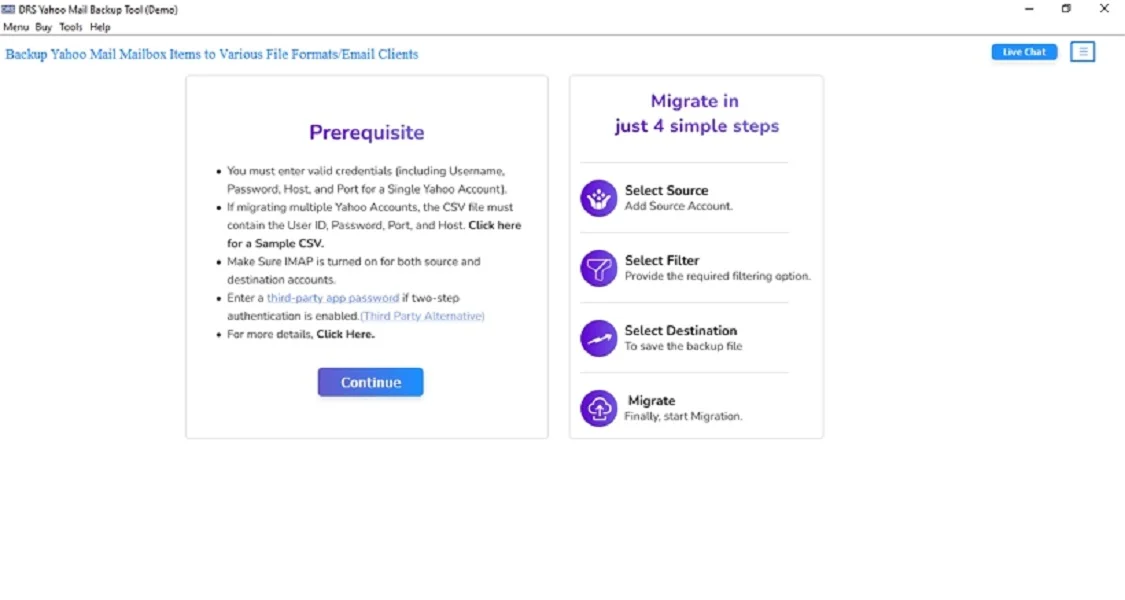
- Firstly, install and run the MigrateEmails Yahoo Backup Tool → Continue to move.
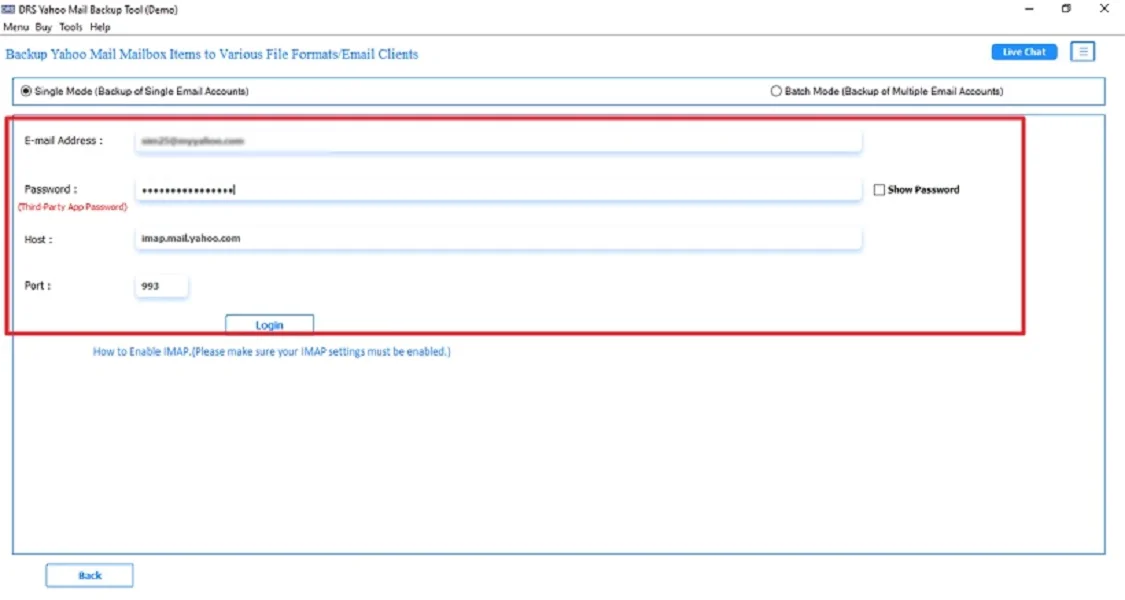
- Now, log in to Yahoo Mail using the credentials.
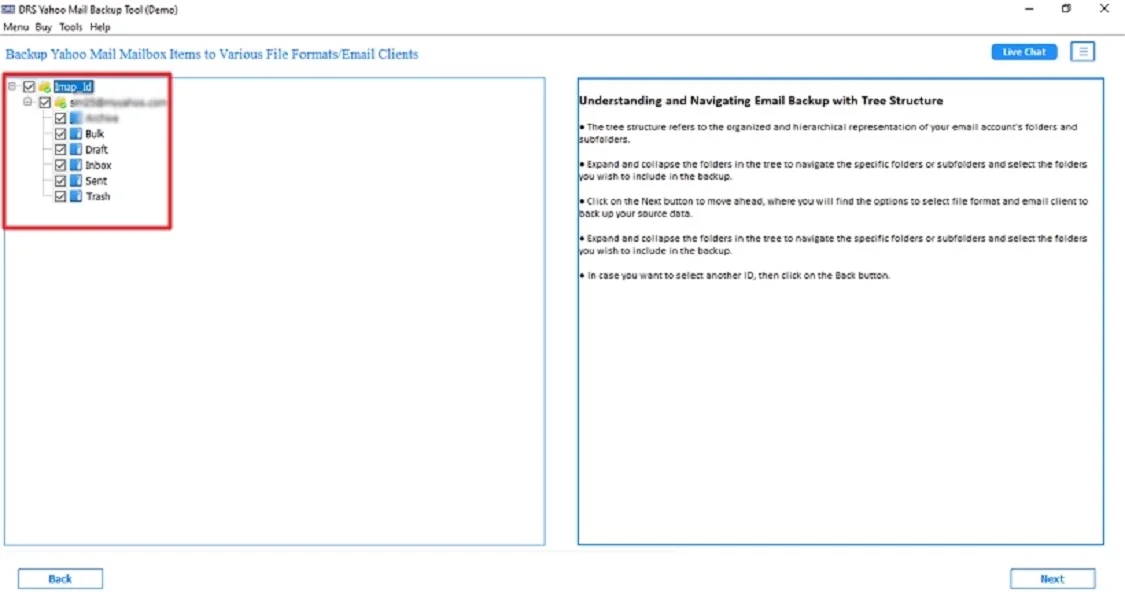
- After that, preview the mailbox structure → Click Next.
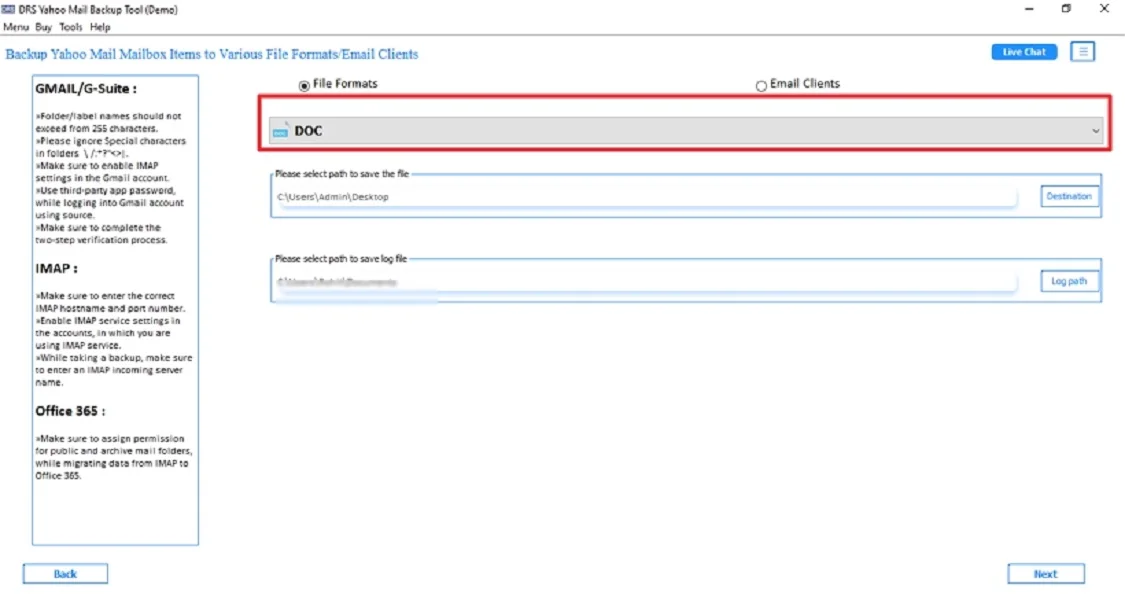
- Further, choose DOC or DOCX as the saving file format → Next.
- Finally, apply filters if required → Click Convert.
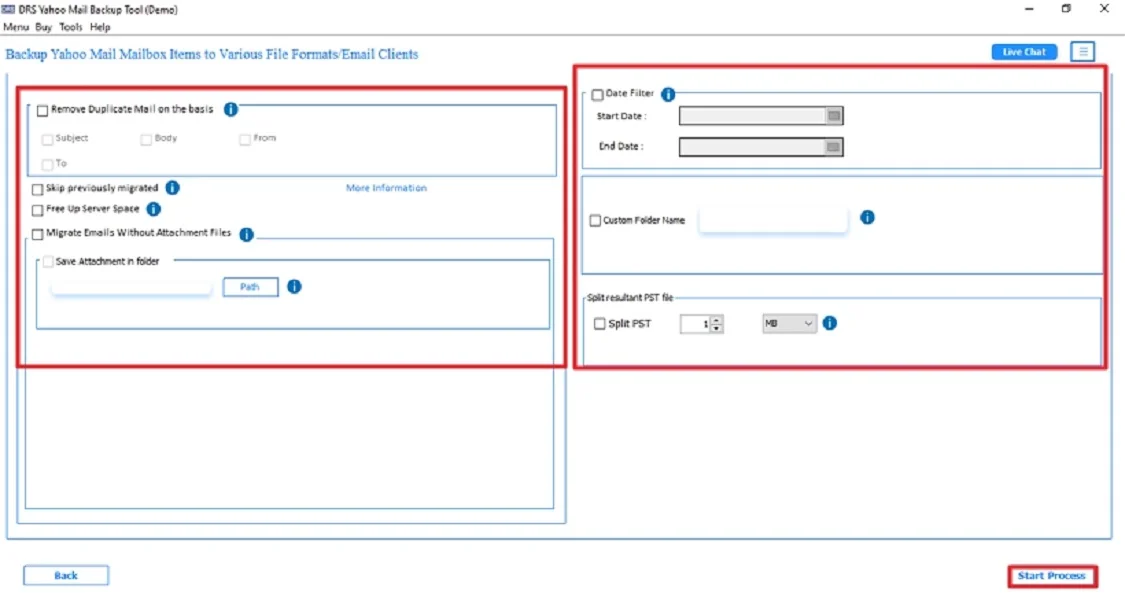
Key Benefits of Using the Automated Utility to Export Yahoo Mail to Word
- This tool exports Yahoo Mail to DOC or DOCX in bulk.
- Preserves email formatting, metadata, and structure.
- Saves attachments separately without corruption.
- Enables the users to export Yahoo to CSV.
- Also, supports Windows and Mac.
- Additionally, there is zero data modification or loss.
Real-Life Example:- A journalist needed to compile hundreds of Yahoo emails into editable Word files for a large research report. Using the automated Yahoo Backup utility, they exported all messages in bulk. Also, they ensure the process without losing formatting or inline images, saving days of manual effort.
Conclusion
In short, exporting Yahoo Mail to DOC or DOCX is essential for users who need document-ready email content. Manual methods work only for a few emails but often compromise formatting. For bulk, accurate, and secure export, the Yahoo Backup Tool is the most efficient solution to export Yahoo Mail to Word. It ensures complete data integrity, saves time, and supports multiple formats for greater flexibility.
Frequently Asked Questions
Q1. What is the best tool to export Yahoo Mail to Word?
Ans. The best and most reliable tool to shift Yahoo Mail to Word (.doc/.docx) is the MigrateEmails Yahoo Backup Tool. It allows you to securely download Yahoo emails into Word format while preserving attachments, folder structure, and metadata.
Q2. Is it safe to convert Yahoo Email to Word?
Ans. Yes, it is completely safe. As long as you use a trusted MigarteEmails Yahoo backup tool. They use secure authentication, do not store your data, and ensure 100% data integrity during conversion.
Q3. How can I export emails from Yahoo to Word if I don’t have technical skills?
Ans. If you’re a non-technical user, the easiest way is to use an automated Yahoo to Word converter tool. It requires only basic steps. There is no manual configuration, and no technical knowledge is needed.
Q4. Can I save a Yahoo email to Word for free?
Ans. Yes, but only one email at a time. You can follow a few steps:
1- Open an email.
2 – Copy the content and paste it into Microsoft Word
3 – Save the document.
However, this method is slow and not recommended for exporting large mailboxes.
About The Author:

I am Kiran Sharma, a Technical Expert in Content writing. I have technical expertise in the field of Email Backup, Data Recovery, and Email Migration, and resolve technical queries related to Cloud Backup or Email Migration for individuals and businesses.
Related Post