-
Written By Kiran Sharma
-
Updated on December 9th, 2025
How to Migrate Yahoo Mail to IMAP: Full Step-by-Step Guide
User Query:-
“I have been using Yahoo Mail for years. Now I want to move my emails to another IMAP-based service. What is the safest way to migrate Yahoo Mail to IMAP without any loss?”
“I have been using Yahoo Mail for years. Now I want to move my emails to another IMAP-based service. What is the safest way to migrate Yahoo Mail to IMAP without any loss?”
Introduction:- Migrating Yahoo Mail to an IMAP-supported email service is universal. IMAP helps sync emails across devices while preserving the details intact. On the other hand, Yahoo Mail supports IMAP access. The manual migration requires complex configuration and still carries the risk of data loss. Therefore, this guide covers the hand-driven method to change Yahoo Email to IMAP. Also, it introduces the MigrateEmails Yahoo Backup Tool for bulk migration.
How IMAP Enhances the Yahoo Mail Platform?
The following are the reasons for choosing IMAP over Yahoo Mail:
- Accessing Yahoo emails on another mail service or hosting provider.
- For shifting business communication to a new IMAP-supported platform.
- To sync emails across multiple devices and clients.
- Also, for better security, storage, and management features.
- Moreover, to maintain a complete backup and future accessibility.
Conventional Approach to Migrate Yahoo Mail to IMAP
The manual approach requires connecting Yahoo Mail and your IMAP account to a mail client. But remember that this process is slow and comes with some challenges.
Steps to Transfer Emails from Yahoo Mail to IMAP Manually
- Firstly, open a desktop email client such as Outlook or Thunderbird.
- Now, add your Yahoo Mail account using IMAP settings:
- IMAP Server: imap.mail.yahoo.com
- Port: 993
- Security: SSL
- Then, add your destination IMAP account using its server settings.
- Once both accounts load, select the Yahoo folders you want to move.
- After that, drag and drop folders into the IMAP mailbox.
- Lastly, wait for the synchronization to complete.
Limitations to Migrate Yahoo Mail to IMAP Manually
- The process is very slow for large mailboxes.
- Often causes folder corruption or missing emails.
- Sometimes, the attachments may not migrate properly.
- Duplicate emails get created easily.
- Requires technical configuration and login troubleshooting.
- Also, there is no filter-based selective migration.
- Moreover, there is a high risk of sync failure if the internet connection drops.
High-Level Approach to Move Yahoo emails to another IMAP
The MigrateEmails Yahoo Backup Tool provides an error-free method to convert Yahoo emails to an IMAP-supported server. Unlike manual methods, this tool ensures complete mailbox preservation with zero data loss. This process does not require any technical skills. Also, it allows users to migrate Yahoo Mail to AOL and other supported mail clients. Additionally, the tool comes with a free demo version for users with a non-tech background.
One-Time Service Option:- If you prefer not to perform the migration yourself, the MigrateEmails team offers a dedicated One-Time Migration Service. Experts handle the entire conversion securely while maintaining privacy and accuracy.
.
.
Instant Process to Migrate Yahoo Mail to IMAP Professionally
- Firstly, launch the MigrateEmails Yahoo Backup Software → Continue.
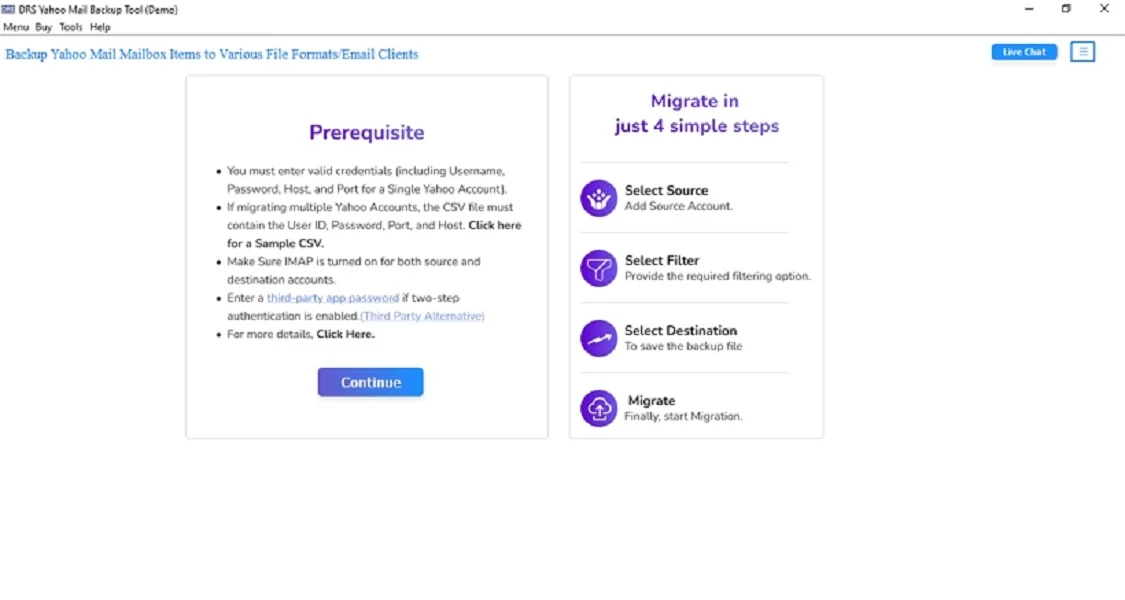
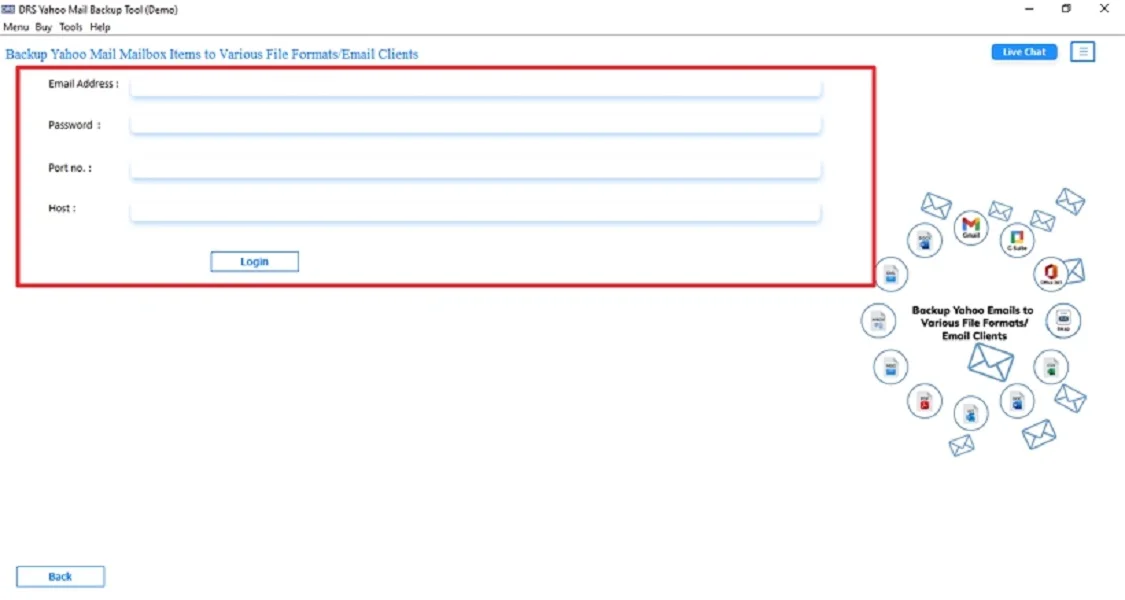
- Now, log in using the Yahoo Mail Account credentials.

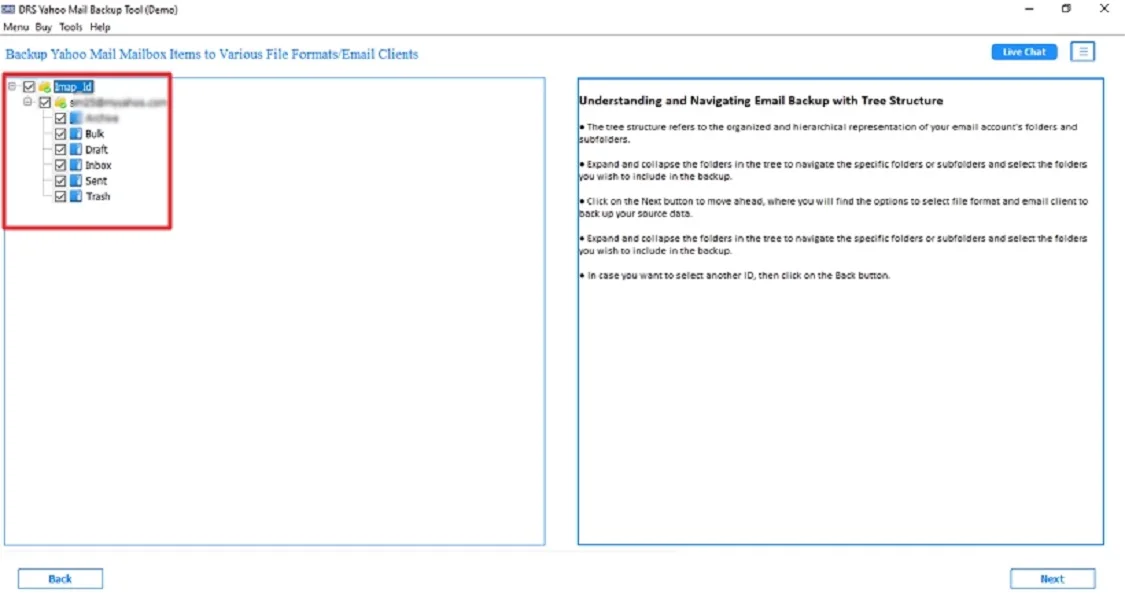
- After that, preview to verify the mailbox → Select the file and click Next.
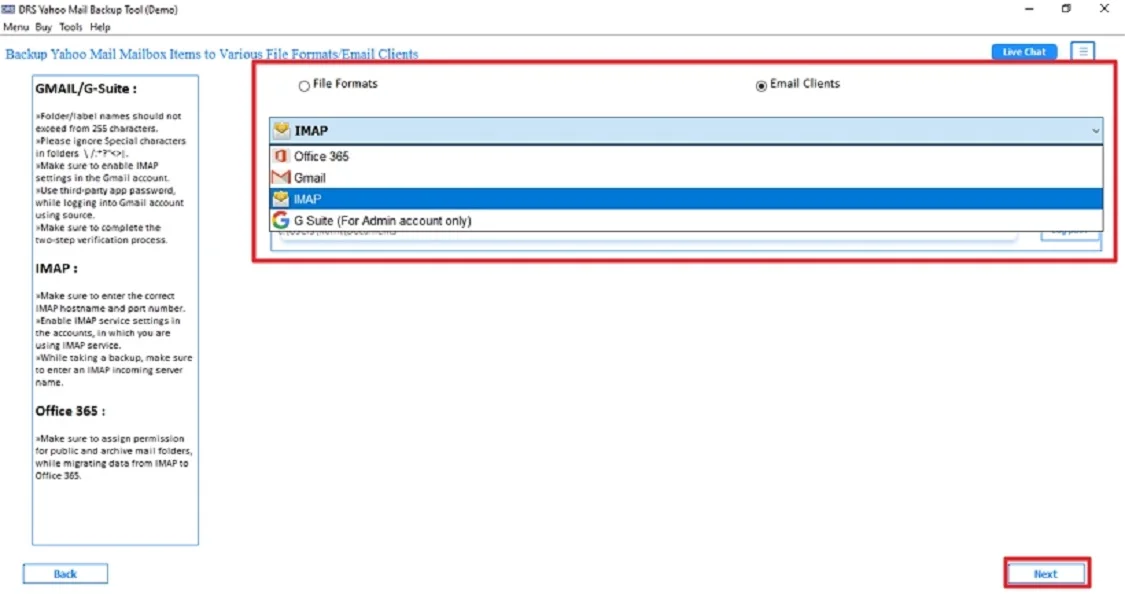
- Further, choose IMAP as the saving email client and tap Next.
- Then, log in using the IMAP Account credentials.
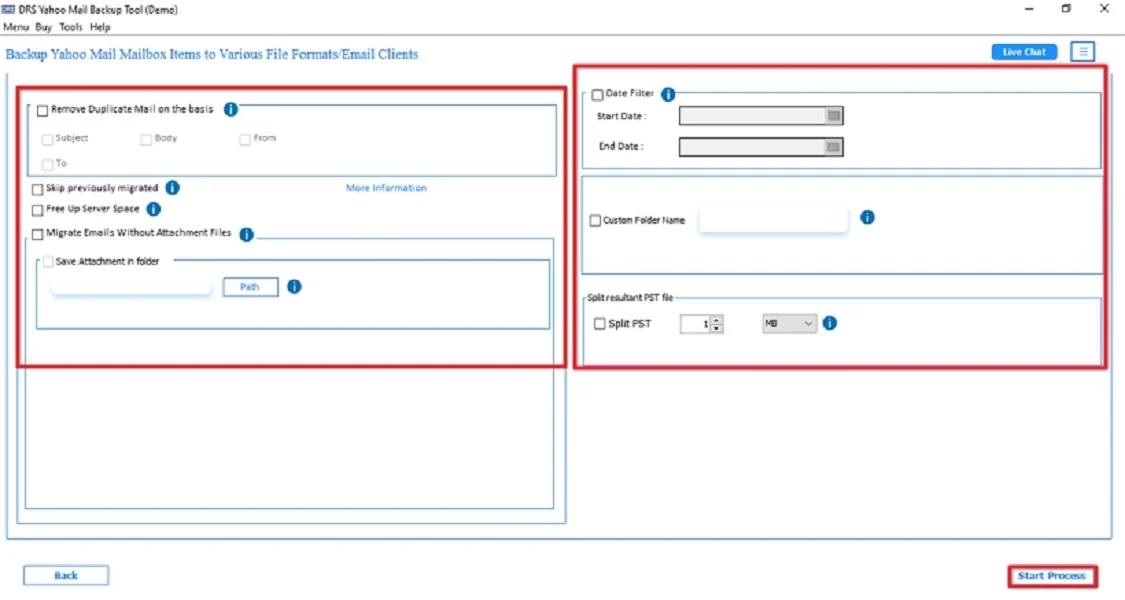
- Finally, apply the built-in features and click Start Process to begin.
Top Features to Migrate Yahoo Mail to IMAP Professionally
- Migrate Yahoo Mail directly to any IMAP server.
- Maintains folder hierarchy, metadata, and formatting intact.
- Transfers attachments and inline images accurately.
- Supports users to export Yahoo Mail to EML and other file formats.
- Works smoothly on both Windows and Mac.
- There is no risk of duplicate or missing emails.
- Moreover, it is ideal for non-technical users.
Challenges & Solutions (Manual vs Automated)
| Challenges | Manual Process | Automated Solution |
| App Password Error | Generate app password manually in Yahoo Security | Tool prompts for app password & validates it automatically |
| Slow Sync or Missing Folders | Migrate in batches, clean the mailbox, and increase the timeout | Apply filters, multi-threaded migration, resume/retry options |
| Attachment Download Failure | Download attachments separately or reduce folder size | Attachments are preserved automatically with integrity checks |
| Email Duplication | Avoid repeating drag-drop, check folders manually | “Skip Duplicate” feature prevents repeated migration |
Conclusion
To conclude, Migrating Yahoo Mail to IMAP ensures better flexibility, seamless device syncing, and improved account management. While manual methods can work for very small mailboxes, they pose several risks. Also, this includes data loss and incomplete synchronization. To ensure a risk-free conversion, the Yahoo Backup Tool is the preferred solution to migrate Yahoo Mail to IMAP. It saves time, preserves all data, supports filters, and handles bulk migration efficiently.
Frequently Asked Questions
Q.1 Which is the best tool to migrate Yahoo Mail to IMAP?
Ans. The most reliable option is the MigrateEmails Yahoo Backup Tool. It supports direct IMAP-to-IMAP migration. Also, it reserves folder hierarchy, keeps attachments intact, and ensures 100% accurate data transfer without downtime.
Q.2 Can I change Yahoo Email to IMAP safely?
Ans. Yes, you can safely change your Yahoo Email to an IMAP as long as you use an app password for authentication. And a secure tool that ensures complete mailbox integrity. Automated tools offer safer results than manual methods.
Q.3 Is it possible to transfer emails from Yahoo Mail to IMAP without technical skills?
Ans. Absolutely. Using an automated Yahoo to IMAP migration tool allows even non-technical users to perform the migration with zero data loss.
Q.4 Can I move Yahoo emails to another IMAP in bulk?
Ans. Yes. Professional migration MigrateEmails Yahoo Backup tool supports bulk transfer of entire Yahoo mailboxes. Therefore, this includes all folders, attachments, and metadata to any IMAP server without limitations or data loss.
About The Author:

I am Kiran Sharma, a Technical Expert in Content writing. I have technical expertise in the field of Email Backup, Data Recovery, and Email Migration, and resolve technical queries related to Cloud Backup or Email Migration for individuals and businesses.
Related Post