-
Written By Kiran Sharma
-
Approved By
Vikash Bajpai -
Updated on January 14th, 2026
Best Way to Import EML to GoDaddy Email Without Data Loss
User Query:-
“I have multiple EML files saved on my computer. Now, I want to convert them into my GoDaddy Email account. What is the safest and easiest way to import EML to GoDaddy email without losing data?”
“I have multiple EML files saved on my computer. Now, I want to convert them into my GoDaddy Email account. What is the safest and easiest way to import EML to GoDaddy email without losing data?”
Introduction:- Migrating EML files into GoDaddy Email can be difficult because GoDaddy does not provide a direct option to import EML files. Users often face issues like manual limitations, missing attachments, or incomplete data. This blog explains the manual method to import EML file to GoDaddy email. Also covers a professional MigrateEmails EML Converter Tool for secure conversion with no data loss.
Understanding the EML and GoDaddy Emails
Knowing the difference between the two formats helps users choose the correct conversion method.
|
Feature Criteria |
EML File Format |
GoDaddy Email |
|
Single email message file |
Cloud-based email service |
|
Stored locally on the computer |
Stored online on GoDaddy servers |
|
Stored inside the EML file |
Stored with emails in the mailbox |
|
Requires an email client to open |
Accessible through web browsers or email apps |
|
Requires an email client to open |
Does not directly support EML |
|
Email backup, sharing, or archiving |
Business and professional email communication |
Why Do Users Need to Import EML to GoDaddy Email?
There are several reasons why users choose GoDaddy instead of EML:
- Restore backed-up EML emails into GoDaddy Mail.
- Centralize emails from different platforms into one GoDaddy account.
- To access old emails online instead of local storage.
- Also, for managing business communication in a single GoDaddy mailbox.
Manual Method to Open EML File in GoDaddy Mail
There is no direct solution to migrate EML files. Since GoDaddy Email supports IMAP, a workaround can be used. But keep in mind that this method is suitable only for a limited number of files.
Step-by-Step Procedure to Use the Manual Workaround
- Firstly, set up your GoDaddy Email account in an email client like Thunderbird.
- Now, create a new folder under the GoDaddy mailbox.
- Drag and drop EML files from your local system into the GoDaddy folder.
- Lastly, allow time for synchronization to complete.
Limitations to Manually Import EML to GoDaddy Email
- Not suitable for multiple EML files.
- High risk of missing attachments.
- Time-consuming for large mailboxes.
- It requires basic technical knowledge.
- Sometimes, sync failures may occur with large files.
Automated Solution to Upload EML File into GoDaddy
Using a professional MigrateEmails EML Converter Tool is the most reliable solution. This tool allows you to convert EML to MSG with complete data integrity. It converts multiple EML files simultaneously without any loss. The highly efficient software guarantees 100% accuracy and complete preservation. Furthermore, it has a user-friendly interface without technical expertise. Some of the key advantages are:
- Supports multiple EML file import
- Preserves attachments, headers, and formatting
- No manual configuration complexity
- Faster and error-free process
- Enables users to convert EML to EMLX and other formats.
- Moreover, it is compatible with Windows OS.
One-Time Email Migration Service:-
If you don’t want to install software or handle technical steps, a one-time migration service is ideal. Just connect with our team. The experts handle the complete EML to GoDaddy Email import securely. This makes it perfect for business users or large datasets with 100% accuracy, high-end security, and complete confidentiality.
If you don’t want to install software or handle technical steps, a one-time migration service is ideal. Just connect with our team. The experts handle the complete EML to GoDaddy Email import securely. This makes it perfect for business users or large datasets with 100% accuracy, high-end security, and complete confidentiality.
Simple Process to Import EML to GoDaddy Email Using the Tool
- Firstly, launch the MigrateEmails EML Converter Tool and click Next.
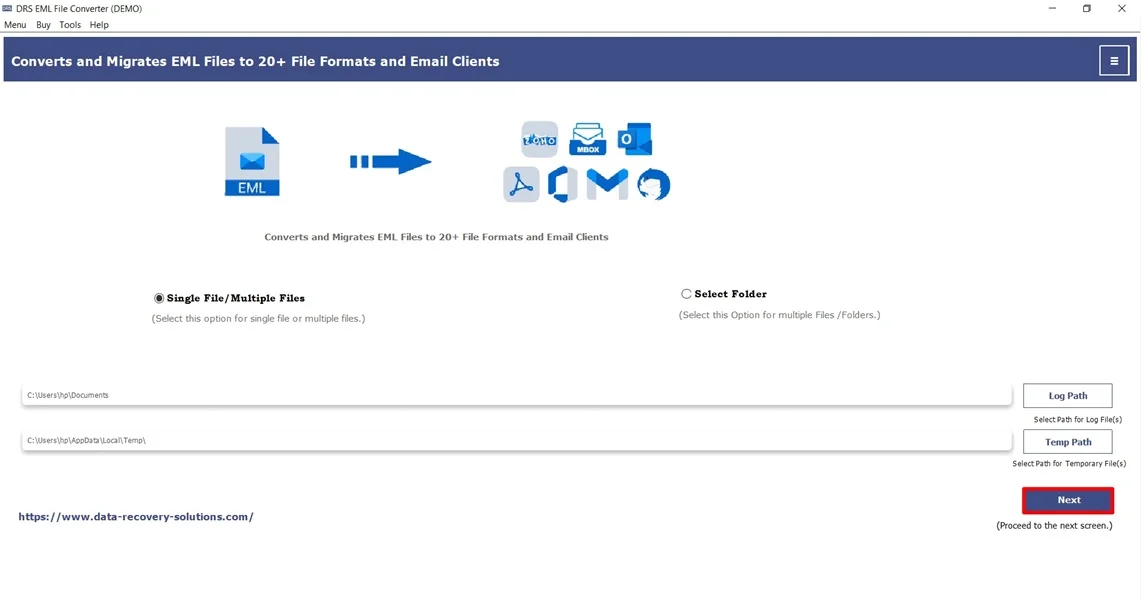
- Now, click Select Files/Folders, add the EML file, and click Next.
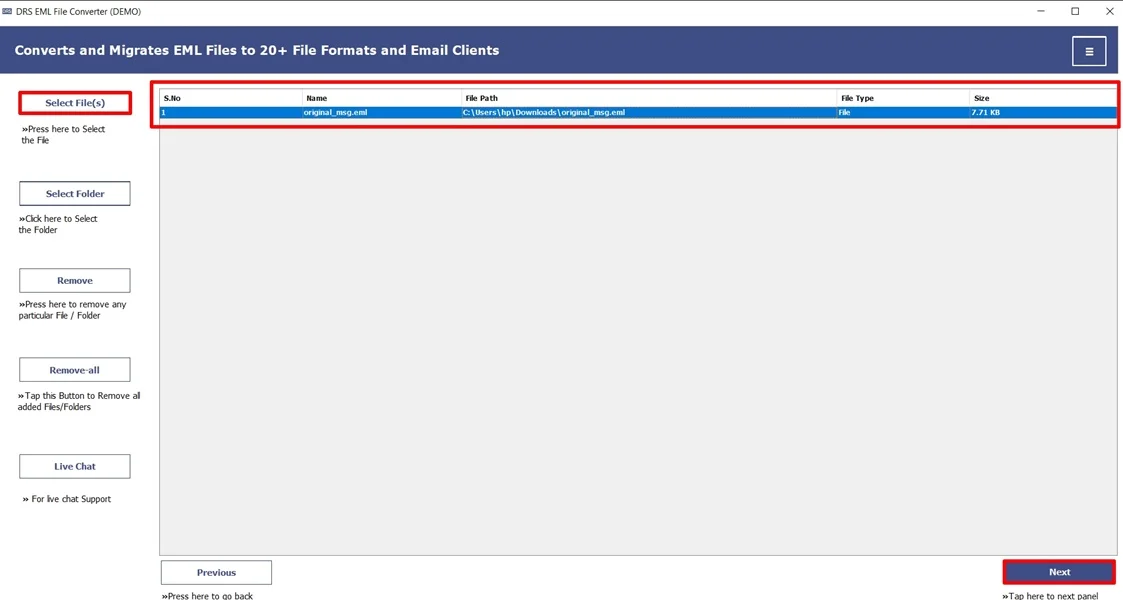
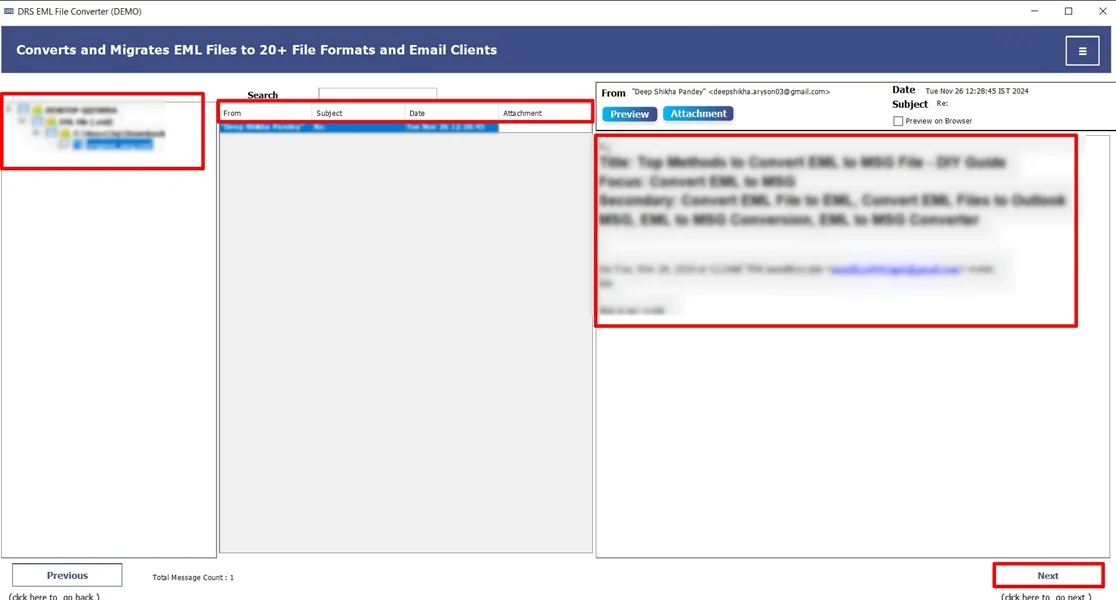
- Afterwards, expand and preview the mailbox, and click Next.
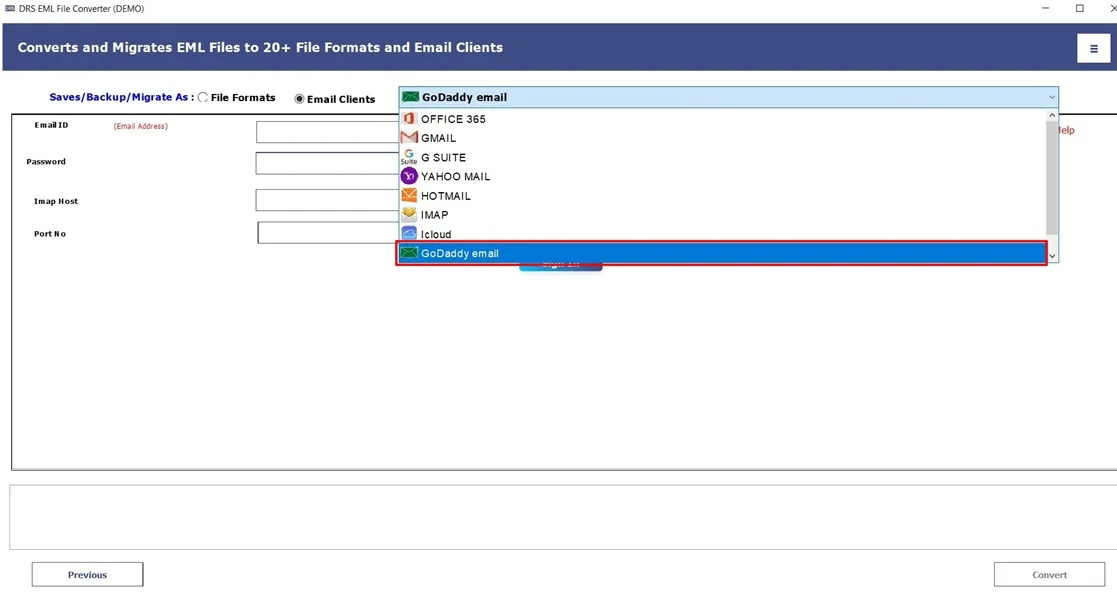
- Further, choose GoDaddy as the saving email platform.
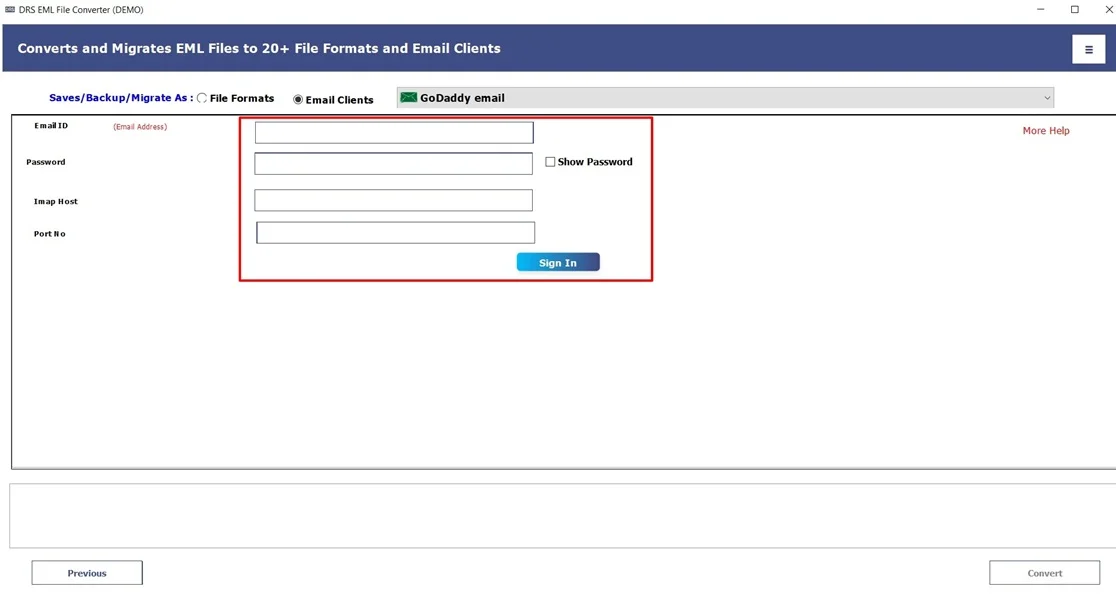
- Subsequently, sign in using the GoDaddy mail credentials.
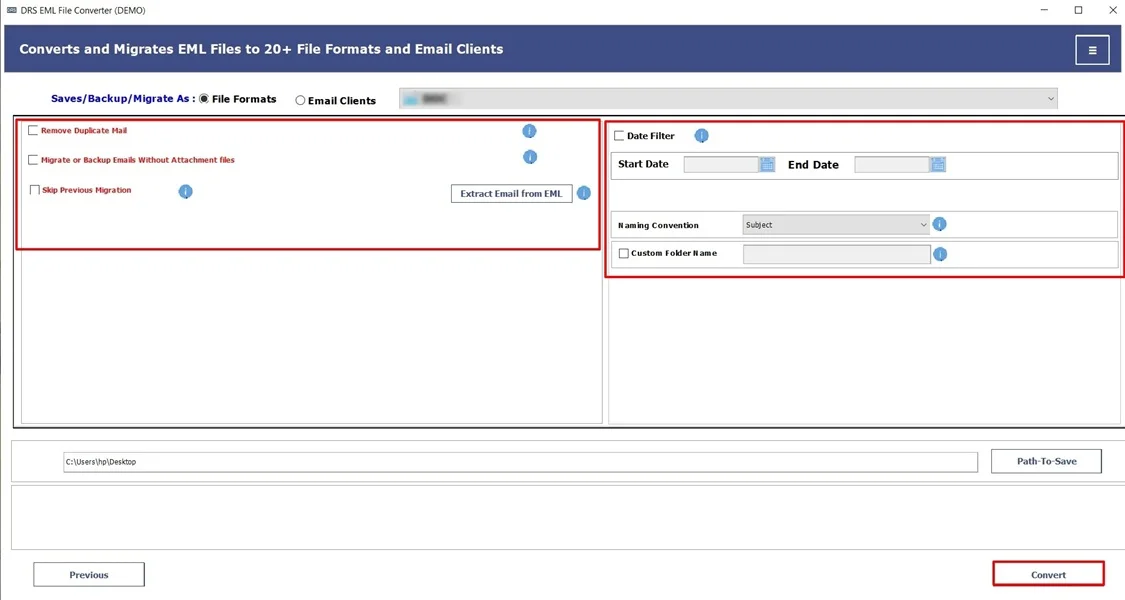
- In the end, apply the filters and click Convert to begin.
Real-Life Example:-
A small business owner had years of archived EML emails stored locally. Manual import kept failing due to mailbox size. Using an automated EML Converter tool, they import EML emails to GoDaddy email without any data loss.
A small business owner had years of archived EML emails stored locally. Manual import kept failing due to mailbox size. Using an automated EML Converter tool, they import EML emails to GoDaddy email without any data loss.
Conclusion
To conclude, while manual methods are also available, they may work for a few EML files. But they are unreliable for large-scale conversions. A professional and automated EML converter solution ensures a secure, fast, and hassle-free way to import EML to GoDaddy Email. For users with minor technical skills or multiple data sources, an automated tool or one-time services are the best choice.
Frequently Asked Questions
Q.1 What is the best tool to import EML to GoDaddy Email?
Ans. The best tool is a professional MigrateEmails EML to IMAP import utility. This supports GoDaddy Email. It allows bulk EML import, preserves attachments and email formatting, and securely saves emails directly to your GoDaddy mailbox without manual effort.
Q.2 How can I import EML files into GoDaddy Email without technical skills?
Ans. You can use an automated EML converter tool designed for non-technical users. This tool provides a simple interface with no email client configuration or technical knowledge.
Q.3 How can I safely open an EML file in GoDaddy Mail?
Ans. GoDaddy Mail cannot open EML files directly. To view them safely, you must first import EML files into your GoDaddy Email account using an IMAP-based tool or email client. Once imported, the emails become accessible directly within the GoDaddy webmail interface.
About The Author:

I am Kiran Sharma, a Technical Expert in Content writing. I have technical expertise in the field of Email Backup, Data Recovery, and Email Migration, and resolve technical queries related to Cloud Backup or Email Migration for individuals and businesses.
Related Post