-
Written By Kiran Sharma
-
Updated on December 11th, 2025
Export Yahoo Mail to MSG with Automated Utility
User Query:-
“I need to export multiple Yahoo emails into MSG format. Manual download is slow and does not save data properly. What is the best and safest way to export Yahoo Mail to MSG without corruption or loss?”
“I need to export multiple Yahoo emails into MSG format. Manual download is slow and does not save data properly. What is the best and safest way to export Yahoo Mail to MSG without corruption or loss?”
Introduction:- Yahoo Mail is a free web-based email service offered by Yahoo. MSG is a single email file format used by Microsoft Outlook and Exchange. Therefore, this conversion helps users save individual emails with complete details. However, the MSG files are widely supported by Microsoft. In comparison, Yahoo Mail does not allow direct export to MSG. But you can still save Yahoo Email as MSG manually. Also, with the help of an automated MigrateEmails Yahoo Backup Tool to perform the same.
Understanding the Yahoo Mail & MSG Format
|
Yahoo Mail |
MSG Format |
|
|
What Makes MSG a Better Choice for Yahoo Mail Backup?
Users often need to export Yahoo Mail to MSG for the following reasons:
- To store emails individually for documentation.
- Preserves email formatting and properties more accurately.
- Easy to open and manage in Microsoft Outlook.
- Useful for legal or compliance requirements.
- Also, it allows offline access to important communication.
- Moreover, it is helpful when importing emails into Outlook-based applications.
Manual Method to Export Yahoo Email to MSG
This method is useful in case you don’t want to install any external software. The manual method requires configuring Yahoo Mail into Outlook and then exporting messages individually.
Step-by-Step Manual Process to Backup Yahoo Emails in MSG
- Firstly, open Yahoo Mail → Go to Account Security → Enable App Password.
- Now, generate and save the Yahoo App Password.
- Then, open Microsoft Outlook → Add Yahoo Mail using IMAP.
- Once the mailbox syncs fully, select an email.
- Lastly, drag the email and drop it onto a folder in File Explorer.
Disadvantages of the Manual Process to Export Yahoo Mail to MSG
- There is no bulk MSG export option.
- This method requires Outlook installation and configuration.
- It is very time-consuming for large mailboxes.
- Also, the attachments may fail in some cases.
- Moreover, there are high chances of syncing delay or missing emails.
- Additionally, it is not suitable for non-technical users.
Export Yahoo Mail to MSG with Attachments: Standard Tool
The fastest and most secure way is by using the MigrateEmails Yahoo Backup Tool. This tool directly converts Yahoo mailbox data into MSG files without requiring Outlook installation. It preserves email structure, attachments, metadata, and formatting intact with zero data loss. Therefore, the software allows users to migrate Yahoo Mail to IMAP and other supported email platforms.
One-Time Service Option:- If you only need to migrate Gmail to Zoho Mail once, you can use the CloudMigration one-time migration service. This will transfer your emails to Zoho Mail without losing any data.
Complete Tutorial to Use the MigrateEmails Utility
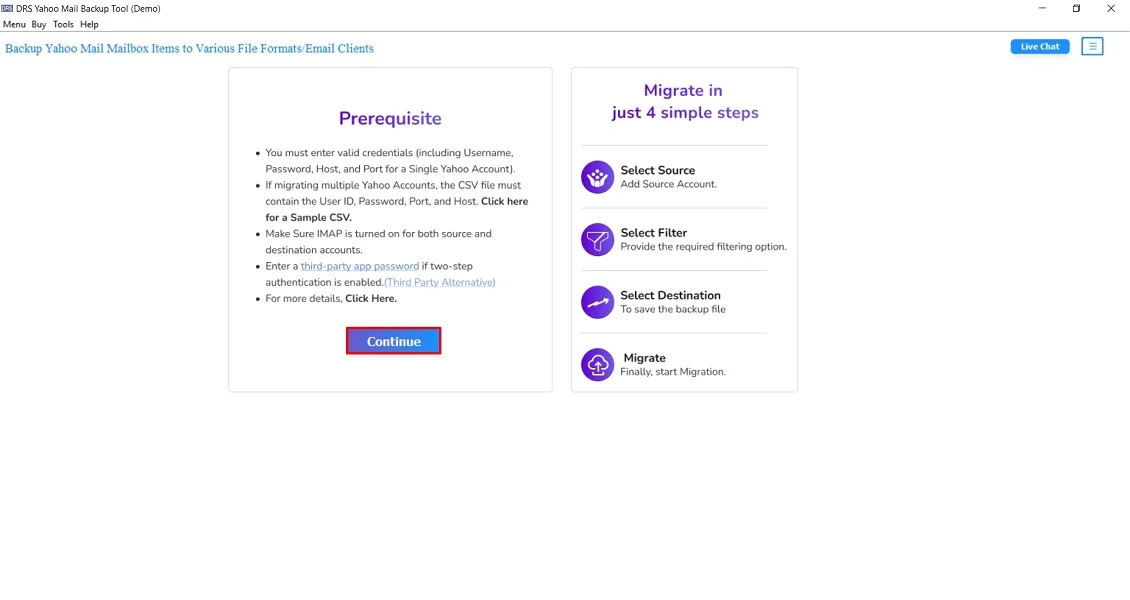
- Firstly, launch the MigrateEmails Yahoo Backup Tool → click Continue to move.
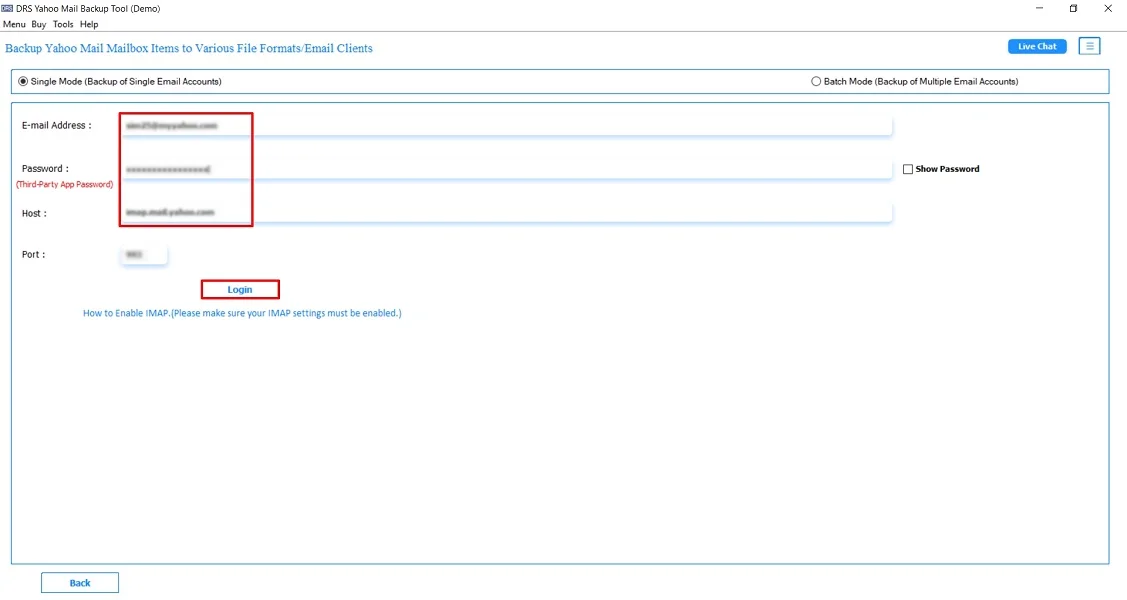
- Now, log in using the Yahoo Mail Account credentials.
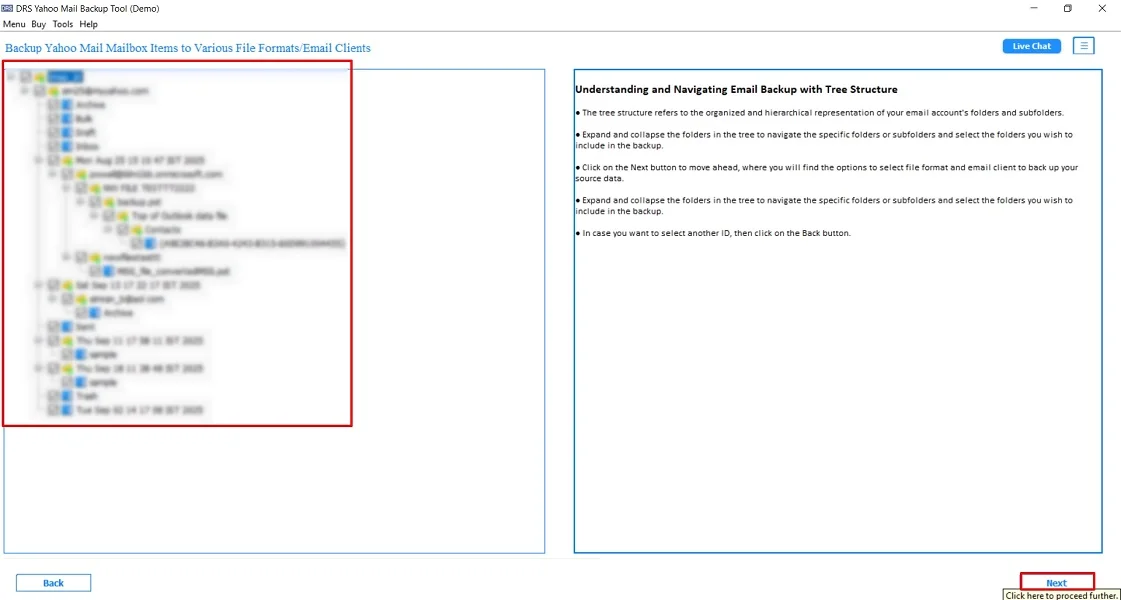
- Then, expand the data structure and preview the mailbox → Next.
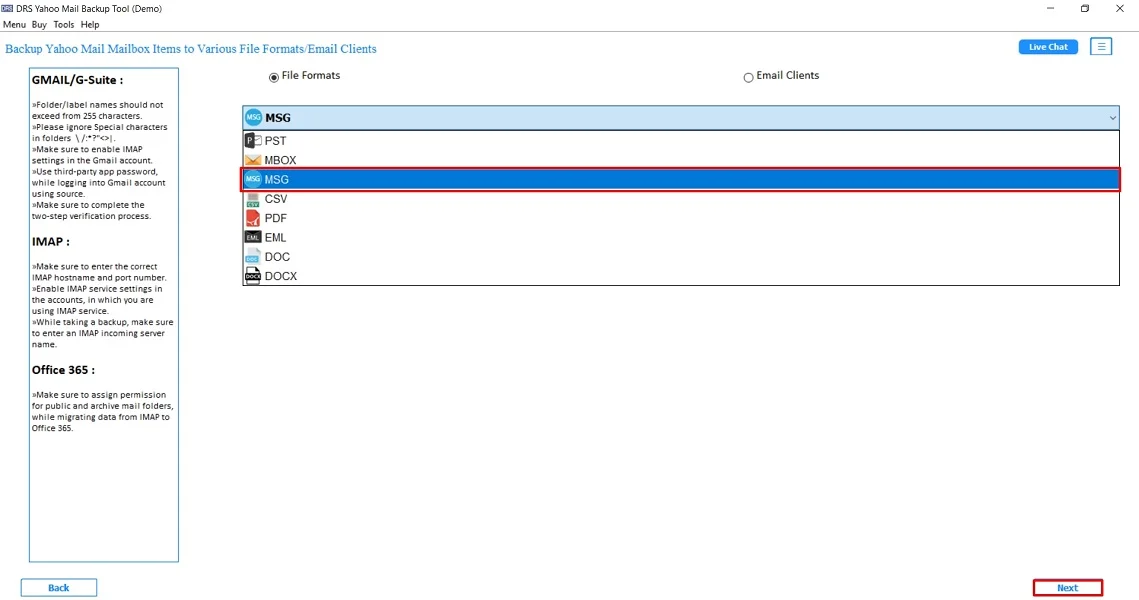
- After that, choose MSG as the saving file format → Next.
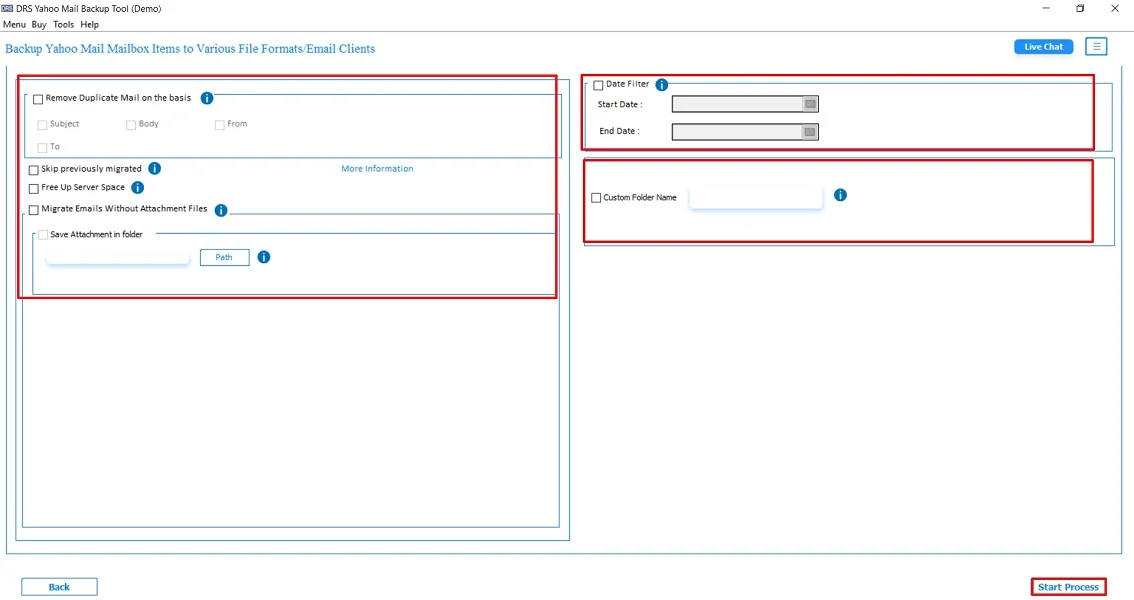
- Finally, apply the additional filters and click Start Process to proceed.
Advantages of Using the Tool to Export Yahoo Mail to MSG
- Export multiple Yahoo emails to MSG at once.
- Maintains folder structure and email integrity.
- Saves attachments and inline content safely.
- Offers users the ability to export Yahoo Mail to EML and other file formats.
- Also, it works on both Windows and Mac systems.
- Moreover, there is no risk of data loss, corruption, or modification.
Real-Life Example:- A legal consultant needed to save hundreds of client-related Yahoo emails in MSG format for case documentation. Using the automated Yahoo Backup utility, they exported all messages at once. It ensures each email retains its metadata and attachments. The result was fast, accurate, and secure.
Final Words
To sum up, exporting Yahoo Mail to MSG is essential for secure, organized, and individual email storage. Manual methods work only for a few emails and require technical configuration. For accurate, fast, and bulk export, the Yahoo Backup Tool is the recommended solution to export Yahoo Mail to MSG. It ensures complete data safety, preserves structure, and saves significant time.
Frequently Asked Questions
Q.1 How do I export Yahoo Mail to MSG format?
Ans. You can convert Yahoo emails to MSG by either manually saving each email or by using an automated MigrateEmails Yahoo to MSG converter tool. This exports emails directly without Outlook. The automated method is faster and supports bulk MSG export.
Q.2 Is there a secure method to save Yahoo emails as MSG with attachments?
Ans. Yes. The safest method is to use a professional Yahoo Backup Tool. This preserves attachments, inline images, metadata, and formatting. Automated utilities ensure no corruption, no missing items, and complete folder hierarchy retention.
Q.3 What is the difference between free and paid tools when you export Yahoo Email to MSG?
Ans. Free methods offer only basic email downloads, do not support bulk export, and may miss attachments or formatting. On the other hand, the paid tools provide full mailbox export, preserve structure, allow filters, support attachments, and offer accurate conversion without errors. Moreover, it is ideal for heavy or professional use.
Q.4 Is it possible to back up Yahoo Emails in MSG without technical knowledge?
Ans. Yes. The automated MigrateEmails Yahoo backup tool is designed for both technical and non-technical users. You simply log in, choose MSG as the saving format, and start the export. No server settings, no manual configuration, and no Outlook setup are required.
About The Author:

I am Kiran Sharma, a Technical Expert in Content writing. I have technical expertise in the field of Email Backup, Data Recovery, and Email Migration, and resolve technical queries related to Cloud Backup or Email Migration for individuals and businesses.
Related Post