-
Written By Kiran Sharma
-
Approved By
Vikash Bajpai -
Updated on December 17th, 2025
How to Transfer AOL Mail to Yahoo Mail with Attachments
User Query:-
“I want to shift all my AOL Mail emails to Yahoo Mail, along with attachments. What is the safest and easiest way to transfer AOL Mail to Yahoo Mail without data loss?”
“I want to shift all my AOL Mail emails to Yahoo Mail, along with attachments. What is the safest and easiest way to transfer AOL Mail to Yahoo Mail without data loss?”
Introduction:- Users migrate to Yahoo to centralize their inbox and simplify account management. Although both services are web-based, AOL does not offer a direct option for migration. If you want to consolidate their email accounts to improve functionality. This guide will walk you through the manual workaround to migrate AOL Mail to Yahoo Mail. Moreover, covers an automated MigrateEmails AOL Backup Software to do the same.
Understanding the Email Formats: AOL vs Yahoo
Before getting into the conversion process, it’s essential to understand the differences. The table below outlines key features and formats of each service.
| Features | AOL Mail | Yahoo Mail |
|
25GB | 1TB |
|
Simple and user-friendly | Customizable with themes |
|
Basic with customization options | Advanced filters and intelligent sorting |
|
Integrated with the AOL Calendar | Integrated with Yahoo Calendar |
Why Users Need to Transfer AOL Mail To Yahoo Mail?
There are several reasons users choose Yahoo Mail over AOL Mail:
- To manage all emails under one Yahoo Mail account.
- Retaining access to old AOL conversations.
- Preserves attachments, images, and email headers.
- Avoiding account inactivity or deactivation issues.
- Backing up important emails securely in Yahoo Mail.
- Also, to simplify email access across devices.
Manual Guide to Transfer Emails from AOL Mail to Yahoo
A basic way to move emails is by configuring AOL Mail forwarding or using email clients. While migrating emails manually is possible, it’s often complicated and includes several steps:
Manual Process to Transfer AOL Mail To Yahoo Mail
- Firstly, sign in to your AOL Mail account.
- Now, enable email forwarding and enter your Yahoo Mail address.
- Then, confirm the forwarding request in Yahoo Mail.
- Lastly, newly received emails will start appearing in Yahoo Mail.
Note: This method does not migrate existing emails.
Drawbacks of the Manual Guide to Forward AOL Mail to Yahoo Mail
- The attachments and folder structure may not forward correctly.
- There is no option for bulk or selective migration.
- This manual process is very time-consuming and partially effective.
- Also, there are high chances of missing important emails.
Efficient Solution to Transfer AOL Mail To Yahoo Mail
When it comes to easy and hassle-free migration, the MigateEmails AOL Backup Tool stands out. This professional software allows users to export AOL Emails to MBOX efficiently. The tool ensures the process with complete integrity with zero data loss. Additionally, this automated method is ideal for users looking for a process without technical complexity.
One-Time Conversion Solution:- If you do not want to perform the conversion yourself, the MigrateEmails One-Time Migration Service is available. Their experts securely migrate AOL Mail to Yahoo Mail. Also, it ensures complete confidentiality and zero data loss.
Intuitive Guide to Use the MigrateEmails Software
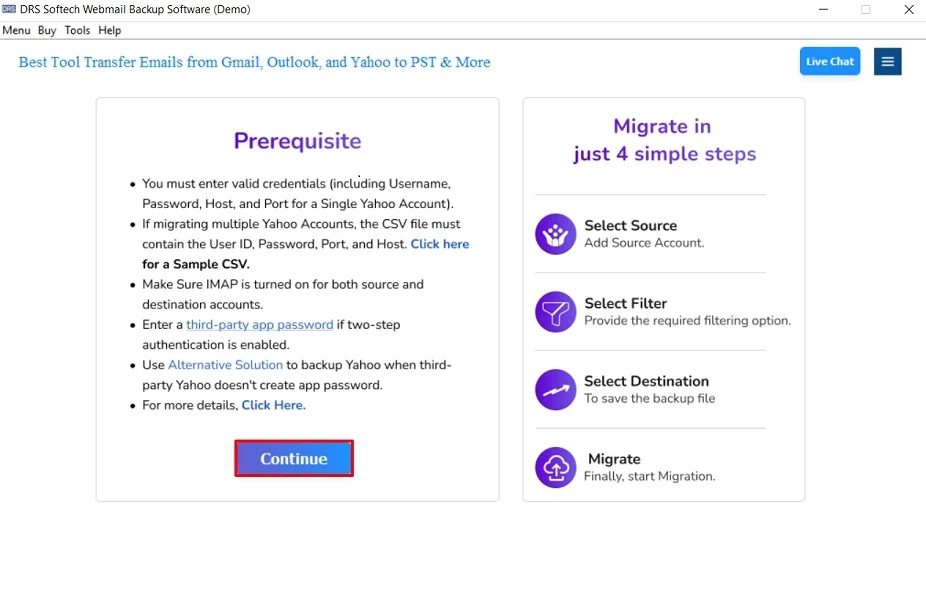
- Firstly, launch the MigrateEmails AOL Backup Tool and select Continue.
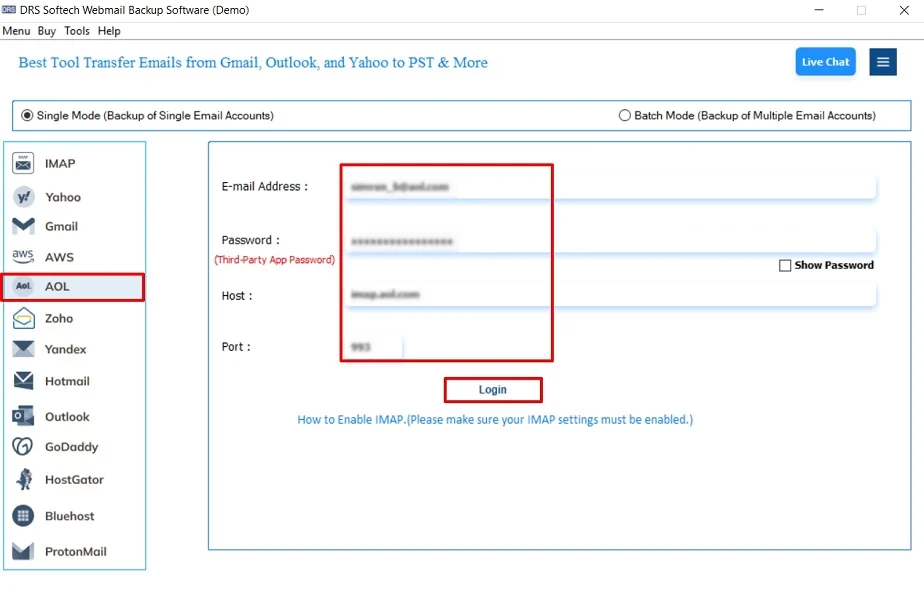
- Now, choose AOL and sign in with your AOL account credentials.
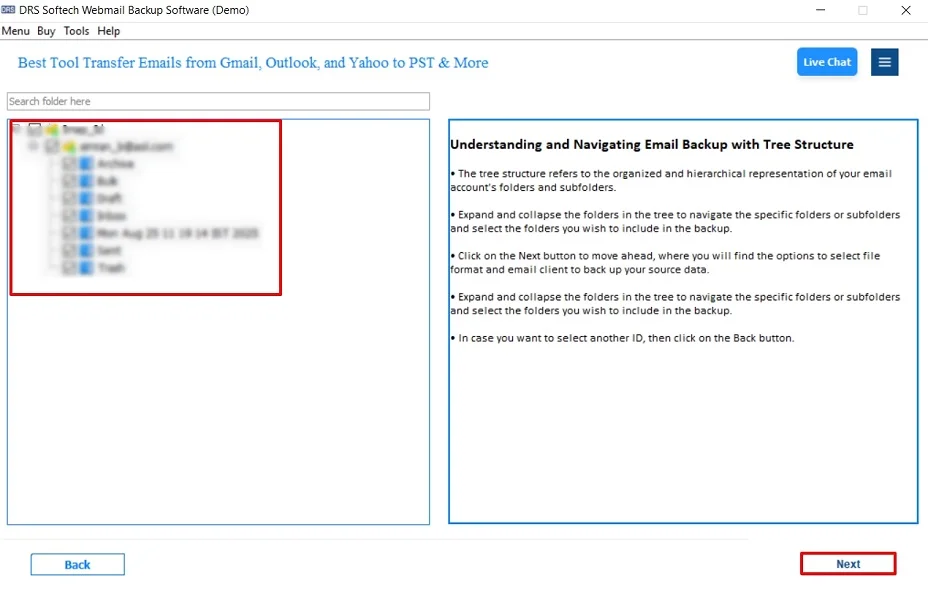
- After that, review your mailbox hierarchy, then click Next.
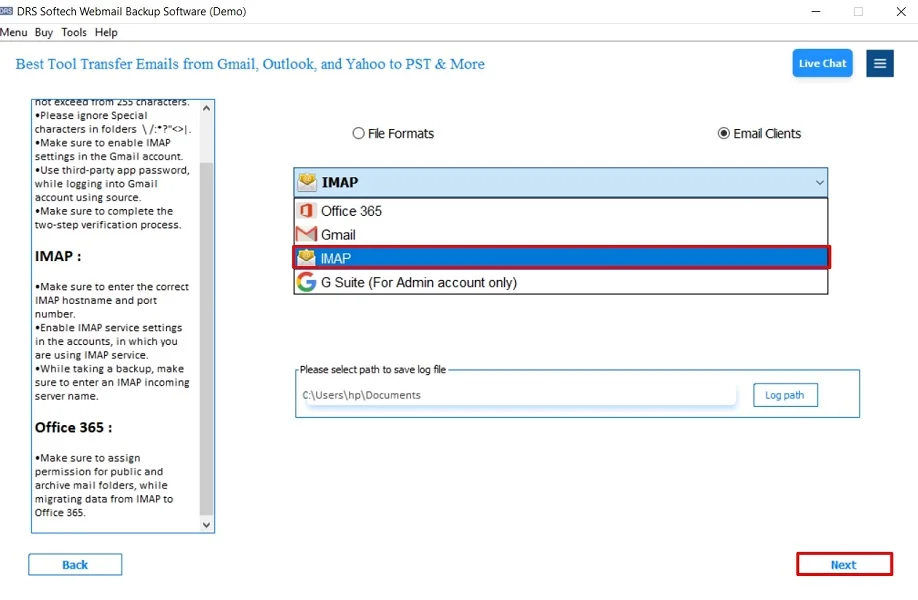
- Further, set IMAP as your destination format and proceed.
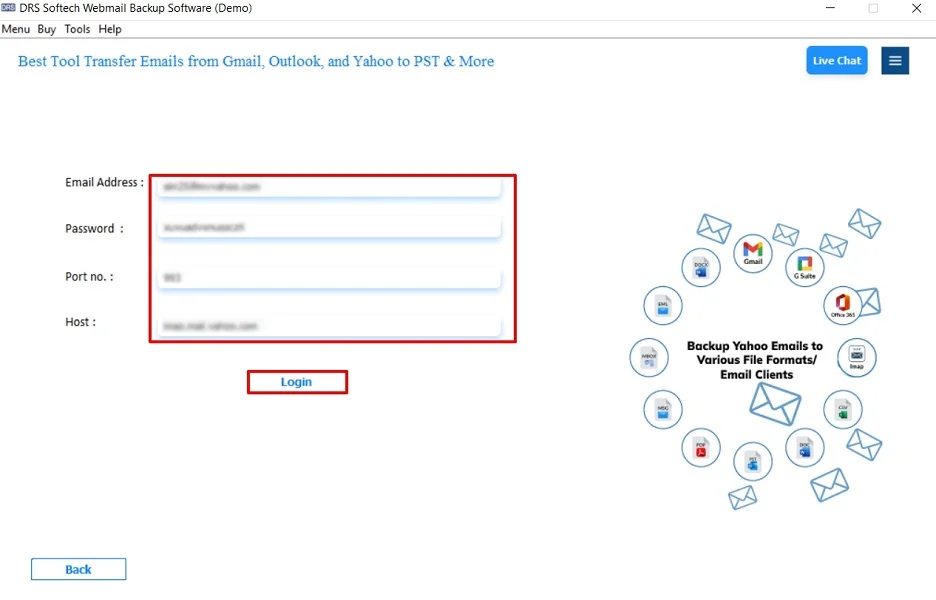
- Subsequently, authenticate your destination by IMAP login credentials.
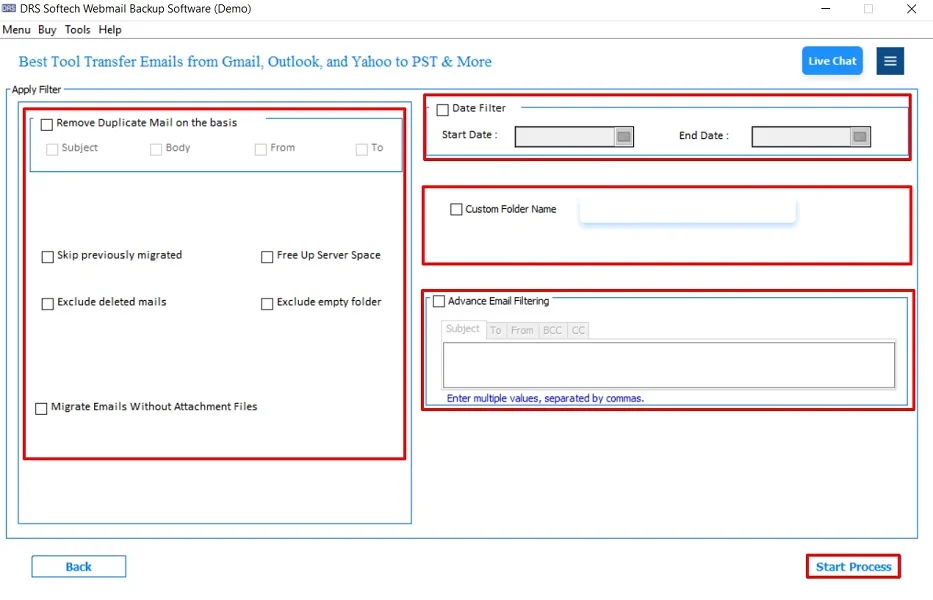
- Finally, configure any advanced filters and select Start Process to initiate.
Advantages of Using the Software to Transfer AOL Mail To Yahoo Mail
- The tool transfers AOL emails with attachments intact.
- Maintains original folder hierarchy with zero data loss.
- Supports multiple conversions simultaneously.
- Enables users to import AOL Emails to Thunderbird.
- Works on previous and latest versions of Windows and macOS.
- Moreover, it is suitable for technical and non-technical users.
A Real-World Scenario:- Jane has been using AOL Mail for several years. To expand her operations and utilize advanced features, she decided to switch to Yahoo Mail. Jane tried to transfer her emails manually, but it took her a lot of time. After researching, she turned to the MigateEmails AOL Backup Tool. Within minutes, she successfully transferred all her emails without losing any details. This allows her to focus on her business rather than the tedious task of email migration.
Conclusion
To conclude, migrating from AOL Mail to Yahoo Mail doesn’t have to be a stressful experience. While manual methods are available, they come with their own set of challenges. Therefore, this makes the professional AOL Backup Tool an attractive option. By understanding the features, needs, and available solutions, you can choose the best approach to transfer AOL Mail to Yahoo Mail seamlessly. Whether you opt for a manual process or professional assistance, the right approach can make your transition more efficient.
Frequently Asked Questions
Q.1 How do I transfer AOL Mail to Yahoo Mail automatically?
Ans. The MigrateEmails AOL Backup Tool offers an automated process to save AOL to Yahoo Mail. This tool will handle the migration process automatically with zero data loss.
Q.2 Is it possible to migrate AOL Mail to Yahoo without data loss?
Ans. Yes, the MigrateEmails AOL Backup Tool is designed to ensure that there is no data loss during the process. It preserves the folder structure and maintains the integrity of your emails. Also, it ensures that all your important data is safely transferred.
Q.3 Can I transfer emails from AOL Mail to Yahoo in bulk?
Ans. Absolutely! The AOL Backup Tool allows you to move emails in bulk. You can select multiple emails or entire folders to convert. Therefore, this makes it convenient to migrate large volumes of data at once.
Q.4 What is the difference between using a free tool and a paid tool to forward AOL Mail to Yahoo Mail?
Ans. While free tools may offer basic functionalities for transferring AOL Mail to Yahoo. But they often come with limitations such as restricted migration, lack of support, and risks of data loss. In contrast, the MigrateEmails AOL Backup Tool is a paid solution. This provides advanced features. Using a paid tool ensures a more reliable and efficient migration experience.
About The Author:

I am Kiran Sharma, a Technical Expert in Content writing. I have technical expertise in the field of Email Backup, Data Recovery, and Email Migration, and resolve technical queries related to Cloud Backup or Email Migration for individuals and businesses.
Related Post