-
Written By Kiran Sharma
-
Updated on December 3rd, 2025
Import PST to BlueMail Easily on Windows & Mac
User Query:-
“I have multiple PST files exported from Outlook. Now I want to access these emails in the BlueMail application. What is the safest method to import PST to BlueMail with zero data loss?”
“I have multiple PST files exported from Outlook. Now I want to access these emails in the BlueMail application. What is the safest method to import PST to BlueMail with zero data loss?”
Introduction: PST is an Outlook-specific file type used to store mailbox data. However, BlueMail does not support PST file import. As it is an email client based on IMAP/POP configuration. Therefore, to access Outlook emails in BlueMail, you must import Outlook PST to BlueMail. This guide explains the manual as well as the professional working. Also, a guide on how to use the MigrateEmails PST Converter Tool to perform the conversion.
Comparison Between PST and BlueMail
|
Features |
PST File |
BlueMail |
|
File Conversion Support |
Yes |
No |
|
Storage Type |
Local file |
Server-based synced mailbox |
|
Supports Attachments |
Yes |
Yes |
|
Platform Dependency |
Windows desktop |
Android, iOS, Windows, macOS |
What Makes Users Import PST to BlueMail?
- Accessing Outlook emails on mobile (Android/iOS) via BlueMail.
- Switch from Outlook desktop to the BlueMail app.
- View PST mailbox data across multiple devices.
- Allow the users to import PST to Titan Mail.
- Also, managing old Outlook emails in a modern, unified mailbox.
- Moreover, synchronize PST emails across devices using IMAP.
Manual Working to Import PST Files to BlueMail
Since BlueMail cannot open PST files directly, the manual trick is the only approach. But remember that this process is very time-consuming and prone to errors. Let’s follow the step-by-step procedure.
Step 1. Add an IMAP Email Account to Outlook
You can use Gmail, Yahoo, Outlook.com, or any custom IMAP server.
Step 2. Upload PST Emails to the IMAP Account
- Firstly, open MS Outlook.
- Now, go to File → Open & Export → Open Outlook Data File.
- After that, import your PST file.
- Drag and drop emails/folders from PST into your IMAP inbox.
- Wait for the IMAP account to sync the uploaded emails to the server.
Step 3. Configure the Same IMAP Account in BlueMail
- Further, open BlueMail.
- Tap Add Account → choose IMAP.
- Enter the same email credentials.
- BlueMail will fetch all emails previously uploaded from the PST.
Limitations to Import PST to BlueMail Manually
- This process is extremely slow if the PST file is large.
- Therefore, it requires configuring an IMAP account.
- Sometimes there is a risk of incomplete uploads or syncing issues.
- Folder structure may not remain intact.
- Manual dragging and uploading are time-consuming.
- Also, it is not suitable for multiple PST files.
Recommended Tool to Migrate Emails from PST to BlueMail
To avoid manual effort and data inconsistency, you can use the MigrateEmails PST Converter Tool. This utility import PST to AOL and other supported formats. Also, it can upload PST emails directly to an IMAP server. This makes the BlueMail import simple and error-free. Also, it is easy to use and saves time and effort.
One-Time Service Option:-
If you do not want to perform the migration manually, you can use the MigrateEmails One-Time PST Migration Service.
A certified expert handles your PST-to-BlueMail migration securely, ensuring complete data transfer.
Step-by-Step Guide to Import PST to BlueMail
- Firstly, download and install the MigrateEmails PST Converter Tool → Next.
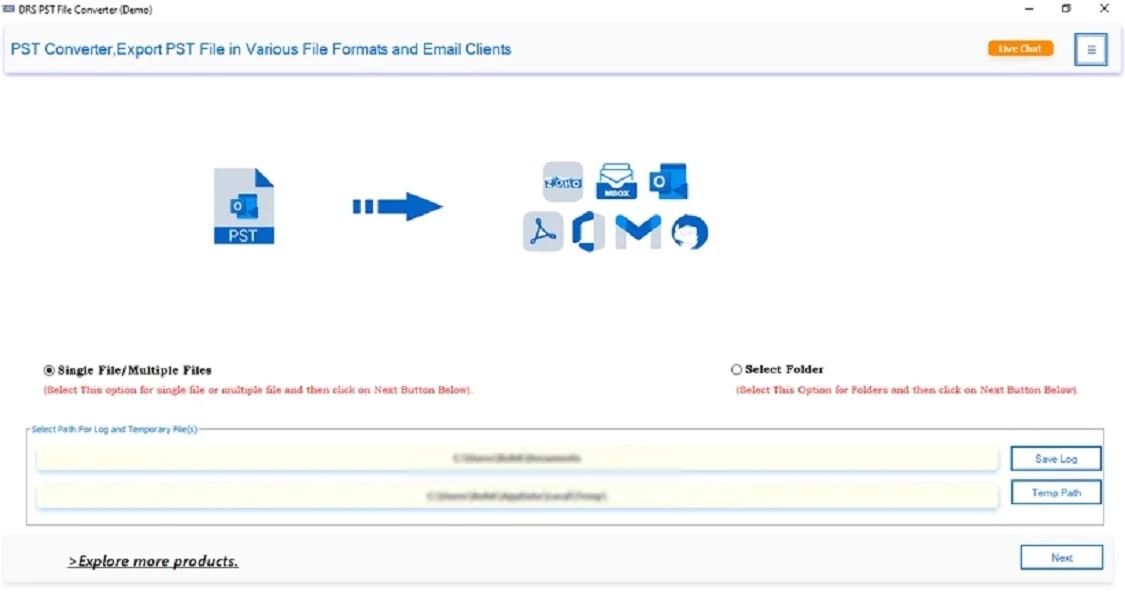
- Now, click Select Files/Folders → Upload the PST file → Next.
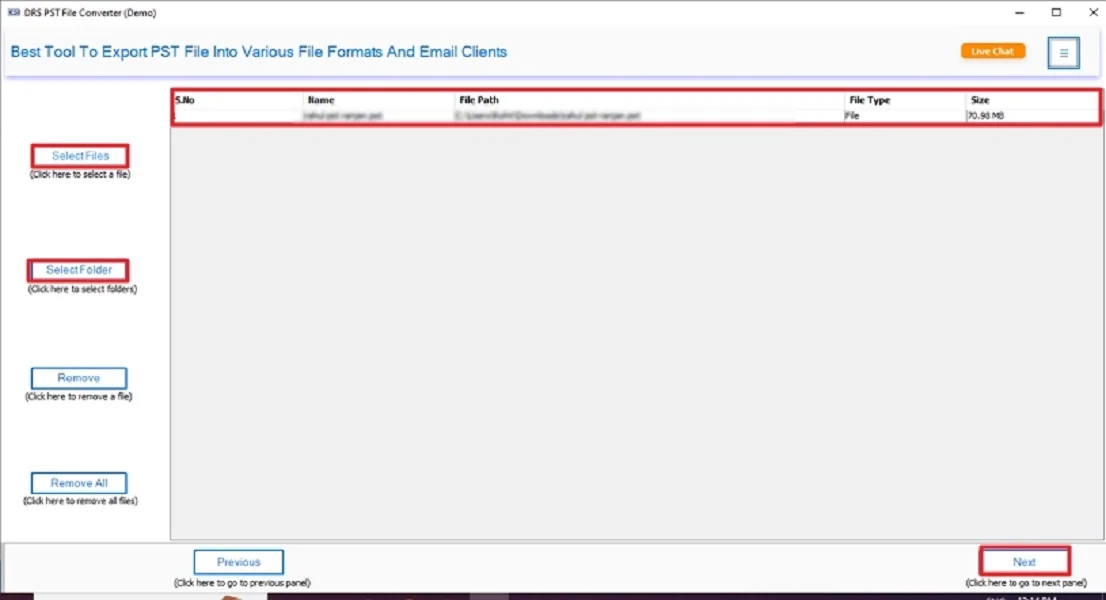
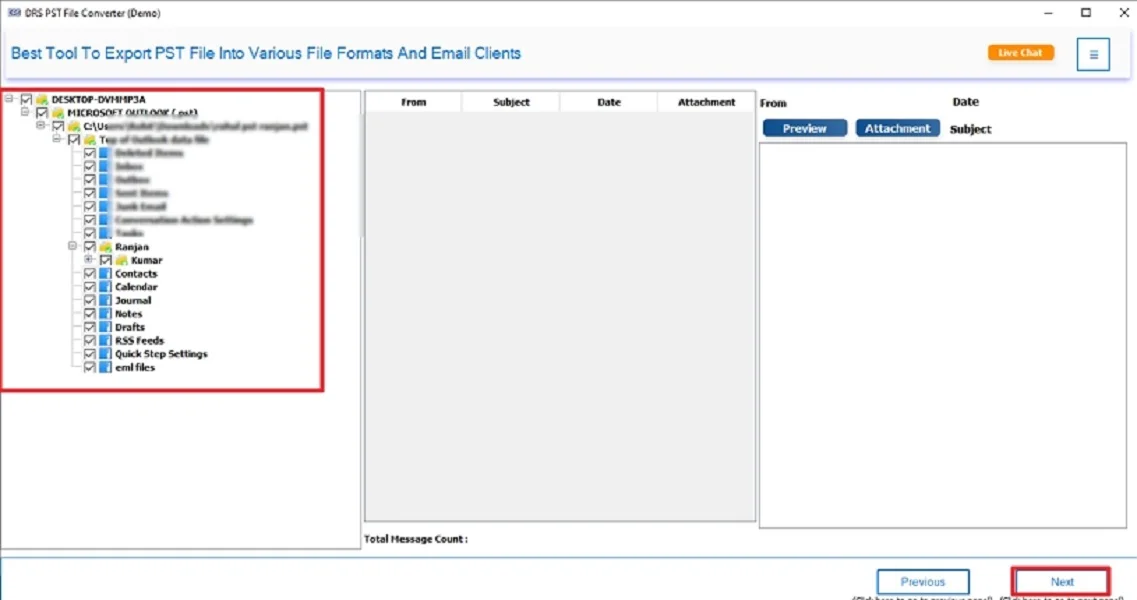
- After that, expand the data structure → Preview the details → Next.
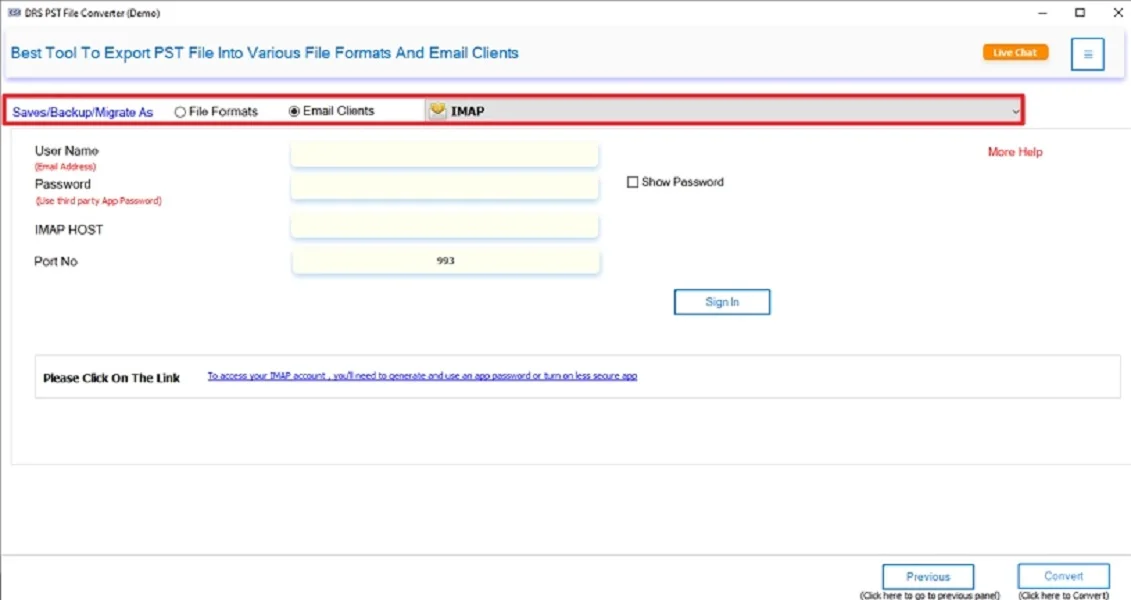
- Subsequently, choose IMAP as the email client.
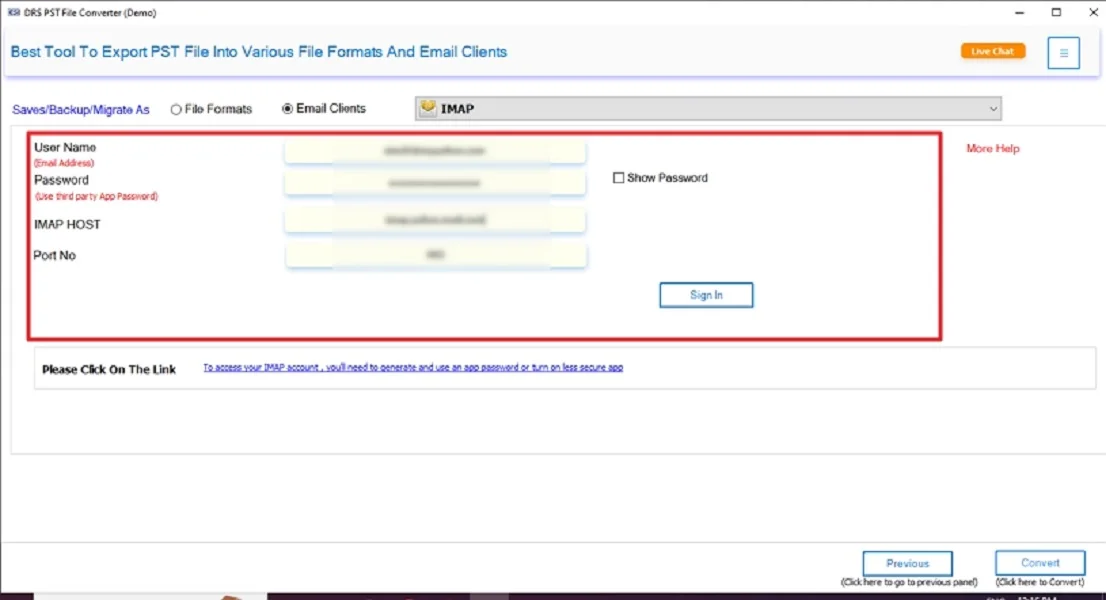
- Enter your IMAP server details (used in BlueMail).
- Finally, apply the filters if needed → Click Convert to start the process.
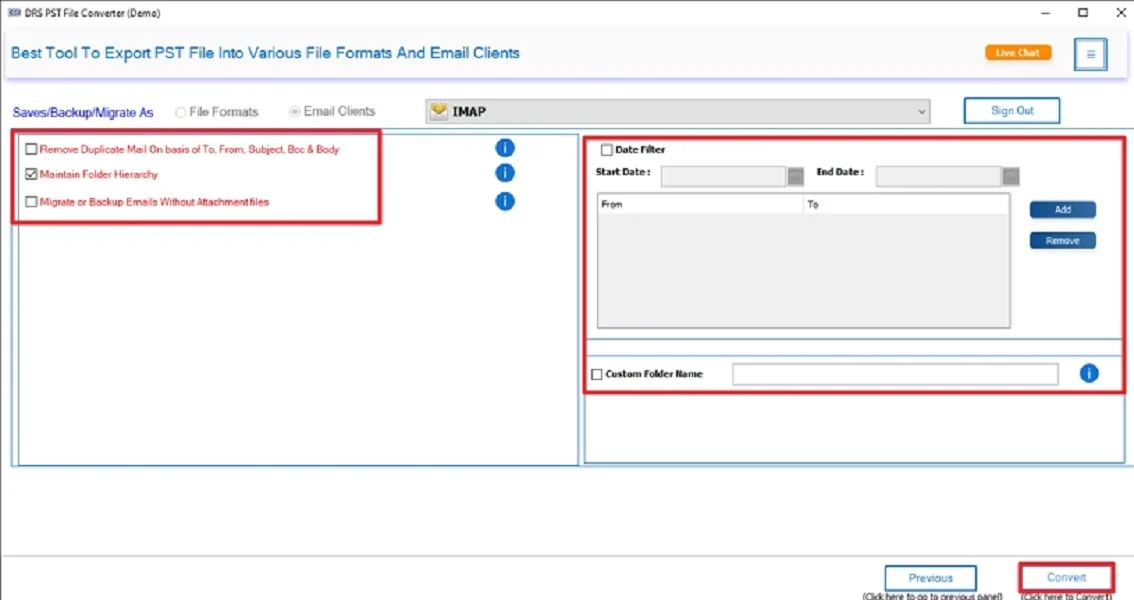
Key Features of the Tool to Import PST to BlueMail
- Converts PST to IMAP, PDF, MBOX, EML, HTML, and more.
- Preserves metadata, formatting, and structure intact.
- Removes duplicate emails.
- There are advanced filters for selective export.
- Also, the tool has a high-speed migration engine.
- Easy-to-use UI for both technical and non-technical users.
Conclusion
In short, BlueMail does not allow PST file import directly. But you can easily access PST mailbox data manually. For a faster, safer, and more efficient process, the PST Converter Tool is the recommended solution. It ensures complete and accurate migration with preserved folder structure and attachments. Also, this is the best approach to import PST to BlueMail with zero data loss and complete accuracy.
Frequently Asked Questions
Q.1 How Do I Import PST to BlueMail Without Data Loss?
Ans. You can avoid data loss by converting or migrating PST files through a professional PST Converter Tool that supports IMAP upload. After uploading your PST mailbox to an IMAP account, simply configure the same account in BlueMail to access all emails safely.
Q.2 What Is the Difference Between Using a Free Tool and a Paid Tool to Import Outlook PST to BlueMail?
Ans. Free methods require manual IMAP configuration, dragging folders, and slow syncing. This often leads to partial uploads or missing data.
On the other hand, the professional tools offer direct PST to IMAP migration, preserve formatting, maintain the folder hierarchy, and handle large PST files without errors.
Q.3 What Is the Best Way to Import PST Files to BlueMail in Bulk?
Ans. Using a dedicated MigrateEmails PST to IMAP professional tool is the best bulk solution. It processes multiple PST files at once, prevents duplication, and ensures the entire mailbox structure and attachments remain intact during migration.
Q.4 Is There a Way to Migrate PST Emails to BlueMail Without Technical Skill?
Ans. Yes. You can use either:
A paid automated PST migration tool, which requires minimal steps, or a one-time migration service, where experts transfer emails from PST to BlueMail.
About The Author:

I am Kiran Sharma, a Technical Expert in Content writing. I have technical expertise in the field of Email Backup, Data Recovery, and Email Migration, and resolve technical queries related to Cloud Backup or Email Migration for individuals and businesses.
Related Post