-
Written By Kiran Sharma
-
Updated on December 5th, 2025
Export Yahoo to CSV Easily and Safely: Best Working Method
User Query:-
“I want to change my Yahoo Mail data to a CSV file for backup and reporting purposes. What is the easiest and safest way to export Yahoo to CSV without losing any contacts or email details?”
“I want to change my Yahoo Mail data to a CSV file for backup and reporting purposes. What is the easiest and safest way to export Yahoo to CSV without losing any contacts or email details?”
Introduction:- Exporting Yahoo data helps create offline backups, manage contacts, and easily migrate data to other platforms. However, Yahoo provides a basic export option. But it is limited and not suitable for bulk contacts or maintaining formatting. This guide explains the complete manual method to export Yahoo Mail to CSV. Also covers an error-free MigrateEmails Yahoo Backup Tool to do the same efficiently with zero data loss.
Getting to Know Yahoo Mail and the CSV Export Format
Yahoo Mail:
- It is a free email service provided by Yahoo.
- Allows users to send, receive, and manage emails.
- Stores contacts, attachments, and other personal data.
- Also, it can be accessed through web browsers, mobile apps, or email clients.
CSV Format:
- It is a lightweight, plain-text file format used to store tabular data, such as contacts or spreadsheets.
- Each line in a CSV file represents a row, and each value is separated by a comma.
- These files can be opened in applications like Excel, Google Sheets, and many data-import tools.
Purpose Behind Saving Yahoo Data as CSV
Users commonly prefer to export Yahoo to CSV for the following reasons:
- Creating offline backups of important contacts or email lists.
- Managing and editing contact information in Excel, Google Sheets, etc.
- Allow the users to export Yahoo Emails to MBOX and other supported files.
- Avoiding the risk of data loss during account deletion or migration.
- Business audits, reporting, and structured data analysis.
- Moreover, sharing organized contact lists easily.
Classic Method to Export Emails from Yahoo to CSV
Yahoo allows exporting contacts to CSV directly from the Contacts dashboard. However, Yahoo does not offer a built-in option to convert emails to CSV. But you can follow the conversion manually.
Follow the Steps Below to Export Yahoo to CSV
- Firstly, sign in to your Yahoo Mail account.
- Now, from the top-right corner, click the Contacts icon.
- Then, select More Options from the left panel.
- Click Export (CSV) from the export options.
- After that, choose the location where you want to save the CSV file.
- Lastly, confirm and download the contacts CSV.
Disadvantages to Convert Yahoo Emails to Excel CSV Manually
- You cannot convert Yahoo emails to CSV manually.
- There is no selective export of specific contacts.
- There is limited metadata stored in the exported CSV.
- Unfortunately, there is no bulk conversion for large datasets.
- Formatting issues may occur when opening the CSV in Excel or Sheets.
- Moreover, it is very time-consuming for users with multiple Yahoo accounts.
Modern Technique to Export Yahoo to CSV
If you want to export both Yahoo Mail emails and contacts to CSV without any data issues. The MigrateEmails Yahoo Backup Tool is highly recommended. This tool supports users to migrate Yahoo to Zoho Mail and other email platforms. Also, it allows exporting in bulk while preserving all metadata. Moreover, it ensures loss-free data conversion with complete accuracy and security.
One-Time Service Availability:- If you prefer not to perform the conversion yourself, MigrateEmails offers a One-Time Yahoo Export Service. Connect with our team. They will securely export Yahoo Mail to CSV with attachments. Also, they ensure the process with complete data preservation.
Immediate Guide to Use the Yahoo Backup Tool
- Firstly, download and install the MigrateEmails Yahoo Backup Software.
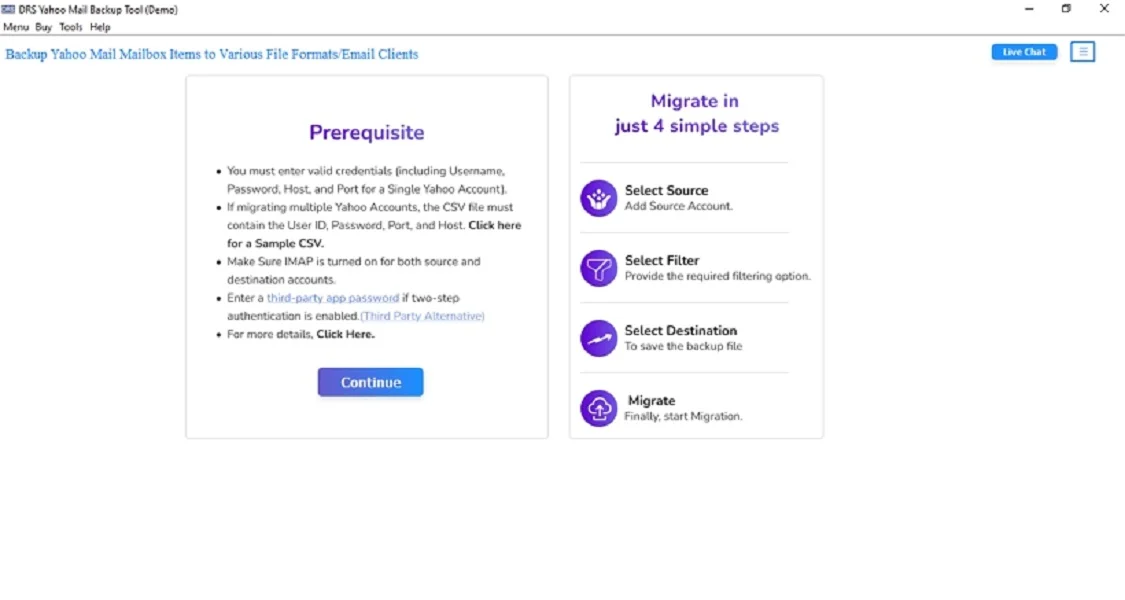
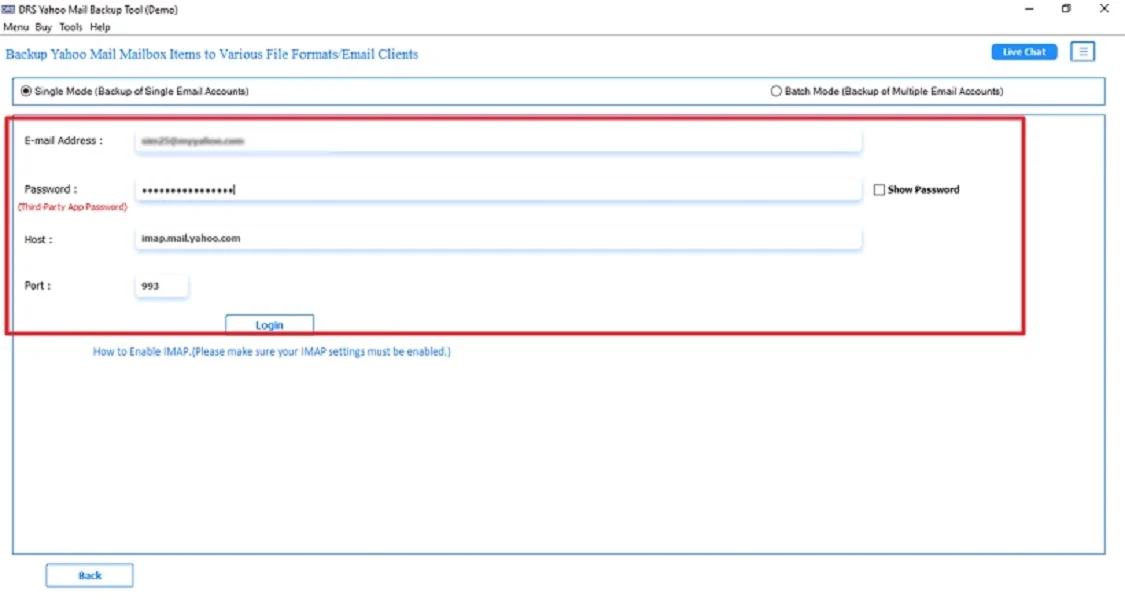
- Now, log in using the Yahoo Mail Account credentials.
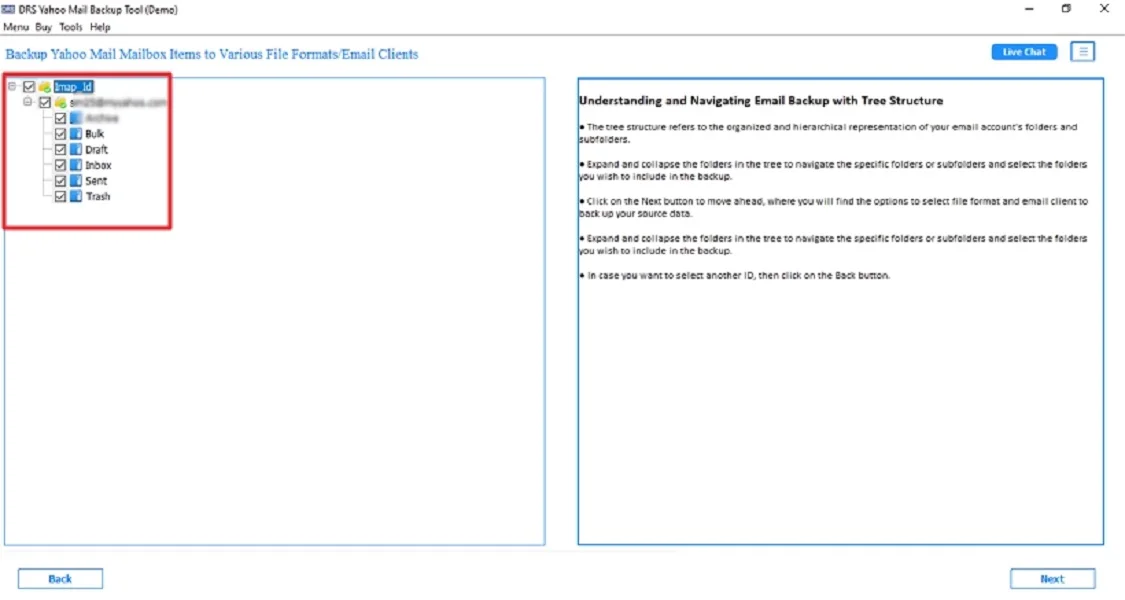
- After that, preview the entire mailbox → Next.
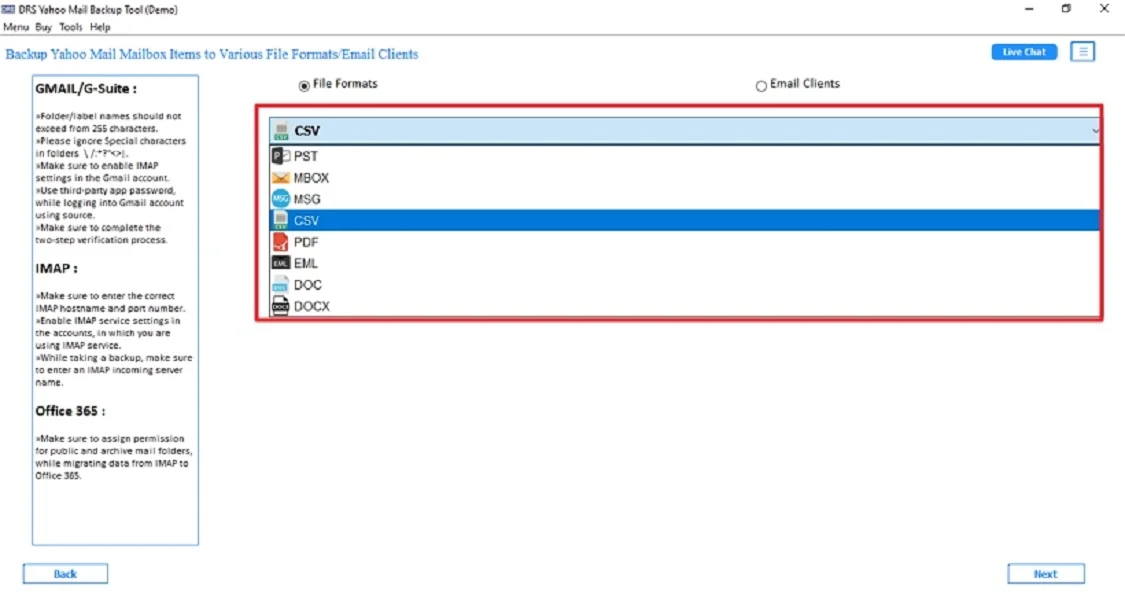
- Further, select CSV as the saving output file format → Next.
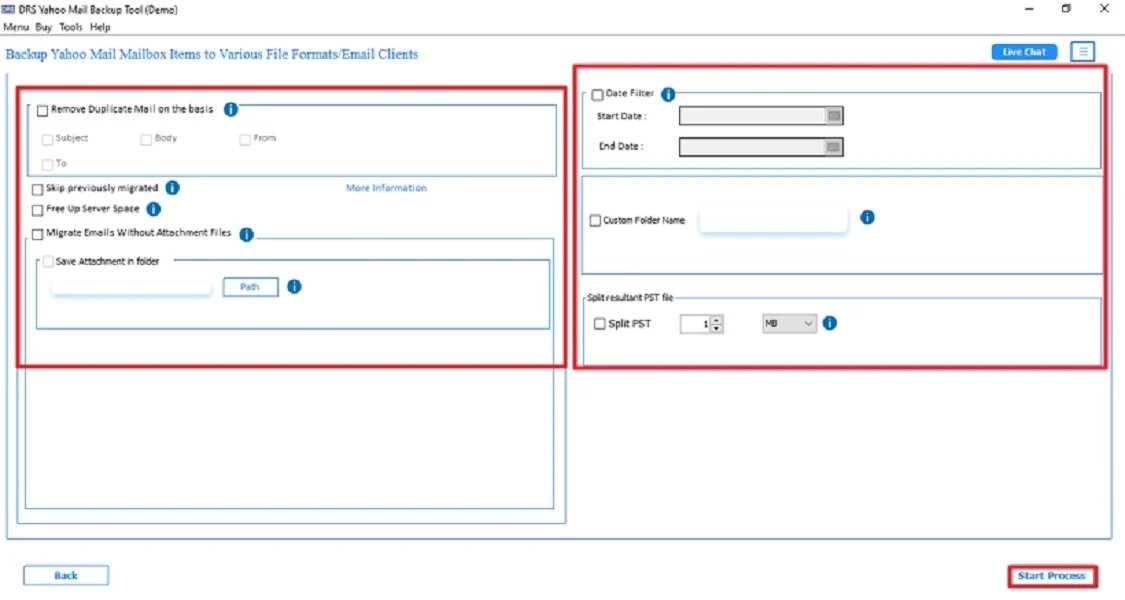
- Finally, apply the built-in features → click Start Process to begin.
Key Advantages to Export Yahoo to CSV via Software
- The tool converts Yahoo emails directly to CSV.
- Export contacts and email metadata without losing structure.
- Supports bulk export of entire Yahoo mailboxes.
- Provides advanced filters for selective CSV export.
- Also, this software is compatible with both Windows and Mac.
- Moreover, it is suitable for beginners, and no technical expertise is required.
Real-Life Example:- A digital marketing team needed a CSV file of clients’ email conversations from Yahoo for a campaign. Therefore, the manual method did not support exporting emails. So they used the MigrateEmails Yahoo Backup tool to quickly export Yahoo Mail to CSV. This saves hours of manual work and ensures complete accuracy with zero data loss.
Final Words
In short, exporting Yahoo to CSV is essential for organizing data and creating backups. While Yahoo’s manual method allows exporting contacts only. Therefore, it doesn’t support exporting emails or bulk data. For complete, secure, and error-free export, the Yahoo Backup Tool is the best solution. It export Yahoo to CSV with full accuracy, folder structure, and metadata. At last, this approach saves time, ensures zero data loss, and supports multiple Yahoo accounts efficiently.
Frequently Asked Questions
Q.1 Can I export Yahoo emails to CSV directly?
Ans. No. Yahoo Mail does not provide a direct option to convert emails into CSV format. You can only export contacts manually. Therefore, to export emails, you must use a professional Yahoo Backup Tool. This supports saving Yahoo Mail data into CSV without any loss.
Q.2 Is there a safe way to export Yahoo Mail to CSV without losing data?
Ans. Yes. The most secure way is to use an automated MigrateEmails Yahoo to CSV converter tool. It preserves all email fields, including subject, sender, receiver, date, message body, and metadata, ensuring complete data integrity.
Q.3 Can I export Yahoo emails to CSV easily without technical skills?
Ans. Absolutely. A professional MigrateEmails Yahoo backup tool offers a simple click-based interface. This allows even non-technical users to export Yahoo emails to CSV effortlessly.
Q.4 Is there a free way to convert Yahoo emails to Excel CSV?
Ans. There is no direct option to move Yahoo emails to CSV format. Yahoo’s free export only works for contacts, not emails. However, free methods are extremely slow and unreliable. For exporting emails to Excel CSV, using an automated Yahoo backup tool is the only practical and accurate method.
About The Author:

I am Kiran Sharma, a Technical Expert in Content writing. I have technical expertise in the field of Email Backup, Data Recovery, and Email Migration, and resolve technical queries related to Cloud Backup or Email Migration for individuals and businesses.
Related Post